AI Agent Workflow Automation: How Enterprise Teams Use Agents Safely
AI agent workflow automation uses AI agents to execute or coordinate multi-step tasks inside defined business workflows. For enterprise teams, the value is not unrestricted autonomy. The value is controlled task execution across systems, with clear triggers, permissions, escalation paths, audit trails, and measurable outcomes.
CTOs, operations leaders, automation owners, and enterprise software teams can use this guide to evaluate where agents can move work forward without creating new risk. It explains how agent-based workflow automation differs from RPA, standard workflow automation, and chatbots; where workflow agents create practical value; and what architecture and governance controls are required before production use.
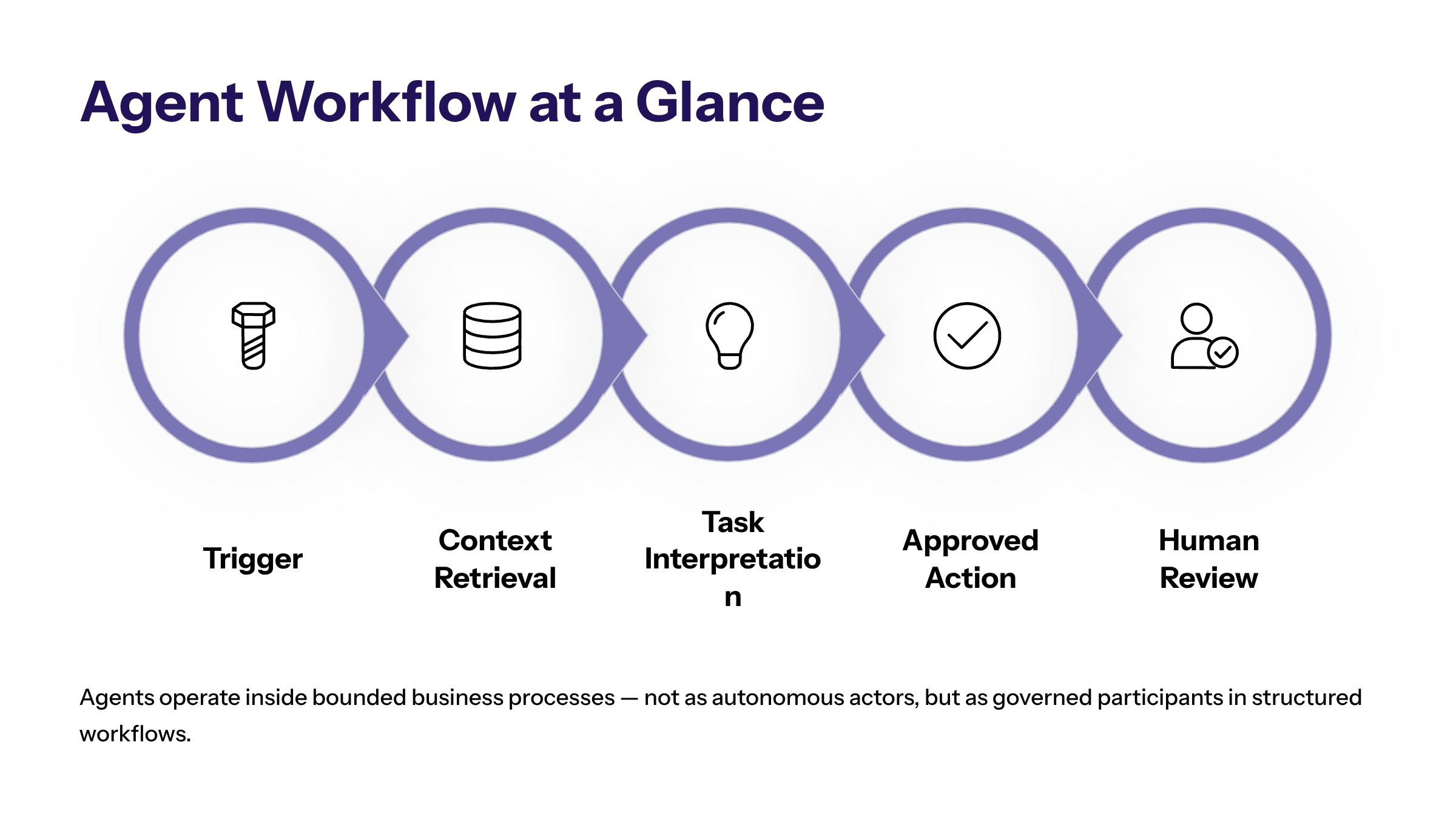
In practice, agent-led workflow automation works best when agents operate inside bounded workflows. The agent may interpret context, retrieve information, draft a response, recommend a next step, or trigger an approved system action. The enterprise still defines the workflow boundary, system access, review threshold, escalation owner, and success metric.
Strong candidates usually have repeatable work patterns, clear input data, visible bottlenecks, and measurable operational impact. Weak candidates depend on unclear ownership, unresolved policy decisions, sensitive judgment calls, or data that cannot be accessed reliably.
What Agent-Led Workflow Automation Means
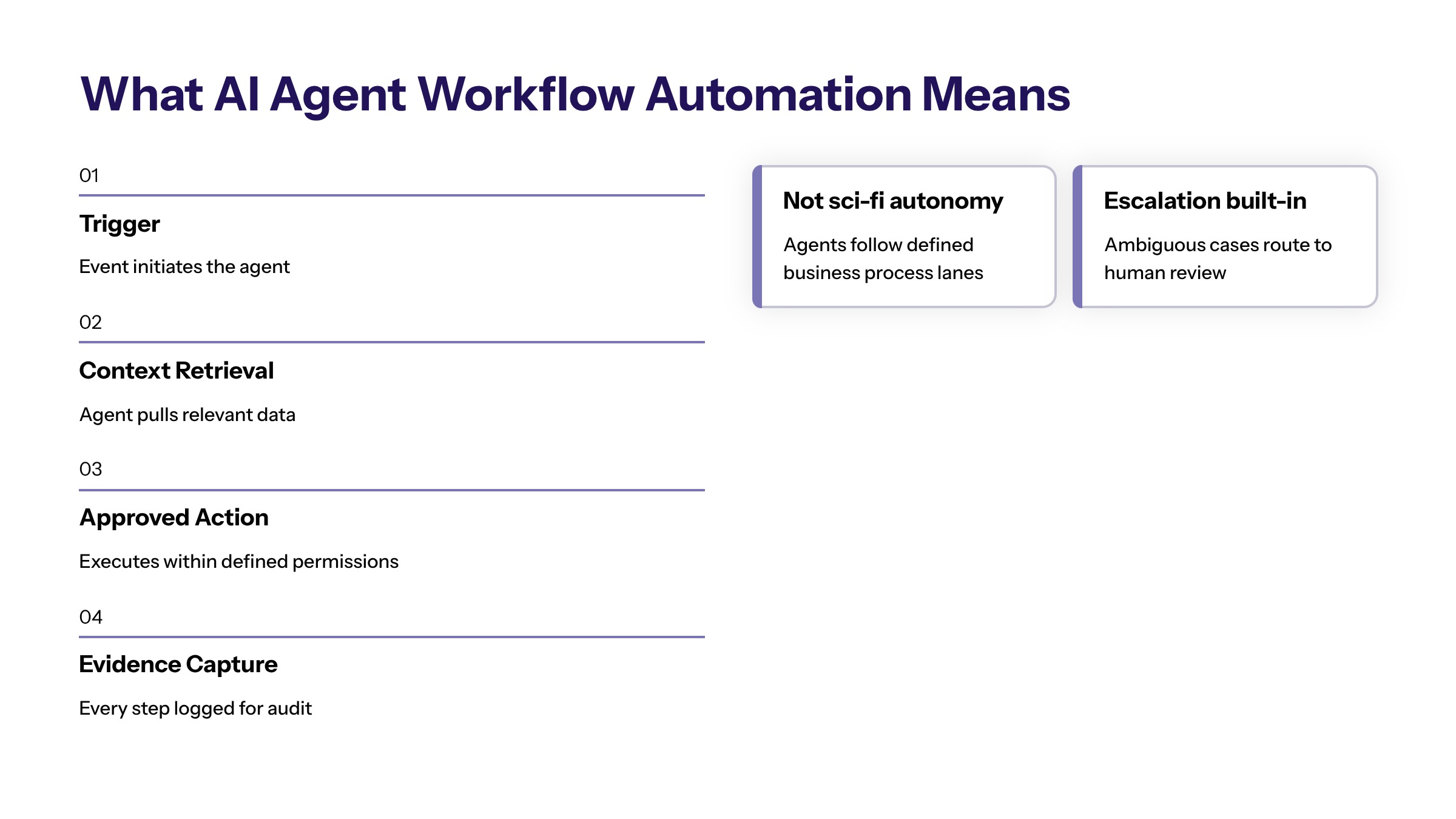
This approach combines AI agents with workflow orchestration. An AI agent can interpret instructions, reason over available context, select a next step within limits, and interact with software systems. Workflow automation provides the structure around that activity: triggers, task queues, approvals, handoffs, status changes, and reporting.
The difference is important. A standalone agent may be useful for a task, but an enterprise workflow requires more than an agent response. It needs predictable state management, permission boundaries, evidence capture, and a way for people to intervene when the work becomes uncertain or high risk.
In a governed workflow, the agent does not simply act because it can. It acts because a defined workflow condition has been met. A customer ticket is submitted, a contract reaches a review stage, an invoice fails a matching rule, or an operations dashboard flags an exception. The agent receives the right context, performs a defined role, and hands the workflow forward with a record of what it did.
This is where custom AI software development becomes relevant. Enterprise teams often need agents to work with existing systems, internal data, business rules, and approval models. A generic agent interface is rarely enough when the workflow touches revenue, customer experience, finance, compliance, or operational continuity.
AI Agents vs Workflow Automation vs RPA
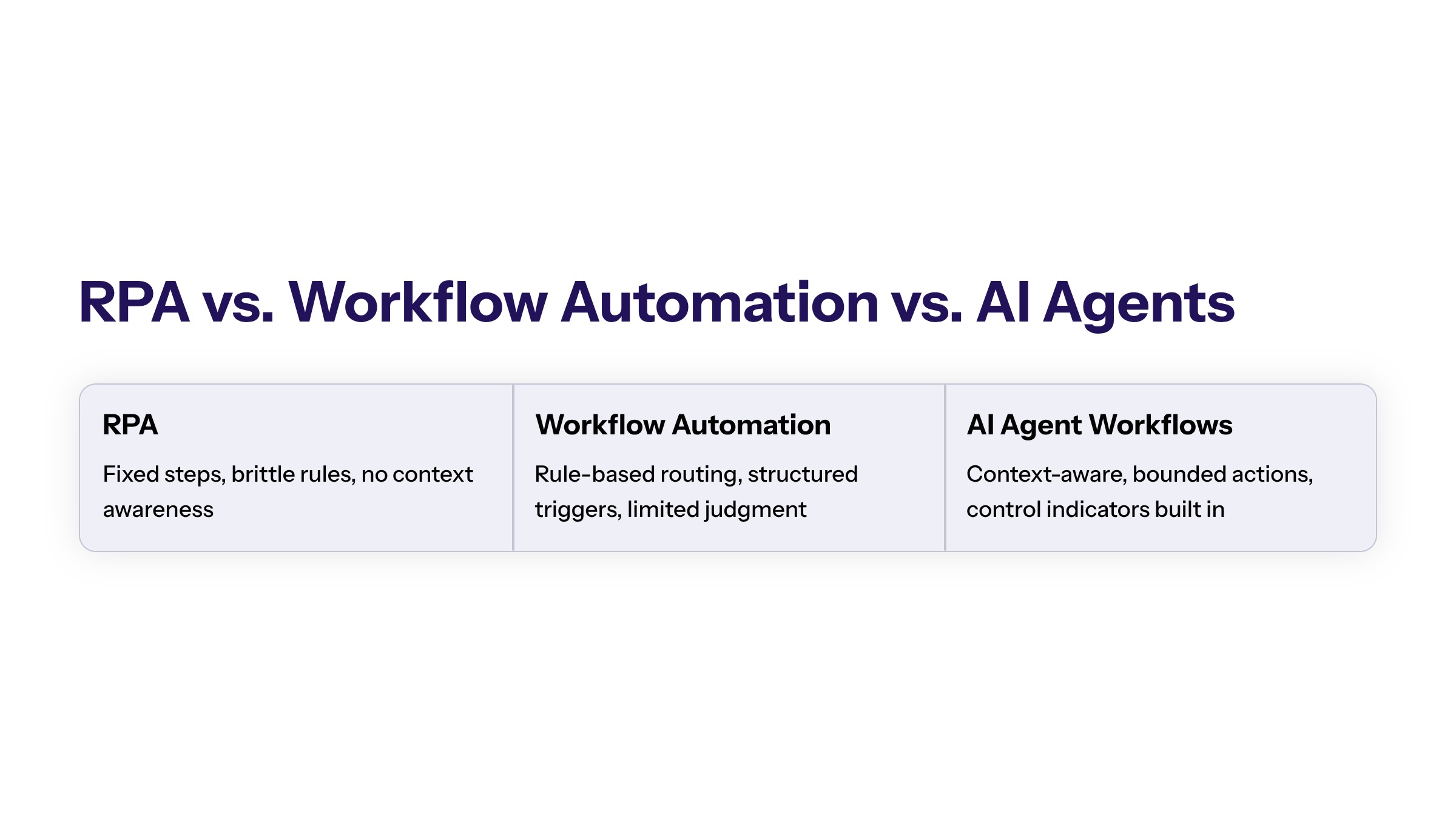
AI agents, traditional workflow automation, and robotic process automation can all move work forward, but they solve different problems. RPA usually follows fixed steps in existing interfaces. Standard workflow automation routes tasks based on rules. AI agents add context interpretation and flexible task handling, but they also require stronger oversight.
Approach | Best Fit | Limitations | Controls Needed |
|---|---|---|---|
RPA | Stable, repetitive screen or data-entry tasks. | Can break when interfaces or rules change. | Credential control, exception handling, and monitoring. |
Standard workflow automation | Rules-based routing, approvals, notifications, and status changes. | Struggles with ambiguous language, messy documents, and context-heavy decisions. | Clear owners, workflow state, and approval paths. |
AI agent workflow automation | Multi-step work requiring interpretation, retrieval, summarization, prioritization, or coordinated action. | Creates risk if system access and decision boundaries are unclear. | Permissions, audit trails, human review, logs, and rollback paths. |
The practical takeaway is that AI agents should not replace every automation method. They should be used where context matters. If a deterministic rule can solve the task cleanly, a rule is often safer and cheaper. If the workflow requires interpreting emails, documents, tickets, policies, account history, or operational signals, an agent can become useful inside a controlled process.
Where Agent Workflows Create Business Value
Agent-based automation creates value when it reduces delay between information and action. Many business processes slow down because people must collect context from several systems, summarize it, decide who should handle it, and update records manually. Agents can reduce that friction when the workflow is bounded and the action path is clear.
In customer operations, an agent can classify requests, retrieve account context, summarize history, recommend a response, and route the case to the right queue. The agent does not need to resolve every issue. It can make the first few workflow steps faster and more consistent while escalating sensitive cases to a human owner.
In finance and back-office operations, agents can review invoices, compare records, flag mismatches, draft approval notes, and prepare exceptions for review. In legal or contract workflows, agents can identify missing clauses, summarize obligations, compare terms against policy, and route documents to the right reviewer.
In IT and internal service workflows, agents can triage requests, collect missing information, suggest resolution paths, update ticket status, and escalate incidents based on severity. These examples work because the agent is part of a workflow with defined systems, data, permissions, and owners.
The strongest use cases are high-volume, measurable, and bounded. A workflow that happens daily, creates visible delays, and has clear success criteria is usually a better candidate than a vague "make the team more productive" initiative.
Architecture Requirements for AI Agent Workflows
Agent workflow programs depend on architecture. The agent needs access to context, but access must be limited to what the workflow requires. It needs the ability to trigger actions, but those actions must be governed. It needs logs, but logs must be useful enough for review and improvement.
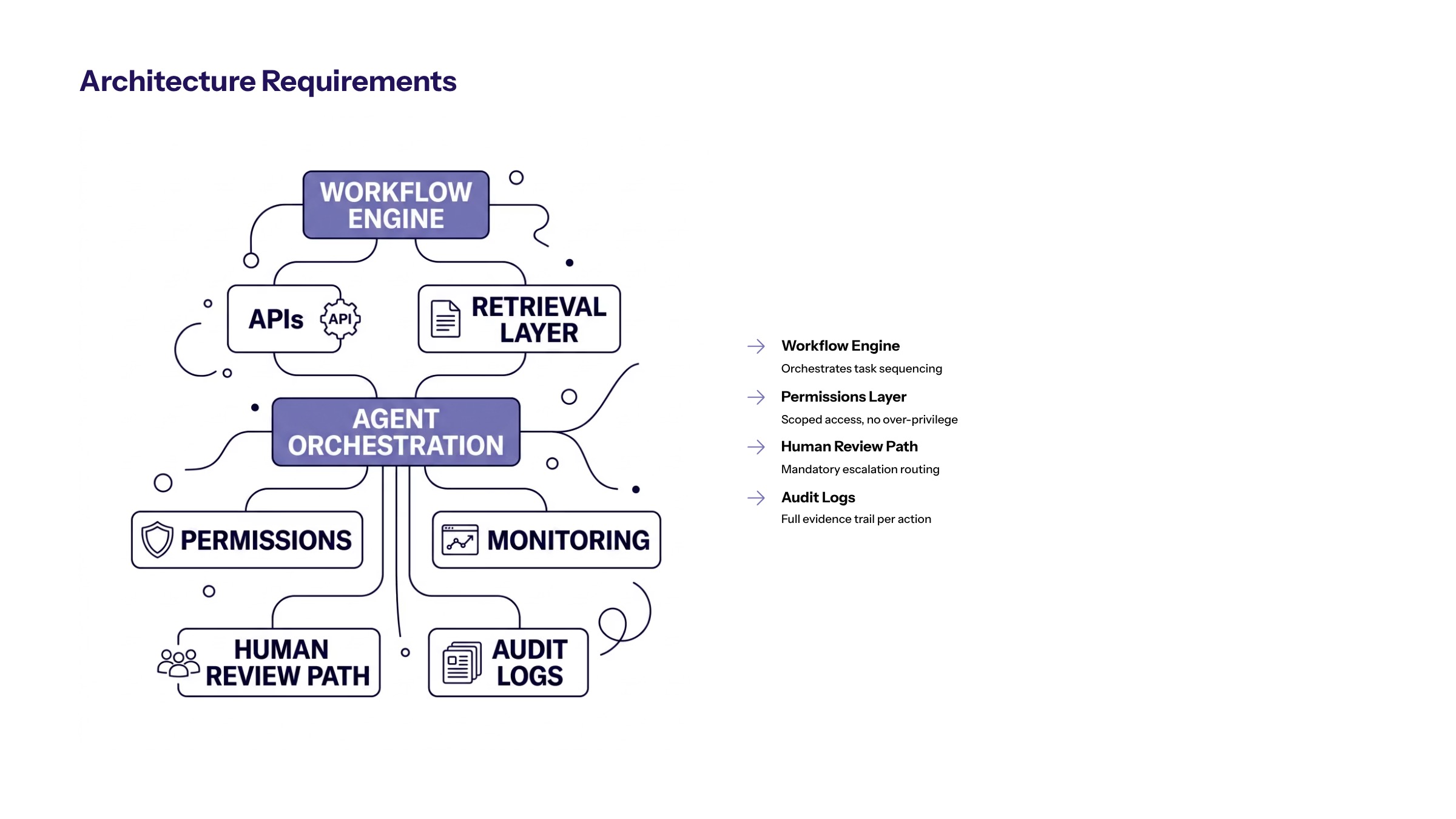
A practical architecture includes a workflow engine, integration layer, model or agent orchestration layer, retrieval layer, permission model, event triggers, audit logging, monitoring, and a human review path. The system should know what triggered the workflow, which data the agent accessed, what output it produced, what action was taken, and who approved or reviewed it.
This is why AI-first architecture should be considered early. Agent workflows are not only prompt design. They are software systems that must connect data, models, business rules, user interfaces, and governance controls. If the architecture is fragile, the agent workflow will be fragile too.
Integration planning should account for CRM, ERP, ticketing, finance, document management, identity, analytics, and internal applications. The architecture should also separate low-risk actions from high-risk actions. Drafting a note may require lighter control than updating a customer record, approving a payment, or changing a compliance status.
Agent Workflow Boundaries and Human Review
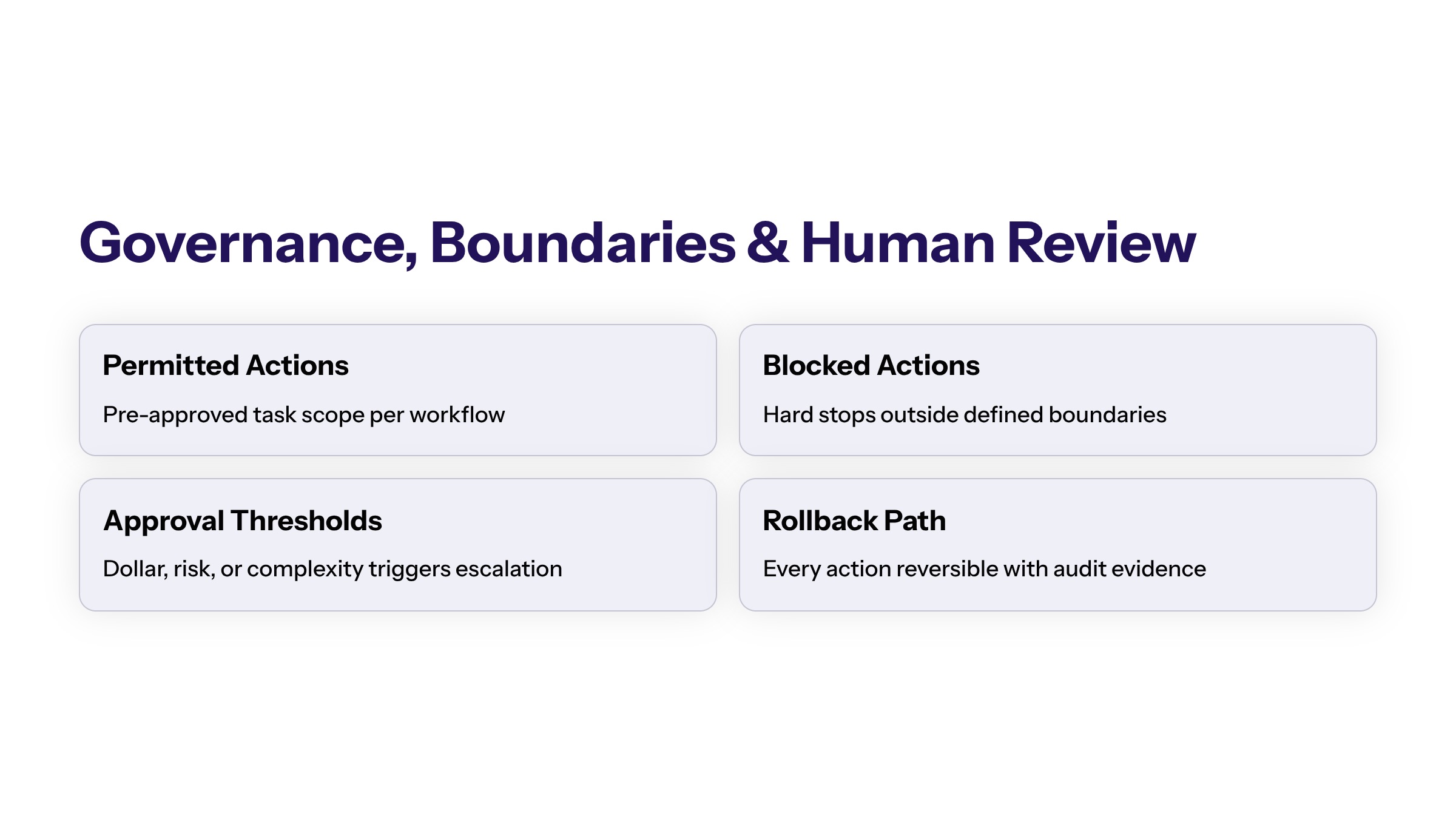
Agent workflows need boundaries before they need more autonomy. Governance should define what the agent can read, what it can write, what it can recommend, what it can execute, and when it must stop for review. These controls protect the organization and make the workflow easier to trust.
Human review should be placed where risk is highest. Low-confidence outputs, unusual requests, regulated data, financial decisions, customer-impacting actions, and policy exceptions should move to a human owner. Routine low-risk steps can be automated more freely after testing, but the workflow should still log what happened.
Secure development practices matter because agent workflows often touch sensitive systems. Least-privilege access, role-based permissions, input validation, data minimization, audit trails, monitoring, and incident response are not optional extras. They are part of making agent automation production-ready.
A useful governance model also defines rollback. If an agent updates a record, routes a case incorrectly, or generates a flawed recommendation, the team should know how to correct the result. Enterprise trust comes from control, not from pretending that agents will never make mistakes.
Implementation Roadmap for AI Agent Workflow Automation
The safest implementation path starts with one workflow, not an enterprise-wide agent program. Choose a workflow with clear volume, visible pain, accessible data, and a limited action path. The pilot should be valuable enough to matter but bounded enough to govern.
Map the workflow. Document triggers, inputs, systems, owners, handoffs, decision points, and exceptions.
Define agent roles. Decide whether the agent will classify, retrieve, summarize, recommend, draft, route, or execute.
Set boundaries. Define permissions, blocked actions, approval thresholds, escalation rules, and review states.
Build the integration path. Connect only the systems needed for the pilot, with clear logs and test data where possible.
Test with real workflow variation. Include common cases, edge cases, bad data, ambiguous inputs, and exception paths.
Measure before scaling. Expand only when the workflow is faster, clearer, safer, or easier to manage.
The rollout should include operator feedback. People who handle the workflow daily will know which edge cases matter, where escalation breaks down, and which outputs are useful. Without that input, the agent may optimize the visible process while missing the actual constraint.
How to Measure Agent Workflow Performance
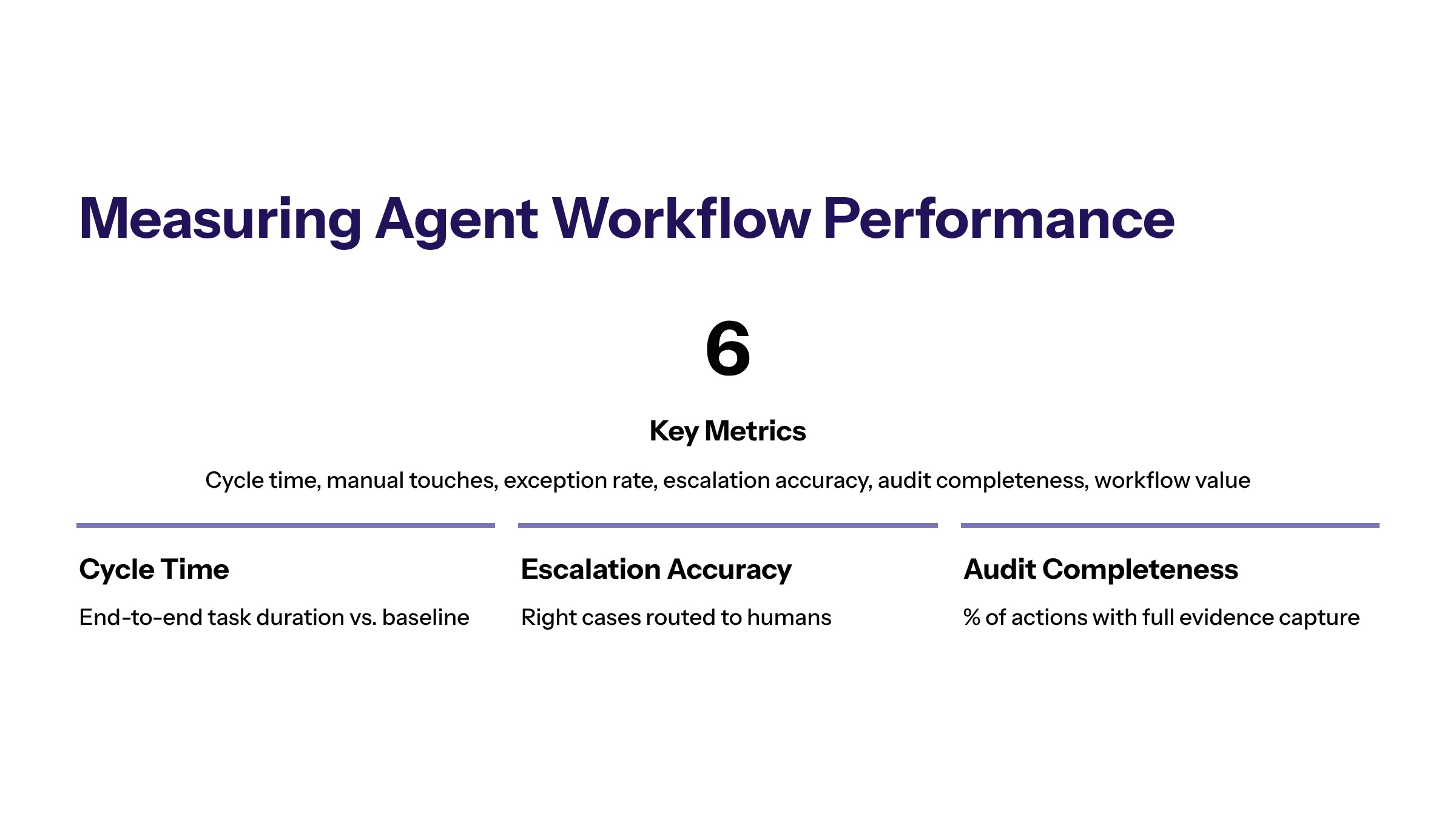
Agent workflow performance should be measured through business and control metrics. Model accuracy is useful, but the business needs to know whether the workflow improved. Useful metrics include cycle time, queue age, manual touches per case, exception rate, rework rate, escalation accuracy, user adoption, and customer or stakeholder response time.
Control metrics are just as important. Teams should track review rate, low-confidence outputs, override frequency, permission failures, audit completeness, and incident volume. A workflow that moves faster while producing unclear evidence is not ready for scale.
The best dashboard shows value and trust together. It should answer whether the agent reduced work, improved visibility, respected boundaries, and created enough evidence for leadership to decide whether to expand. That evidence-based decision rhythm is what separates enterprise workflow automation from tool experimentation.
Common Mistakes in Agent Workflow Automation
One common mistake is starting with a broad agent mandate instead of a specific workflow. "Deploy agents across operations" is not a controlled implementation plan. A better starting point is one named workflow, one owner, one trigger, one target outcome, and one set of approved actions.
The second mistake is treating agent output as the whole workflow. A useful agent may classify, summarize, or recommend, but the surrounding process still needs routing, approval, escalation, evidence, and user feedback. If those components are missing, the organization has an assistant, not workflow automation.
The third mistake is expanding permissions before trust is earned. Early pilots should favor read-only, draft-only, or recommend-only roles where possible. Write access, customer-facing actions, financial changes, or compliance-sensitive updates should come later, after the workflow proves reliability and control.
The fourth mistake is ignoring long-term ownership. Agent workflows need maintenance as source systems, policies, data, and business priorities change. Someone must own prompt updates, integration changes, access reviews, incident response, and workflow retirement when the automation no longer fits.
When Agent-Based Automation Is Not the Right Fit
Agent-based automation is not always the best answer. If the process is simple, stable, and rules-based, deterministic workflow automation may be safer. If the main problem is poor data quality, the first investment may be data cleanup. If teams disagree about the business process, the first step may be alignment.
Agent automation should also wait when the workflow lacks a clear owner or when the organization cannot define review thresholds. Autonomy without accountability creates risk. The strongest programs are selective: they apply agents where context and coordination matter, then keep simpler automation where rules are enough.
Readiness Checklist
Before a pilot begins, confirm that the workflow has a named owner, approved data sources, a clear trigger, a defined agent role, an escalation path, and a measurable outcome. Also confirm that the team knows what the agent is not allowed to do. A short readiness review prevents the project from becoming an open-ended experiment and gives leadership a concrete basis for approving the pilot.
How to Start Agent Workflow Automation
Agent workflow automation is useful when it is built around real work, clear ownership, and practical controls. Start with a workflow where the constraint is visible. Define the outcome, map the systems, set the boundaries, and pilot with enough evidence to make a decision.
For enterprise teams, the goal is not to make agents appear autonomous. The goal is to make important workflows more consistent, measurable, and governable. When agents operate inside that structure, they can reduce manual effort without weakening platform control.
Frequently Asked Questions About AI Agent Workflow Automation: How Enterprise Teams Use Agents Safely
No. AI workflow automation is the broader category. Agent-led automation is a specific approach where agents interpret context, coordinate steps, and support actions inside a governed workflow. The agent layer should still depend on workflow orchestration, permissions, logs, and human review. For related reading, see custom enterprise software.
Sometimes, but not always. RPA can still be useful for stable, repetitive interface tasks. AI agents are more useful when the workflow requires language understanding, summarization, prioritization, or exception handling. Many enterprise systems use both patterns. For related reading, see custom software development.
The first pilot should automate a bounded workflow step with measurable friction. Good candidates include triage, summarization, routing, review preparation, and exception classification. Avoid starting with high-risk final approvals or broad autonomous actions. For related reading, see AI agent frameworks.
The most important controls are permissions, action boundaries, human review, audit logs, monitoring, and rollback paths. These controls make agent workflows easier to trust in production. For related reading, see AI agent orchestration.
Teams should test normal cases, edge cases, missing data, low confidence outputs, permission failures, and escalation behavior. Testing should prove that the agent follows the workflow boundary. For related reading, see AI agent platforms.
A named workflow owner should own outcomes after launch, with technical and risk owners supporting monitoring, access reviews, and updates. Without ownership, the workflow can drift as systems and policies change. For related reading, see AI agent tools.