AI Agents for Business: Use Cases, Risks, and Implementation
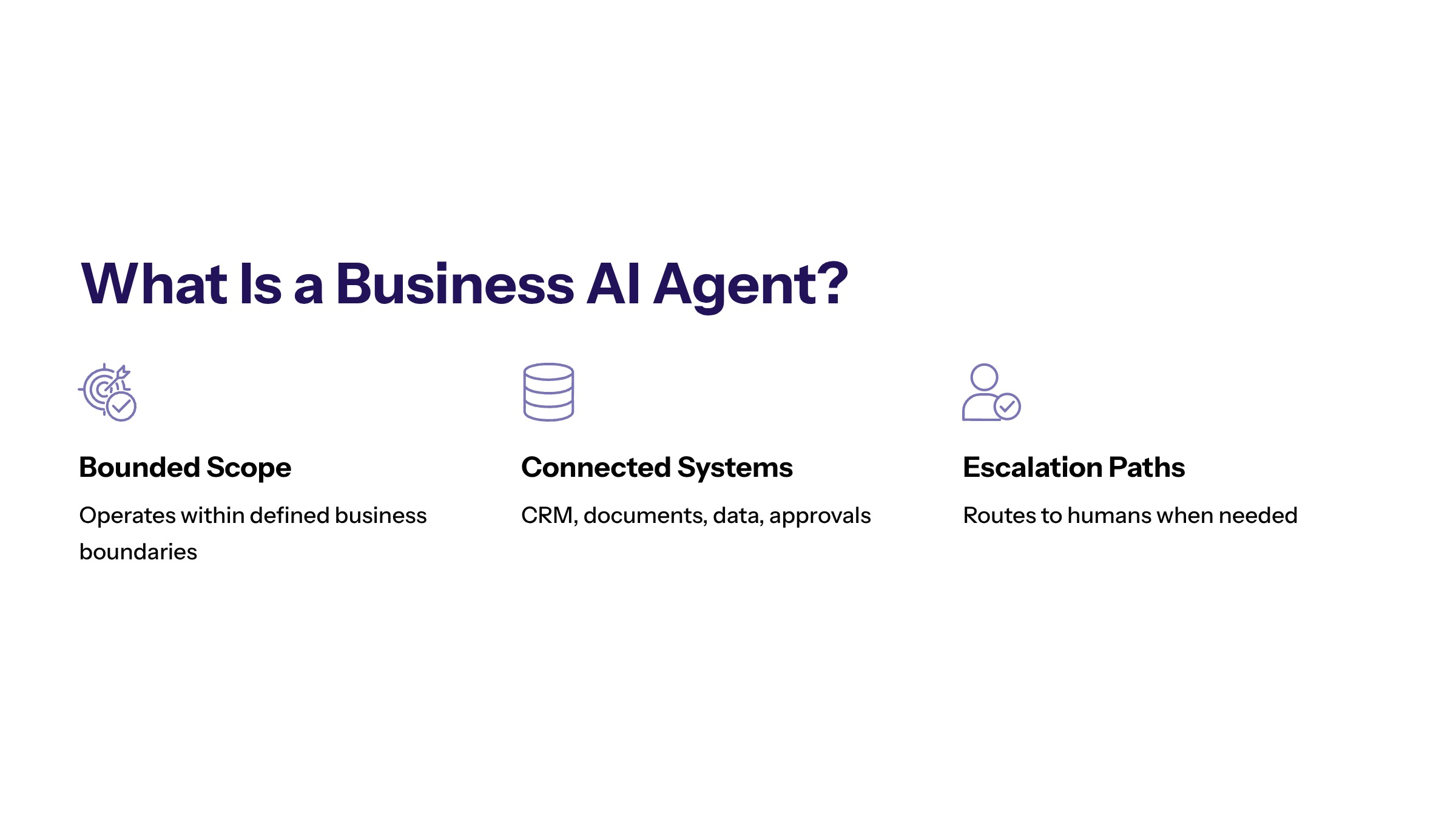
AI agents for business are AI systems designed to complete tasks, coordinate steps, and support decisions inside business workflows. They can help teams classify requests, retrieve information, draft responses, update systems, and escalate exceptions when they are connected to the right data and controls.
The business value of AI agents does not come from autonomy alone. It comes from giving agents a defined purpose, a bounded workflow, access to the right systems, and a measurable outcome. Without those constraints, agents can become another layer of automation noise.
This guide explains what AI agents mean for business teams, how they differ from chatbots and scripts, where they can create value, and what leaders should evaluate before implementation.
For enterprise leaders, AI agents for business should be evaluated as operating capabilities, not generic AI features. The most useful AI agents for business automation are designed around specific workflows, clear permission limits, and evidence that the agent improves how work gets done.
What AI Agents Mean for Business Teams
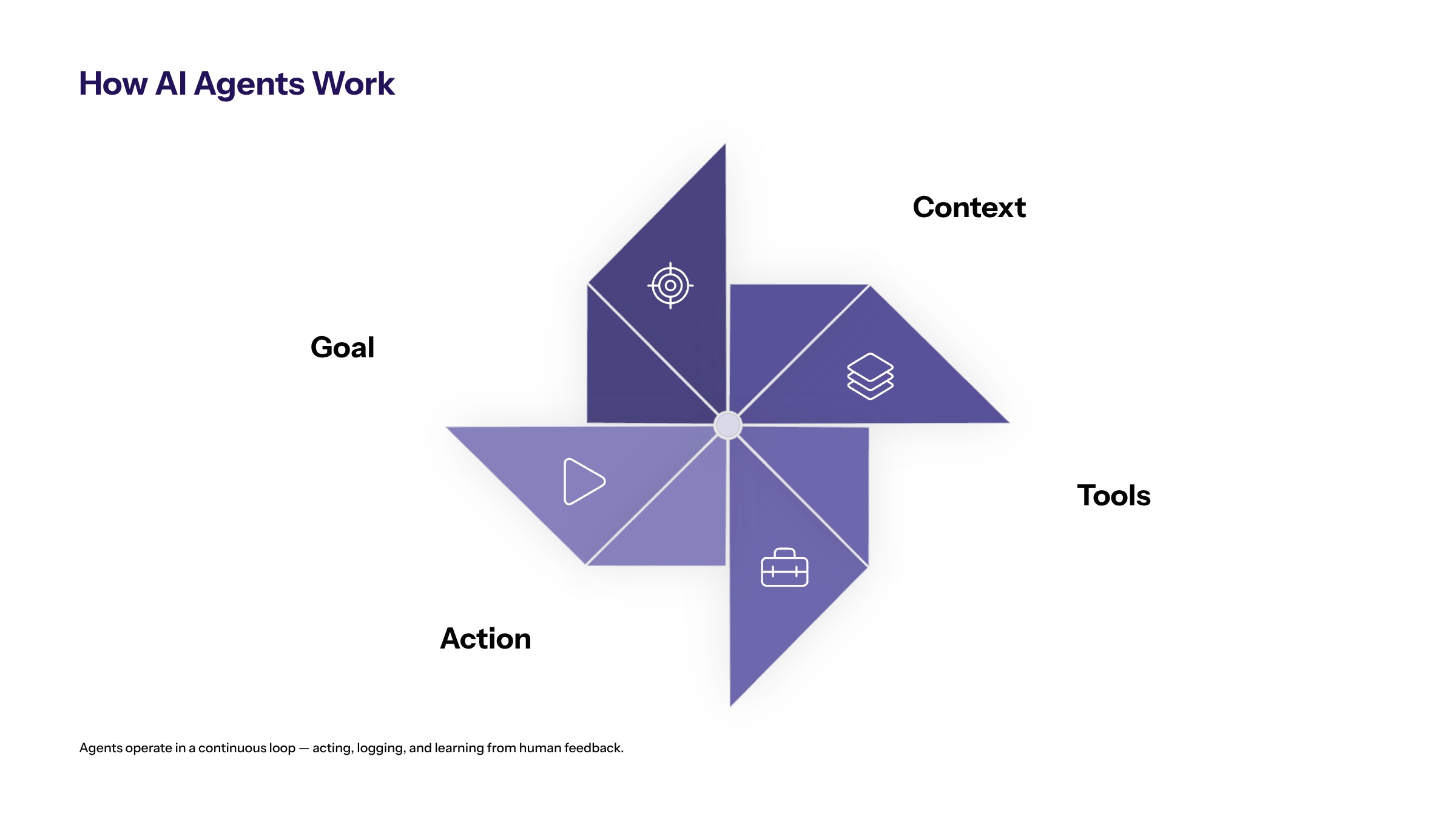
An AI agent is more than a prompt interface. In a business context, an agent is designed to pursue a task through multiple steps. It may interpret an input, retrieve context, choose a tool, call an API, draft a response, update a record, or ask for approval before continuing.
That makes AI agents different from simple assistants. A business agent must operate inside a workflow. It needs a goal, boundaries, permissions, data access, logging, and escalation rules. A useful agent should help a team finish work, not simply generate text about work.
For many organizations, agent design overlaps with AI software development. The agent needs to connect to real systems such as CRM, ERP, ticketing tools, knowledge bases, document stores, analytics platforms, and approval workflows.
AI Agents vs Chatbots, Copilots, and Automation Scripts
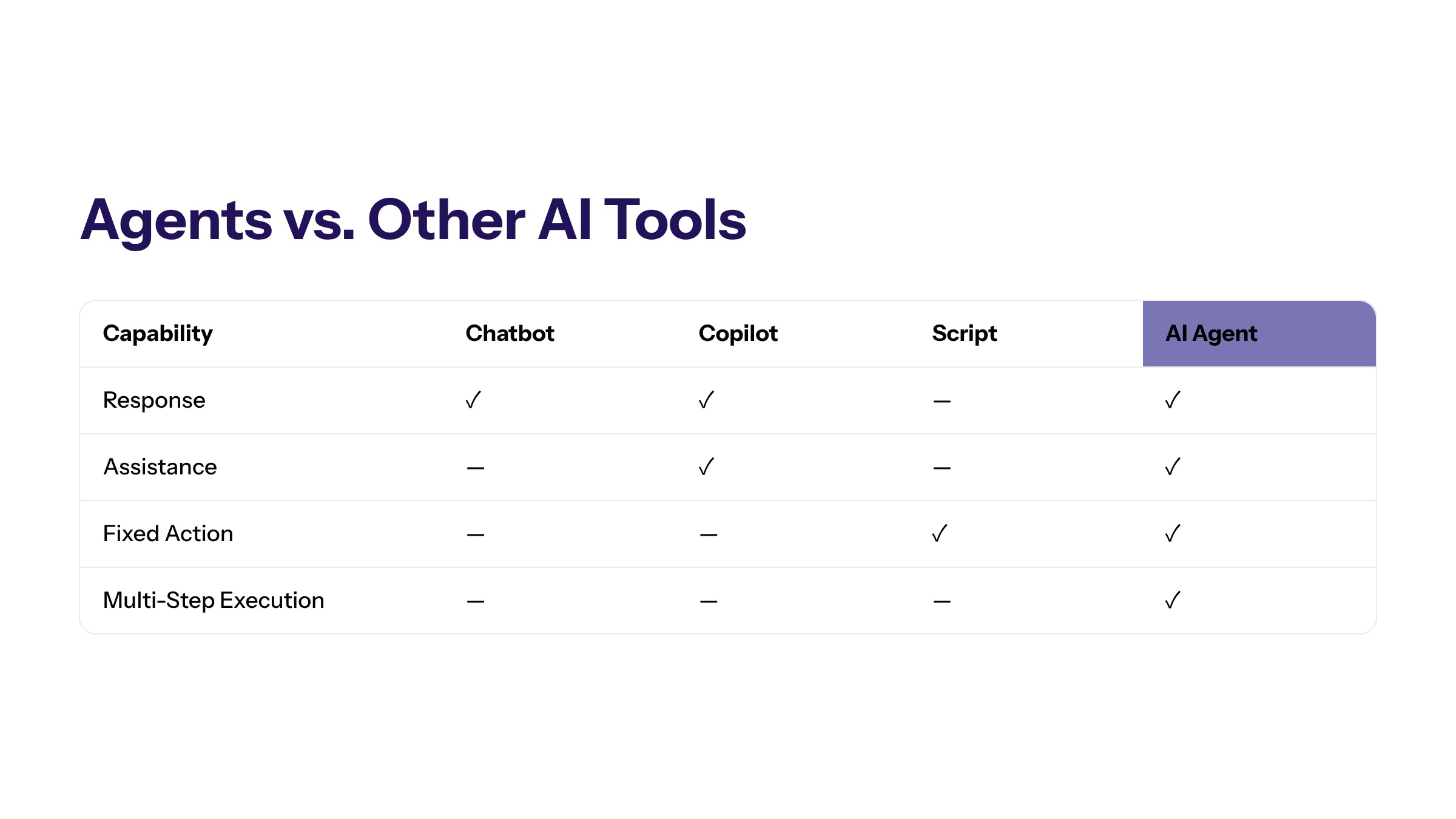
Business buyers often compare AI agents with chatbots, copilots, and workflow automation tools. The categories overlap, but they are not the same.
Capability | Primary Role | Best Fit |
|---|---|---|
Chatbot | Responds to user questions or guided prompts. | Support, FAQ, intake, and basic routing. |
Copilot | Assists a human user while they remain in control. | Drafting, summarizing, analysis, and productivity. |
Automation script | Runs fixed rules or predefined actions. | Stable repetitive workflows. |
AI agent | Works through steps toward a task goal. | Multi-step workflows with data, tools, and exceptions. |
The difference is not that agents are always better. A chatbot is enough for many support questions. A script is better for predictable actions. An AI agent is appropriate when the workflow requires interpretation, context, and controlled action across systems.
Business Use Cases for AI Agents
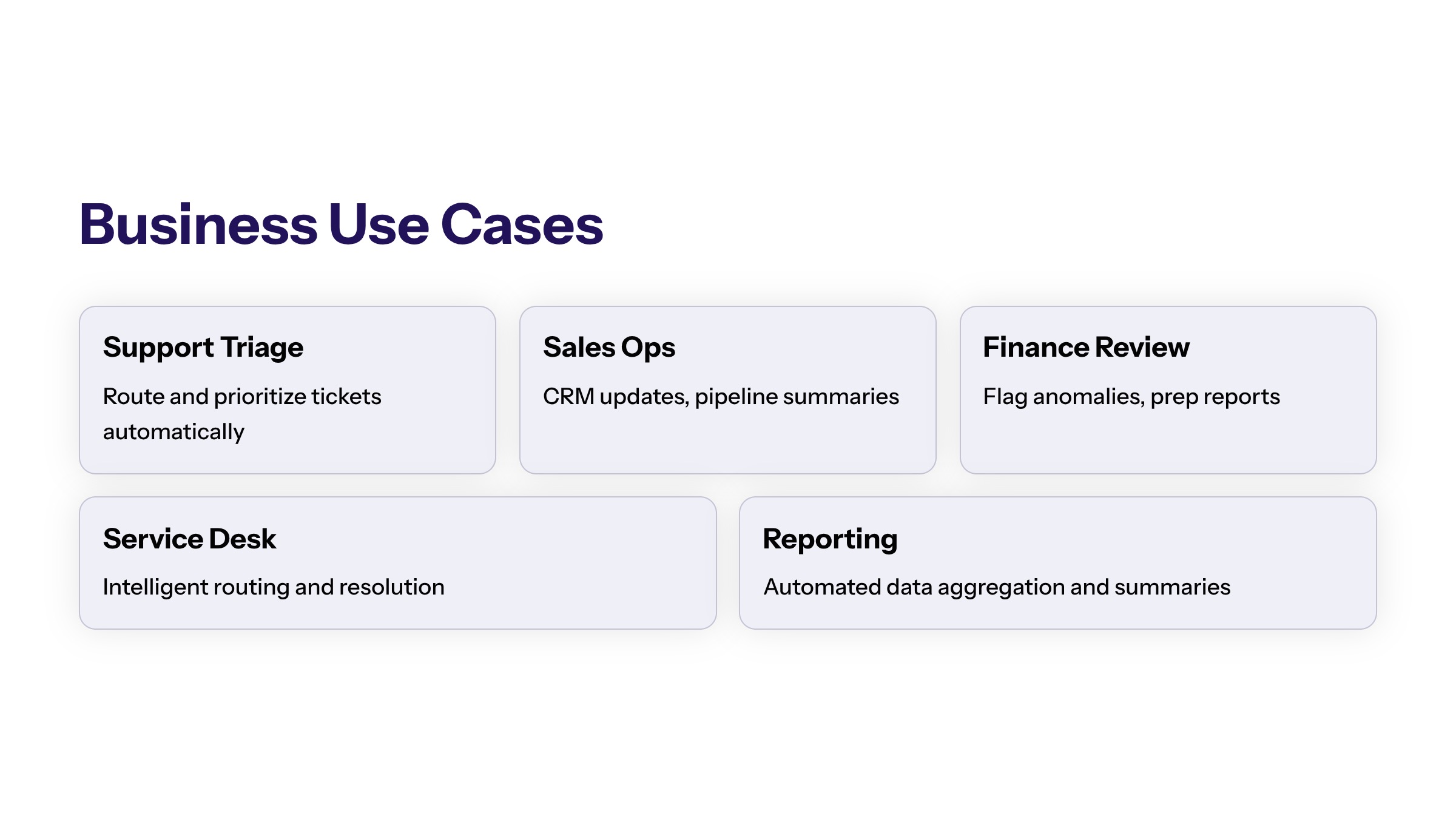
AI agents are useful when business work depends on repeated decisions, multiple systems, or high-volume triage. In customer operations, an agent can classify incoming messages, retrieve account context, recommend a reply, and escalate sensitive cases. In sales operations, an agent can enrich a lead, summarize account history, draft follow-up tasks, and update CRM records.
Operations teams can use agents to monitor exceptions, route approvals, summarize reports, and trigger follow-up actions. Finance teams may use agents to support invoice review, reconciliation queues, or variance explanations, as long as the workflow includes review for sensitive decisions.
AI agents for business operations are strongest when the task has repeated inputs and a clear next step. AI agents for business processes should not be deployed as open-ended assistants when a bounded workflow would create more reliable value.
The common pattern is not the department. It is the workflow. AI agents fit where work has a clear goal, repeated inputs, available data, and a defined escalation path.
What AI Agents Need to Work Inside Enterprise Systems
Business agents need more than a model. They need a workflow architecture. That includes identity and permissions, data retrieval, tool access, system integration, logging, and monitoring. Without those pieces, the agent may produce useful output but still fail as an operational system.
A practical architecture should define what the agent can read, what it can change, which tools it can call, when it must ask for approval, and how the organization reviews its behavior. This is why agent development should be connected to broader business planning and business strategy, not isolated experimentation.
AI agents for business applications also need product ownership. Teams should define who updates knowledge sources, reviews exceptions, approves new actions, and decides whether the agent should expand to adjacent workflows.
Governance and Ownership Requirements
Every AI agent needs an owner. The owner is not only responsible for the model or prompt. Ownership includes the workflow, the data, the decision logic, the escalation path, and the business outcome.
Governance should answer practical questions: who approves changes to the agent, how often performance is reviewed, what happens when the agent is uncertain, how exceptions are handled, and how the business audits past actions. These controls are especially important when agents affect customers, financial records, regulated data, or operational commitments.
How to Evaluate AI Agent Opportunities
Not every workflow deserves an AI agent. Start by scoring opportunities against business value, workflow clarity, data readiness, integration complexity, risk, and measurability.
Evaluation Question | Why It Matters |
|---|---|
Is the workflow repeated often? | Repetition creates enough volume to justify automation and measurement. |
Is the goal clear? | Agents need defined outcomes, not vague productivity hopes. |
Is the data accessible? | Agents cannot work reliably when context is scattered or unavailable. |
Can risk be bounded? | High-risk actions require approvals, logs, and escalation. |
Can success be measured? | Metrics keep agent programs tied to business outcomes. |
Implementation Patterns for Business AI Agents
Business AI agents usually enter the organization through one of four implementation patterns: assistant-led work, workflow copilots, task agents, and supervised execution agents. The pattern matters because each one requires a different level of integration, permission, monitoring, and operational trust.
Assistant-led work is the lowest-risk pattern. The agent helps a user summarize information, draft a response, compare options, or prepare a decision. The human remains responsible for the final action. This pattern is useful for early adoption because it creates productivity gains without allowing the agent to change business records directly.
Workflow copilots go deeper. They operate inside a defined process and help a team complete steps faster. A support copilot might summarize a ticket, retrieve relevant account context, suggest a response, and recommend an escalation path. A sales operations copilot might review lead data, identify missing fields, and recommend the next task. In both cases, the copilot is tied to a workflow rather than a generic chat window.
Task agents can complete bounded actions. They may update a record, create a ticket, route an approval, generate a report, or trigger a notification when conditions are met. This is where governance becomes more important because the agent is not only producing information. It is changing the operating state of the business.
Supervised execution agents are the most advanced pattern. They may coordinate several tools or steps, but they still operate inside explicit boundaries. They need permission scopes, action limits, confidence thresholds, approval rules, monitoring, and rollback paths. For most enterprises, this pattern should be introduced only after simpler agent patterns prove value.
Data, Integration, and Permission Design
An AI agent is only as useful as the context it can safely access. Business agents often need customer records, product information, policies, documents, transaction history, operational data, and system status. If that information is incomplete or unreliable, the agent will make weaker recommendations and create more exceptions.
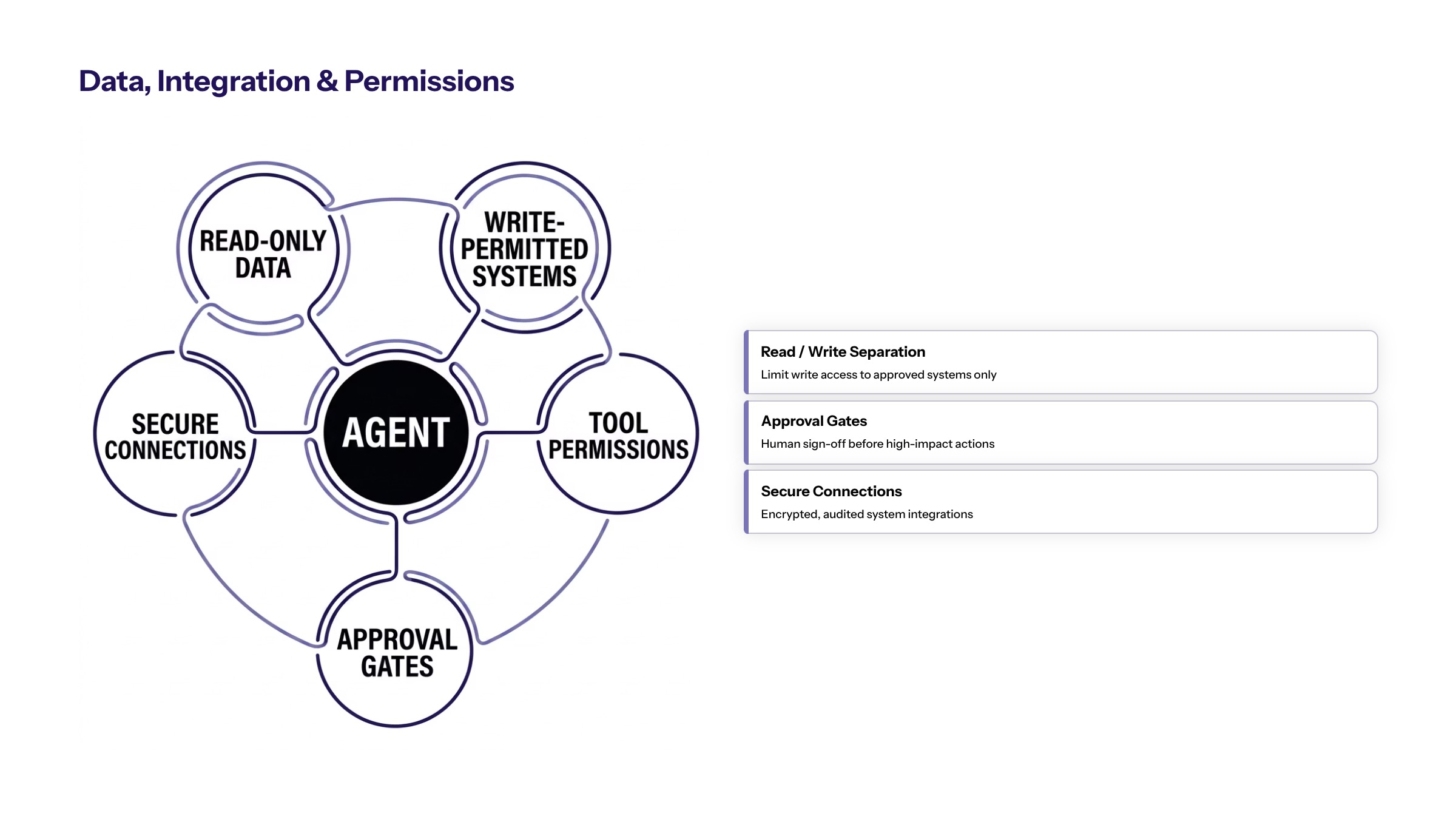
Data design should start with least privilege. The agent should only access the data required for the workflow, and access should be segmented by role, department, environment, and sensitivity. A support agent may need account context but not finance exports. A finance agent may need invoice details but not broad customer service notes. These boundaries reduce exposure while keeping the workflow useful.
Integration design should distinguish reading from acting. Reading data is lower risk than updating data. Creating a draft is lower risk than sending a message. Recommending a next step is lower risk than triggering a downstream transaction. Each capability should be introduced intentionally and logged so the business understands what the agent can do.
Permission design also needs human escalation. If the agent encounters conflicting records, missing data, low confidence, unusual behavior, or a high-impact action, the workflow should route the case to a human owner. Good agent design is not full autonomy everywhere. It is controlled autonomy where the risk and value justify it.
How to Move From Pilot to Production
Many AI agent pilots fail because they are evaluated as demos rather than operating systems. A demo proves that an agent can respond. Production proves that the agent can work repeatedly, safely, and measurably inside the business.
A pilot should begin with a narrow workflow and a defined baseline. Before launch, teams should know the current cycle time, manual effort, error rate, backlog size, or response speed. Without that baseline, it becomes difficult to prove whether the agent improved anything.
The pilot should also include operational controls from day one. Logs, approvals, permissions, escalation paths, test cases, and rollback procedures should not be postponed until after success. If the workflow becomes valuable, those controls are what allow it to scale. If the workflow fails, those controls make the failure observable and reversible.
Production readiness means the organization can answer practical questions: who monitors the agent, how issues are reported, how prompts or tools are changed, how data access is reviewed, how performance is measured, and how the business decides whether the agent should expand. These questions are not bureaucracy. They are what separates a trusted business system from an interesting experiment.
Governance Checklist for Business AI Agents
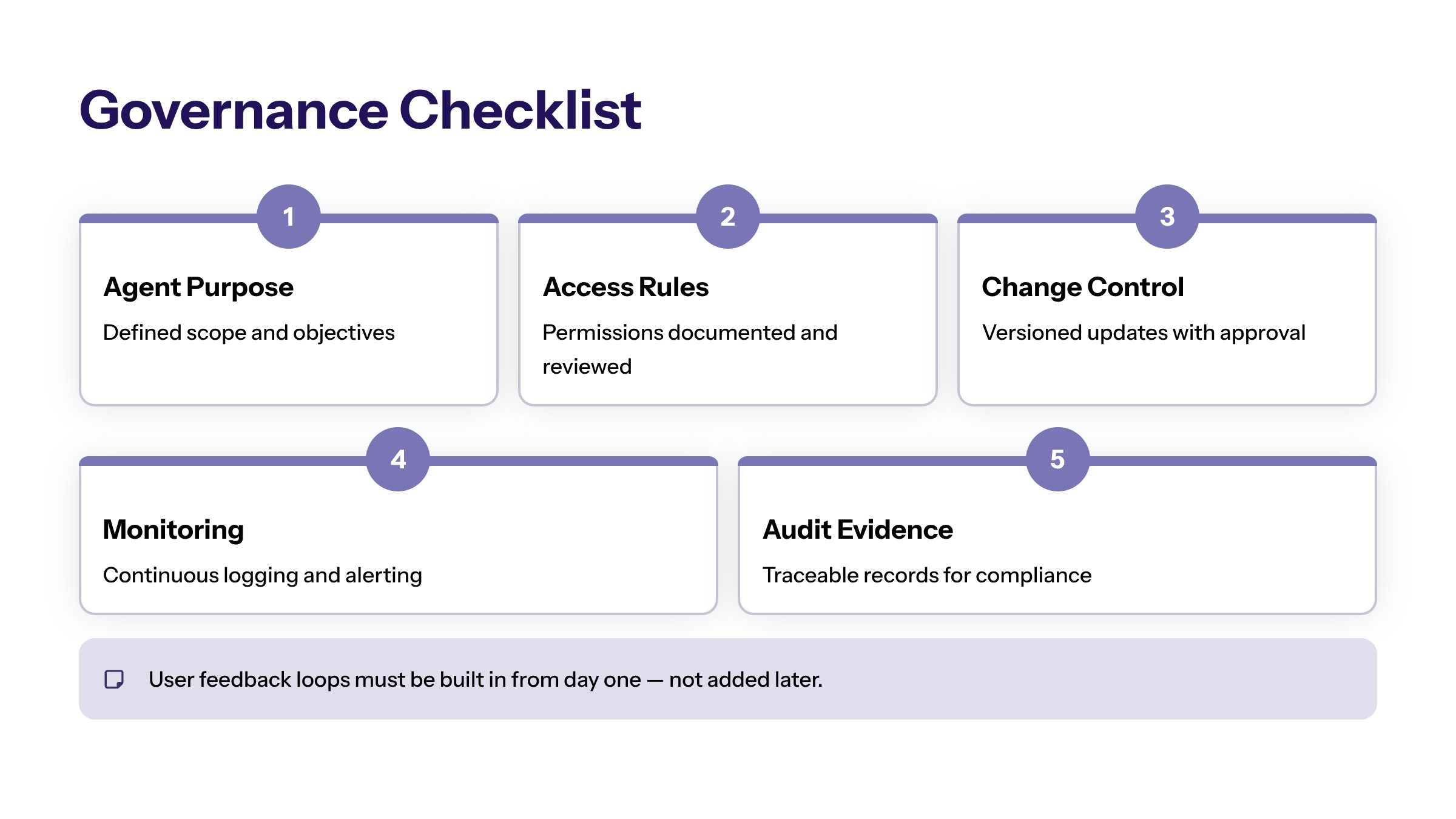
Governance should be concrete enough for teams to use during implementation. A useful checklist starts with purpose: what business task is the agent expected to support, and what outcome should improve? If the purpose is vague, the agent will be difficult to measure and difficult to govern.
The next item is access. Teams should document which systems, records, documents, and tools the agent can use. They should also document what the agent cannot access. This prevents accidental privilege expansion as the agent becomes more useful. Permissions should be reviewed whenever the workflow, user group, or system integration changes.
Action rules are another requirement. The organization should define whether the agent can only suggest, whether it can draft, whether it can update records, and whether it can trigger downstream steps. Each action should have a risk level, an approval rule, and a log. High-impact actions should require stronger review than low-risk recommendations.
Governance should also define change control. Business agents may rely on prompts, retrieval content, business rules, APIs, and model configuration. Any change to those components can affect behavior. Teams should maintain version history, test cases, and approval workflows so agent changes do not silently alter business outcomes.
Finally, governance should include human feedback. Users should have a clear way to report wrong outputs, missing context, poor recommendations, and workflow friction. That feedback should feed into a review process. AI agents improve when the organization treats them as operating systems that require ownership, not static tools that are installed once and forgotten.
Bottom Line for Enterprise Leaders
The practical decision is not whether AI agents are interesting. The practical decision is where an agent can improve work that already matters to the business. Leaders should look for workflows with repeated demand, clear ownership, measurable friction, and enough data quality to support reliable operation.
The best early agent programs usually avoid broad autonomy. They start with bounded assistance, prove value, then expand permissions as evidence grows. That creates a safer path from experimentation to execution while helping the organization build confidence in the workflow, the data, and the operating model.
Next Steps for Business AI Agents
AI agents can help businesses move from assistance to execution, but only when they are designed around real workflows. The next step is to identify one high-value workflow, define the outcome, map the systems and data involved, and decide what the agent is allowed to do.
That first workflow should be small enough to govern but important enough to matter. A useful starting point is a repeated operational process where employees already spend time gathering context, moving information between systems, or deciding what should happen next. That keeps early value visible.
For Cognativ, AI agents for business sit inside a broader execution model: AI services, custom software, governance, and measurable business value. The strongest agent programs do not start with autonomy. They start with a business constraint and a controlled path to improve it. That path should stay practical, observable, and tied to real operational constraints. It should also remain easy to audit.
Frequently Asked Questions About AI Agents for Business: Use Cases, Risks, and Implementation
AI agents for business are systems that can interpret context, retrieve information, support decisions, and coordinate workflow steps inside defined business rules and permissions. For related reading, see building AI agents.
Business AI agents create value in workflows such as customer support, operations, finance, sales, document review, and internal service requests where context slows execution. For related reading, see AI agent architecture.
Teams should govern AI agents with clear ownership, access limits, human review, monitoring, audit trails, and escalation paths before allowing broader workflow actions. For related reading, see AI agent use cases.
The best workflows are repeatable, measurable, and context heavy, such as intake, routing, summarization, document review, and exception preparation. They should have clear owners and safe escalation paths. For related reading, see AI agent workflows.
Business AI agents may need CRM, ERP, ticketing, document management, knowledge bases, analytics, or internal workflow systems. Access should be limited to the systems needed for the specific workflow. For related reading, see generative AI implementation.
Leaders should measure workflow outcomes such as cycle time, manual touches, routing accuracy, rework, adoption, and audit completeness. Model performance matters, but business improvement is the real test. For related reading, see AI-first architecture.