AI Workflow Automation Examples: Practical Use Cases for Enterprise Teams
AI workflow automation examples are most useful when they show the full operating pattern: the workflow trigger, the data source, the AI role, the system action, the human review point, and the measurable outcome. For enterprise teams, examples should not only describe what AI can do. They should clarify how the workflow can be implemented, governed, and improved.
CTOs, operations leaders, process owners, and business teams comparing AI workflow automation use cases need examples that show the operating pattern, not just the idea. This article covers customer service, finance, contracts, operations, and reporting workflows without relying on unsupported statistics or vendor claims.
Strong examples are high-volume, bounded, measurable, and integrated. AI can classify, extract, summarize, recommend, route, draft, or monitor, but the business still needs workflow ownership, data access, system integration, review thresholds, and audit evidence. The example should make those operating requirements visible before anyone treats it as a production candidate.
Use these examples as planning patterns, not guaranteed results. AI workflow automation benefits depend on process clarity, data readiness, user adoption, governance, and the systems where work actually happens.
What Makes a Strong AI Workflow Automation Example
A strong example starts with the business process. It identifies the work that happens repeatedly, the people involved, the systems used, the decision points, and the exceptions that slow the team down. AI enters the workflow only after the team understands what needs to move faster, become more consistent, or become easier to review.
Weak examples usually describe a capability without a workflow. "Use AI to summarize documents" is not enough. A better example explains which documents enter the process, who needs the summary, what decision the summary supports, what system receives the output, and when a person must review it.
Every example should also include a control model. If AI affects customer communication, finance approvals, contracts, or operational decisions, the workflow should include review thresholds, escalation rules, access controls, and logs. Automation without evidence is difficult to trust.
AI Workflow Automation Example Matrix
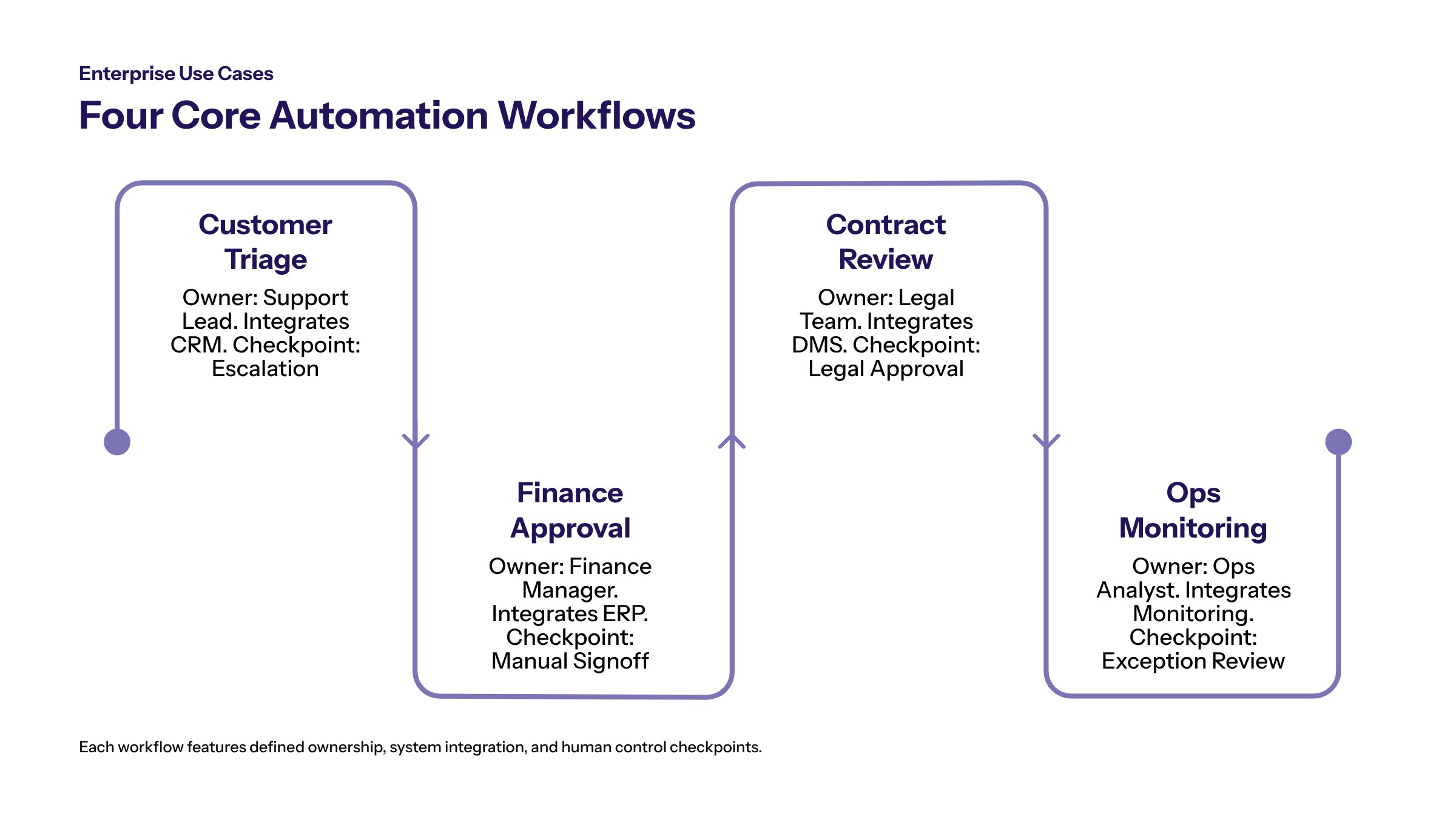
The following matrix shows how enterprise teams can compare AI workflow automation examples without turning them into a generic use-case list. Each example includes the workflow, AI role, integration need, risk control, and KPI category.
Example | AI Role | Integration Need | Control Point | Metric |
|---|---|---|---|---|
Customer service triage | Classify tickets, summarize context, and route cases. | CRM, ticketing, knowledge base. | Escalation for sensitive or uncertain cases. | Queue age, routing accuracy, response time. |
Finance approval support | Review documents, compare records, and prepare exception notes. | ERP, finance system, document repository. | Human approval before financial action. | Approval latency, exception rate, audit completeness. |
Contract workflow automation | Extract clauses, summarize obligations, and flag missing terms. | Document management, legal workflow, CRM. | Legal or business review before acceptance. | Review cycle time, rework, missing-field rate. |
Operations exception monitoring | Detect anomalies, summarize blockers, and route tasks. | Operations systems, analytics, ticketing. | Owner assignment and incident review. | Backlog, time to resolution, manual touches. |
The matrix shows why AI workflow automation use cases should be evaluated as systems. The AI task is only one part of the workflow. The surrounding integration, control, and measurement model determine whether the example becomes useful in production.
Customer Service Workflow Automation Example
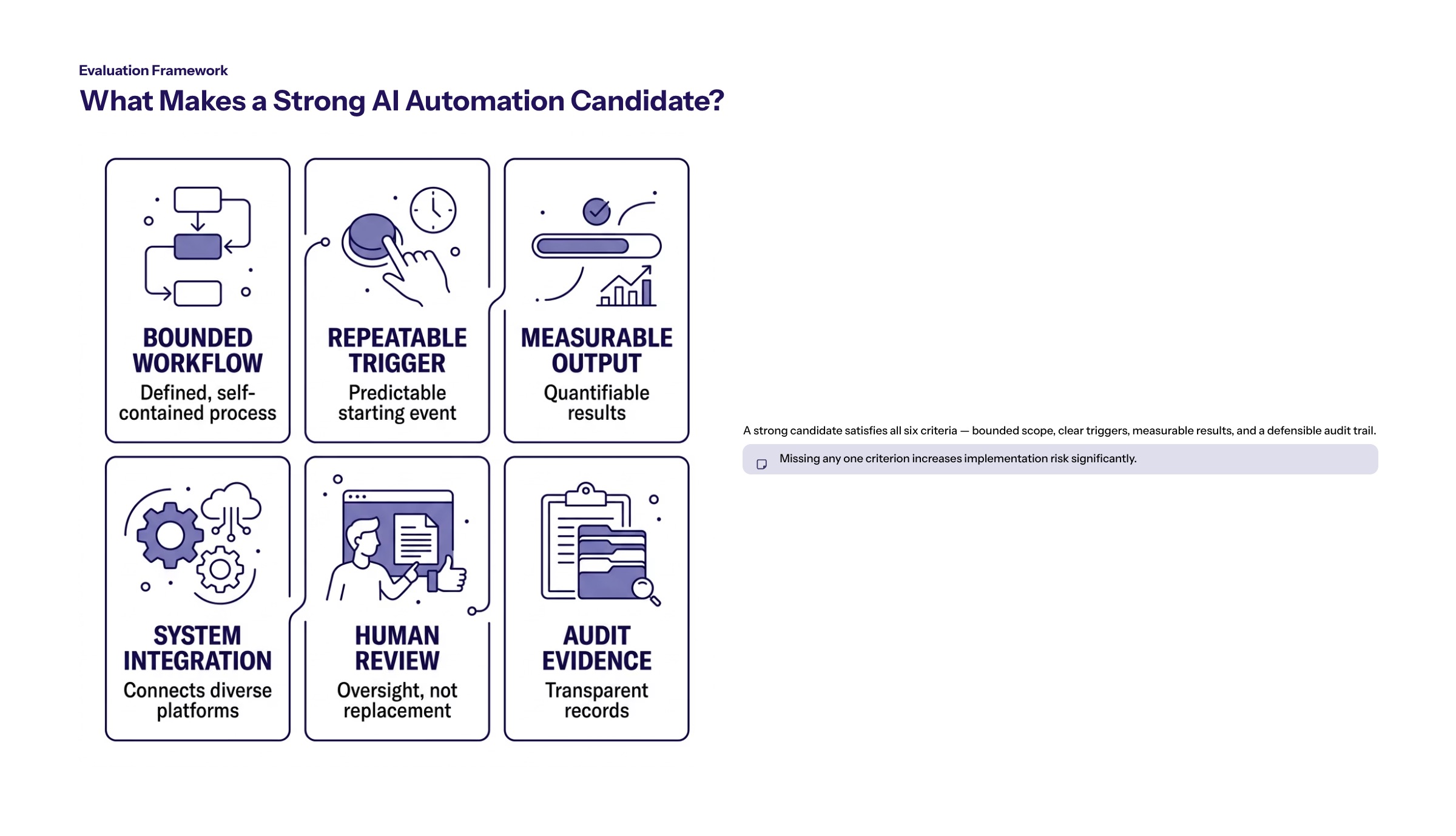
A customer service workflow often begins when a customer submits a request through email, chat, phone transcript, portal, or ticketing system. Traditional automation can route simple cases based on keywords or form fields. AI workflow automation can interpret the request, summarize account context, classify urgency, suggest a queue, and draft a response for review.
The AI role should be bounded. It might identify the issue type, retrieve relevant policy, summarize prior interactions, and recommend next steps. A human agent should review sensitive, uncertain, or customer-impacting outputs. This keeps customer service workflow automation focused on operational support rather than uncontrolled customer-facing decisions.
The implementation requires access to ticket data, customer history, knowledge articles, product data, and escalation rules. It also requires quality review. If AI drafts a response, the business needs tone guidance, privacy controls, and a way for agents to correct the draft before sending.
Useful metrics include routing accuracy, queue age, response time, rework, escalation quality, and user adoption. The purpose is not only to answer faster. The purpose is to make support work more consistent, visible, and easier to manage.
Finance and Approval Workflow Automation Example
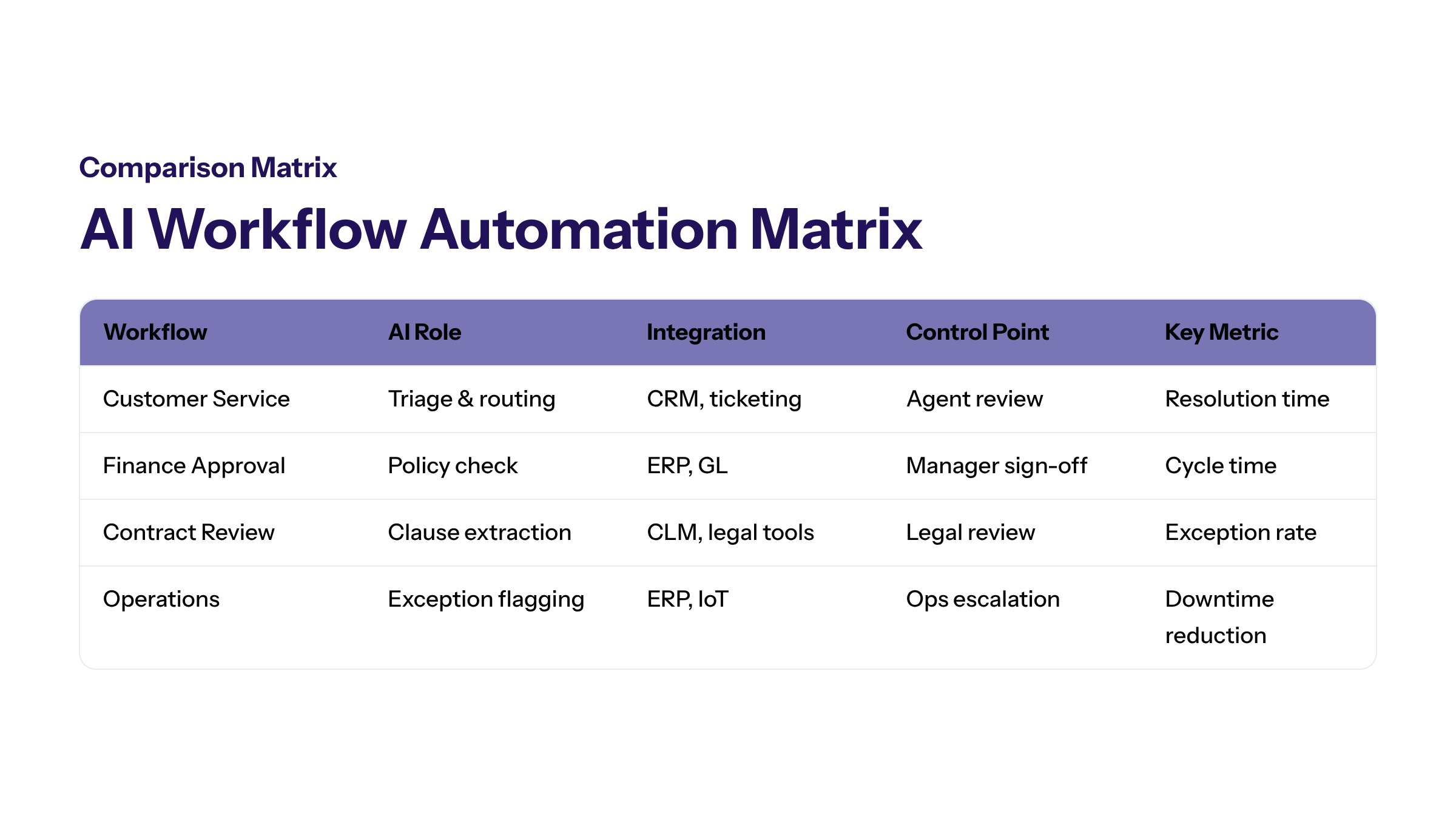
Finance workflows often involve documents, approvals, exceptions, and system checks. AI can support invoice review, approval preparation, reconciliation support, expense review, or reporting workflows by extracting information, comparing records, flagging missing fields, and preparing exception notes for a finance owner.
Finance examples require careful language. AI should support review and routing, not replace financial accountability. If a workflow affects payments, financial records, reporting, or sensitive data, human approval and audit evidence should remain central.
A practical finance workflow may start when an invoice enters a document repository. AI extracts vendor name, amount, date, purchase order reference, and line items. It compares available records, flags mismatches, and prepares a summary for review. The workflow then routes the item to the right owner based on business rules.
This example depends on clean system integration. The workflow may need ERP data, procurement records, document management, approval limits, and reporting. Security controls should include least-privilege access, audit logs, and clear separation between AI recommendations and approved financial actions.
Contract Review Automation Example With Generative AI
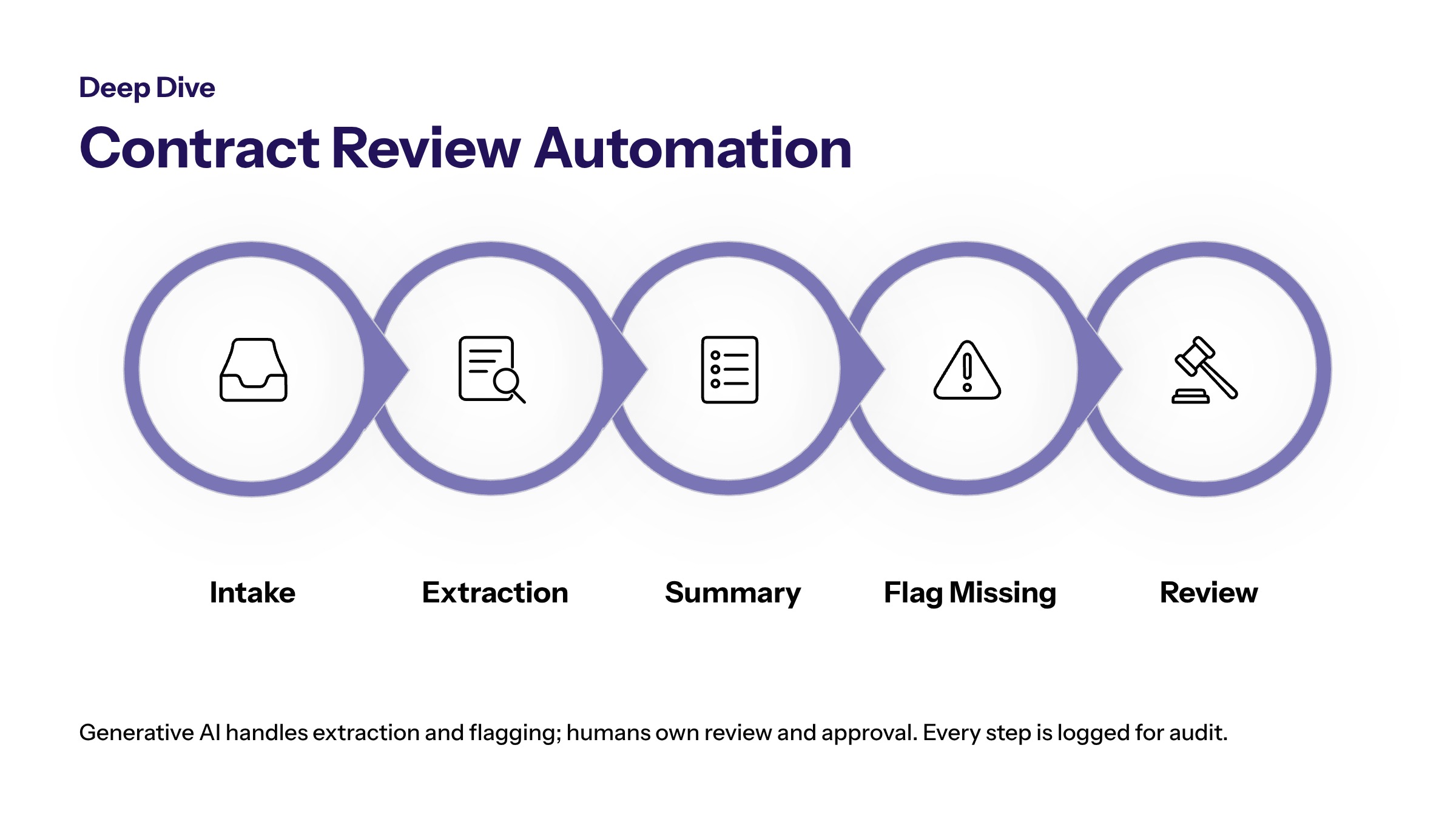
Contract workflow automation with generative AI is useful when teams repeatedly review agreements, compare terms, summarize obligations, and route documents for approval. Generative AI can help summarize long documents, extract key clauses, identify missing fields, and draft review notes.
The workflow should not treat generative output as legal approval. It should treat AI as a review assistant inside a defined process. Human legal, procurement, sales, finance, or operations owners should review outputs before decisions are made.
A practical pattern starts with contract intake. The document enters a repository, AI classifies contract type, extracts relevant fields, compares required terms against a checklist, and prepares a summary. The workflow routes the contract to the correct reviewer and records the AI output, reviewer decision, and final status.
The architecture should include document access, retrieval, workflow state, permissions, and audit trails. If the workflow relies on templates or playbooks, those sources need ownership and updates. If the AI output is wrong, the team needs a correction path and a way to improve future review quality.
Operations and Exception-Management Workflow Example
Operations teams often manage exceptions across fulfillment, support, inventory, logistics, service delivery, or internal workflows. AI can help monitor signals, summarize blockers, identify likely owners, and prepare next-step tasks. This is valuable when the team spends too much time finding the problem before solving it.
An operations exception workflow may begin when a dashboard, system alert, or queue item signals a delay. AI reviews available context, summarizes the issue, checks related records, and recommends an owner or escalation path. The workflow then creates or updates a task and logs the decision.
This example works best when the exception categories are known and the team has clear ownership rules. AI can help prioritize and explain, but someone still needs responsibility for resolution. Without ownership, exception automation can create a more organized backlog without reducing the actual constraint.
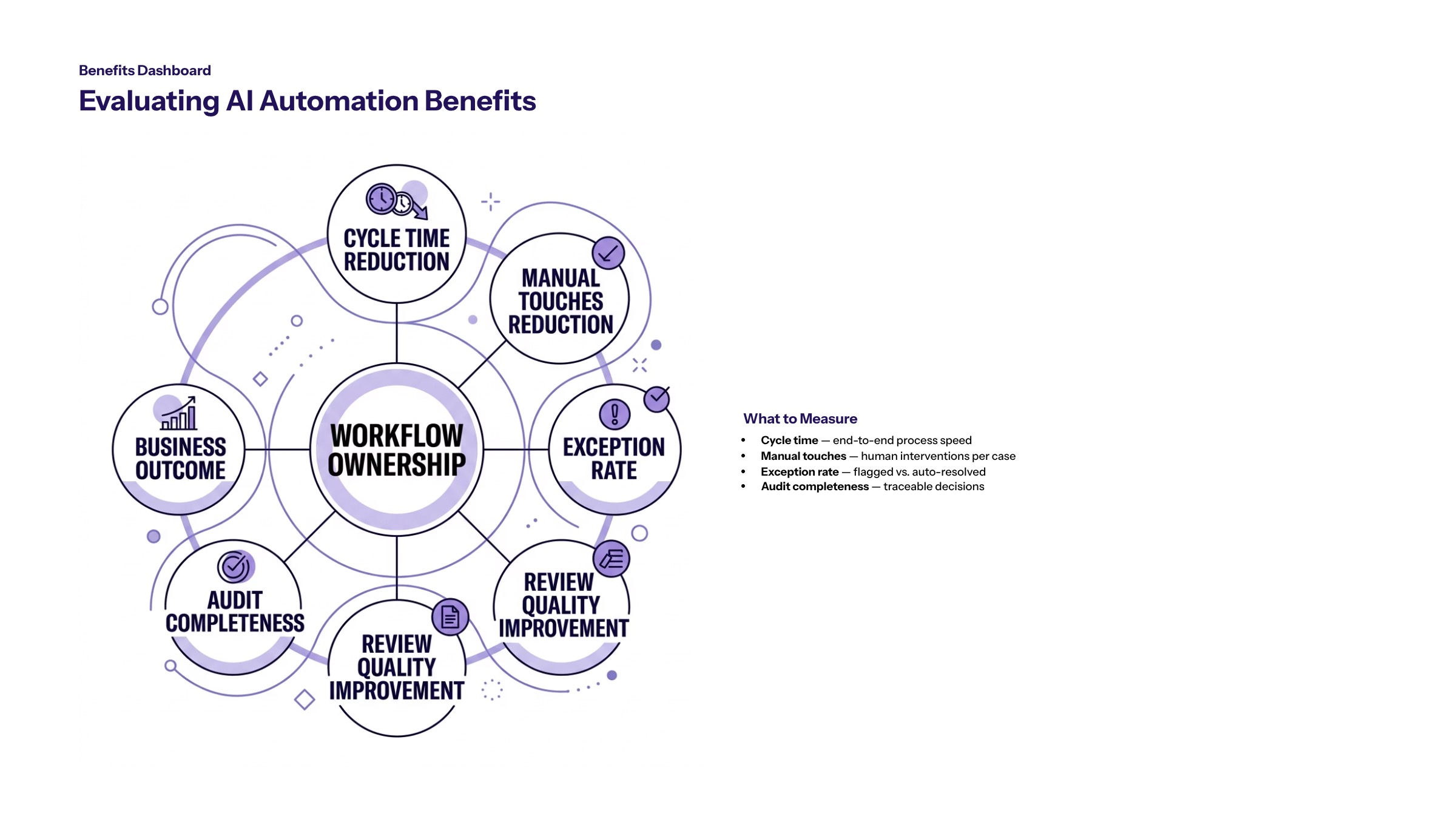
Useful metrics include backlog age, time to assignment, time to resolution, manual touches, repeat exception rate, and escalation quality. Control metrics should include unresolved exceptions, override frequency, and audit completeness.
How to Evaluate AI Workflow Automation Benefits
Business strategy should guide which AI workflow automation examples move forward. A use case should not be selected only because it is technically possible. It should be selected because the business can define the constraint, measure the improvement, and govern the risk.
Start by identifying the current baseline. How long does the workflow take? How many handoffs occur? Where do errors or delays appear? How often do exceptions need manual review? Which systems are involved? These answers help the team measure whether automation improves the workflow.
Then define benefit categories. Benefits may include faster routing, fewer manual touches, better process visibility, more consistent review, clearer escalation, or stronger audit evidence. These should be framed as goals to measure, not guaranteed outcomes.
Finally, define the control model. AI workflow automation benefits are not complete if the workflow becomes harder to audit or riskier to operate. A strong example improves both value and control.
Implementation Roadmap for AI Workflow Automation Use Cases
AI-first architecture helps turn examples into implementation plans. The architecture should define data access, workflow orchestration, system integrations, model or agent role, human review, logging, monitoring, and measurement.
Select one workflow. Choose a workflow with visible volume, measurable delay, and clear ownership.
Map the current process. Document triggers, systems, data, decisions, handoffs, and exceptions.
Define the AI role. Decide whether AI will classify, extract, summarize, recommend, route, draft, or monitor.
Set controls. Define permissions, review thresholds, escalation rules, and audit evidence.
Pilot and measure. Test with real workflow variation and compare against the baseline.
Scale with evidence. Expand only when the workflow is useful, adopted, controlled, and measurable.
Common Mistakes in AI Workflow Automation Examples
A common mistake is listing use cases without workflow detail. A useful example needs enough process context to help a team evaluate implementation. Without the trigger, data, AI role, review point, and KPI, the example remains too abstract.
The second mistake is using unsupported benefits as proof. Teams should avoid claims about guaranteed savings, productivity, or accuracy unless they have sourced evidence. It is safer and more useful to describe what should be measured.
The third mistake is ignoring integration. AI output that cannot reach the system of record may create another manual step. Workflow automation should connect to the systems where work moves.
The fourth mistake is treating governance as a final review. Controls should be built into the workflow design from the beginning. This includes access, escalation, audit logs, and exception handling.
How to Turn Examples Into a Pilot Backlog
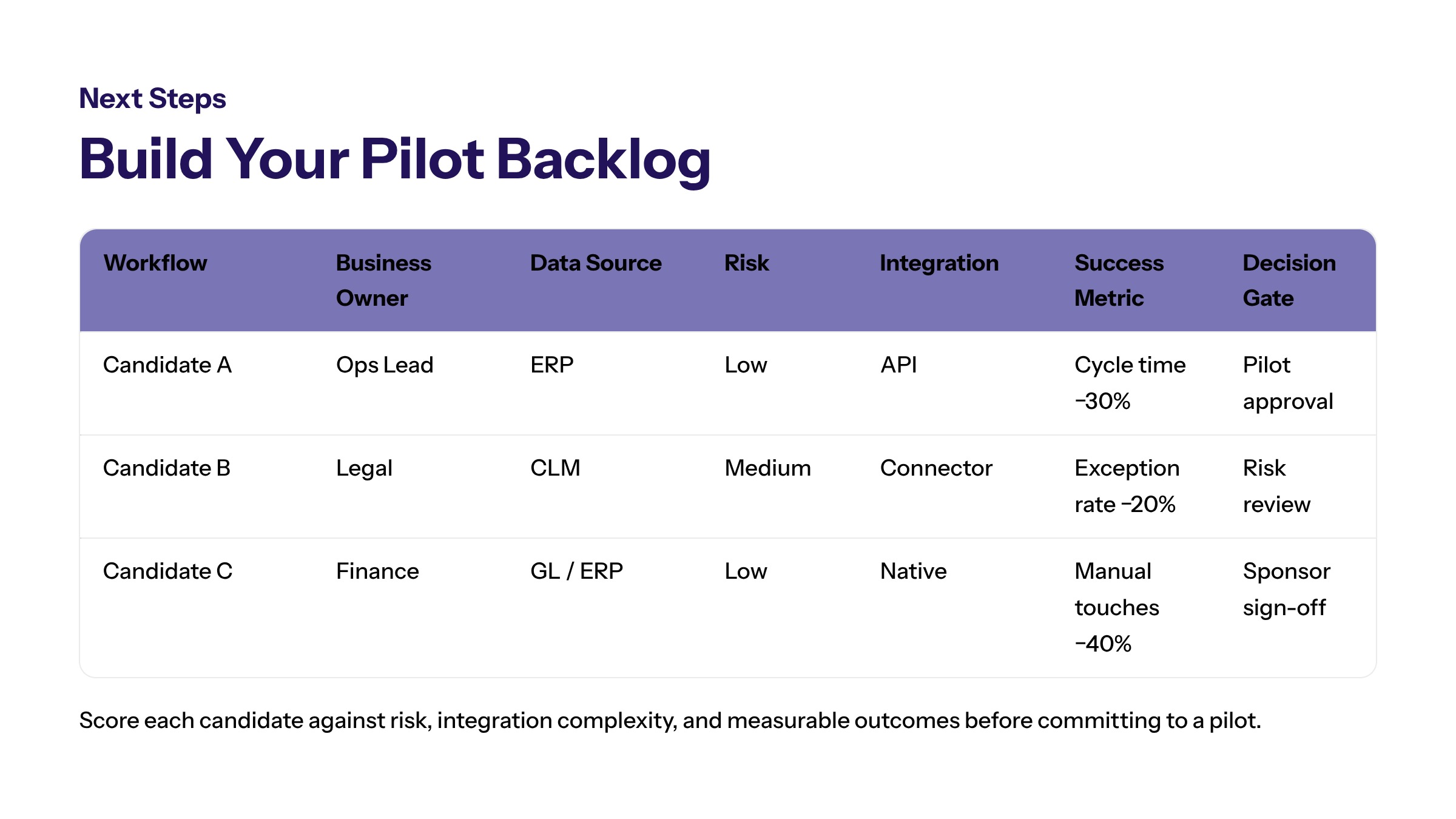
After reviewing AI workflow automation examples, teams should convert the best candidates into a pilot backlog. Each backlog item should include a workflow name, business owner, current pain point, data sources, AI role, integration need, risk level, and expected measurement method. This keeps examples from remaining abstract ideas.
The backlog should be ranked by value and readiness. A high-value use case may still need to wait if the data source is unreliable or the owner is unclear. A smaller workflow with strong ownership and clean data may be a better first pilot because it can teach the organization how to implement and govern AI automation.
Teams should also define what evidence would justify moving forward. A pilot may need to show improved routing, fewer manual touches, clearer exceptions, better review quality, or stronger audit evidence. If the pilot does not show enough value, the right decision may be to revise or stop.
Readiness Checklist for Example Selection
Before selecting an example for production planning, confirm five readiness signals. The workflow should have a clear owner, a known trigger, accessible data, an agreed review path, and a measurable baseline. If one of those signals is missing, the example may still be useful, but it is not ready for fast implementation.
Teams should also confirm that the example does not create more risk than value. If AI output affects customers, financial decisions, contracts, or sensitive data, the pilot should begin with draft-only, recommend-only, or route-only behavior until the control model is proven. That staged approach lets the team learn from the workflow without granting broad automation authority too early.
How to Move From Examples to Implementation
AI workflow automation examples are valuable when they help teams choose the right workflow, not when they create a long list of possibilities. Start with one process where the constraint is visible, the owner is clear, and the outcome can be measured.
Then map the workflow, define the AI role, connect the systems, and pilot with controls in place. The strongest examples become useful because they combine automation, ownership, evidence, and practical business value.
Frequently Asked Questions About AI Workflow Automation Examples: Practical Use Cases for Enterprise Teams
Practical AI workflow automation examples include support triage, finance exception routing, contract review, document intake, operations monitoring, and approval preparation. For related reading, see custom enterprise software.
Teams should evaluate examples by workflow volume, business value, data readiness, integration needs, risk level, control points, and measurable success criteria. For related reading, see custom software development.
Examples become pilots when a team defines the workflow owner, data sources, AI role, review path, success metric, and decision gate for expansion. For related reading, see AI agent frameworks.
Most teams should start with one or two pilots instead of trying every example at once. Narrow pilots make it easier to test controls, compare outcomes, and learn from real workflow behavior. For related reading, see AI agent orchestration.
An example is too risky when it involves unclear ownership, irreversible actions, sensitive decisions, poor data quality, or no safe escalation path. Those issues should be resolved before automation expands. For related reading, see AI agent platforms.
Teams should compare cycle time, manual effort, error reduction, escalation quality, user adoption, and audit completeness. The best example is the one that improves the workflow without adding unmanaged risk. For related reading, see AI agent tools.