AI Workflow Automation Software: How Enterprise Teams Should Evaluate It
AI workflow automation software helps connect AI capabilities to business workflows, data sources, approvals, and system actions. For enterprise teams, the right software should improve process visibility, reduce manual effort, support human review, and preserve control over data, permissions, and outcomes.
CTOs, IT leaders, operations leaders, and software buyers should evaluate AI platforms, tools, custom workflow software, and hybrid architecture through the operating process they need to improve. The software should support workflow fit, platform comparison, governance, integration, and measurable improvement without becoming another fragmented system.
The practical evaluation standard is workflow fit, integrations, governance controls, observability, security, and ownership. A tool that automates a demo task may not be ready for enterprise use if it cannot connect to systems of record, log actions, enforce permissions, or support review thresholds.
Strong evaluation starts with the workflow. The software should help a team move work from trigger to outcome with less manual friction and more evidence. It should not force the business to redesign every process around a vendor interface.
What Workflow Automation Software With AI Does
Workflow automation software with AI combines workflow orchestration with capabilities such as classification, extraction, summarization, recommendation, routing, and task support. It can help teams process documents, triage requests, prepare approvals, monitor exceptions, generate status updates, and coordinate work across systems.
Traditional workflow tools often route tasks based on fixed rules. AI-powered workflow automation can handle messier inputs, such as emails, documents, tickets, customer messages, or operational notes. The software may use AI to interpret those inputs, retrieve related context, and suggest or trigger the next step.
The software should not be judged only by model quality. It should be judged by whether the workflow becomes easier to operate. Does the work move faster? Are exceptions clearer? Are approvals traceable? Are people spending less time copying data between tools? Can leadership see where the workflow is blocked?
Platform vs Tool vs Custom Workflow Software
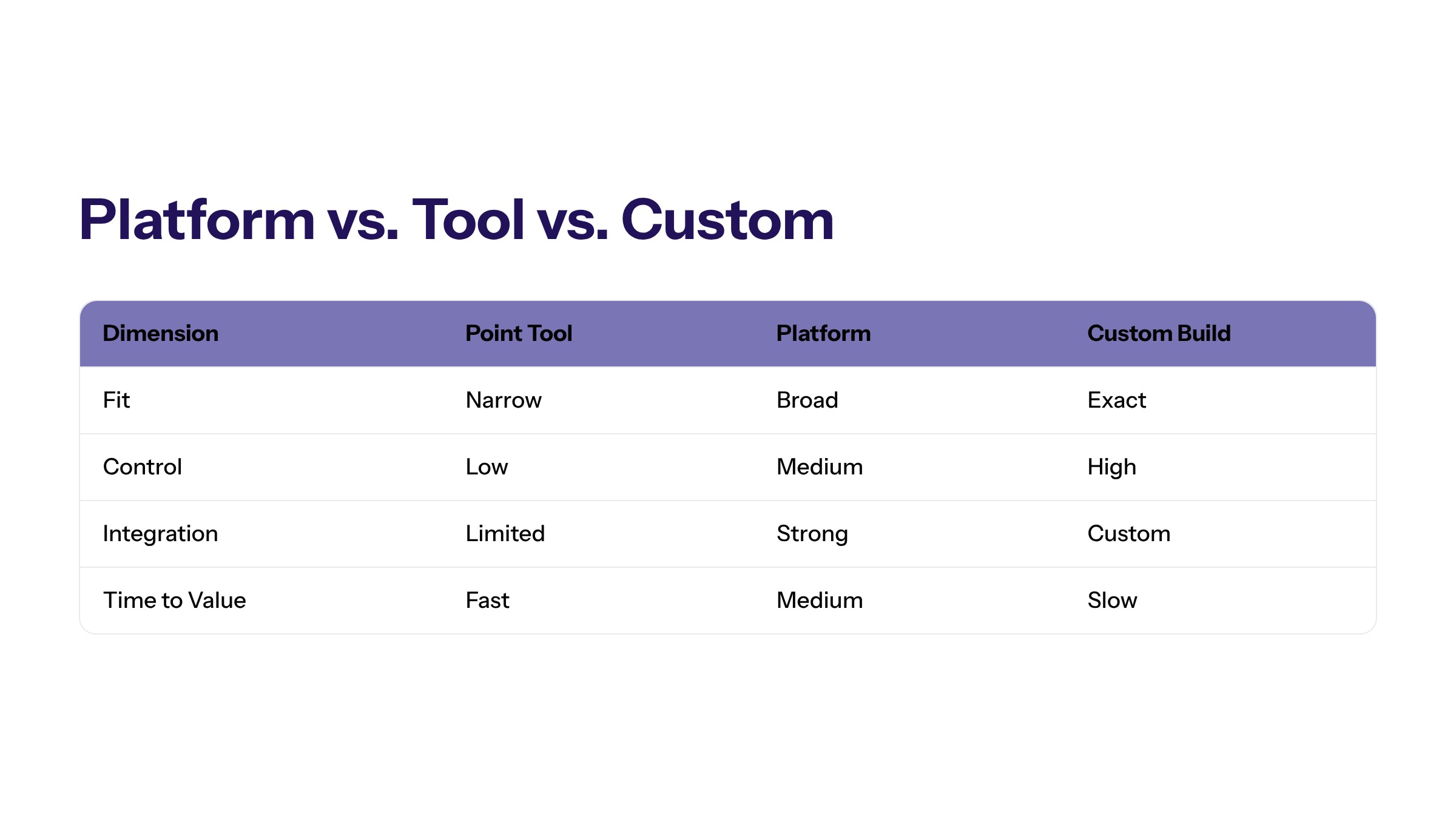
AI workflow automation platforms, point tools, and custom workflow software serve different needs. A platform may provide broad orchestration, templates, integrations, and dashboards. A tool may solve a narrow task, such as document classification or support triage. Custom workflow software can be designed around the organization's own systems, roles, and data constraints.
No category is universally best. A packaged platform can accelerate common workflows. A point tool can solve a specific bottleneck quickly. Custom software can provide better fit when workflows are complex, integrated, or strategically important. Many enterprise teams use a hybrid approach.
Custom enterprise software becomes relevant when the workflow depends on internal business rules, legacy systems, proprietary data, or a control model that packaged tools cannot support. The question is not whether custom software is always needed. The question is whether the business needs control that an off-the-shelf platform cannot provide.
Option | Best Fit | Watch For |
|---|---|---|
Point tool | Narrow task automation such as extraction, routing, or drafting. | Disconnected outputs and limited workflow ownership. |
Platform | Repeatable workflows across teams with common integration needs. | Vendor lock-in, template limits, and unclear data handling. |
Custom software | Complex workflows, proprietary systems, and high-control environments. | Scope creep if requirements and ownership are weak. |
Hybrid architecture | Enterprise teams needing platform speed plus custom control. | Integration complexity and support responsibility. |
Core Capabilities to Evaluate
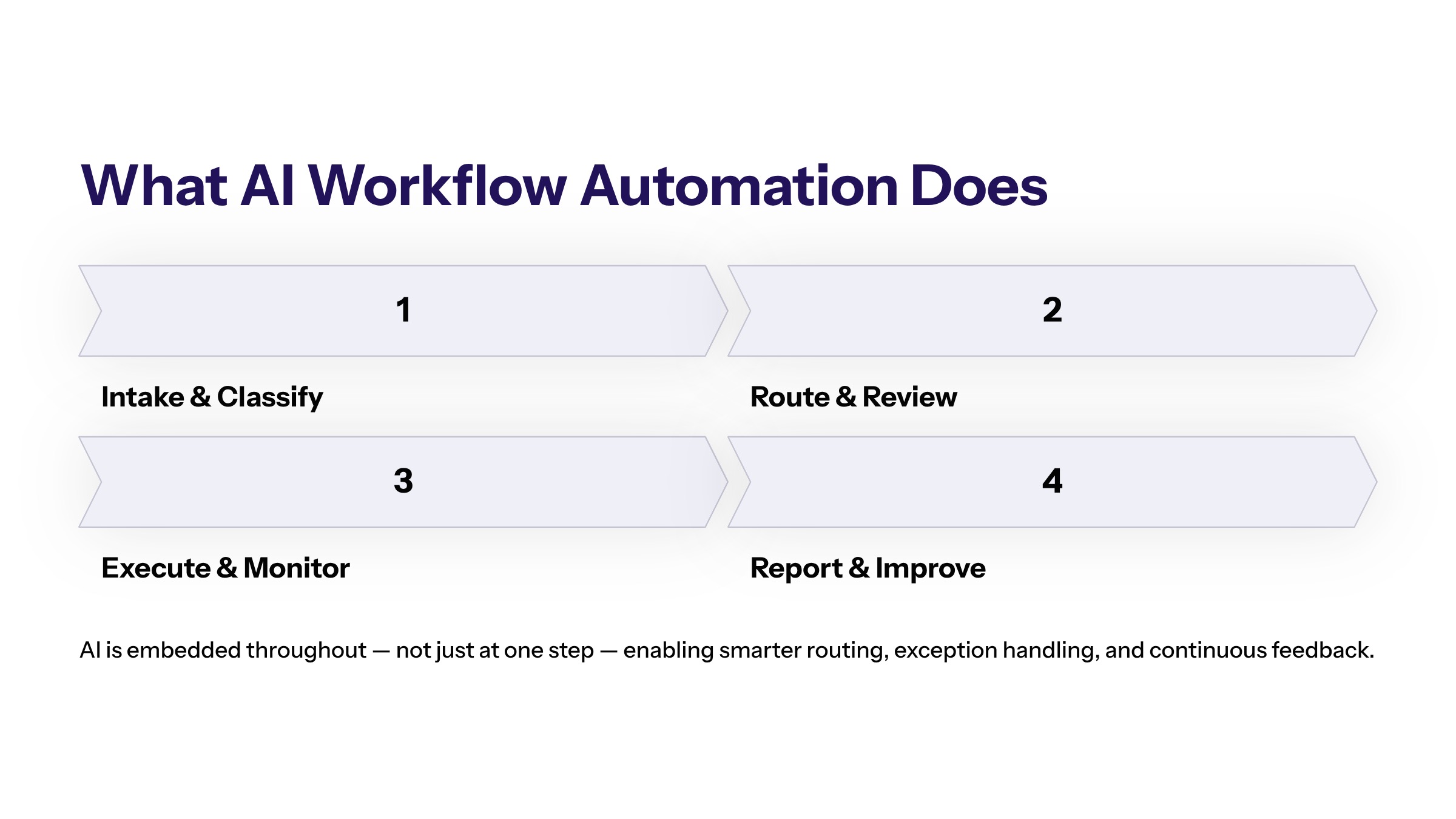
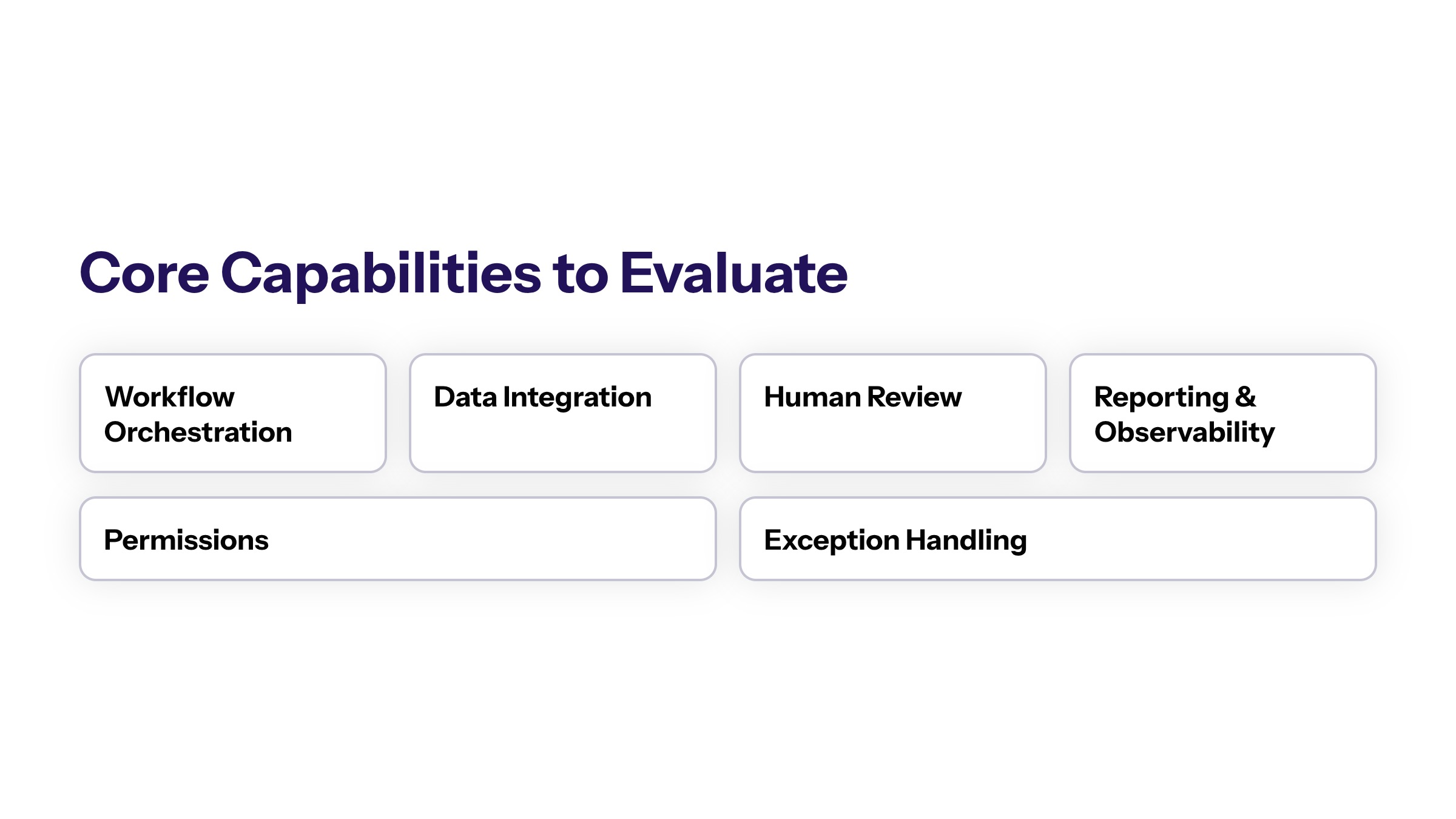
Enterprise buyers should evaluate capabilities through the workflow lifecycle. The software should support intake, classification, routing, review, execution, monitoring, and reporting. It should also make exceptions visible instead of hiding them inside automation.
Workflow orchestration is the first capability. The software should define triggers, task states, owners, approval steps, escalation paths, and completion rules. Without orchestration, AI outputs may remain disconnected from the process.
Data and system integration is the second capability. AI workflow automation tools need access to the right data sources and systems of record. That may include CRM, ERP, finance, document repositories, ticketing platforms, identity systems, analytics tools, and internal applications.
Human review and approval paths are the third capability. AI should support decisions, not remove accountability. The software should let teams define review thresholds, role-based approvals, user overrides, and exception queues.
Reporting and observability are also critical. Teams should be able to see cycle time, queue age, exception rate, manual intervention, automation success, and workflow outcomes. A workflow that cannot be measured cannot be improved reliably.
Evaluation Checklist for AI-Enabled Workflow Software
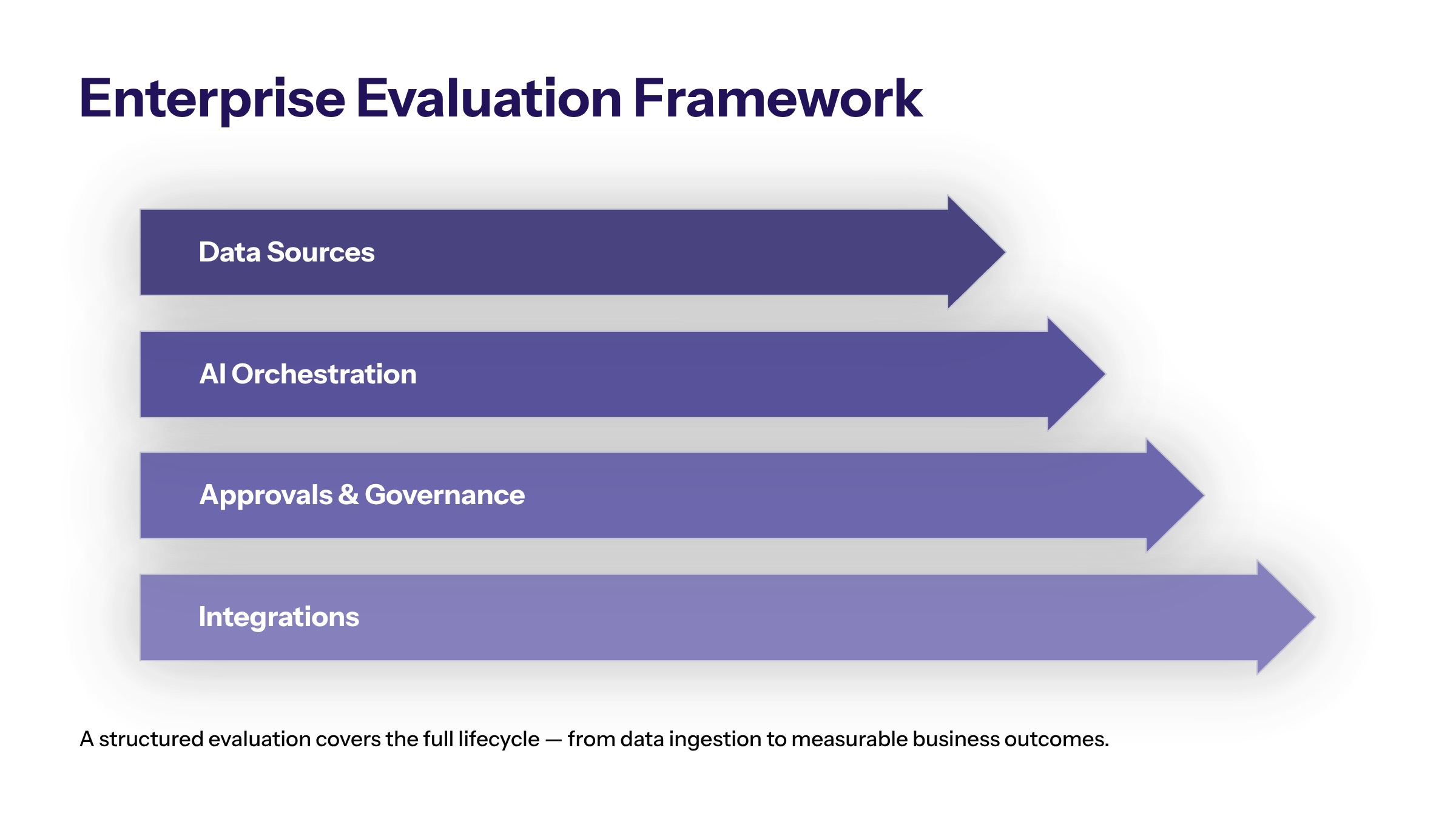
A structured checklist keeps the software review grounded in the business process. Before selecting a platform, tool, or custom approach, teams should confirm that the workflow is defined, the owner is known, the systems are mapped, and the risk level is understood.
Start with workflow fit. Does the software support the exact trigger, intake format, routing path, approval model, exception queue, and completion state the process requires? If the software only supports part of the workflow, the team should decide whether the remaining work will be handled by integration, custom development, or manual review.
Then evaluate integration depth. The software should connect to the systems where work happens, not just produce an output for employees to copy elsewhere. Required integrations may include CRM, ERP, service desks, document repositories, identity systems, analytics platforms, finance tools, or internal applications.
Next, evaluate governance. The software should support role-based access, review thresholds, audit trails, logs, monitoring, and clear ownership for workflow changes. Teams should also understand how prompts, workflow rules, data mappings, and configurations are approved before they affect production work.
Finally, evaluate portability and support. If the workflow becomes important, the organization needs access to records, logs, configuration, and export paths. It also needs a support model for incidents, user questions, integration changes, and workflow optimization.
Build vs Buy vs Hybrid Architecture
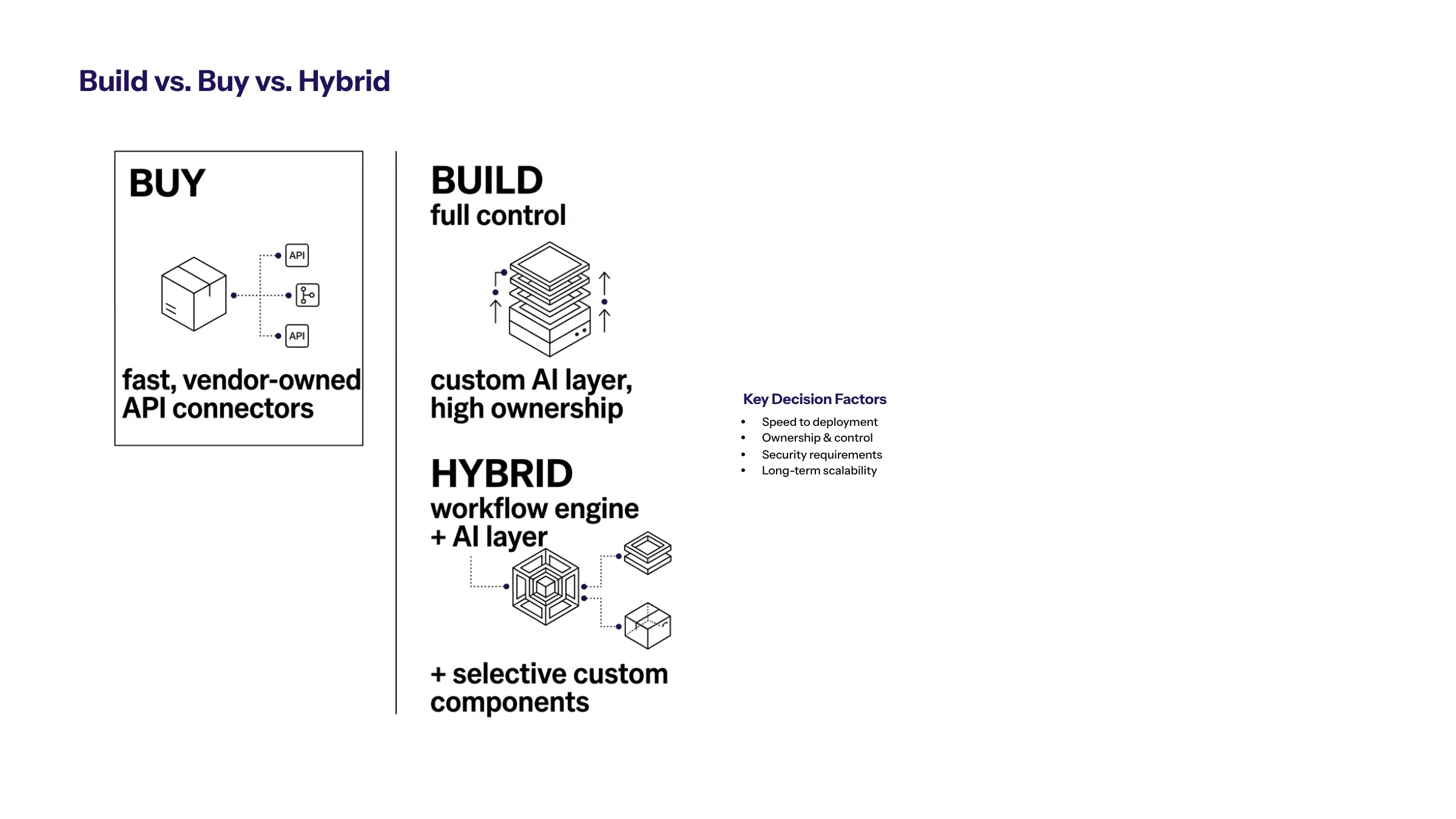
The build, buy, or hybrid decision depends on workflow complexity and control needs. Buying can be useful for standardized workflows with moderate integration requirements. Building can be useful when the workflow is core to the business or depends on internal logic. Hybrid architecture can provide a practical balance.
AI-first architecture helps teams evaluate this decision by mapping data access, model orchestration, workflow state, system actions, monitoring, and governance controls. The architecture should support the workflow before any vendor decision becomes final.
When buying, teams should evaluate whether the platform supports the required integrations, permissions, audit trails, data handling, portability, and support model. When building, teams should keep scope disciplined and focus on the workflow constraint. When using a hybrid approach, teams should make ownership clear across vendor components and custom components.
Portability matters. Workflow automation platforms can become deeply embedded in operations. Contracts and architecture should define data export, workflow portability, integration ownership, log access, and termination support. Without those details, automation may create long-term dependency.
Security, Compliance, and Data Control
AI-enabled workflow software often handles sensitive operational data. It may process customer information, employee records, financial documents, internal policies, supplier data, or regulated workflow evidence. Security must be evaluated as part of the software decision.
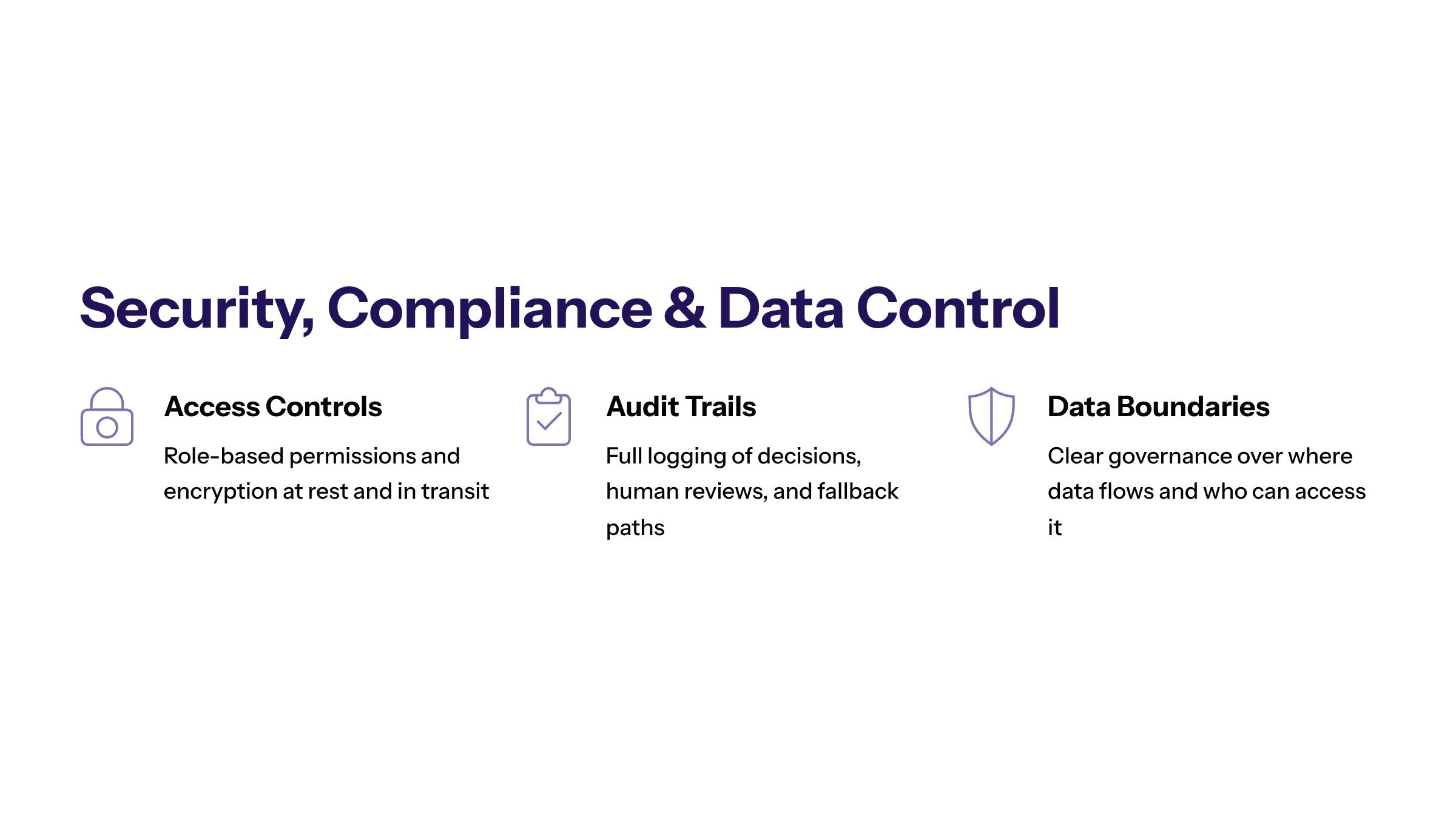
Key controls include least-privilege access, role-based permissions, encryption, audit trails, monitoring, input validation, data minimization, and clear data retention rules. Teams should know what data is used by the AI system, where it is stored, who can access it, and whether it is used to improve external models.
Secure development is especially important when the software is custom or hybrid. The workflow should be designed to handle bad inputs, missing data, uncertain AI outputs, and failed system actions. Security also includes operational resilience: the team should know what happens when the software is unavailable or when an automation step fails.
Compliance-specific claims require source review and legal context, so teams should avoid assuming a platform is compliant because it uses security language. Instead, evaluate the controls, evidence, support process, and documentation needed for the organization's own risk profile.
Implementation Planning and Integration
Implementation should start with a workflow assessment. Map the current process, data sources, system dependencies, approval paths, exception handling, reporting needs, and business owner. Then decide whether AI should classify, extract, summarize, route, recommend, draft, or execute.
A focused pilot is usually the safest starting point. Select one workflow with enough volume to measure and enough boundaries to control. Avoid beginning with a workflow that requires too many departments, unresolved policies, or broad system access.
Integration planning should define APIs, identity management, data synchronization, user roles, monitoring, and fallback paths. A workflow automation platform that requires manual exports or duplicate entry may not solve the underlying problem.
Training and adoption also matter. Users need to understand what the software does, when to trust it, when to override it, and how to report problems. AI workflow automation is not only a technical deployment; it changes how work moves through the organization.
Post-Launch Operating Model for Workflow Software
AI-enabled workflow software needs an operating model after launch. The implementation team should define who monitors performance, who reviews exceptions, who approves workflow changes, who handles access requests, and who decides whether automation should expand.
The operating model should include a regular review cadence. During review, teams can inspect workflow metrics, control metrics, user feedback, incidents, and recurring exceptions. This prevents the software from becoming stale as business rules, systems, and teams change.
Change control matters because small configuration changes can affect real work. A prompt update, permission change, integration change, or routing rule can alter workflow behavior. Production changes should be documented, tested, and approved according to risk.
Ownership should also cover retirement. If the workflow no longer produces value, if risk exceeds benefit, or if another system replaces it, the automation should be revised or retired. Enterprise software should not accumulate invisible automated dependencies that no one owns.
Measuring Workflow Software Value
Value should be measured through operational outcomes. Useful metrics include cycle time, queue backlog, manual touches per case, exception rate, rework rate, approval latency, response time, cost per workflow, user adoption, and audit completeness.
Teams should also measure control. Are actions logged? Are exceptions routed correctly? Are users overriding the AI output often? Are permission failures visible? Is the system creating evidence for review? Speed without evidence is not a complete enterprise outcome.
Measurement should continue after launch. Workflows change, data changes, and business rules change. The software needs ongoing monitoring, optimization, and ownership. If no team owns performance after implementation, the workflow may slowly degrade or drift away from its original purpose.
Common Evaluation Mistakes
The most common evaluation mistake is buying software before mapping the workflow. Without a workflow map, teams may select features that look useful but do not solve the real operational constraint.
The second mistake is treating integration as a later phase. AI workflow automation usually depends on data access, system actions, identity, and reporting. If integration is weak, employees may still have to copy data manually, which defeats the purpose of automation.
The third mistake is evaluating only the ideal case. Teams should test incomplete data, ambiguous inputs, exception paths, user overrides, failed actions, and edge cases. Production workflows rarely look like clean demos.
The fourth mistake is ignoring ownership. Workflow software with AI can become an operating dependency. The organization should know who owns the workflow, configuration, data, model behavior, support process, and evidence trail before scale.
The fifth mistake is evaluating software only at the department level. A tool may solve one team's immediate pain while creating fragmented data, duplicate reporting, or inconsistent governance for the wider organization. Enterprise buyers should consider whether the software can become part of a durable operating model, not only whether it solves one local task.
Advanced Selection Risks to Avoid
A later-stage mistake is buying software before defining the workflow. If the team cannot explain the trigger, owner, data source, decision path, exception path, and success metric, the software evaluation is not ready. A platform can automate steps, but it cannot decide what the business outcome should be.
The second mistake is confusing AI features with workflow control. A tool may summarize documents or generate tasks, but enterprise workflow automation also needs state management, permissions, audit evidence, routing, monitoring, and escalation. These capabilities make automation operational rather than decorative.
The third mistake is overlooking user experience. If users must jump between several systems, copy outputs manually, or guess when the AI result is trustworthy, the software may increase friction. Good workflow software should make the next action clear and keep users inside a manageable operating rhythm.
The fourth mistake is failing to plan for ownership. AI-powered workflow automation can become a core operating dependency. Teams should know who owns configuration, who reviews performance, who handles incidents, who approves changes, and who decides whether to expand or retire an automation.
Enterprise Readiness Checklist
Before selecting or deploying AI-enabled workflow software, enterprise teams should review readiness across workflow, data, architecture, security, and operations. A simple checklist can prevent expensive misalignment.
Workflow readiness: The process has a defined trigger, owner, outcome, exception path, and success metric.
Data readiness: Required sources are accessible, current, permissioned, and reliable enough for automation.
Integration readiness: The software can connect with systems of record without manual exports becoming the hidden process.
Security readiness: Access controls, logs, data handling, and review paths are defined before production use.
Operational readiness: Support, monitoring, user training, and change ownership are assigned.
If the checklist exposes gaps, that does not mean the initiative should stop. It means the team has found the work required before the software can produce durable value. In many cases, solving those gaps creates more value than the software purchase itself because it clarifies how the business should operate.
How to Move From Software Evaluation to Implementation
Select workflow automation software by workflow need, not by category hype. Start by identifying the process constraint, mapping systems, defining controls, and choosing the software model that gives the business the right balance of speed, integration, and ownership.
The best option is the one that makes work more visible, measurable, secure, and adaptable. For enterprise teams, that may be a platform, a custom solution, or a hybrid system built around the workflow that matters most.
Frequently Asked Questions About AI Workflow Automation Software: How Enterprise Teams Should Evaluate It
AI workflow automation software should include integrations, workflow orchestration, permissions, human review, reporting, monitoring, audit trails, and secure data access. For related reading, see building AI agents.
Teams should compare tools by workflow fit, integration depth, governance controls, security model, reporting, vendor lock in, and long term ownership. For related reading, see AI agent architecture.
Custom software may be needed when workflows depend on proprietary rules, complex integrations, regulated data, or ownership requirements that standard tools cannot support. For related reading, see AI agent use cases.
Important features include workflow orchestration, integrations, permission control, human review, audit logs, monitoring, testing support, and reporting. Tool selection should follow workflow requirements. For related reading, see AI agent workflows.
Custom software is better when the workflow depends on proprietary systems, complex permissions, unique business rules, or deeper control than a packaged tool provides. The decision should follow risk and fit. For related reading, see generative AI implementation.
Teams should review data export, integration ownership, model flexibility, workflow portability, and contract terms. Automation becomes harder to change once it is embedded in operations. For related reading, see AI-first architecture.