Custom Workflow Automation: When to Build vs Buy for Operations Teams
Custom workflow automation is the right strategic move when operations teams need to coordinate complex, multi-system business processes that generic SaaS tools cannot support without workarounds. If your teams rely on manual handoffs, spreadsheet reconciliation, duplicate data entry, or disconnected workflow automation tools, custom software may create better control, faster cycle times, and stronger compliance than another point solution.
This guide covers how mid-market and enterprise organizations should evaluate custom automation decisions, prioritize workflows, and measure cycle-time improvements. It is written for operations managers, IT leaders, project managers, and business process owners working in regulated, compliance-heavy, or operationally complex environments where workflow automation software must integrate with existing business applications and external systems.
The short answer: custom workflow automation becomes essential when existing SaaS tools create data silos, require excessive manual handoffs, or cannot accommodate industry-specific compliance requirements. Workflow automation can significantly enhance operational efficiency by minimizing manual effort and ensuring that tasks are completed faster and more accurately across various business functions.
In this article, you will learn how to:
Evaluate build vs buy decisions for workflow automation software.
Prioritize custom workflows using a structured RAPID methodology.
Measure cycle-time improvements, error reduction, and ROI.
Identify where disconnected SaaS tools create operational risk.
Build an implementation roadmap that supports scale, security, and long-term process improvements.
Understanding Custom Workflow Automation
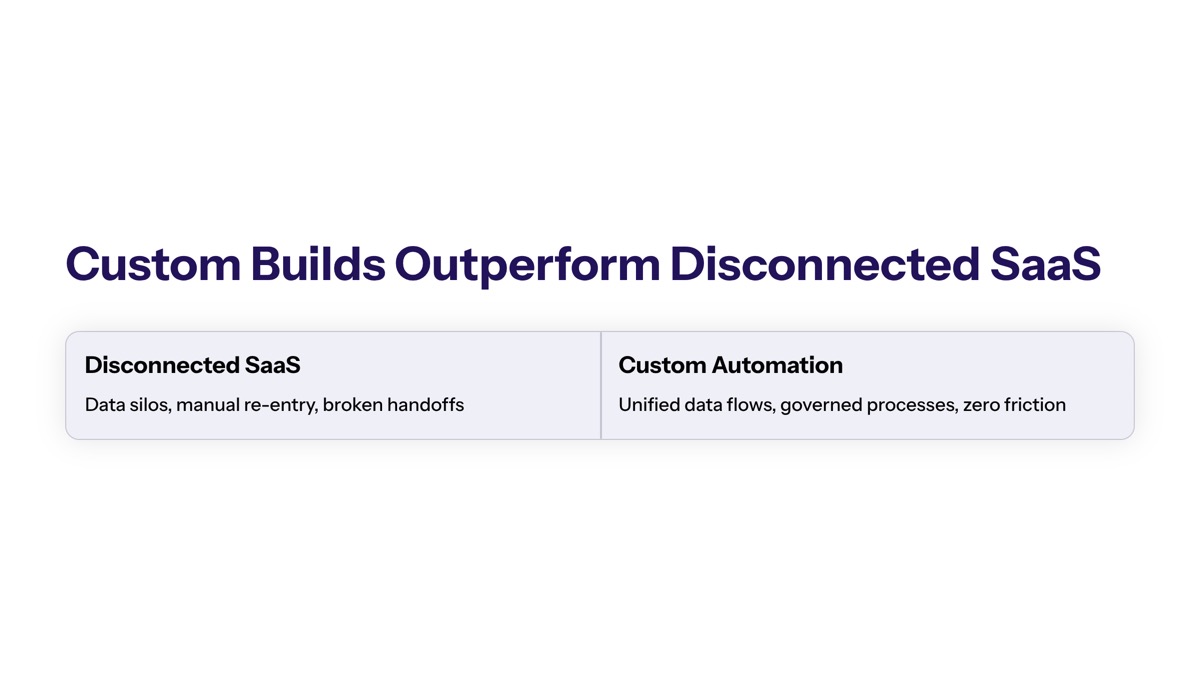
Workflow automation refers to the use of technology to streamline and execute a sequence of tasks, steps, or activities with minimal manual intervention and maximum efficiency. Custom workflow automation goes further: it is workflow software designed around your specific business processes, data models, approval chains, compliance rules, and operational edge cases.
At the operational level, workflow automation helps teams automate tasks, assign tasks, track progress, send automated notifications, reduce manual data entry, and manage tasks across multiple departments. At the strategic level, custom automation can become a competitive advantage because it lets enterprise businesses automate processes in ways that match their business needs instead of forcing teams into predefined vendor patterns.
The workflow automation process operates by mapping out a predefined sequence of actions triggered by specific events or conditions, often using visual drag-and-drop interfaces or low-code/no-code platforms. Essential components of the workflow automation process include predefined rules, sequences, and actions that work cohesively to deliver specific outcomes without manual intervention, ensuring consistency, speed, and transparency across business processes.
Workflow automation can streamline processes in various sectors, including sales, marketing, customer service, finance, and human resources, by automating repetitive tasks and improving efficiency. The key is not to automate everything at once. Identifying repetitive, low-value tasks is crucial before automating workflows because the best workflow candidates are usually time consuming tasks that slow down high value tasks.
Custom Automation vs Off-the-Shelf Solutions
Off-the-shelf workflow automation tools are useful when the workflow is standard, the integrations are already supported, and the process can fit inside configurable automation rules. Many no code tools, low code tools, and no code platforms offer a user friendly interface or intuitive interface for building workflows quickly, especially for task management, project management, document generation, customer service routing, and administrative oversight.
Custom automation is different because it is built for complex workflows that require conditional logic, complex logic, custom data validation, role-based access, audit trails, and seamless integrations with internal and third party tools. Selecting the right workflow automation software involves considering the specific needs of your organization, including the complexity of workflows and the level of customization required.
When choosing workflow automation software, it is essential to analyze your current processes, identify bottlenecks, and understand which teams will be using the tools. Key features to look for in workflow automation software include predefined rules, sequences, and actions that enhance task management and collaboration. Workflow automation software should also facilitate seamless integration with existing tools and applications to ensure smooth workflows and minimize disruptions.
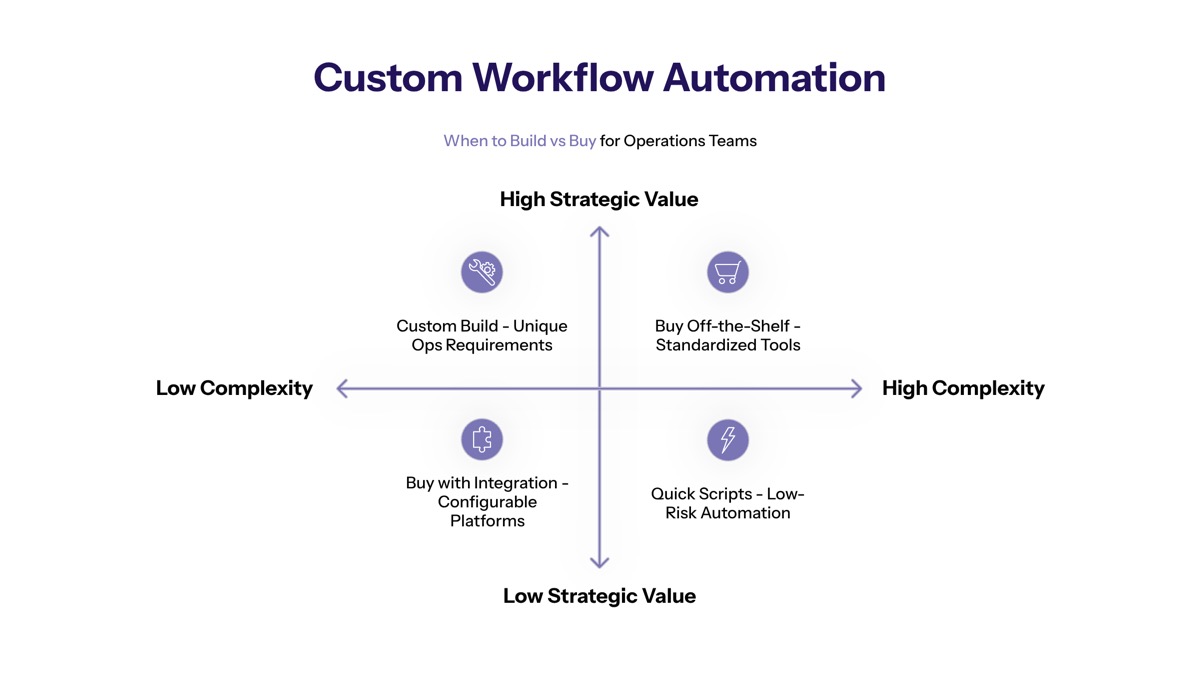
The build vs buy decision is ultimately about operational control and data governance. Buying can deliver speed, but building may be necessary when business operations depend on custom workflows, proprietary rules, regulated data, or automation capabilities that a vendor does not support.
Integration-First Architecture
An integration-first architecture connects existing systems without replacing the core infrastructure that already runs the business. Instead of forcing operations teams to migrate everything into one automation tool, custom workflow automation can sit between software applications, legacy databases, APIs, ERP systems, CRM systems, document platforms, and external systems.
This architecture is especially valuable when teams need to create workflows that cross multiple departments. Using no-code platforms facilitates easy connections between existing software tools, but custom automation may be needed when those connections require strict data contracts, advanced features, event-driven triggers, error handling, retry logic, audit logging, or security controls.
Integration-first workflow automation also supports operational visibility. Automation enables operational visibility by allowing managers to track the live status of any workflow instantly. Workflow automation provides better process visibility and task ownership, allowing project managers to track deadlines and monitor progress through visual dashboards.
The more systems involved in a workflow, the more important it becomes to evaluate whether workflow tools can handle the operational reality. That is where build vs buy decision criteria become practical.
When Custom Software Outperforms Disconnected SaaS Tools
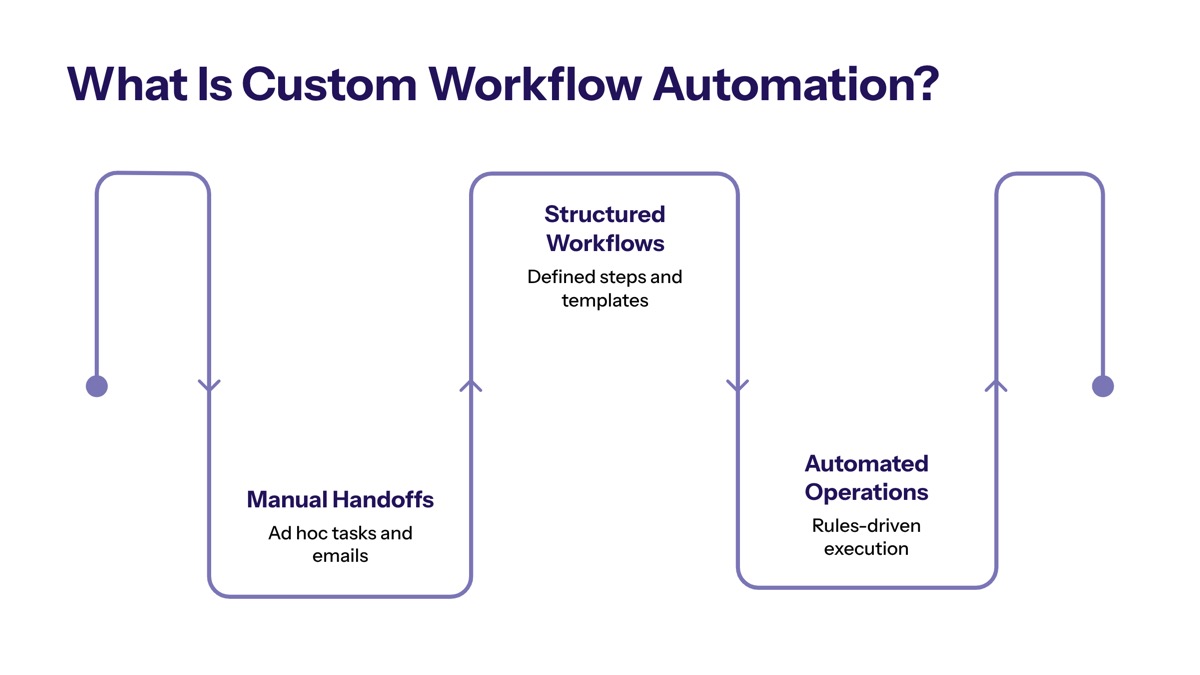
Disconnected SaaS tools often work well inside one department, but they can break down when business processes move across systems, teams, and compliance boundaries. Custom workflow automation outperforms generic workflow automation software when operations teams need deeper integration, tighter governance, more flexible automation rules, or stronger control over data movement.
Selecting the right software for automation should include scalability checks to accommodate growth in transaction volume. A tool that works for 500 workflow instances per month may fail when transaction volume triples, when multiple departments need shared workflows, or when exceptions become too frequent for predefined configurations.
Multi-System Data Requirements
Custom software becomes more attractive when data lives across several platforms and manual processes are needed to move information between them. For example, order routing may require data from a CRM, ERP, warehouse management system, shipping platform, and finance application. If workflow automation tools cannot connect those systems cleanly, employees often fall back to manual data entry, exports, copy-paste work, or side spreadsheets.
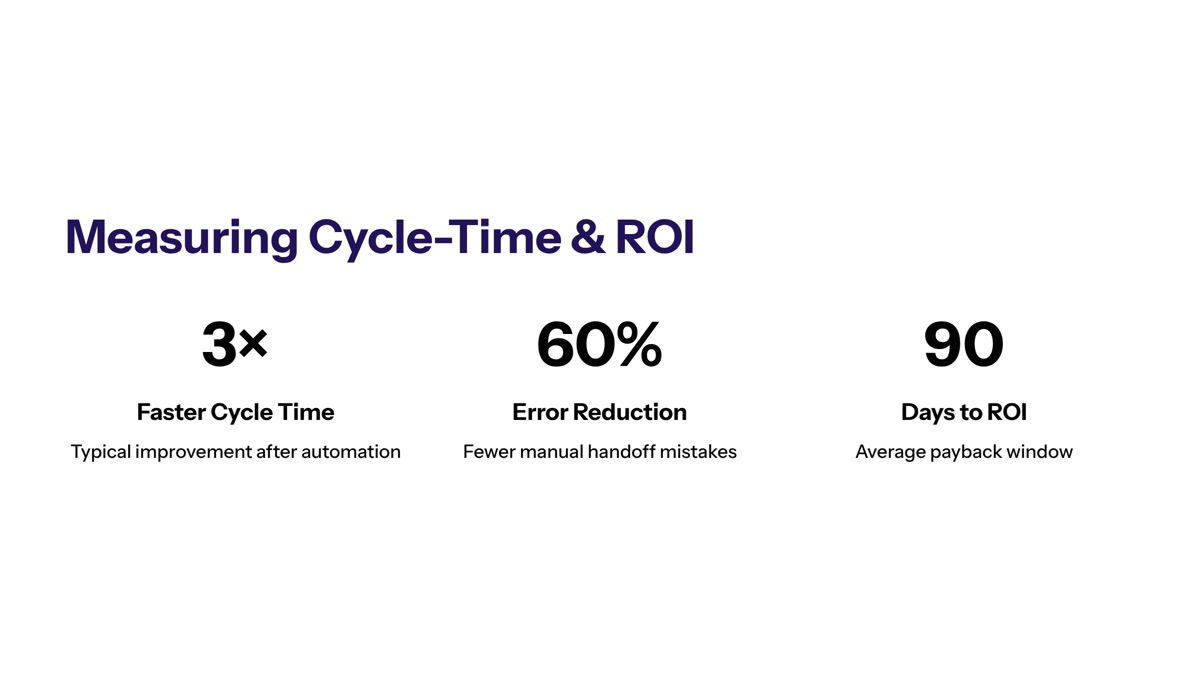
Automation can remove human copy-paste mistakes by handling data transfers. Fewer manual handoffs result in workflows running continuously, thus eliminating bottlenecks and accelerating task completion times. This is especially important in high-volume processes where small delays compound across hundreds or thousands of workflow instances.
Automated document processing is a common example of workflow automation, where AI and machine learning are used to extract relevant information from unstructured data and transform it into usable formats for analysis. These AI powered workflows may use ai capabilities or ai agents to classify documents, validate fields, and route exceptions to the right team.
Standard SaaS workflow tools may support simple integrations with Google Workspace, project management platforms, and common business applications. Custom automation is usually stronger when the workflow depends on legacy systems, proprietary data models, high-volume transactions, or complex exception handling.
Compliance and Security Constraints
Regulated industries such as healthcare, finance, logistics, insurance, and public sector operations often need controls that generic SaaS tools do not provide at the right level of detail. These controls may include encryption, role-based access, data residency, approval traceability, segregation of duties, incident response workflows, and complete audit histories.
Automated systems generate clear audit trails, showing who did what and when. Standardizing rules ensures tasks are executed consistently, minimizing human error and compliance risks. Implementing workflow automation can lead to a reduction in human error, as automated systems execute tasks consistently and accurately, minimizing costly mistakes.
In finance, workflow automation tools help maintain organized, compliant, and consistent financial processes, assisting with tasks like budget approvals, invoicing, and accounting entries. In human resources, workflow tools automate documentation and administrative tasks, such as new hire management and time-off requests, allowing HR professionals to focus on higher-value activities.
When compliance rules are central to service delivery, customer value, or brand trust, custom workflow automation can enforce the exact policy logic your organization needs. Buying may still be useful for standard administrative processes, but custom software often wins where security validation, regulatory evidence, and audit readiness are non-negotiable.
Operational Complexity Thresholds
Many workflow automation tools are effective for linear processes: a request comes in, a task is assigned, a notification is sent, and the work is completed. The limitations appear when operations teams need multi step workflows with branching paths, conditional logic, approvals, escalations, retry logic, deadlines, fallback routes, and exception queues.
A custom build becomes more compelling when the process has many states, frequent edge cases, high error cost, or business-specific decision rules. For example, customer service workflow tools automate tasks such as ticket assignment, auto-replies, and tagging, allowing businesses to resolve customer issues more efficiently and free up live agents for complex inquiries. But if ticket routing depends on customer tier, contract language, compliance exposure, region, product telemetry, and service-level penalties, custom logic may be required.
In customer service, workflow automation can help auto-assign tickets to agents, send auto-replies to common questions, and auto-tag tickets based on the question submitted, leading to faster issue resolution. Sales teams often automate workflows related to lead routing and follow-up tasks, allowing them to focus more on closing deals and building relationships rather than on manual data entry. Sales and marketing workflow tools utilize built-in analytics to manage data from prospects and customers, creating workflows that send customized marketing content based on customer behavior.
Key decision points include workflow volume, exception frequency, compliance exposure, integration depth, customization requirements, and the cost of failure. Once those factors are clear, operations teams need a prioritization framework to decide which workflows to automate first.
Workflow Prioritization Framework Using RAPID Methodology
A structured prioritization method prevents teams from automating the loudest request instead of the highest-value process. Cognativ’s RAPID-style approach helps operations, IT, finance, compliance, and cross functional teams align on where custom workflow automation will produce the greatest operational efficiency, cost reduction, and cycle-time improvement.
Project management tools help link together people, data, and other assets to optimize processes, improving collaboration and work delivery across multiple teams. Workflow automation enhances collaboration among teams by providing centralized communication channels and shared workflows, which improves task management and decision-making speed.
Before building workflows, teams should identify repetitive tasks, manual tasks, time consuming tasks, approval delays, rework loops, and manual effort that prevents employees from focusing on high value tasks. Workflow automation tools can improve productivity by allowing employees to focus on more complex tasks instead of repetitive manual processes, which enhances overall efficiency.
RAPID Assessment Process
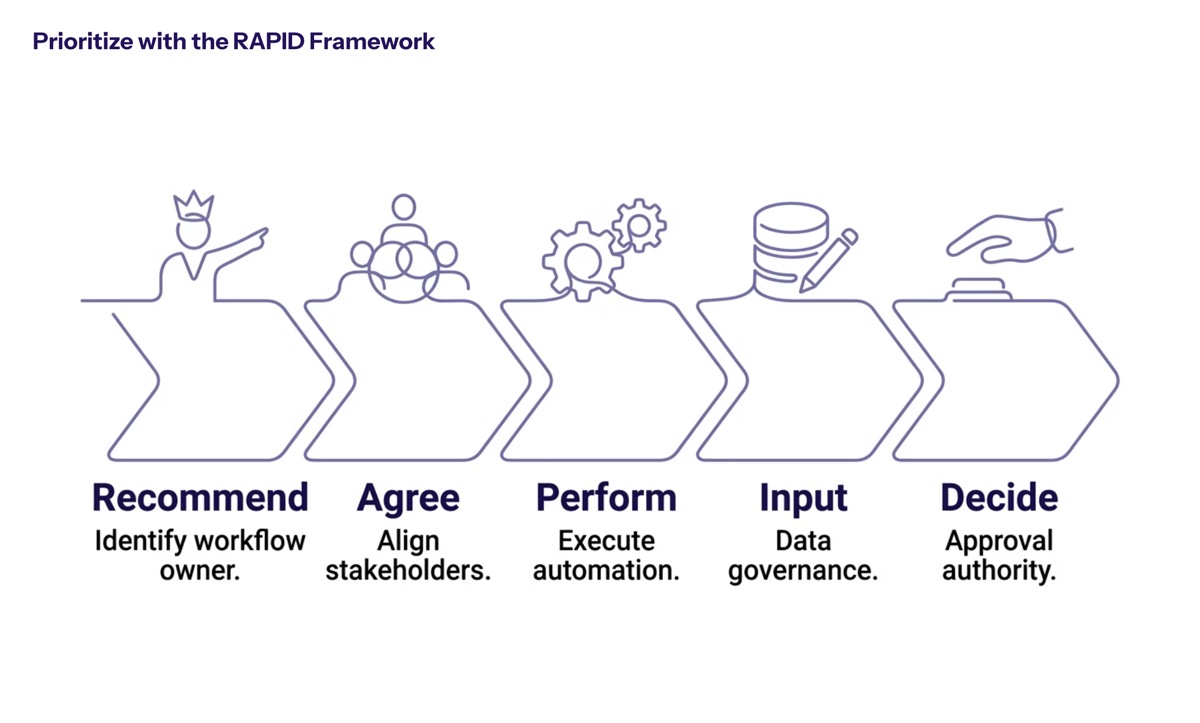
Use the RAPID assessment process when multiple stakeholders disagree on whether to buy workflow automation software, configure no code platforms, or build custom automation. RAPID clarifies roles, decision authority, technical requirements, and expected outcomes.
Recommend: Identify high-impact workflows based on cycle time, error rates, resource consumption, compliance exposure, and customer impact. Look for manual processes that require duplicate data entry, repeated approvals, or frequent rework.
Agree: Align stakeholders on automation priorities and success metrics. Operations, IT, security, finance, legal, project managers, and end users should agree on what success means before implementation begins.
Perform: Map current state processes and identify automation opportunities. Document who performs each step, which systems are involved, where teams assign tasks, and where delays or bottlenecks occur.
Input: Gather technical requirements, integration needs, data governance requirements, user permissions, reporting needs, and future scalability expectations. Selecting the right software for automation should include scalability checks to accommodate growth in transaction volume.
Decide: Prioritize workflows based on ROI potential and implementation complexity. Choose standard workflow tools for common use cases and custom workflows when complexity, compliance, or integration needs exceed vendor capabilities.
This process also helps teams compare no code tools, low code tools, and custom development without ignoring the learning curve, technical expertise, technical knowledge, and maintenance capacity required after launch.
Impact vs Effort Assessment Matrix
Impact / Effort | Low Effort | Medium Effort | High Effort |
|---|---|---|---|
High Impact | Automate repetitive tasks such as approvals, reminders, and status updates where workflow tools already integrate with current systems. | Automate workflows such as invoice routing, lead assignment, customer onboarding, or service delivery handoffs across multiple departments. | Build custom workflow automation for regulated claims processing, financial approvals, logistics exceptions, or complex workflows tied to revenue and compliance. |
Medium Impact | Use workflow software for task management, automated notifications, and shared checklists that boost productivity quickly. | Configure customizable workflows for budget approvals, document generation, HR requests, or customer service escalation paths. | Build integration-heavy process automation where manual data entry, external systems, and compliance checks create recurring operational risk. |
Low Impact | Use no code platforms for simple administrative oversight, recurring reminders, and lightweight internal requests. | Improve existing workflow automation tools where better routing, visual dashboards, or centralized communication channels are enough. | Avoid custom development for rare, unstable, or low-value workflows unless the risk profile justifies the investment. |
The best workflow candidates usually combine high frequency, measurable cost, visible bottlenecks, and clear ownership. By automating routine tasks, organizations can achieve significant cost reductions, as it lowers the need for manual labor and reduces process delays and error-related rework.
This matrix should not replace judgment. A low-volume workflow may still deserve custom automation if the compliance risk is high, while a high-volume workflow may be better served by existing workflow automation software if it is simple and standard. Once priorities are clear, the next step is to measure baseline performance and calculate ROI.
Measuring Cycle-Time Improvements and ROI
Cycle-time improvement is one of the clearest ways to prove whether custom workflow automation is working. Before implementation, teams need a current-state baseline that captures how long the process takes, where work waits, how often errors occur, how many people are involved, and how much manual effort is required.
Without baseline metrics, teams can only describe process improvements anecdotally. With baseline metrics, operations leaders can quantify whether automation capabilities reduce cycle time, improve accuracy, increase throughput, and free employees for higher-value work.
Baseline Measurement Requirements
Start by documenting the current process from trigger to completion. Capture process timing, approval wait time, manual handoffs, rework loops, error rates, manual data entry, resource allocation, and the number of systems involved. Track how long each step takes and where delays occur.
Useful data collection methods include process interviews, system logs, time studies, ticket data, project management reports, visual dashboards, and workflow analytics. When choosing workflow automation software, it is essential to analyze your current processes, identify bottlenecks, and understand which teams will be using the tools.
Baseline measurement should also capture qualitative friction. Ask employees which repetitive tasks are most frustrating, which handoffs cause confusion, and which manual processes create customer delays. These observations help teams optimize processes instead of simply digitizing broken steps.
Key Performance Indicators for Custom Automation
KPI | Measurement Method | Target Benchmark |
|---|---|---|
Cycle time reduction | Compare average completion time before and after automation. | Faster task completion through fewer manual handoffs and automated routing. |
Error rate improvement | Track defects, rework, compliance issues, and human error before and after automation. | Lower error rates through predefined rules, automation rules, and consistent execution. |
Manual hours saved | Measure staff time spent on manual tasks, data entry, and status follow-up. | Reduced manual effort and more time for high value tasks. |
Resource efficiency | Track overtime, queue volume, staffing pressure, and throughput. | Higher workplace productivity without proportional headcount growth. |
Process visibility | Use visual dashboards to track progress, ownership, and SLA status. | Managers can see workflow status instantly and intervene earlier. |
Cost savings | Compare labor cost, rework cost, delay cost, and software cost. | Lower operating cost through fewer delays, fewer mistakes, and less manual labor. |
Compliance performance | Review audit findings, approval evidence, access logs, and exception history. | Stronger audit readiness and fewer compliance gaps. |
Automation enables operational visibility by allowing managers to track the live status of any workflow instantly. Workflow automation provides better process visibility and task ownership, allowing project managers to track deadlines and monitor progress through visual dashboards.
Interpreting results requires separating automation impact from process redesign impact. If a team removes unnecessary approvals before implementation, that improvement should be documented separately from software-driven gains. The strongest ROI case combines both: cleaner processes and automation that executes those processes consistently.
Long-term Value Tracking
Workflow automation is not a one-time implementation. Automations require regular monitoring and updates to prevent failures due to software updates or changing business needs. APIs change, vendor permissions shift, compliance rules evolve, and business processes expand into new regions, products, or customer segments.
Long-term tracking should include quarterly workflow reviews, exception analysis, user feedback, security validation, and integration health checks. Teams should monitor whether automation rules still match reality, whether ai powered steps need model tuning, and whether custom workflows are accumulating unnecessary complexity.
Sustained ROI depends on ownership. Assign a process owner, a technical owner, and a business sponsor for each major automation. This keeps the workflow aligned with business needs and prevents the system from becoming another fragile layer of operational debt.
Common Implementation Challenges and Solutions
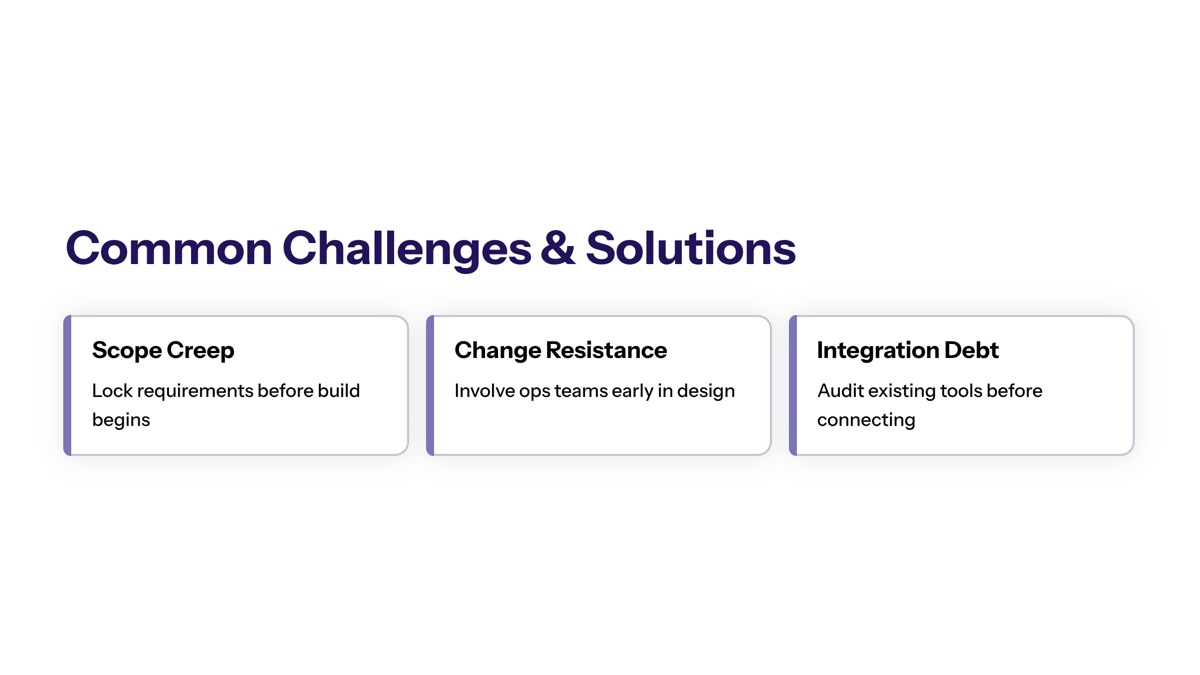
Custom workflow automation projects usually fail for predictable reasons: unclear ownership, legacy integration surprises, weak change management, poor data quality, or compliance requirements discovered too late. The solution is to treat automation as business process design, not just software configuration.
Operations teams should also be realistic about build vs buy trade-offs. Buying workflow automation tools can reduce time to value, while custom development can provide deeper control. The right answer may be hybrid: buy standard workflow tools where they fit and build custom automation where business operations require stronger integration, governance, or differentiation.
Legacy System Integration Complexity
Legacy systems often lack modern APIs, consistent data structures, or event-driven capabilities. This makes seamless integrations difficult, especially when custom workflow automation must connect ERP systems, internal databases, email inboxes, document repositories, and third party tools.
The solution is to design an integration layer that connects systems without disrupting operations. This may include API wrappers, message queues, data validation rules, staging databases, monitoring, retry logic, and exception queues. Workflow automation software should facilitate seamless integration with existing tools and applications to ensure smooth workflows and minimize disruptions.
For lower-complexity needs, no code platforms and low code tools can help teams create workflows quickly. For higher-complexity needs, custom software may be necessary to handle complex logic, high transaction volumes, security requirements, and legacy constraints.
Stakeholder Alignment and Change Management
Automation affects how people work, not just how systems communicate. Cross functional collaboration is essential because custom automation often changes responsibilities across operations, IT, finance, legal, customer service, sales, marketing, and human resources.
The solution is to involve end users early, map current workflows honestly, test with real exceptions, and communicate what will change before rollout. Workflow automation enhances collaboration among teams by providing centralized communication channels and shared workflows, which improves task management and decision-making speed.
Training matters because even a user friendly interface has a learning curve. Teams need to understand how to manage tasks, assign tasks, track progress, resolve exceptions, and escalate issues when automation cannot complete a step. Adoption improves when employees see that automation removes repetitive tasks rather than removing their judgment from important decisions.
Security and Compliance Validation
Security and compliance must be designed into custom workflow automation from the beginning. Waiting until the end of development to validate controls creates rework, launch delays, and audit risk.
The solution is to define access controls, encryption requirements, audit logging, data retention rules, approval evidence, and exception handling before building workflows. Automated systems generate clear audit trails, showing who did what and when. Standardizing rules ensures tasks are executed consistently, minimizing human error and compliance risks.
For regulated workflows, include compliance, legal, and security teams during requirements gathering and testing. Validate that workflow automation software or custom software supports the organization’s industry requirements, including healthcare, finance, logistics, and other compliance-heavy business processes.
Conclusion and Next Steps
Custom workflow automation gives operations teams a strategic advantage when business processes are complex, regulated, integration-heavy, or too important to force into disconnected SaaS tools. Buying workflow automation software is often the fastest path for standard use cases, but custom software can outperform when teams need deep integrations, precise compliance controls, complex logic, and long-term operational visibility.
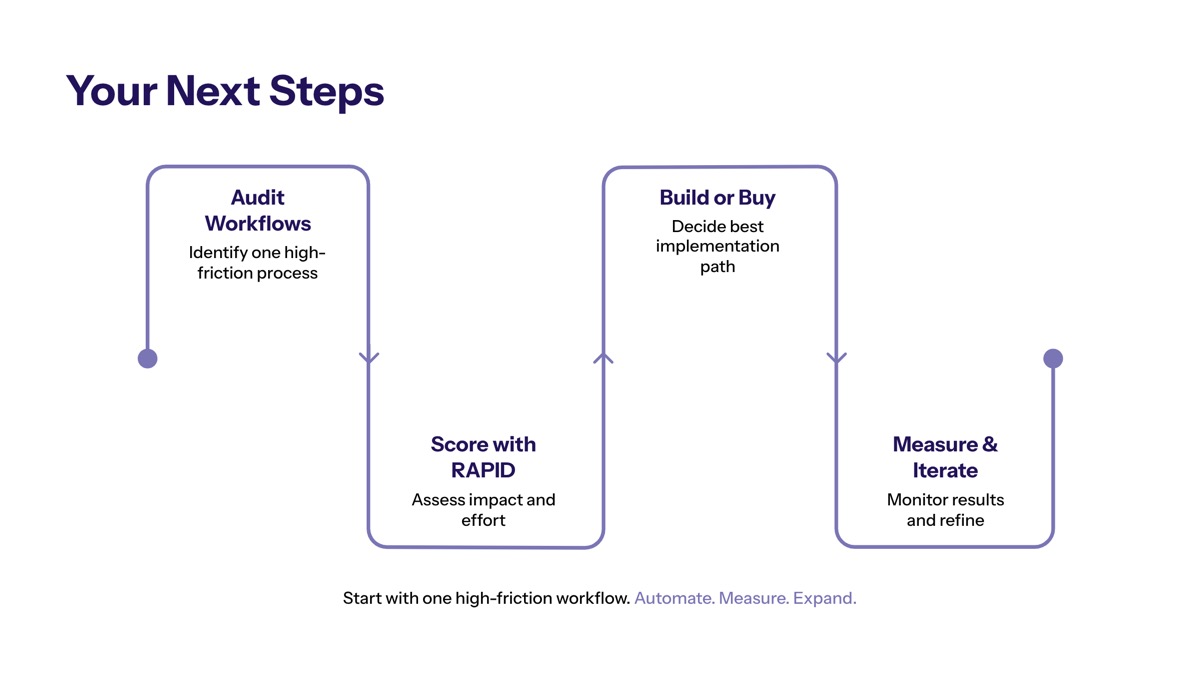
A practical next step is to evaluate workflows in this order:
Conduct a RAPID assessment to clarify stakeholders, priorities, decision rights, and success metrics.
Establish baseline metrics for cycle time, error rates, manual effort, cost, and process visibility.
Identify priority workflows by looking for repetitive tasks, bottlenecks, compliance exposure, and high-volume manual processes.
Evaluate build vs buy trade-offs based on integration depth, customization needs, scalability, security, and total cost.
Plan long-term ownership so automations are monitored, updated, and optimized as business needs change.
Operations teams exploring this area should also evaluate AI-first architecture integration, legacy system modernization, enterprise security considerations, and the use of ai agents for document processing, routing, and decision support. The best results come from combining process discipline with the right automation capabilities.
Additional Resources
RAPID framework implementation guide: Use a structured worksheet to define who recommends, agrees, performs, inputs, and decides for each workflow automation initiative.
Workflow assessment templates: Document triggers, steps, systems, owners, exceptions, approval paths, cycle times, and manual handoffs before selecting an automation tool.
Custom automation ROI calculators: Compare labor savings, error reduction, software cost, maintenance cost, and expected transaction volume growth.
Measurement dashboards: Use visual dashboards to monitor cycle time, throughput, SLA status, task ownership, and exception queues.
Industry compliance checklists: Review healthcare, finance, logistics, customer service, sales, marketing, and human resources requirements before automating business processes.