How to Run Weekly Transformation Checkpoints That Don’t Waste Time?
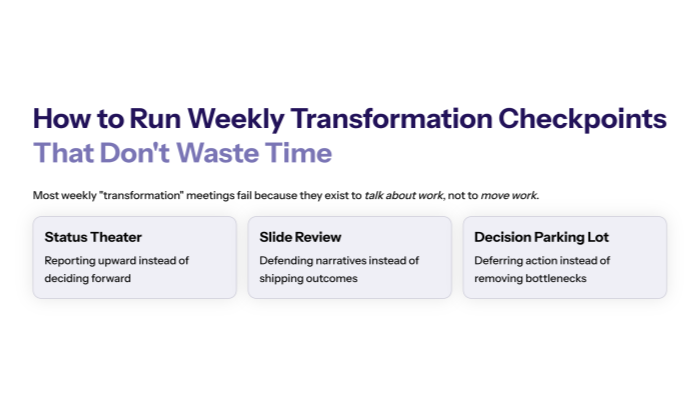
Most weekly “transformation” meetings fail for one reason: they exist to talk about work, not to move work.
They become:
- status theater
- slide review
- a place to defend narratives
- a parking lot for unresolved decisions
RAPID gives you a different standard. Decisions drive outcomes, and if critical decisions don’t happen, outcomes don’t happen. And after action, you must evaluate results and decide to stay, change, or stop—based on measurable reality.
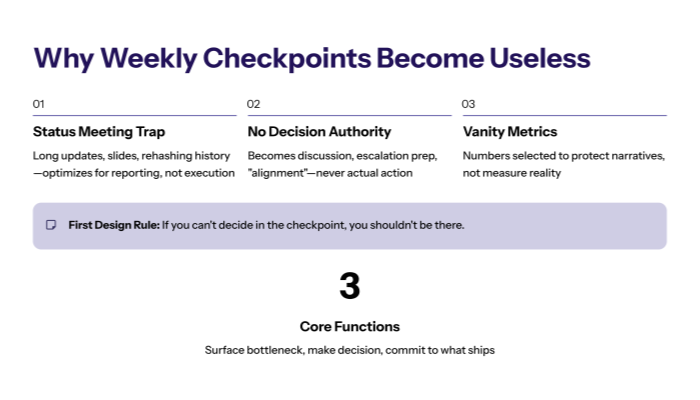
A weekly checkpoint should be the smallest possible meeting that reliably does three things:
- surfaces the bottleneck
- makes the decision that removes it
- commits to what ships next
Here’s how to run it so it doesn’t waste time.

1. Why weekly checkpoints become useless? (and how to prevent it)
1.1 The checkpoint dies when it becomes a status meeting
Status meetings optimize for reporting upward. Execution meetings optimize for decisions and throughput.
If your weekly checkpoint includes:
- long “updates” per team
- slides
- rehashing history
- debating what matters
…it will waste time.
RAPID warns against vanity metrics—numbers selected to make leaders feel good about decisions that may be failing. Status meetings often exist to protect that narrative. A RAPID checkpoint exists to break it.
1.2 The checkpoint dies when it has no decision authority
If the people in the meeting cannot decide, the meeting becomes:
- discussion
- escalation prep
- “alignment”
- deferred action
RAPID is explicit: decision-making is central, and if the decision never gets made, the outcome never happens.
So the first design rule is simple: If you can’t decide in the checkpoint, you shouldn’t be there.
2. The minimum viable checkpoint (roles + inputs)
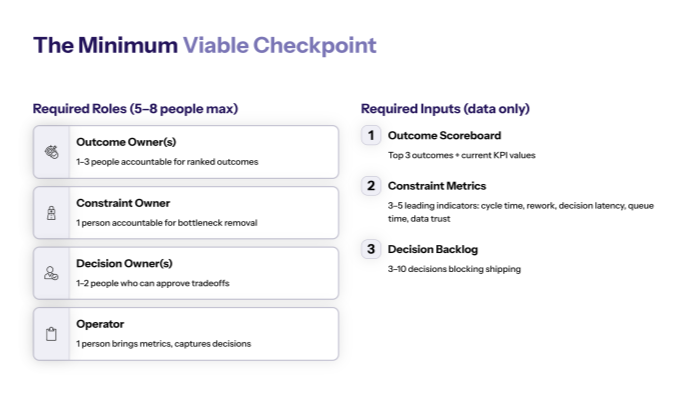
2.1 Required roles (keep it small)
A weekly transformation checkpoint should have 5–8 people max:
- Outcome Owner(s) (1–3): accountable for ranked outcomes
- Constraint Owner (1): accountable for current bottleneck removal
- Decision Owner(s) (1–2): can approve tradeoffs and exceptions
- Operator (1): brings metrics and captures decisions
- Optional: 1 functional lead if their work is currently the bottleneck
Everyone else can read the notes after.
This aligns with RAPID’s Decision Inventory idea: decisions are posed as questions, assigned owners, prioritized, and linked to outcomes/customer value.
2.2 Required inputs (data only, no slide decks)
Bring three things:
- Outcome scoreboard (top 3 outcomes + current KPI values)
- Constraint metrics (3–5 leading indicators: cycle time, rework, decision latency, queue time, data trust)
- Decision backlog (the 3–10 decisions blocking shipping)
RAPID stresses that if success isn’t measurable, you can’t evaluate initiatives. The checkpoint must start from measurable truth.
3. The 45-minute agenda that works every week
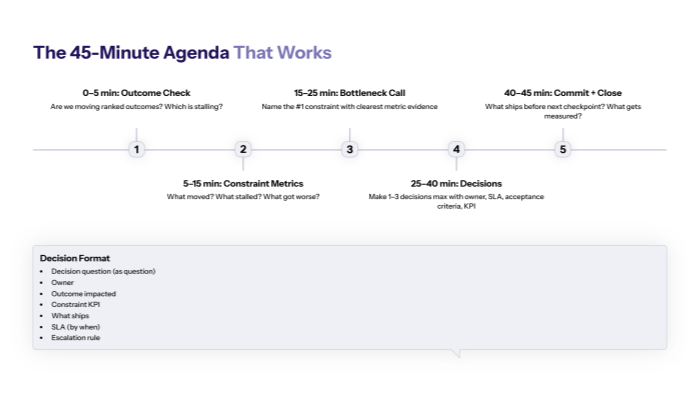
3.1 Agenda (hard time-boxed)
0–5 min — Outcome check
- Are we moving the ranked outcomes?
- If not, which outcome is stalling?
5–15 min — Constraint metrics review
- What moved?
- What stalled?
- What got worse?
15–25 min — Bottleneck call
- Name the #1 constraint limiting outcomes this week.
- If there’s debate, pick the one with the clearest metric evidence.
25–40 min — Decisions
- Make 1–3 decisions max.
- Each decision must have:
- owner
- SLA
- acceptance criteria (“what does done mean?”)
- KPI expected to move
40–45 min — Commit + close
- What ships before next checkpoint?
- What will be measured next week?
This agenda is designed to support RAPID’s Decide discipline: evaluate and decide stay/change/stop based on results.
3.2 The “decision format” (so outcomes don’t get lost)
Every decision should be captured in this exact format:
- Decision question: (written as a question)
- Owner:
- Outcome impacted:
- Constraint KPI: (leading indicator)
- What ships: (small increment)
- SLA: (by when)
- Escalation rule: (if not done)
This mirrors RAPID’s Decision Inventory structure and prevents “we agreed” from evaporating.
4. What NOT to do (the waste patterns to kill)
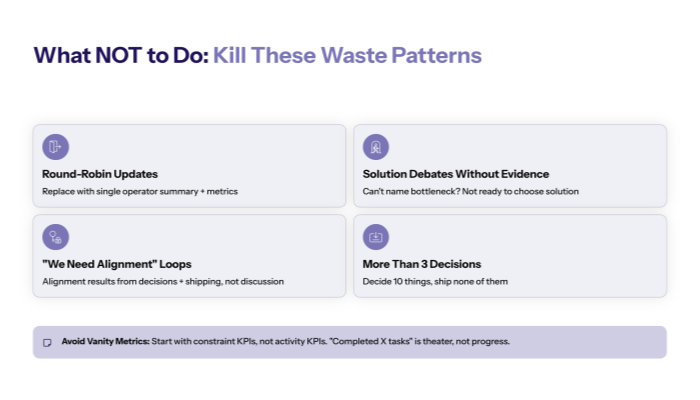
4.1 Kill these four behaviors immediately
- Round-robin updates
Replace with a single operator summary + metrics.
- Solution debates without constraint evidence
If you can’t name the bottleneck, you’re not ready to choose a solution.
- “We need alignment” loops
Alignment is a result of decisions + shipping, not discussion.
- More than 3 decisions per meeting
If you decide 10 things, none of them will ship.
RAPID emphasizes that complex problems are solved through many small steps. The checkpoint should protect that sequencing.
4.2 Avoid the vanity-metric trap
If your checkpoint starts with:
- “we completed X tasks”
- “we held Y workshops”
- “we rolled out Z training”
…you’re drifting into KPI theater.
RAPID’s warning about vanity metrics applies directly: metrics must be tied to real outcomes, or they become narrative shields.
Always start with constraint KPIs, not activity KPIs.
5. Close the learning loop (stay / change / stop)
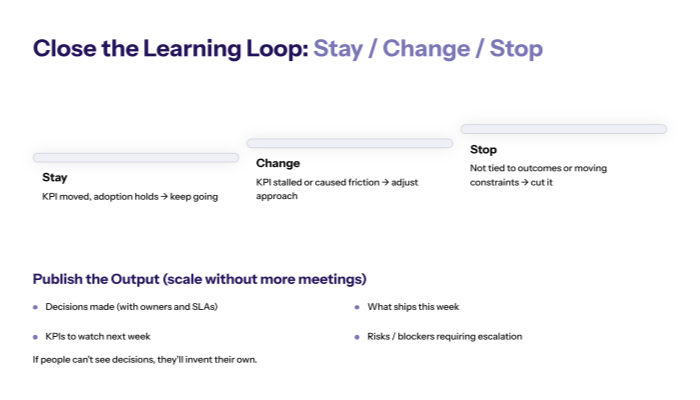
5.1 Weekly Decide logic: stay, change, stop
Your checkpoint should end with one of these calls for each shipped increment:
- Stay: KPI moved, adoption holds → keep going
- Change: KPI stalled or caused new friction → adjust approach
- Stop: not tied to outcomes or not moving constraints → cut it
This is RAPID’s Decide phase operationalized weekly.
5.2 Publish the output (so the meeting scales without more meetings)
A checkpoint scales through artifacts, not attendance.
Publish:
- decisions made (with owners and SLAs)
- what ships this week
- KPIs to watch next week
- risks / blockers requiring escalation
RAPID emphasizes timely, accurate information sharing to decision makers; the same principle applies to your teams.
If people can’t see decisions, they’ll invent their own.
Closing takeaway
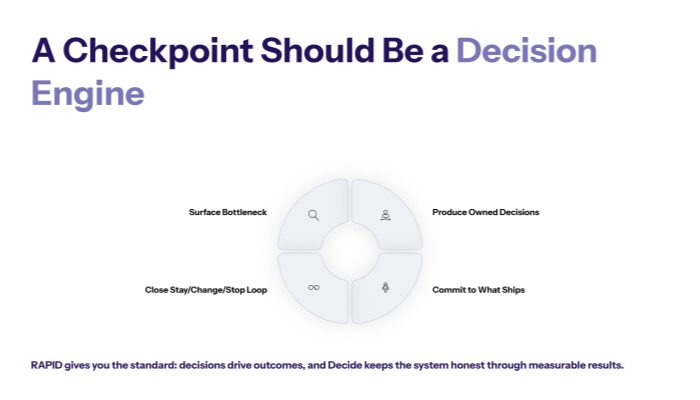
A weekly transformation checkpoint should not be a meeting. It should be a decision engine.
If it doesn’t:
- surface the bottleneck,
- produce owned decisions,
- commit to what ships next,
- and close the stay/change/stop loop…
…it’s wasting time.
RAPID gives you the standard: decisions drive outcomes, and Decide keeps the system honest through measurable results.