Ollama Local AI Server Architecture Diagram: Complete Visual Guide
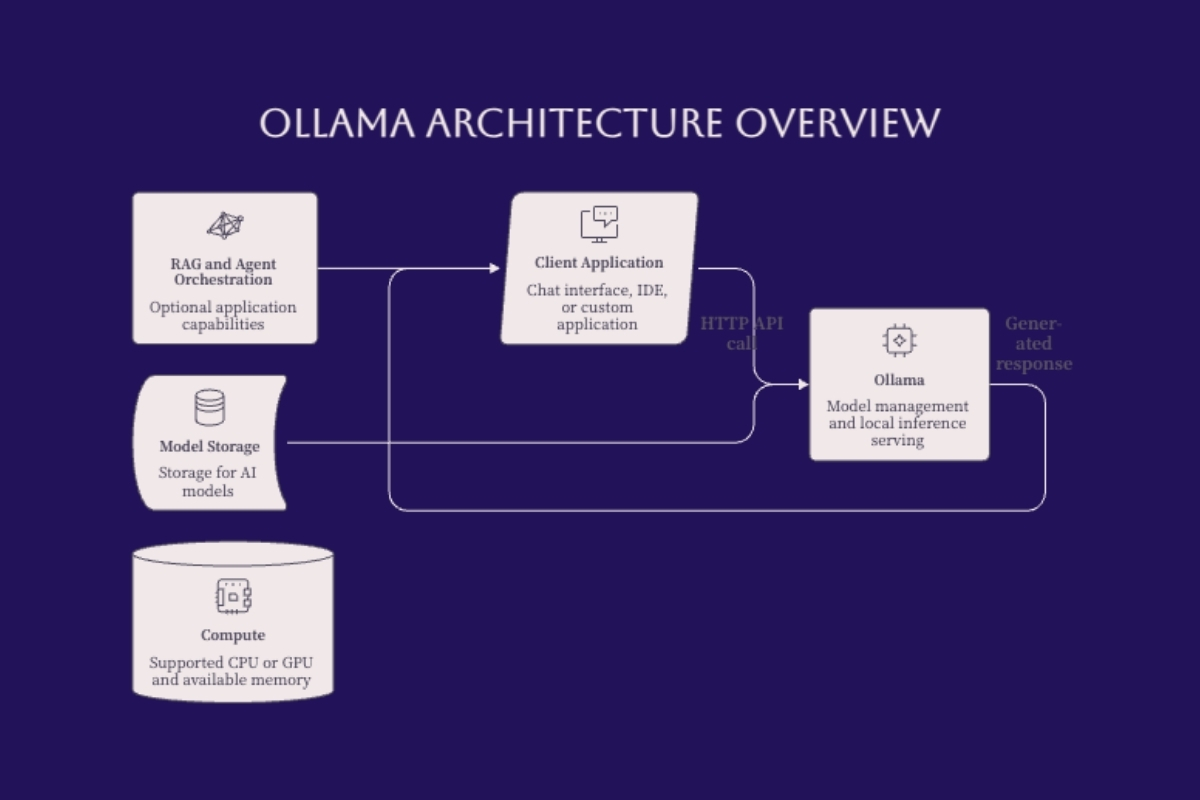
An Ollama local AI server architecture diagram should show how a request travels from an application to a model running on hardware you control. It should also distinguish the request path from model storage, network controls, and optional application services. Ollama provides model management and inference serving; it is not, by itself, a complete document-search application, access-control system, or autonomous tool platform.
This guide maps seven architectural zones: clients, application logic, network access, the Ollama API server, model runtime, model storage, and hardware. These are useful design boundaries, not seven separate services you must install. On a single computer, several zones share the same machine. In a shared deployment, their interfaces and owners need to be explicit.
The focus is local model inference and its surrounding architecture. It covers required components, optional retrieval and tool workflows, API validation, memory planning, and secure access. It does not rank hardware, teach model training, or prescribe a multi-node cluster. Local execution can improve control over data, but privacy and reliability still depend on the complete deployment.
The short answer: start with one application calling a loopback Ollama API and one reviewed local model. Add retrieval, shared access, or tools only when a defined workload needs them. Draw storage beside the runtime, hardware beneath it, and security controls around the interfaces that cross trust boundaries.
After reading this guide, you will be able to:
Draw the request, response, model-loading, and optional integration paths.
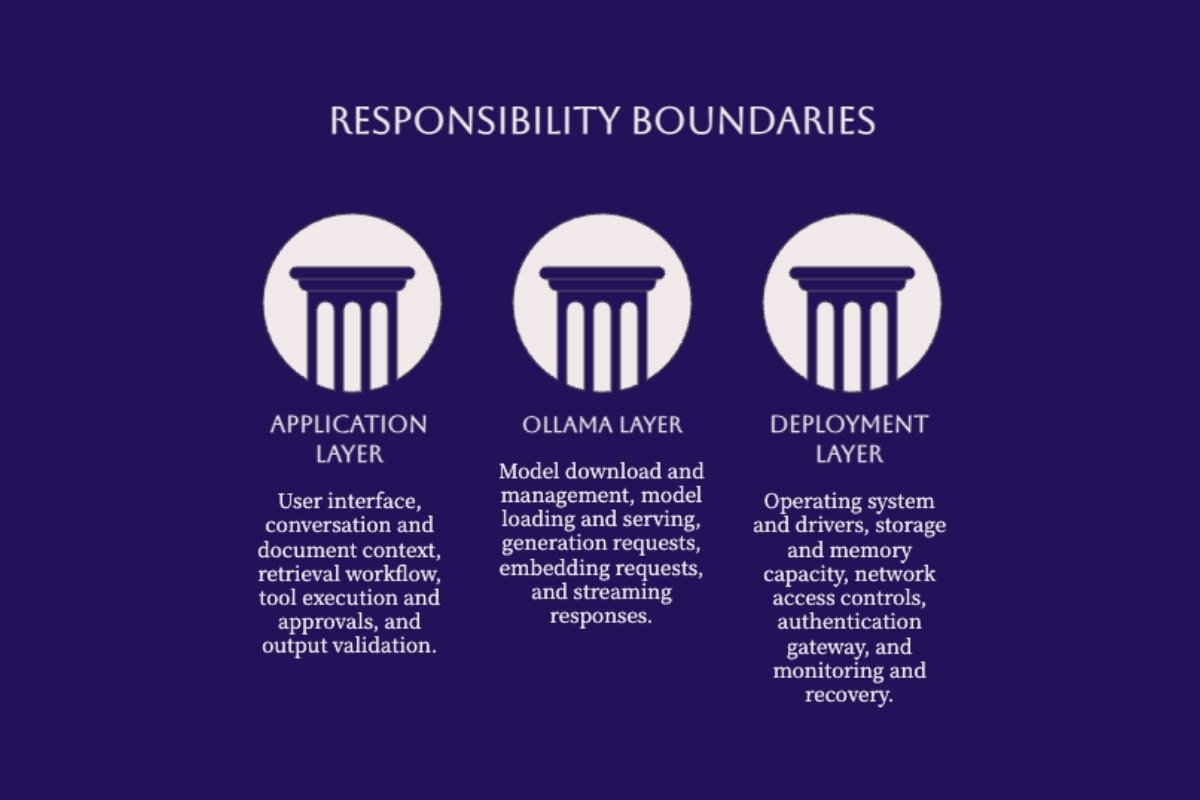
Separate Ollama responsibilities from application and deployment responsibilities.
Validate local API calls before adding shared access.
Plan around model memory, context, concurrency, and supported hardware.
Identify security and recovery controls missing from an architecture diagram.
Understanding Ollama's Role in Local AI Architecture
The first boundary is between serving a model and delivering an application. A working inference endpoint proves that a request can reach a model. It does not prove that retrieved documents are authorized, generated answers are correct, tool actions are permitted, or the service can recover from a failed update. Those responsibilities need their own design and tests.
Inference Server vs. Full AI Application
Ollama manages model artifacts and exposes interfaces for supported generation and embedding workloads. The surrounding application decides which messages to send, how to retain conversation state, what documents to retrieve, and how to display or validate the result. A command-line client can be sufficient for a local experiment; a document assistant needs additional ingestion and retrieval logic.
A useful diagram labels ownership as well as components. Who approves models? Who maintains the application? Who controls network access? Who reviews failures? An AI-first architecture assessment can help define these boundaries before a collection of experiments becomes a shared business service.
Model Management Is Not Model Training
Keep three activities separate: obtaining an artifact, configuring how it is served, and training its parameters. A Modelfile can describe a base model and configuration, while supported import workflows can use compatible models or previously trained adapters. Importing an adapter does not perform its training, and changing a system prompt does not fine-tune model weights. The Ollama model-import documentation describes supported import paths and base-model compatibility requirements.
Record the artifact identity, license, source, intended task, and tested runtime version. Treat a model tag as a convenient reference, not sufficient evidence that every machine has the same artifact. A configuration change should trigger representative quality tests before it replaces the approved version.
Core Architecture Layers and Components
Use seven zones to organize the design, but do not mistake the numbered inventory for a sequential execution pipeline. An API client usually lives inside an application. Persistent storage supplies model artifacts to the runtime; it is not a stage that each generated token passes through after inference.
| Zone | Responsibility | Diagram connection |
|---|---|---|
| 1. Clients | Browser, desktop interface, IDE, or command-line user. | Sends a task to application logic. |
| 2. Application and API client | Builds requests, handles state, validates results. | Calls the API over the selected network path. |
| 3. Network access | Loopback or controlled shared connectivity. | Crosses a trust boundary when callers are remote. |
| 4. Ollama API server | Accepts supported requests and coordinates serving. | Connects application requests to model execution. |
| 5. Model runtime | Loads artifacts, allocates memory, executes inference. | Uses storage and compute resources. |
| 6. Model storage | Persists model artifacts on disk. | Supplies artifacts during model loading. |
| 7. Hardware | Provides CPU, supported acceleration, and memory. | Supports execution rather than routing requests. |
Read the Request Path Separately From the Resource Paths
The following text diagram is the execution reference. Arrows represent relationships, not guarantees about process boundaries. The response travels back through the API to the calling application; applications may then perform validation or another request.
REQUEST PATH
Client -> Application/API client
       -> Loopback or controlled network
       -> Ollama API server -> Model runtime

RESOURCE PATHS
Model storage --load artifact--> Model runtime
CPU / supported GPU / memory --support--> Model runtime

RESPONSE PATH
Model runtime -> Ollama API server -> Application -> Client

OPTIONAL APPLICATION PATHS
Application <-> Retrieval service
Application <-> Authorized tools
API Endpoints and Compatibility Boundaries
The native API separates discovery, generation, and model-management operations. For local model discovery, the endpoint is GET /api/tags, not /api/list. Check the model-list API reference when building inventory checks.
| Endpoint | Purpose | Application consideration |
|---|---|---|
GET /api/tags | List available model records. | Review the intended artifact before requesting inference. |
POST /api/show | Inspect a model. | Check capabilities and configuration. |
POST /api/chat | Generate from conversation messages. | Handle response completion, errors, and optional streaming. |
POST /api/generate | Generate from a prompt. | Bound the task and output requirements. |
POST /api/embed | Create embeddings with a suitable model. | Keep indexing and retrieval logic outside the serving endpoint. |
Compatibility is a separate concern. Ollama supports parts of the OpenAI API, not every feature or operating behavior of another provider. Validate the exact endpoint, parameters, model capabilities, response shape, and streaming behavior used by your client. An SDK accepting a placeholder API key does not mean the local server authenticates callers. See the Ollama compatibility reference before changing an existing application's backend.
Runtime, Model Memory, and Hardware Support
Budget memory for the selected model artifact, its context cache, runtime buffers, concurrent work, and other processes. Disk size is not the complete runtime requirement. For conventional transformer attention, the key-value cache commonly grows approximately with retained tokens and simultaneous sequences when other settings are fixed; it is not a universal exponential relationship. Fixed, sliding-window, and quantized caches behave differently, as the Transformers cache guide explains. Measure peak allocation on the target deployment rather than treating that guide as an Ollama configuration contract.
Quantization changes representation and can reduce weight storage, but its quality and speed effects need evaluation. Do not assume every request performs a fresh quantization step. Likewise, an Apple machine's unified memory does not mean every byte is available to inference or that memory capacity alone predicts throughput.
Check the exact GPU, operating system, driver, and Ollama release together. The official hardware support guide covers NVIDIA, supported AMD configurations, Apple Metal, and Vulkan support. Do not label MLX as a universal Ollama serving backend or copy a driver requirement from an unrelated platform. Multiple workers also need their own execution memory; shared files do not eliminate per-worker model loading.
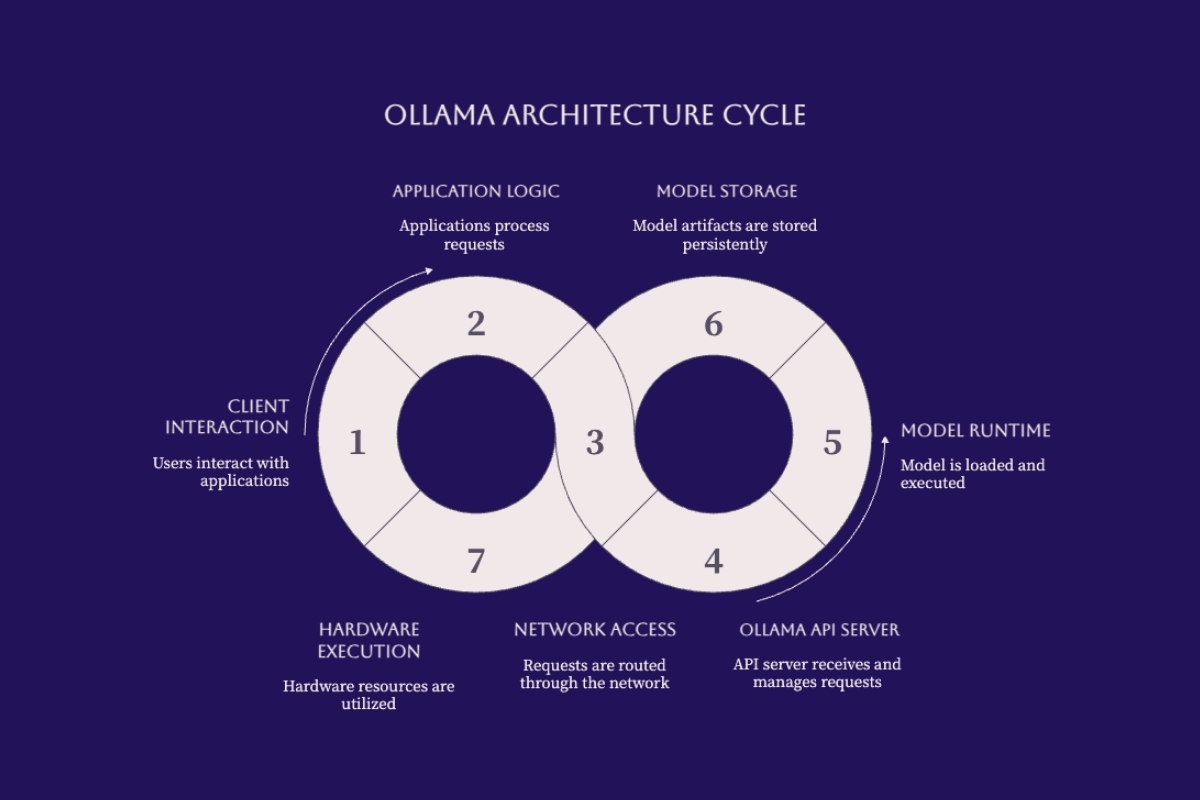
This illustration groups architectural responsibilities. Its circular arrangement is not an execution order; use the request and resource paths above to trace an actual call.
Architecture Implementation and Configuration
Implement the smallest useful path before adding components. Begin with a reviewed model and one client on a single host, then validate each additional boundary independently. A successful local response is a starting point, not evidence that shared access or a retrieval workflow is ready.
Validate One Local API Request
The following shell example assumes Ollama is already running and the chosen local chat model is installed. Replace the model value with your reviewed local model name; do not use a cloud-backed model for this local-only test. The commands list models and request a short answer. They do not install Ollama, download a model, or change server binding.
curl --fail --silent --show-error --max-time 10 \
  http://127.0.0.1:11434/api/tags

curl --fail --silent --show-error --max-time 120 \
  http://127.0.0.1:11434/api/chat \
  -H 'Content-Type: application/json' \
  -d '{
    "model": "your-reviewed-local-model:tag",
    "messages": [
      {"role": "user", "content": "Reply with a short test message."}
    ],
    "stream": false,
    "options": {"num_predict": 64}
  }'
The example uses stream: false to simplify inspection. A production client must deliberately support its chosen streaming mode rather than parsing every response as one completed JSON object. Confirm completion, expected message fields, output limits, and error handling against the chat endpoint documentation. A client-side timeout limits waiting; do not assume it proves all server-side work has stopped.
Network Access Configuration
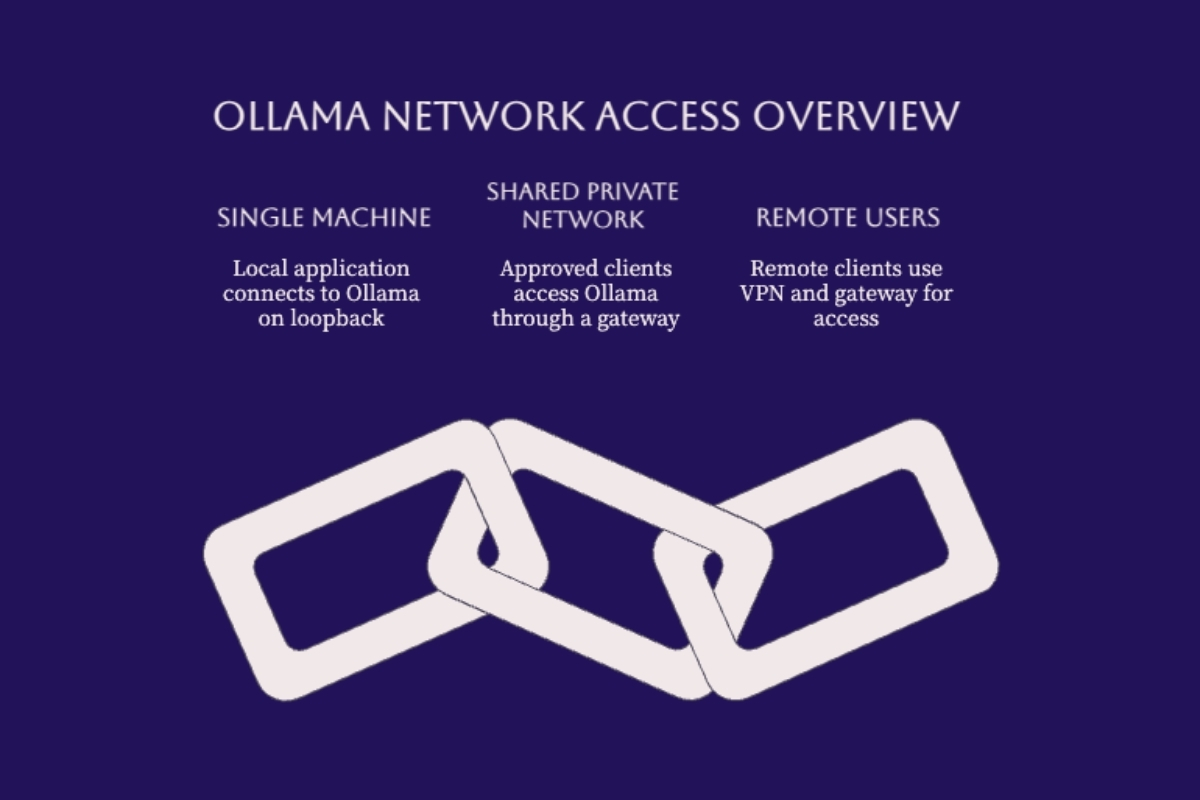
Ollama's default local address is 127.0.0.1:11434. For shared access, draw the protected ingress route first: approved client, authenticated gateway, then a backend that unauthorized callers cannot reach directly. If the gateway is on another host, specify the private transport protection and firewall rules between them. Binding all interfaces is exposure, not an access policy.
The Ollama authentication documentation distinguishes unauthenticated local API access from authentication used for cloud and registry operations. A signed-in account or cloud API key is not a substitute for authenticating users of your shared local service.
Limit reachability: keep the backend on loopback when possible; otherwise restrict its private listener to approved upstream hosts.
Identify and authorize callers: enforce permissions at a gateway or application boundary, including access to administrative model operations.
Protect transport and capacity: use TLS where appropriate, request-size limits, bounded queues, and per-caller limits.
Test bypass paths: verify that an unauthenticated caller cannot reach inference directly or through an alternate port.
A VPN can restrict network entry, but it does not decide which documents or tools an authenticated user may access. Teams needing these controls should connect the deployment to a secure software development process rather than treating a reverse proxy as the entire security design.
Integration Architecture Comparison
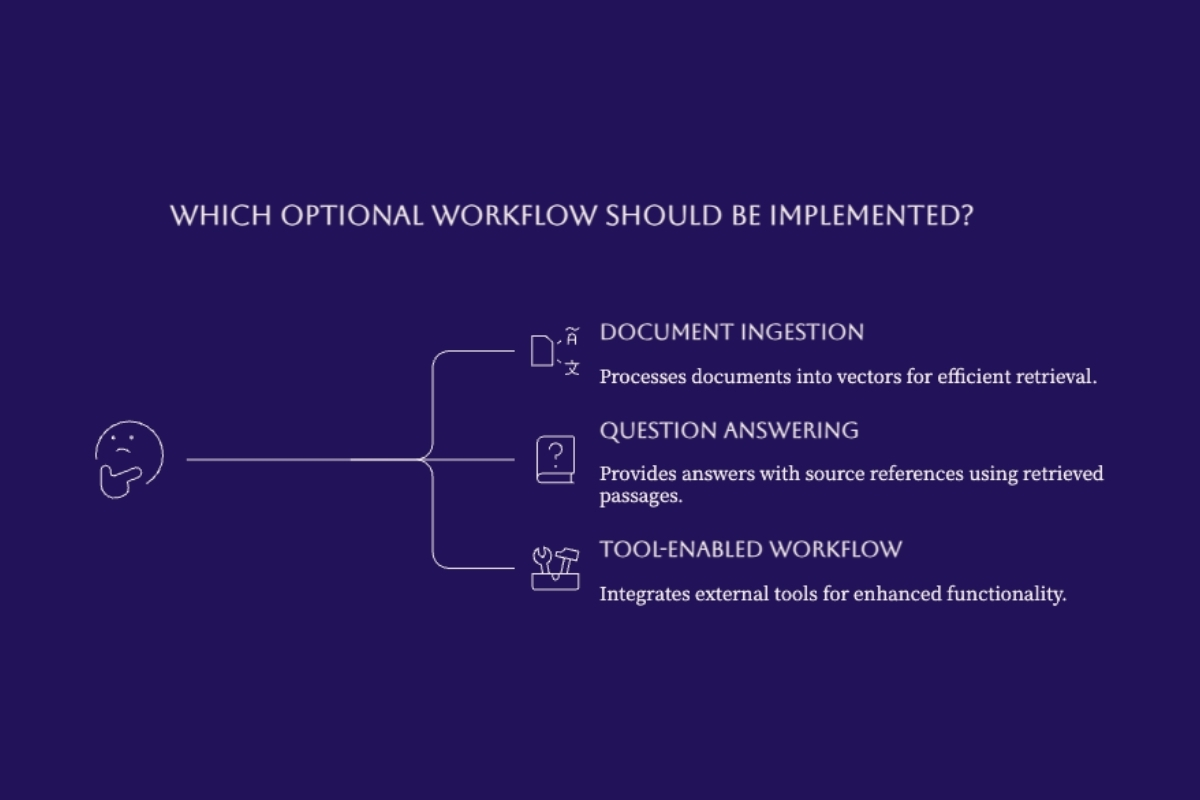
Choose optional components by the job they perform, not by their popularity in an architecture diagram. Document retrieval, tool execution, and multi-user access solve different problems and introduce different failure paths.
| Workload | Application additions | Boundary to test |
|---|---|---|
| Local chat or coding assistance | Compatible client and task context. | Client parameters, model behavior, sensitive context handling. |
| Document question answering | Ingestion, retrieval index, access filters, source mapping. | Only authorized, relevant passages enter the prompt. |
| Tool-enabled assistant | Tool definitions, argument validation, permissions, approval policy. | The application authorizes and executes actions. |
| Shared inference service | Authenticated ingress, quotas, monitoring, recovery. | Isolation, overload behavior, direct-backend access. |
In an embedding-based retrieval design, the ingestion application extracts and chunks documents, requests embeddings, and stores vectors with metadata. At query time it retrieves authorized passages and constructs a generation request. Ollama's embedding capability supplies vectors; it does not replace that application pipeline. RAG can also use other retrieval methods, so a separate vector database is not mandatory for every design. For the underlying choice, see local fine-tuning versus RAG.
For tools, distinguish a proposed call from an authorized action. The model can return a tool request; the application validates it, checks permissions, applies any required approval, and executes the permitted operation. Tool results may be passed into a follow-up model request. The tool-calling guide illustrates this application-managed exchange. An MCP connector may standardize an integration, but it does not remove the application's security responsibilities.
Common Architecture Challenges and Solutions
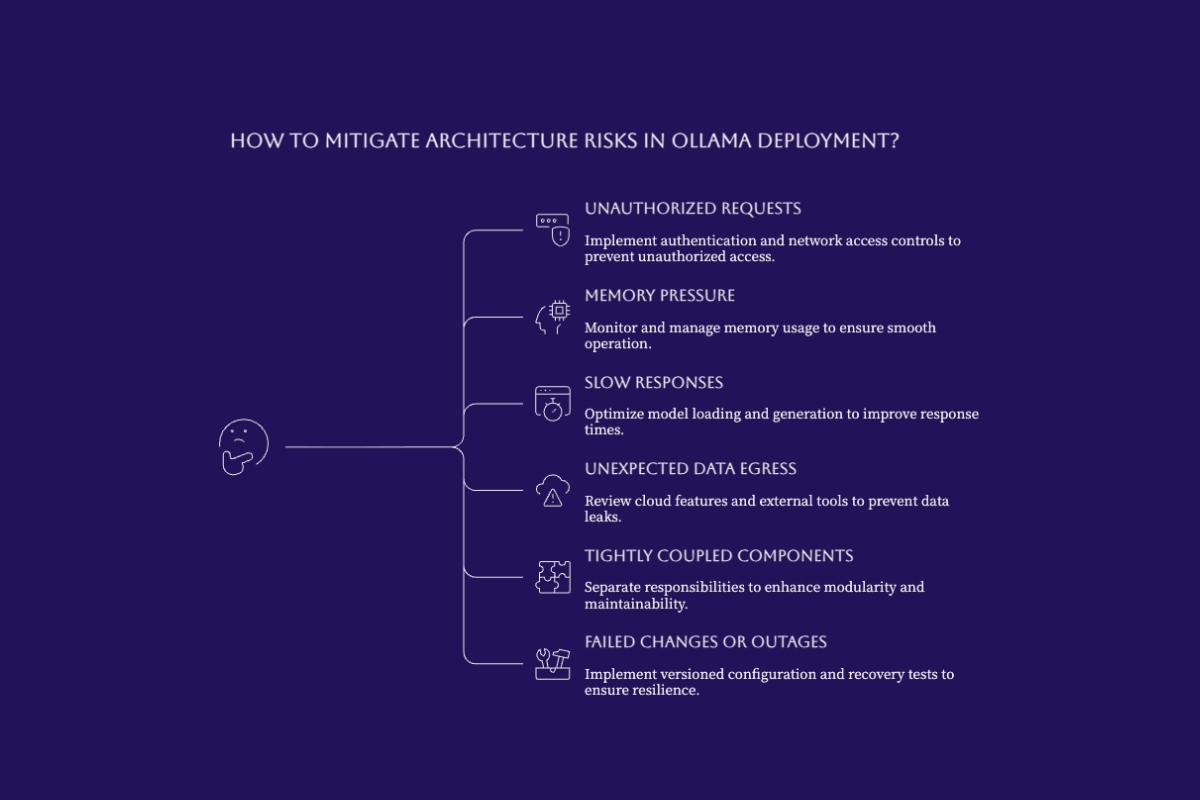
Architecture reviews become useful when each box has a failure test. Ask what happens when a model is missing, a client disconnects, an unauthorized request arrives, memory is exhausted, or a dependency stops responding. Record the expected outcome and the person responsible for recovery.
Measure Capacity Instead of Copying Benchmarks
Use representative prompts, output lengths, context sizes, and simultaneous users. Separate cold model loading from warm execution, and measure client-observed latency as well as server timings. A higher token rate on a different model or machine does not establish a benefit for your workload. Compare configurations against the same quality criteria before accepting a performance tradeoff.
For responses that include generation counters and nanosecond timings, this pure Python helper calculates a rate without making an API call or recording prompts. It rejects missing or invalid measurements instead of reporting a misleading zero.
import math

def generation_tokens_per_second(response):
    count = response.get("eval_count")
    duration_ns = response.get("eval_duration")
    if type(count) is not int or count < 0:
        raise ValueError("eval_count must be a nonnegative integer")
    if type(duration_ns) is not int or duration_ns <= 0:
        raise ValueError("eval_duration must be a positive integer")
    rate = count * 1_000_000_000 / duration_ns
    if not math.isfinite(rate):
        raise ValueError("generation rate must be finite")
    return rate
This measures generation throughput, not end-to-end latency, answer quality, or time to first token. Ollama documents the counters and timing units in its generation response reference. Capture a separate client-side measurement for the complete user experience.
Bound Resource Use and Review Data Movement
Set concurrency, queue capacity, and model-residency policies deliberately. Ollama exposes controls including OLLAMA_NUM_PARALLEL, OLLAMA_MAX_QUEUE, OLLAMA_MAX_LOADED_MODELS, and request-level keep_alive. Their values should follow measured capacity rather than a copied default. The Ollama configuration FAQ also documents local-only settings such as OLLAMA_NO_CLOUD=1. Verify the effective configuration after restarting the service.
Local-only inference does not make the surrounding application offline. Review external tools, document connectors, telemetry, logs, backups, downloads, and update paths. Keep sensitive prompts out of routine diagnostic logs, define retention rules, and test the intended network restrictions. A container or VPN can support the design but is not a blanket privacy or compliance guarantee.
Build a Recoverable Service
| Failure | Evidence to inspect | Control to validate |
|---|---|---|
| Unauthorized access | Gateway decision and backend reachability. | Reject the caller before inference or model administration. |
| Memory pressure | Peak allocation, model placement, concurrent requests. | Bound demand or choose a tested smaller configuration. |
| Slow responses | Queue delay, loading time, generation time, client latency. | Identify the bottleneck before changing hardware. |
| Retrieval or tool failure | Dependency status, authorization result, structured errors. | Return a clear failure rather than inventing evidence. |
| Bad update or restart | Versioned configuration and recovery-test result. | Restore an approved artifact and repeat acceptance tests. |
Back up configuration and the information needed to recover approved artifacts, with clear ownership and access restrictions. Test recovery on a controlled environment instead of assuming a backup exists because a copy job ran. Broader operating responsibilities are covered in the local AI production infrastructure and security guide.
Conclusion and Next Steps
A useful Ollama local AI server architecture diagram separates three things: the path a request takes, the resources inference consumes, and the controls governing access and side effects. Model storage feeds loading, hardware supports execution, and optional retrieval or tool services belong to the application design. None should be confused with an automatic security boundary.
Start with a narrow local workload, validate the model and API behavior, and record the evidence. Add shared access only after testing authentication and backend isolation. Add retrieval or tools only with explicit ownership, error handling, and acceptance criteria. Keep the diagram current as those boundaries change.
To review the design before expanding it, contact Cognativ about your local AI architecture and integration requirements. Bring the proposed diagram, model choices, expected users, data restrictions, and recovery expectations so the discussion starts with the actual operating constraints.