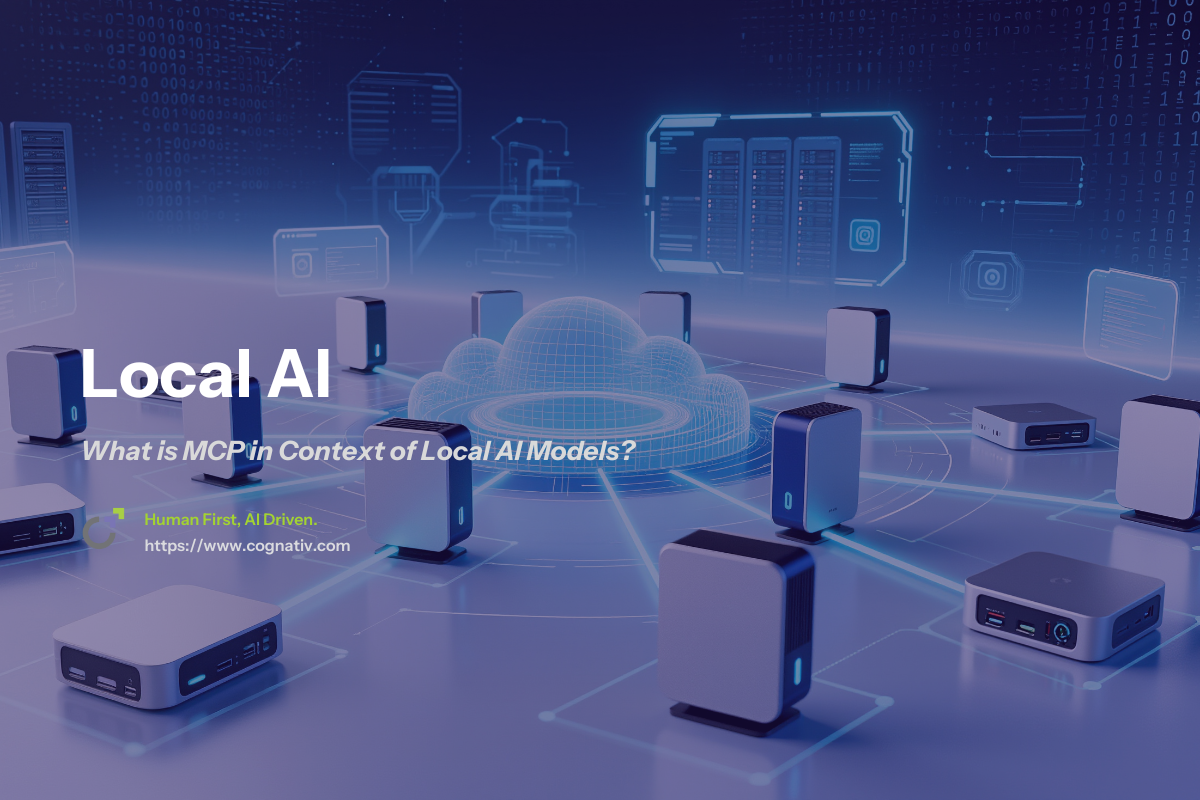
What is MCP in Context of Local AI Models?
MCP (Model Context Protocol) is an open standardized protocol that enables local AI models running on Ollama to connect with external data sources and tools, transforming isolated language models into connected AI agents. This protocol allows your locally-hosted AI models to access real-world data, interact with file systems, browse the web, and execute various tools while maintaining complete privacy and control. By enabling seamless integration with external systems, MCP makes it possible to build advanced AI apps that go beyond simple chat interfaces, supporting more capable, context-aware, and interconnected solutions.
MCP transforms isolated local AI models into connected agents that can interact with real-world systems, bridging the gap between powerful language understanding and practical utility. It also standardizes integration across different AI systems, simplifying the process of connecting diverse AI solutions and reducing the complexity of managing multiple tools.
What This Guide Covers
This guide covers MCP fundamentals, Ollama-specific integration, setup procedures, and troubleshooting. We focus on practical implementation for local deployments, not covering advanced MCP server development or enterprise-scale architectures.
Who This Is For
This guide is designed for developers and AI enthusiasts running local models with Ollama who want to extend capabilities beyond text generation. Whether you’re building AI-powered tools for personal use or developing privacy-focused AI applications, you’ll find actionable guidance for implementing MCP integrations.
Why This Matters
MCP solves the fundamental limitation of local AI models being disconnected from current data and external tools. Without MCP, your Ollama models can only work with their training data, limiting their usefulness for real-world tasks that require accessing files, databases, or live information. While other approaches like retrieval augmented generation enhance factual accuracy by incorporating external information, MCP takes a broader approach to connecting LLMs with a wide range of tools and data sources, enabling more flexible and powerful integrations.
What You’ll Learn:
-
Core MCP concepts and architecture for local AI setups
-
How Ollama implements and supports MCP connections
-
How MCP facilitates integration of large language models with external tools and data sources
-
Step-by-step MCP server setup with Ollama
-
Common integration challenges and practical solutions

Understanding MCP and Local AI Model Architecture
The Model Context Protocol (MCP) is Anthropic’s open standard released in November 2024 that defines how AI models communicate with external tools and data sources through a standardized way. The MCP architecture consists of structural components such as the host application, MCP client, MCP server, and transport layer, which work together to facilitate interaction between AI systems and external services using a unified protocol.
Local AI models like those running on Ollama typically operate in isolation from external data sources. They can process text and generate responses based solely on their training data, but cannot access current information, read files on your computer, or interact with other software systems. This isolation, while beneficial for security, severely limits their practical utility.
MCP addresses this limitation through a client-server architecture that enables developers to connect AI models with external systems while maintaining security and modularity. MCP builds on existing integration concepts like function calling to standardize connections for several models and external systems, reducing redundant development and streamlining integration. For local deployments, this means your Ollama models can access real-world data without compromising privacy by sending information to cloud services.
The benefits of MCP for local AI include real-time data access, seamless tool integration, and reduced hallucinations through access to accurate, current information. MCP acts like a USB-C port for AI, providing a universal, open standard that simplifies connecting various models and data sources. MCP works by facilitating communication between AI models, users, and external systems through its client and server components, ensuring secure and efficient data exchange.
MCP Components in Local AI Context
MCP host applications, also referred to as mcp hosts , are programs running Ollama models that need to access external tools and data sources. These mcp hosts embed an MCP client that connects to various servers and handles communication protocols.
MCP servers provide external data and tools to local models. Each server specializes in specific functionality - one might handle file system access, another could connect to databases, and a third might provide web search capabilities.
MCP clients are embedded within host applications and coordinate between your AI model and multiple MCP servers. During initialization, MCP clients discover available tools offered by the servers. They translate user requests into appropriate server calls and integrate responses back into the model’s context.
These components work together to extend Ollama’s capabilities beyond its training data by creating a standardized protocol for tool use, external data access, and function calling, enabling seamless invocation of external functions and APIs.
Local vs Cloud MCP Implementations
Local MCP servers running on the same machine as Ollama run locally, offering maximum privacy and control. Your sensitive data never leaves your system, and you maintain complete authority over what tools and data sources your AI agents can access. Running MCP servers locally means all commands and code execute directly on your host machine, which has important security implications and allows for stricter access management.
Security and privacy advantages of local MCP setups include eliminating data transmission to external services, maintaining control over access permissions, and ensuring compliance with data protection requirements. This makes MCP particularly valuable for security researchers and developers working with sensitive data, as developers can verify the integrity of MCP components and implement security best practices.
Performance considerations for local implementations involve balancing resource usage between your AI model and MCP servers. Developers play a key role in optimizing local deployments to ensure faster response times by reducing network latency and efficiently managing system resources, as local servers typically compete with your model for available capacity.
Transition: Building on these architectural concepts, Ollama provides specific features for MCP integration that make implementing these connections straightforward.
Client Server Architecture in MCP Deployments
The Model Context Protocol (MCP) is built on a robust client-server architecture that underpins its flexibility and scalability in AI applications. In this architecture, the MCP client—typically embedded within an AI-powered application—acts as the intermediary between the AI model and a variety of external tools and data sources. When a user request requires information or functionality beyond the AI model’s training data, the MCP client sends a structured request to one or more MCP servers.
Each MCP server is designed to provide access to specific external data sources or tools, such as file systems, databases, or web APIs. This modular approach allows developers to connect their AI models to multiple MCP servers simultaneously, enabling seamless integration with a wide range of external systems. The client-server architecture of the model context protocol ensures that data flows securely and efficiently between the AI model and external resources, without exposing sensitive information or compromising system integrity.
By leveraging this architecture, developers can build AI applications that are both powerful and adaptable. The client-server model enables developers to add or remove external tools and data sources as needed, supporting evolving business requirements and new use cases. Whether you’re connecting to local content repositories, integrating with enterprise systems, or accessing real-time external data, the MCP client-server architecture provides a consistent way to extend the capabilities of your local AI models.
MCP Integration with Ollama Models
Ollama’s native MCP support enables seamless integration between local AI models and external tools through well-defined interfaces and transport mechanisms. This allows your AI model to function more like a computer program that can interact with external services, enhancing its capabilities and autonomy.
Ollama’s MCP Support Features
Ollama applications include native MCP client capabilities that handle server discovery, connection management, and message routing. The platform supports multiple transport methods including STDIO (standard input/output) for simple local servers and HTTP+SSE (Server-Sent Events) for more complex implementations.
Compatible model families include Llama, Mistral, CodeLlama, and other popular enterprise systems running locally through Ollama. These models can leverage MCP functionality regardless of their specific architecture, as the protocol operates at the application level. When introducing a new ai model, support may require updating MCP integrations to ensure compatibility with the latest model features and protocols.
JSON-RPC 2.0 message handling in the Ollama environment ensures reliable communication between AI models and external systems. This standardized protocol enables consistent way of exchanging tool descriptions, user requests, and response data.
Available MCP Servers for Local AI
Popular MCP servers optimized for local deployment include file system access servers for document processing, enabling your AI models to read, write, and analyze files in development environments. Database connectivity servers provide access to local data repositories without exposing connection details.
Development tool integrations connect AI assistants to Git repositories, VS Code workspaces, and terminal environments. These integrations enable developers to build AI-powered tools that can review code, summarize documents, and automate development workflows. For example, GitHub Copilot can be integrated via MCP to provide AI-assisted coding within popular IDEs like Visual Studio Code , Xcode, and Eclipse with minimal setup.
Custom integrations allow developers to create MCP server implementations tailored to specific use cases, from connecting to internal APIs to interfacing with specialized hardware or legacy systems. MCP servers can also connect to other tools, such as email, messaging, container management, or CRM systems, further expanding the AI's capabilities and versatility.
Communication Flow with Ollama
When users submit requests requiring external data, Ollama’s MCP client analyzes the query, determines which data source is needed for the request, and identifies which MCP servers can provide relevant information. The client sends structured requests to appropriate servers using the transport layer protocol.
Data flows from external sources back to the AI model via MCP, with responses formatted and integrated into the model’s context. This enables the LLM to generate relevant responses that incorporate real-world data and tool outputs.
Integration of external responses into Ollama’s output generation happens transparently, allowing your AI models to provide comprehensive answers that combine their training knowledge with current, specific data from external systems.
Key Points:
-
Ollama natively supports MCP client functionality for connecting to external tools
-
Multiple transport methods accommodate different server architectures
-
Compatible with major open-source model families running locally
Transition: Understanding these integration capabilities prepares you to implement MCP connections in your own Ollama deployment.
Setting Up MCP with Ollama: Step-by-Step Implementation
Moving from theory to practice requires configuring MCP servers and establishing connections with your locally-running Ollama models. These steps not only enhance AI applications functionality, but also enable the creation of more advanced AI apps that leverage standardized protocols for greater versatility and integration.
Step-by-Step: Basic MCP Server Configuration
When to use this: This step-by-step guide is for the developer setting up MCP integrations to connect Ollama to external tools for enhanced AI applications functionality.
-
Install Ollama and verify model availability: Download Ollama and pull a compatible model like Llama or Mistral. Test basic functionality to ensure the AI model runs correctly on your system.
-
Choose and install compatible MCP server: As a developer, select a filesystem MCP server for document access. Install using npm or pip depending on the server implementation, ensuring it supports your operating system. Developers should verify the integrity of MCP components and follow security best practices during installation.
-
Configure MCP client in Ollama application: Update your host application configuration to include the MCP server address and transport method. Set appropriate permissions for file system access or other external tools. Developers can utilize available SDKs to enhance integration and ensure secure pipelines.
-
Test connection with simple query: Submit a request that requires external data, such as “analyze the README file in my project directory.” Verify that your AI model successfully retrieves and processes the external information.
Comparison: Local STDIO vs HTTP Transport
|
Feature |
STDIO Transport |
HTTP Transport |
|---|---|---|
|
Setup complexity |
Simple configuration, direct process communication |
Requires server setup, port management |
|
Performance characteristics |
Fast, low overhead for local servers |
Higher latency, better for remote connections |
|
Security considerations |
Isolated to local processes, minimal attack surface |
Network exposure, requires authentication |
STDIO transport works best for simple, local MCP servers running on the same machine as your AI model. HTTP transport provides more flexibility for distributed systems and remote connections, though it requires additional security configuration.
Transition: Even with proper setup, you may encounter common challenges that require specific solutions.
Benefits of Using MCP for Local AI Models
Adopting the Model Context Protocol (MCP) for local AI models unlocks a host of benefits that streamline development and enhance application performance. One of the primary advantages is the ability to connect local AI models to a diverse array of external tools and data sources, dramatically expanding their utility beyond static, training-only responses. With MCP, AI models can access up-to-date information, interact with external systems, and deliver more accurate and relevant responses to user queries.
MCP offers a standardized way to integrate AI models with external systems, reducing the need for extensive custom code and simplifying the process of connecting multiple AI models to various tools. This standardization not only accelerates development but also ensures greater reliability and maintainability across different AI-powered applications. Developers can focus on building innovative features rather than managing complex integrations.
Furthermore, MCP enables developers to leverage the strengths of both local AI models and external data sources, creating AI applications that are both private and powerful. By connecting to external tools in a secure, modular fashion, MCP allows for rapid adaptation to new requirements and easy scaling as business needs evolve. Ultimately, the model context protocol empowers developers to build AI solutions that are more responsive, flexible, and aligned with real-world data and workflows.
Building and Deploying AI-Powered Applications with MCP and Ollama
Building and deploying AI-powered applications using the Model Context Protocol (MCP) and Ollama involves a series of strategic steps designed to maximize flexibility, security, and performance. Developers begin by designing the AI application, embedding MCP client functionality to facilitate seamless integration with external tools and data sources. This often includes configuring the MCP client to connect with multiple MCP servers, each responsible for providing access to specific resources such as file systems, databases, or web services.
During deployment, it’s essential to ensure that the AI application can reliably communicate with all configured MCP servers. This involves setting up the appropriate transport layer—such as STDIO for local connections or HTTP for distributed environments—to enable efficient data exchange between the MCP client and servers. Security is a critical consideration at this stage; developers should implement robust access controls and encryption to protect sensitive data and prevent unauthorized access to both the AI model and external systems.
Once deployed, the AI application can process user requests by dynamically connecting to the necessary MCP servers, retrieving external data, and integrating it into the model’s context for response generation. This architecture allows developers to build AI-powered applications that deliver highly relevant responses, leveraging both the power of local AI models and the breadth of external data sources. By following best practices for MCP integration and deployment, developers can create scalable, secure, and adaptable AI solutions that meet the demands of modern enterprise environments.
Common Challenges and Solutions
Understanding typical issues in Ollama MCP implementation helps you troubleshoot problems and maintain reliable AI agent functionality. These challenges can also impact integration across various AI systems, where standardization and compatibility are essential for seamless operation.
Challenge 1: MCP Server Discovery and Connection Issues
Solution: Verify server availability by checking process status and port accessibility. Debug connection problems by examining MCP client logs and validating configuration file syntax. Test server responses independently using command-line tools before integrating with Ollama. When troubleshooting, also verify that the list of available tools is correctly discovered and registered by the MCP client, as issues here can prevent proper capability utilization.
Configuration file validation prevents many connection issues - ensure JSON syntax is correct and all required fields are properly specified.
Challenge 2: Permission and Security Configuration
Solution: Set up proper access controls for local MCP servers by configuring file permissions, user groups, and process isolation. Implement sandboxing for MCP server implementations to limit their access to system resources and sensitive data.
Security researchers recommend running MCP servers with minimal privileges and using containerization when connecting AI assistants to sensitive systems or data sources.
Challenge 3: Model Performance with External Data Requests
Solution: Optimize response speed through caching frequently-accessed data, batching multiple requests to external systems, and using asynchronous processing for non-critical tool calls. Monitor resource usage to balance AI model performance with MCP functionality.
Request batching and intelligent caching significantly improve user experience when AI agents need to access multiple external data sources for complex queries.
Transition: These solutions prepare you to successfully deploy and maintain MCP-enabled Ollama systems.
Conclusion and Next Steps
MCP transforms Ollama from an isolated AI model into a connected AI agent capable of accessing real-world data and interacting with external tools while maintaining privacy and local control.
To get started:
-
Download and configure a basic MCP server with your existing Ollama installation
-
Test integration with file system or database access using simple queries
-
Explore additional MCP servers for specific use cases like web search, code analysis, or document processing
Related Topics: Consider exploring advanced MCP server development for custom integrations, enterprise security considerations for production deployments , and multi-model MCP configurations for complex AI applications.