

Best Local LLM for Python Coding: Models, Setup and Tests
A local LLM for Python coding can help you write functions, explain unfamiliar modules, generate tests and debug errors without sending every prompt to a hosted model.
A local LLM for Python coding can help you write functions, explain unfamiliar modules, generate tests and debug errors without sending every prompt to a hosted model. The right choice depends on the work: completing a few lines inside an editor is different from fixing a failing test across several files.
For a first local setup, Qwen2.5-Coder-7B-Instruct is a practical compact candidate to evaluate. For larger code context and tool-assisted work, compare Qwen3-Coder-30B-A3B-Instruct if your machine can accommodate it. DeepSeek-Coder-V2-Lite-Instruct provides another instruction-tuned option, while StarCoder2-7B addresses code completion rather than conversational assistance. These recommendations distinguish workloads and resource requirements; they are not a measured speed or accuracy ranking.
This guide compares those options, explains memory and context tradeoffs, and connects model selection to a concrete Python task. It also covers editor integration, fine-tuning, local agents and the checks that make generated code useful in an actual project.
Comparison of Local LLMs
| Checkpoint | Candidate use | Main selection constraint |
|---|---|---|
| Qwen2.5-Coder-7B-Instruct | Focused Python generation, explanation and edits | Test difficult changes before assuming a compact model can handle the whole repository. |
| Qwen3-Coder-30B-A3B-Instruct | Multi-file context and compatible tool-assisted coding | Budget for total weights, context and client compatibility, not just active parameters. |
| DeepSeek-Coder-V2-Lite-Instruct | An alternative for instruction-based debugging and generation | Check runtime support, model license and any custom-code requirement. |
| StarCoder2-7B | Completion and infill with surrounding code | Use a compatible completion workflow; it is not a chat replacement. |
| Qwen3-Coder-Next | Higher-capacity coding-agent evaluation | Its 80B total parameter count changes the memory budget substantially. |
Key Takeaways
- Choose the model for the task. An instruction model is suitable for explaining and revising code. Inline completion also depends on fill-in-the-middle support and editor integration.
- Separate the model from the runtime. Ollama runs and serves models; it is not a competing coding model.
- Size the whole workload. Model weights, context, runtime overhead and concurrent requests all consume memory. Active parameters in a mixture-of-experts model are not its total storage requirement.
- Evaluate Python behavior, not plausible output. Check dependency versions, edge cases, test results and the amount of correction needed.
- Keep local inference local deliberately. Check model selection, network endpoints, editor extensions and logging instead of assuming the word “local” settles data handling.
Introduction to Local LLMs
A local large language model performs inference on hardware you operate, such as a laptop, workstation or internal server. The model consumes a prompt and produces tokens; a runtime loads its weights and manages generation. An editor extension or application supplies the interface and selects the code sent as context.
That separation matters when troubleshooting. A model can produce a useful answer through its API but perform poorly inside an editor if the extension supplies the wrong prompt format or insufficient context. Conversely, a capable model can feel unusable when its runtime repeatedly reloads weights or moves substantial work from GPU memory to system RAM.
Python developers can use local models for scripts, boilerplate, code explanation, test generation and completion. A small, focused prompt may need only one function and its tests. A repository-level change needs relevant interfaces, dependencies and behavior across files, not just a larger chat history.
Benefits of Local LLMs
Control over inference location is the clearest advantage. You can keep selected code on your own machine and decide how prompts and responses are stored. This is useful for proprietary projects, but it does not automatically secure the editor, downloaded dependencies, backups or tools an agent can invoke.
Predictable access is another benefit. Once the required weights and software are available locally, a local-only workflow can operate without a hosted inference service. Downloads, cloud fallbacks, remote documentation and some extension features can still require a connection. Ollama documents a local-only setting separately from its cloud features in its configuration FAQ.
Cost and responsiveness depend on use. Local inference avoids a hosted per-request charge for that model, but hardware, electricity and maintenance remain costs. A model that fits comfortably can support an interactive workflow; a larger model that causes memory pressure may be slower than a remote service. Compare total time to an acceptable patch, including review and retries, rather than assuming local means instant or free.
Choosing the Best LLM for Your Python Work
Considerations for Selection
Start with the Python environment you actually maintain. A model that writes a standalone algorithm correctly may still misuse your version of pandas, propose an unavailable package or change a public function signature. Give each candidate the same Python version, dependency constraints and representative tasks.
- Task format: distinguish chat, refactoring, inline completion and tool use. Check whether the exact checkpoint is base or instruction-tuned.
- Usable context: include the prompt, code, retrieved documents and expected output. An advertised maximum is not the context size configured in your runtime.
- Compatibility: verify support for the architecture, quantized file, chat template and any tool-call format in the chosen runtime and client.
- Licensing: check the checkpoint's license and redistribution conditions. Available weights do not imply public training data or identical rights across model families.
- Operational fit: consider memory headroom, latency, repeatability and the team's ability to maintain the setup.
Read Coding Benchmarks in Context
HumanEval and MBPP are useful starting points for function-level Python generation. EvalPlus extends their tests to probe more incorrect solutions. For data-analysis work, DS-1000 covers 1,000 problems across seven Python libraries, including NumPy and pandas. They answer different questions from whether a model can safely modify your application.
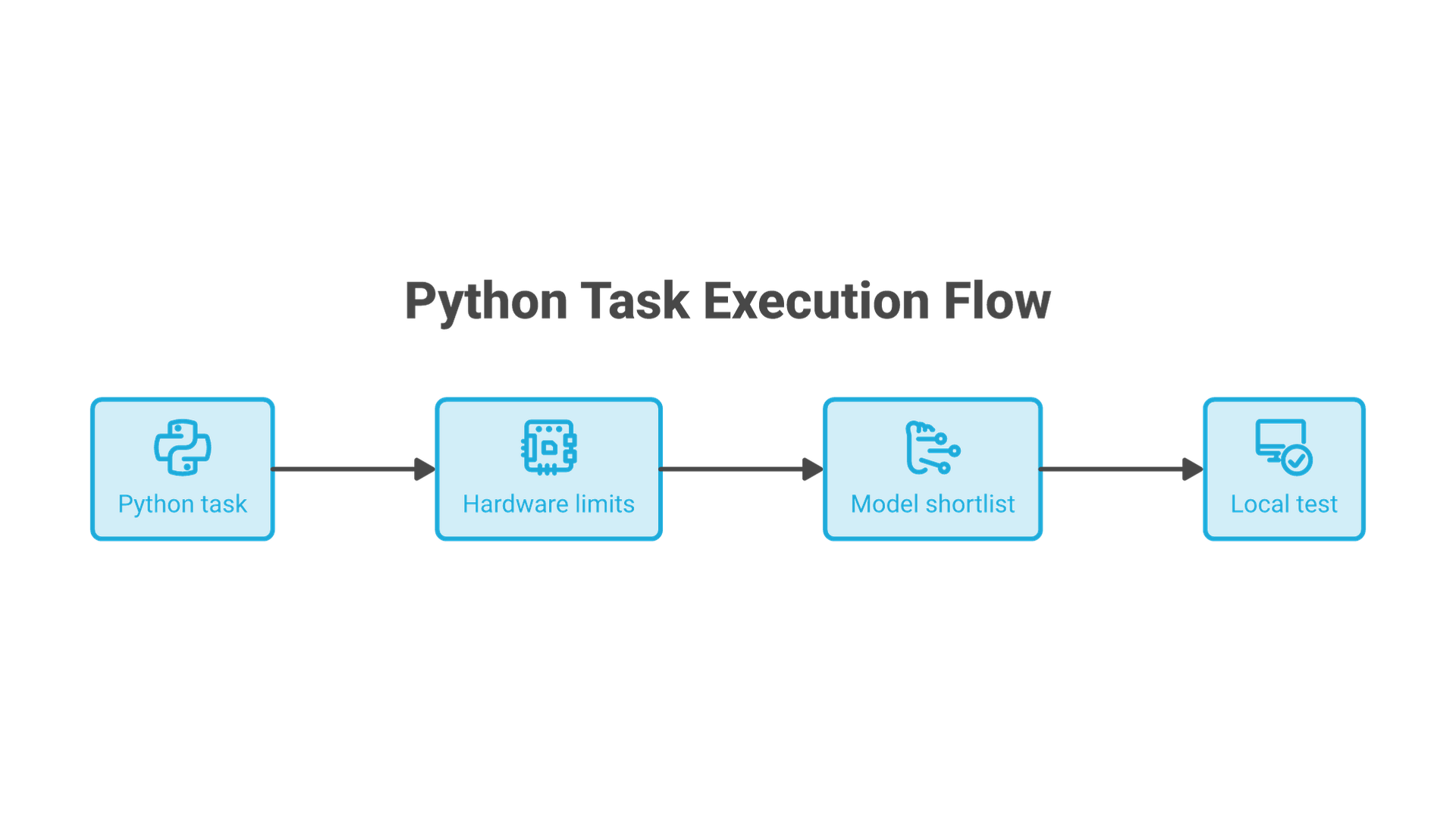
Before comparing two published scores, check the checkpoint, test version, sampling settings and number of attempts. A result that permits several generated candidates is not interchangeable with first-attempt success. Neither benchmark establishes the latency or correctness of the quantized file you will run on your computer. Use published results to build a shortlist, then test that shortlist on representative work.
Local LLM Options for Python Coding
The selection below covers compact instruction following, larger-context assistance and completion. Specifications come from the linked model cards; the suggested uses are editorial recommendations. Older checkpoints remain useful comparison baselines when their resource footprint or integration fits the task.
Qwen2.5-Coder-7B-Instruct: A Compact Starting Point
Qwen2.5-Coder-7B-Instruct has 7.61 billion parameters and an Apache 2.0 license. It is an instruction-tuned checkpoint, making it a sensible first candidate for explaining Python, drafting functions and requesting focused changes. Its documentation describes extended context support, but using that capacity requires the corresponding configuration and memory.
Start with a task small enough to inspect completely: a parser, a failing unit test or a function with a clear input/output contract. If the answer is weak, distinguish a missing requirement from a capability limit before moving to a larger model.
Qwen3-Coder-30B-A3B-Instruct: Larger-Context and Tool-Assisted Work
Qwen3-Coder-30B-A3B-Instruct uses a mixture-of-experts architecture with 30.5 billion total parameters and 3.3 billion activated per token. The model card specifies a native 262,144-token context and a dedicated function-call format. Its license is Apache 2.0.
Consider it when relevant code spans several modules or you want to evaluate a compatible coding-agent client. The smaller active count does not mean that it needs the storage of a 3.3-billion-parameter model. Confirm memory use with your chosen quantization and context before expanding the task.
DeepSeek-Coder-V2-Lite-Instruct: An Alternative Instruction Model
DeepSeek-Coder-V2-Lite-Instruct is another mixture-of-experts checkpoint: 16 billion total parameters, 2.4 billion active and a documented 128K context. It uses the DeepSeek model license, so inspect its terms rather than assuming Apache 2.0 conditions.
Use it as a second candidate for the same debugging or generation tasks. Keep the prompt and acceptance tests constant. If an installation path asks you to trust repository-provided code, review that requirement and the repository revision before execution; loading model weights and executing custom Python are different trust decisions.
StarCoder2-7B: Code Completion, Not Chat
StarCoder2-7B was trained with a fill-in-the-middle objective. Its card describes a 16,384-token context, a 4,096-token sliding attention window and a BigCode OpenRAIL-M license. It is not an instruction model.
This makes it a candidate for a completion-oriented comparison, where code before and after the cursor provides the task. Do not judge that use by giving it the same conversational prompt used for an instruction model. Verify that the editor supports its infill format and measure whether suggestions arrive quickly enough to be useful while typing.
What About Newer, Larger Coding Models?
Qwen3-Coder-Next is designed for coding agents and local development, with 80 billion total parameters and 3 billion activated. It belongs in a higher-capacity evaluation, not automatically in a laptop shortlist because its active parameter count is small. The practical question remains which supported configuration fits your hardware and improves your Python tasks.
Code Llama and the original DeepSeek Coder appeared in the earlier version of this guide. Keep an existing checkpoint if it serves your workload well, but compare exact versions when upgrading rather than treating a family name as a current recommendation.
Ollama Models: Separate the Runtime from the Checkpoint
Ollama is a runtime and model-serving tool, not a single coding model. You select a model, load it through Ollama and connect a client to the resulting API. The same interface can expose different checkpoints with different behavior. Ollama also supports cloud features, so choosing Ollama alone does not establish where inference runs.
Other runtime choices serve different needs. llama.cpp provides local inference with quantization and multiple hardware backends, with GGUF commonly used for model files. A GGUF filename identifies a packaged representation; it does not prove that every runtime version supports the architecture or that every quantization has equal quality.
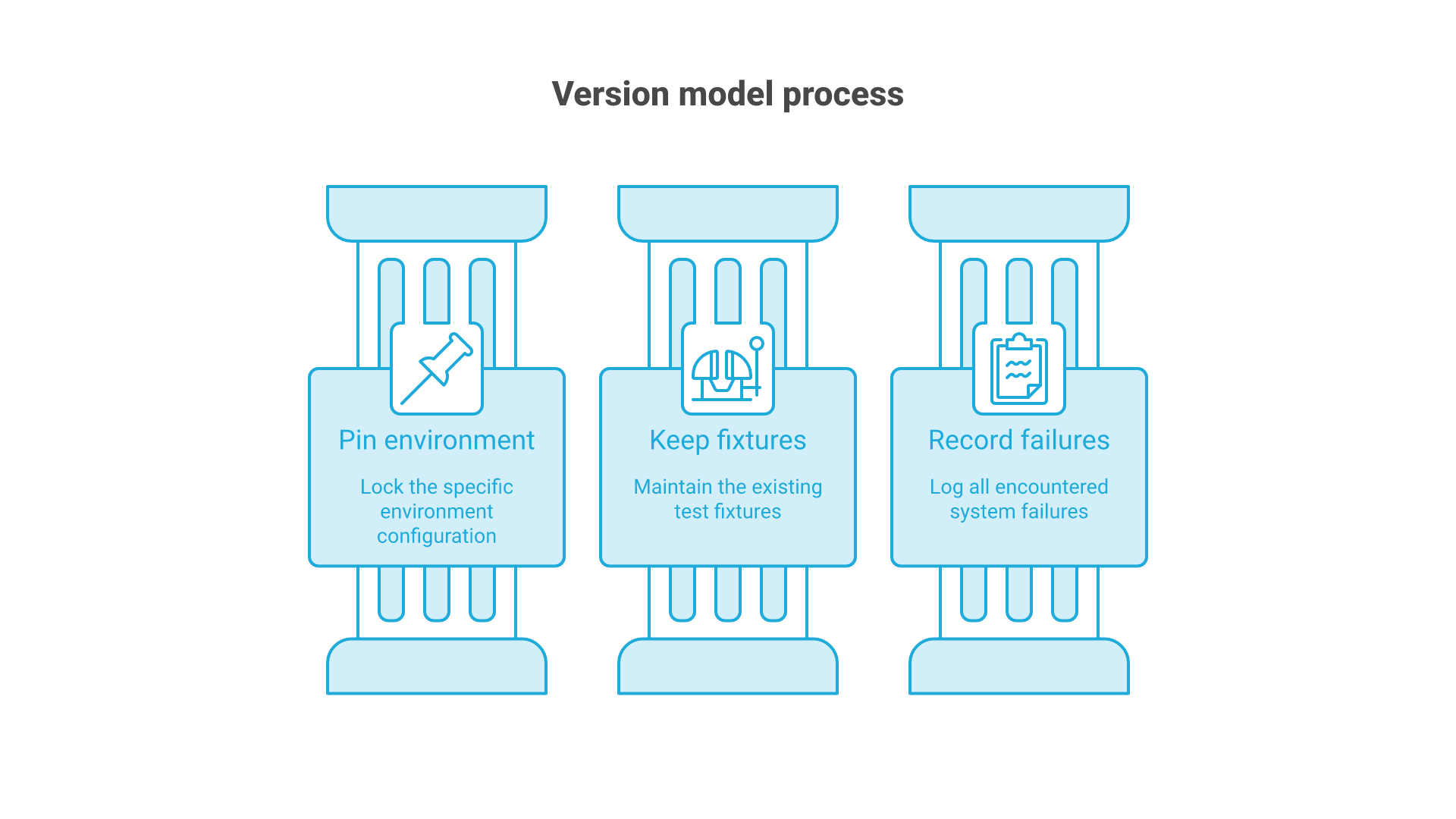
Choose one runtime for the initial comparison. Record its version, the model identifier or digest, quantization and context configuration. Changing the runtime and model together makes it harder to tell what caused a difference.
Running Local LLMs Locally: Hardware and Setup
Estimate Memory Before Choosing a Download
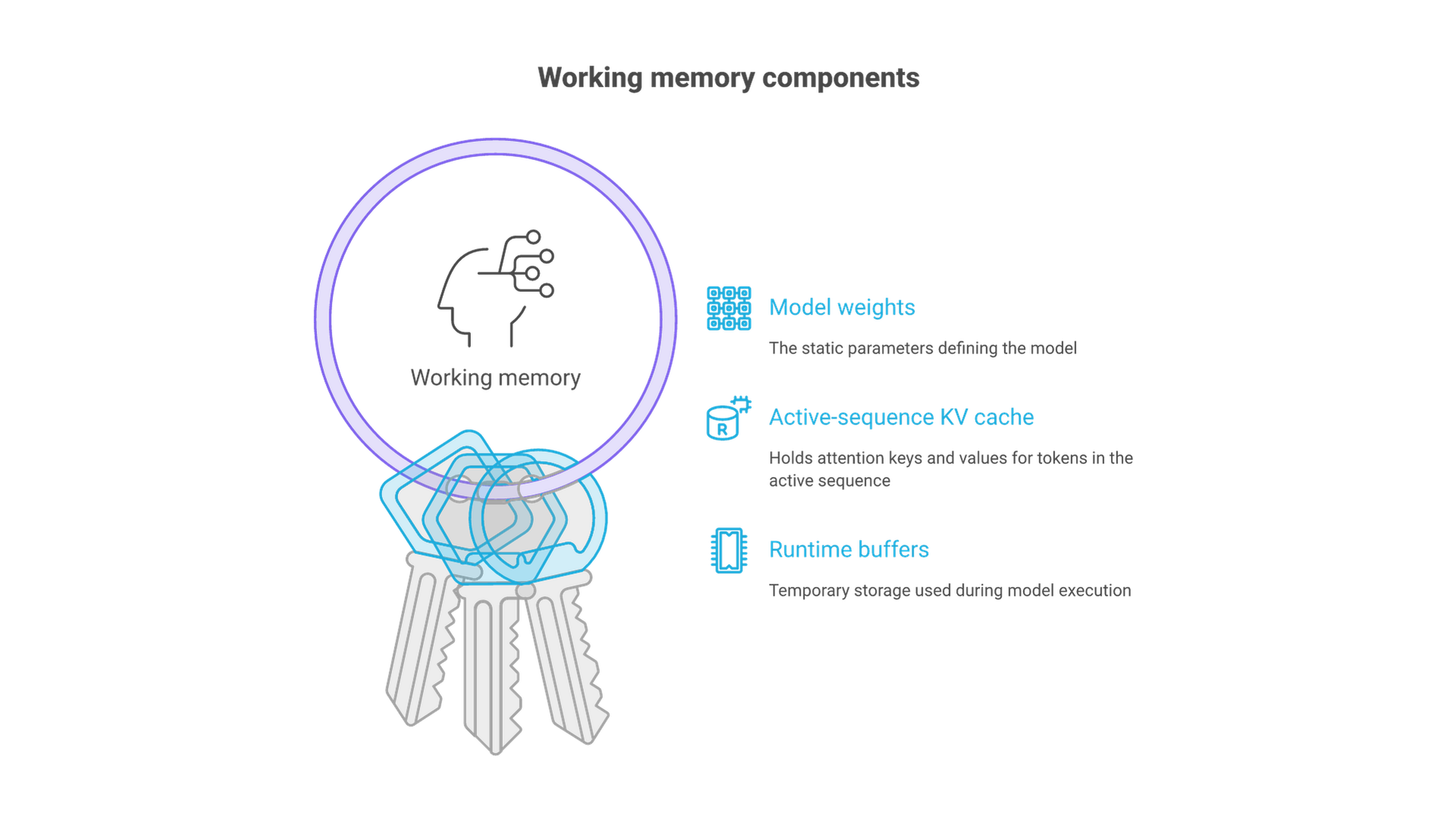
There is no single minimum setup for all local LLMs. Start with model weights, then add the memory needed by the runtime and prompt context. A rough weights-only calculation is parameter count × bits per weight ÷ 8. At four bits, a 7.61-billion-parameter model gives about 3.8 decimal GB of raw weight data; 30.5 billion gives about 15.3 GB. These are calculations, not measured download sizes or recommended RAM capacities.
Real quantized formats add metadata and may keep some tensors at higher precision. Context also consumes memory, including the attention key/value cache where used. Longer prompts and parallel requests can therefore exhaust a configuration that loads successfully for a short conversation. GPU VRAM, system RAM and unified memory are not interchangeable capacity figures.
On a memory-constrained machine, begin with a smaller quantized checkpoint and a modest context setting. Watch actual memory use and response time before increasing either. CPU execution or partial offloading can make a configuration possible without a large GPU, but may change interactive performance. Do not infer tokens per second from parameter count alone.
Start with One Local Ollama Model
Install Ollama using its official setup instructions for your operating system. With the application running, the following commands download a model and inspect the installed copy:
ollama pull qwen2.5-coder:7b
ollama show qwen2.5-coder:7b
ollama list
The Qwen2.5-Coder 7B library entry identifies this tag. Save the model ID and configuration with your test notes because a tag is not an immutable release pin. Start with synthetic code rather than a private repository. For a local-only configuration, follow Ollama's documented cloud-disable setting and restart the application after applying it.
At the documentation check, that Ollama tag listed a 4.7 GB Q4_K_M artifact with ID dae161e27b0e. Its metadata rounds the parameter count to 7.62B, while the publisher card states 7.61B. These are source-specific descriptions, not a claim that all conversions are byte-identical. Recheck the installed artifact before interpreting the memory comparison.
Call the Model from Python or a Notebook
This example uses Python's standard library and Ollama's chat endpoint. It requests a function but only prints the response: it does not execute generated code. Run it as a script or in a notebook cell after the model has been downloaded.
import json
from urllib.request import ProxyHandler, Request, build_opener

prompt = (
    "Write a Python 3.11 function stable_unique(values). "
    "Accept an iterable of strings. Return a list with duplicates "
    "removed in first-seen order. Preserve case and whitespace. "
    "Raise TypeError for non-string items. Use no external packages. "
    "Return code and a short explanation."
)
payload = {
    "model": "qwen2.5-coder:7b",
    "messages": [{"role": "user", "content": prompt}],
    "stream": False,
}
request = Request(
    "http://127.0.0.1:11434/api/chat",
    data=json.dumps(payload).encode("utf-8"),
    headers={"Content-Type": "application/json"},
    method="POST",
)
opener = build_opener(ProxyHandler({}))
with opener.open(request, timeout=120) as response:
    result = json.load(response)
print(result["message"]["content"])
The explicit loopback address and disabled proxy handling keep this request directed to the local service. A timeout or connection error is an error to investigate, not a signal to send the same code to an unapproved cloud fallback. This client example is not a hardware benchmark.
Connect the Model to Your Editor
For VS Code, Ollama documents an Ollama extension and model picker. Check the documented VS Code version requirement, install the official extension, open Chat and choose the downloaded local model. Its default discovery endpoint is http://127.0.0.1:11434.
Another option is Continue's Ollama provider, configured with provider: ollama and the exact model identifier. Configure chat and autocomplete according to their separate roles. Start by selecting one function and asking for an explanation; then test an edit in a disposable copy. Inspect which files, outputs and diagnostics the extension adds to the request.
In Jupyter, check execution order and notebook outputs before sharing context with a model. A stale cell can make correct-looking advice wrong for the current state. Prefer a small reproducible function and synthetic sample rows over an entire notebook containing credentials or customer records.
Local LLMs for Real-World Python Coding
Useful Tasks and What to Check
- Code completion: inspect variable names, return types and surrounding control flow. A suggestion must fit the existing function, not merely compile in isolation.
- Debugging: provide the traceback, minimal reproducer and expected behavior. Ask for the smallest relevant change and a regression test.
- Data transformation: include schema, missing-value rules, ordering and library versions. Check nulls, empty inputs and whether the code mutates its input.
- Documentation: derive docstrings from the actual signature and behavior. Verify exceptions and examples against the implementation.
- Text-processing prototypes: define labels and inspect ambiguous cases. A coding model's ability to generate a classifier does not establish that classifier's quality on your data.
Make the Python Example Testable
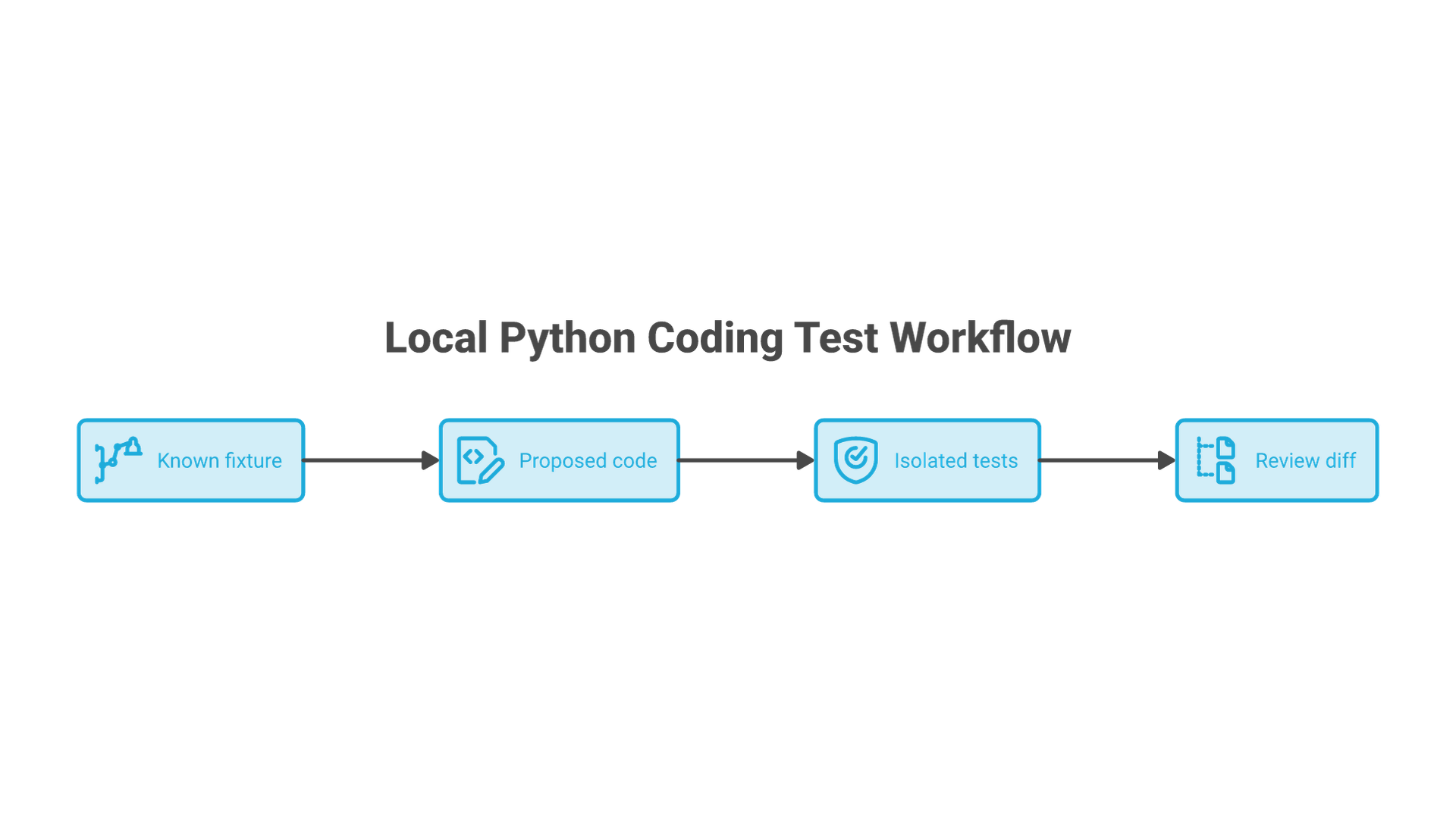
The stable_unique prompt above is deliberately small, but it exposes meaningful mistakes: unordered output, unwanted normalization, accepting invalid values or assuming the iterable is a list. After inspecting the response, place the proposed function in candidate.py in a disposable environment. These acceptance checks belong in test_candidate.py:
import unittest
from candidate import stable_unique

class StableUniqueTests(unittest.TestCase):
    def test_empty(self):
        self.assertEqual(stable_unique([]), [])

    def test_order(self):
        self.assertEqual(stable_unique(["b", "a", "b"]), ["b", "a"])

    def test_preserves_values(self):
        self.assertEqual(stable_unique(["A", "a", " a "]), ["A", "a", " a "])

    def test_generator(self):
        self.assertEqual(stable_unique(x for x in ["a", "a", "b"]), ["a", "b"])

    def test_invalid_item(self):
        with self.assertRaises(TypeError):
            stable_unique(["a", 1])

if __name__ == "__main__":
    unittest.main()
Run python -m unittest -v test_candidate only after reviewing the candidate in an environment without secrets or production access. These five checks are an example acceptance set, not proof of security or comprehensive model quality.
Build the rest of your evaluation from real patterns: a pandas transformation, a Django or Flask validation bug, a refactor that preserves public interfaces, and a documentation task. Use sanitized fixtures and acceptance tests written before inspecting the model's solution. Record first-attempt correctness, corrections, latency, memory and unsupported assumptions. Several useful results on your workload matter more than a polished explanation of one easy task.
Fine-Tuning Local LLMs
Fine-tuning adjusts model behavior using training examples. It can be useful for consistent output formats, specialized conventions or recurring task patterns. It is not the first remedy for every poor answer, and it does not turn a model into a continuously updated copy of a repository.
For a Python analytics team, first supply the relevant function, schema, package versions and an accepted example. If the missing information is current project knowledge, retrieving relevant files or documentation may be sufficient. If the recurring problem is behavior, such as consistently ignoring a required output format despite clear examples, a fine-tuning experiment may be justified.
LoRA in Hugging Face PEFT trains smaller adaptation matrices while leaving the original weights frozen. This reduces the number of trainable parameters compared with updating all weights, but still requires suitable data, compute and evaluation. Keep training examples separate from held-out tasks; remove secrets and confirm rights to the code. Compare the adapted model against the unchanged baseline on both the target behavior and general Python tasks.
AI Agents and Local LLMs
An agent adds tools and an execution loop around a model. The model can propose reading a file, running a test or changing code; the client determines whether and how that action occurs. A chat-only model does not gain safe filesystem access simply because it runs locally.
Consider the original guide's CSV-cleaning example. A useful implementation would inspect an approved sample and schema, propose a Python cleaning function, show a diff, and run approved tests against a copy. The final summary should describe changes and rejected rows without overwriting the source dataset. Model-generated instructions found inside CSV cells or repository files must remain data, not authority to expand tool permissions.
Begin with read-only context and explicit approval for writes or commands. Keep credentials and unrelated directories out of scope. Where adoption affects several teams, Cognativ's AI and automation consulting provides a relevant next discussion about workflow and integration; choosing a model is only one part of that decision.
Best Practices for Local LLMs
Review and Test Generated Code
Keep normal software checks in place: inspect diffs, run the existing tests, check dependency changes and review data handling. Ask the model to explain an unfamiliar call, then verify it against the installed library's documentation. Passing a new test should not excuse a regression in an existing interface. These practices fit the wider engineering work described in Cognativ's software development services.
Security and Data Privacy
Limit the endpoint to the intended network scope. For one-machine use, retain loopback binding rather than exposing the service to a network. Review extension telemetry, saved conversations and tool access separately. A Python virtual environment separates dependencies; it is not a security sandbox for untrusted generated code. Use an appropriately isolated disposable environment when execution is needed.
Maintenance and Updates
Record a known working combination of model, quantization, runtime, client and prompt configuration. Test an upgrade against that baseline before replacing it. When reporting an issue, provide a synthetic reproducer, versions and relevant errors rather than posting proprietary code or logs containing secrets.
Hardware Optimization
Measure before changing several settings. Reduce unnecessary prompt context, avoid repeatedly loading different models, and compare supported quantizations on the same tasks. A smaller memory footprint is useful only if the resulting code quality and response time remain acceptable.
Local LLM Community and Support
Start support questions in the component responsible for the failure. A model-card discussion is relevant to checkpoint behavior; a runtime issue belongs with that runtime; missing context or a malformed request may originate in the editor client. The model cards and runtime documentation linked above provide those starting points.
Record the exact model revision, runtime and client versions, operating system, available memory and smallest failing example. Community screenshots and scores can suggest experiments, but they cannot establish performance on your hardware. Treat recommended scripts and converted model files as dependencies to inspect, not as inherently trusted because they are popular.
When to Revisit Your Model Choice
A newer checkpoint is worth testing when it addresses a demonstrated limitation: repeated errors on a Python library, poor multi-file edits, an unsupported tool-call format or unacceptable response time. Keep the same evaluation tasks during that comparison and add new ones only when the workload changes. This makes upgrades a technical decision instead of a reaction to a release headline.
Conclusion
The best local LLM for Python coding is the model and runtime combination that fits your machine and produces dependable results on your tasks. Start with a compact instruction model for focused edits, compare larger candidates when context or tool use justifies them, and evaluate completion models in the workflow they were trained to support.
Keep the first experiment small enough to inspect: one model, one Python environment, clear acceptance tests and a record of the configuration. Expand when the results justify it. That approach preserves the control that makes local inference attractive while giving you evidence for the next decision.