Guide to Running Local LLMs on Consumer Hardware
The landscape of artificial intelligence has shifted dramatically. While cloud based llms like GPT-4 initially captured the world's attention, a powerful counter-movement is taking shape: the rise of local llms. Enthusiasts, developers, and enterprises are increasingly choosing to run llms locally on their own hardware . This shift is driven by the desire for full control, data privacy, and the incredible capabilities of open source models. Whether you are looking to write code, engage in creative writing, or perform complex reasoning tasks, running large language models on your local machine is now more accessible than ever.
In this comprehensive guide, we will explore the key features of local deployment, dive into the hardware requirements for consumer hardware, and provide step-by-step instructions on how to use tools like LM Studio and Ollama. We will also review the best models available on Hugging Face and discuss how to fine tune them for your specific needs.


What Are Large Language Models and Why Run Them Locally?
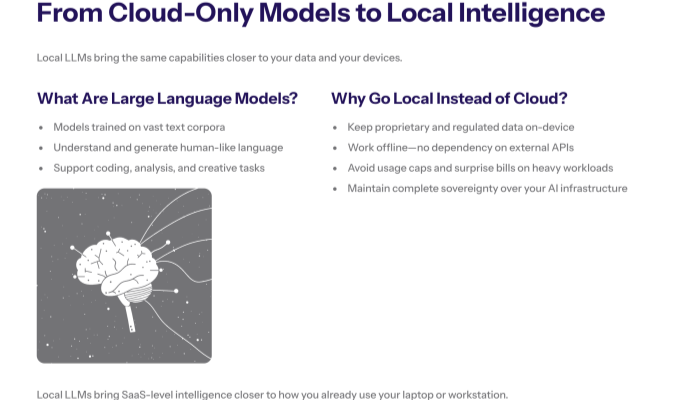
Large language models (LLMs) are advanced machine learning systems trained on vast datasets to understand and generate human-like text. Traditionally, accessing these large models required an internet connection and a subscription to a third party provider. However, the open source community has released powerful base models that can run entirely offline. If you want to train large language models on your own data , there are now practical guides available to help you get started.
The Benefits of Local Deployment
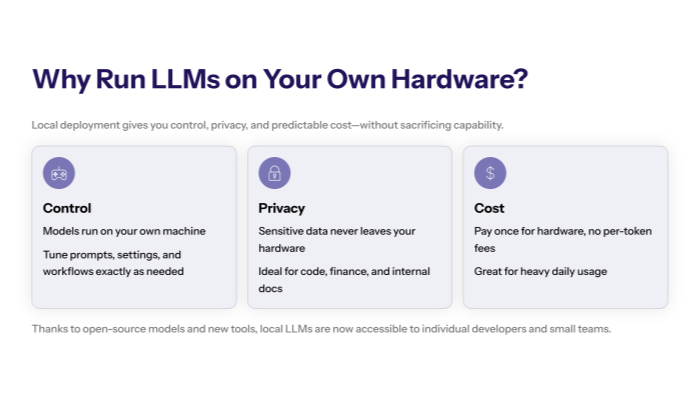
Choosing local deployment over cloud services offers several distinct advantages. First and foremost is sensitive data protection. When you run llm locally, your data never leaves your own computer. This is critical for handling proprietary data, medical records, or financial information. Additionally, local llms provide offline functionality, allowing you to work without an internet connection. Finally, cost savings are significant; once you have the local hardware, there are no monthly fees or per-token costs.
Key Features of Local LLMs
Local llms have evolved rapidly, offering key features that rival their closed-source counterparts. Modern local models support vision models for image analysis, code generation for programming assistance, and retrieval augmented generation (RAG) to chat with your local documents.
Full Control and Customization
When you use local ai, you have full control over the system prompt, context length, and model parameters. You can swap out model files instantly, testing different open source llms to find the one that offers optimal performance for your specific use case. This level of flexibility is impossible with closed source models.
Hardware Requirements for Running LLMs Locally
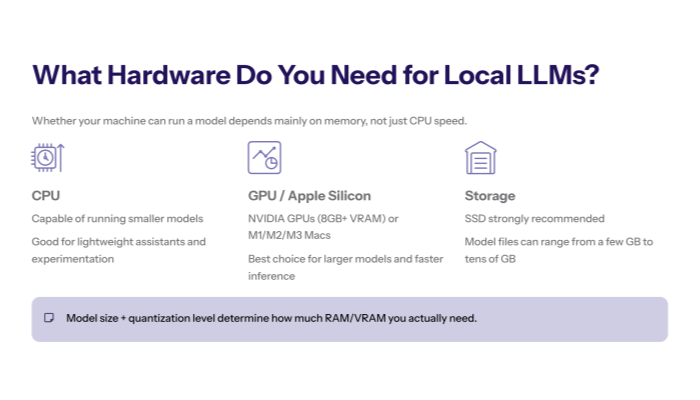
One of the most common questions is: "Can my computer run this?" The hardware requirements for running llms locally depend largely on the model size and quantization level .
Optimizing for Consumer Hardware
Thanks to optimization techniques like quantization (reducing the precision of model parameters), you can now run state of the art models on standard consumer hardware. A local machine with a modern NVIDIA GPU (8GB+ VRAM) is ideal, but Apple Silicon (M1/M2/M3) Macs are also incredibly efficient at running llms. Even a CPU with enough system RAM can run smaller models effectively.
RAM and VRAM: The Critical Bottleneck
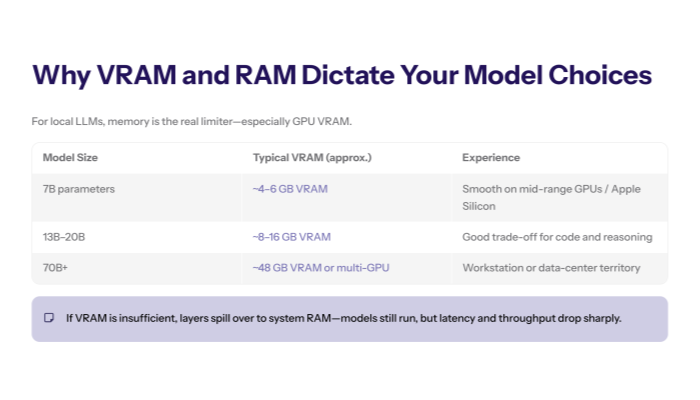
The most critical factor for local deployment is memory. Larger models require more VRAM. For example, a 7B parameter model typically requires about 4-6GB of VRAM, while a 70B model might need 48GB. If you don't have enough GPU memory, the model will offload layers to your system RAM, which significantly slows down ai processing.
Best Tools to Run LLMs Locally
Gone are the days of complex Python scripts. Today, user friendly interfaces make running local llms a breeze.
LM Studio: An Intuitive GUI for Everyone
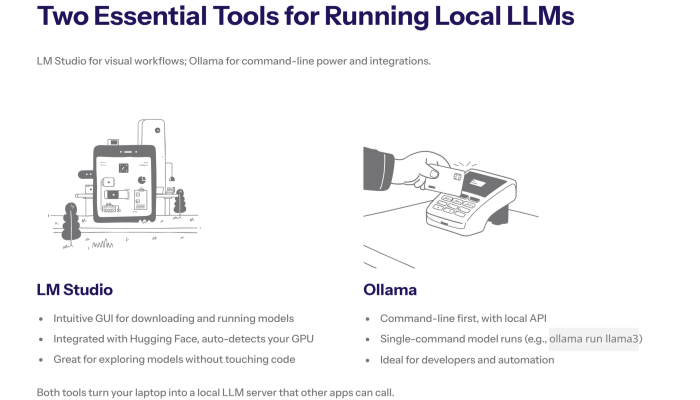
LM Studio is widely regarded as one of the best tools for beginners and experts alike. It provides an intuitive gui that allows you to download models directly from Hugging Face and run them with a single click. LM Studio handles all the complex configurations, automatically detecting your GPU and setting the optimal computational resources.
Install Ollama: The Command Line Powerhouse
For those who prefer the command line, Ollama is the go-to solution. It simplifies the process of running llms into a single command. You can install ollama on Linux, macOS, and Windows. It functions as a local server, exposing an API that can be used by other external tools and web interfaces.
Deep Dive into LM Studio
LM Studio has revolutionized the way we interact with local models. Its model library search feature is integrated directly with Hugging Face, allowing you to discover and download models without leaving the app.
Configuring LM Studio for Peak Performance
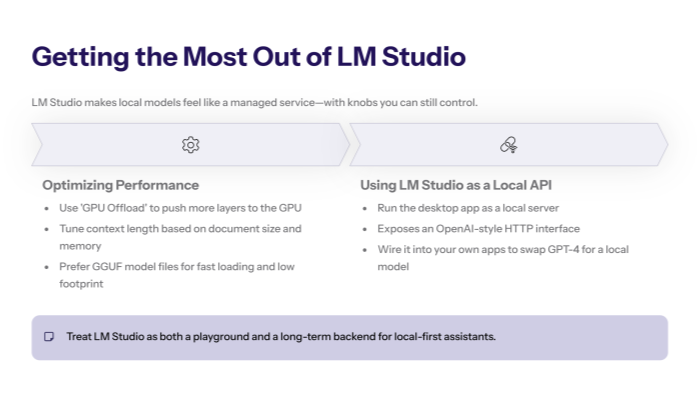
To get the best models running smoothly, LM Studio allows you to tweak the "GPU Offload" setting. By offloading more layers to your GPU, you optimize performance. You can also adjust the context length to handle longer documents. LM Studio supports a wide range of model files, specifically those in the GGUF format, which are specifically optimized for local hardware.
Using the LM Studio Web Interface
Beyond the desktop app, LM Studio can act as a local server. It provides a web interface compatible with OpenAI's API standard. This means you can use LM Studio as a backend for other ai applications, effectively replacing GPT-4 in your workflow with a local model.
How to Install Ollama and Get Started
Ollama is famous for its minimal setup. It is often distributed as a single executable file or a simple installer.
Running Your First Model with Ollama
Once you install ollama, running llms locally is as simple as typing `ollama run llama3` in your terminal. Ollama will automatically download the necessary model files and start the chat session. It manages the model library efficiently, allowing you to switch between models instantly.
Best Models for Local Deployment
The open source community releases new models almost daily. Choosing the best models depends on your needs.
Llama 3 and Mistral: The General Purpose Kings
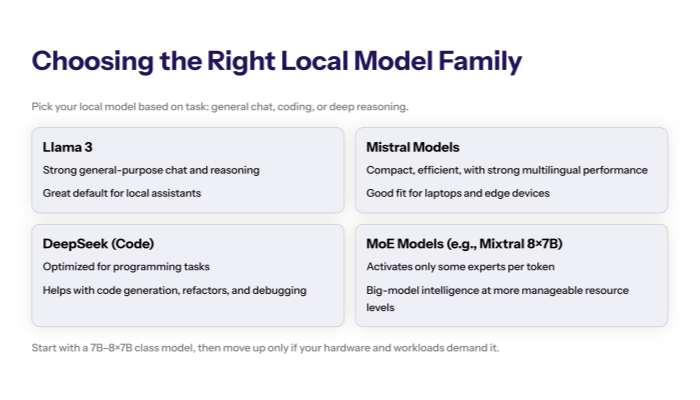
Meta's Llama 3 and Mistral AI's models are currently the most popular models for general tasks. They offer competitive performance across creative writing, summarization, and complex reasoning. These base models serve as the foundation for thousands of fine tuned variants.
DeepSeek Models for Code Generation
If you need to write code, the DeepSeek models are exceptional. They are specifically optimized for programming tasks and often outperform larger general-purpose models. Running a local llm like DeepSeek Coder ensures your proprietary code stays secure.
Specialized Models and Mixture of Experts
For complex reasoning tasks, mixture of experts (MoE) models like Mixtral 8x7B are gaining popularity. These models activate only a subset of parameters for each token, allowing them to run efficiently on consumer hardware while delivering the intelligence of much larger models.
Fine Tuning and Customization
While base models are powerful, fine tuning allows you to tailor a model to your specific data.
How to Fine Tune Models?
Fine tuning involves training a model on a smaller dataset of internal data or local documents. This process adjusts the model parameters to better understand your specific domain. You can fine tune models to adopt a specific tone, learn industry jargon, or follow complex instructions.
Retrieval Augmented Generation (RAG)
An alternative to fine tuning is RAG. By connecting your local llm to external data sources, you can enable it to answer questions based on your local documents. LM Studio and other tools are increasingly integrating RAG features, making it a versatile platform for knowledge management.
Advanced Configuration: Running LLMs Locally
For power users, running llms locally offers endless possibilities for optimization.
Optimizing Model Files
Using the GGUF format is essential for optimal performance on local hardware. These model files are compressed and optimized for fast loading and low memory usage. You can find thousands of GGUF models on Hugging Face.
Integrating with External Tools
Because tools like Ollama and LM Studio provide a local API, you can integrate them with external tools like VS Code extensions, Obsidian plugins, and custom ai applications. This allows you to embed local ai into every part of your workflow.
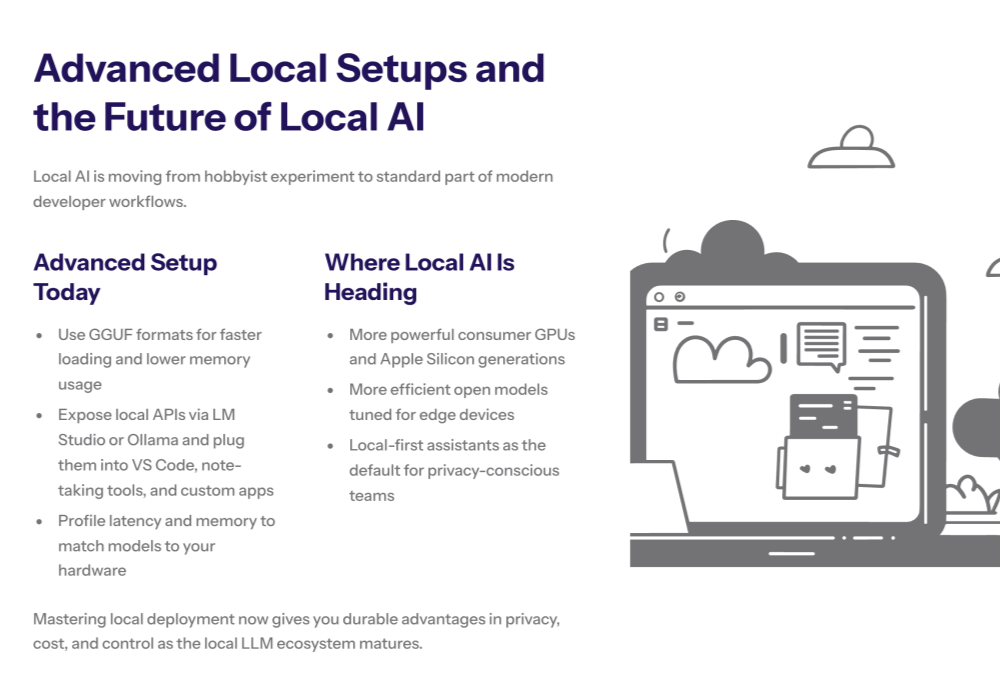
Conclusion: The Future of Local AI
We are still in the early stages of the local ai revolution. As consumer hardware becomes more powerful and open source models become more efficient, running llms locally will become the standard for privacy-conscious users and enterprises. Whether you use LM Studio, Ollama or build your own custom solution, the ability to run state of the art artificial intelligence on your own hardware is a game-changer.
By mastering local deployment, you gain full control over your digital intelligence, ensuring data privacy, cost savings, and competitive performance. The era of local llms is here, and it is time to start downloading models and exploring the possibilities .