

Local AI Server Architecture for Teams: Layers, Sizing and Rollout
How to design an on-premise AI server a whole team can share: gateway and quotas, permission-aware retrieval, KV cache sizing, phased rollout and true costs.
A local AI server architecture is the set of layers that turns a GPU machine on your own network into a service a whole team can rely on: hardware, an inference engine, a gateway that knows who is calling, a governed model catalog, permission-aware retrieval, monitoring and recovery. Getting a model to answer on one laptop takes an afternoon. Making that same model safe and responsive for colleagues with different access rights is an architecture problem.
This guide is for teams planning an on-premise AI server for business use rather than a hobby build. It walks through each layer, traces a single request end to end, shows how to size memory from the number of people working at the same moment, and lays out a phased rollout.
What a Local AI Server Architecture Includes
At its core, a local AI server runs model inference on hardware you control, so prompts and documents never leave your network. The architecture around it decides who may send those prompts, which documents each person may draw on, how shared capacity is rationed and what happens when something fails.
Local, self-hosted and on-premise: the same idea at different scales
People use these terms interchangeably. In practice, "local" often means a single workstation, "self-hosted" means you operate the software stack yourself (possibly on rented GPUs), and "on-premise" means the hardware sits in your office or data center. The layers below apply to all three; what changes is who owns the power, cooling and physical security.
Why teams choose it
The usual drivers are data residency, predictable spend on steady workloads and the freedom to pin a model version that will not change underneath a business process. The trade is that your team now owns patching, capacity and uptime that a hosted API provider would otherwise carry.
The Reference Architecture, Layer by Layer
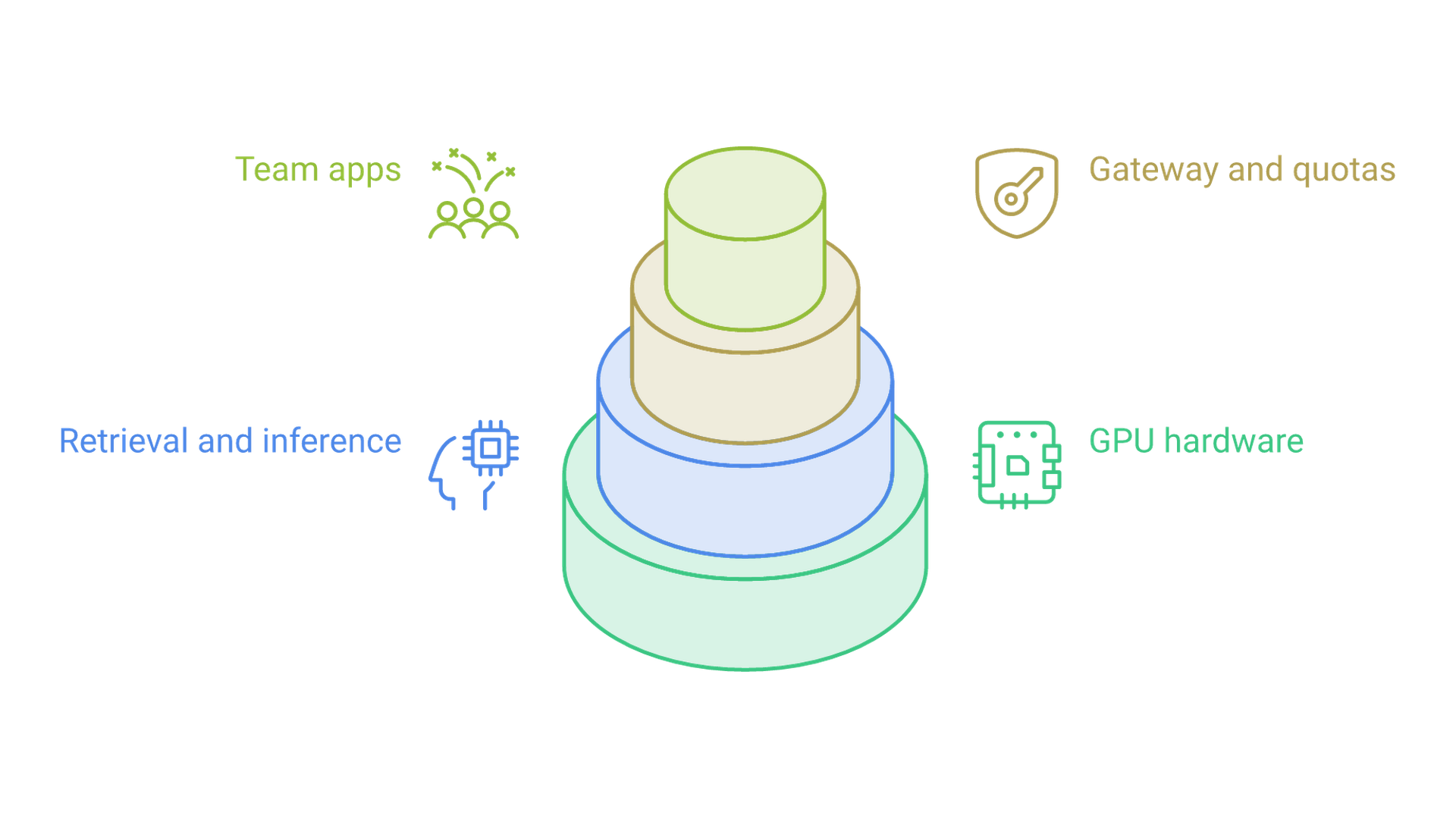
Think of the stack as six layers, each with one job. Keeping those jobs separate is what lets you swap an inference engine or add a second GPU node without rewriting the applications that depend on the service.
Hardware tier
GPU memory is the binding constraint: it must hold model weights plus the key-value (KV) cache for every active conversation. System RAM, fast NVMe storage for model files and a reliable network link to users matter next. A single multi-GPU server covers most small teams; a second node is usually added for redundancy before it is needed for throughput.
Inference engine
The engine loads the model and schedules tokens. vLLM is built for many concurrent requests, using PagedAttention to manage KV cache memory in blocks and continuous batching to keep the GPU busy. The llama.cpp server runs quantized GGUF models on modest GPUs or CPUs and divides its context into a configurable number of parallel slots. Ollama is the simplest to operate and serves a single request per model by default. All three expose OpenAI-style chat endpoints, though their behavior around errors, streaming and structured output differs enough that you should test the features your applications actually call.
Gateway, authentication and quotas
Inference engines are not identity systems. A gateway or reverse proxy in front of them validates single sign-on tokens or per-application keys, enforces per-user or per-team rate limits and token budgets, and writes an audit record for each call. Tools such as LiteLLM, Kong or a hardened nginx configuration fill this role. Designing this boundary first, and treating the model as one replaceable component behind it, is the core idea behind an AI-first architecture that can outlive any single model choice.
Model registry
Record each approved model artifact with its exact file hash, quantization, license, runtime settings and the evaluation it passed. When answers change, this is how you tell a model update from a data problem.
Retrieval and vector store
Most business use cases need answers grounded in internal documents. An embedding model, a vector database and a document ingestion pipeline supply that context. Each chunk must carry the access rights of its source document so retrieval can filter by the caller's permissions.
Observability and backups
Collect queue depth, time to first token, tokens per second, GPU memory and error rates; vLLM and llama.cpp can both expose Prometheus-format metrics. Back up configuration, permission mappings, the vector index and evaluation sets. Model weights can usually be downloaded again; a carefully built permission map cannot.
How One Request Moves Through the Stack
Following a single question from a user to an answer shows where each control belongs.
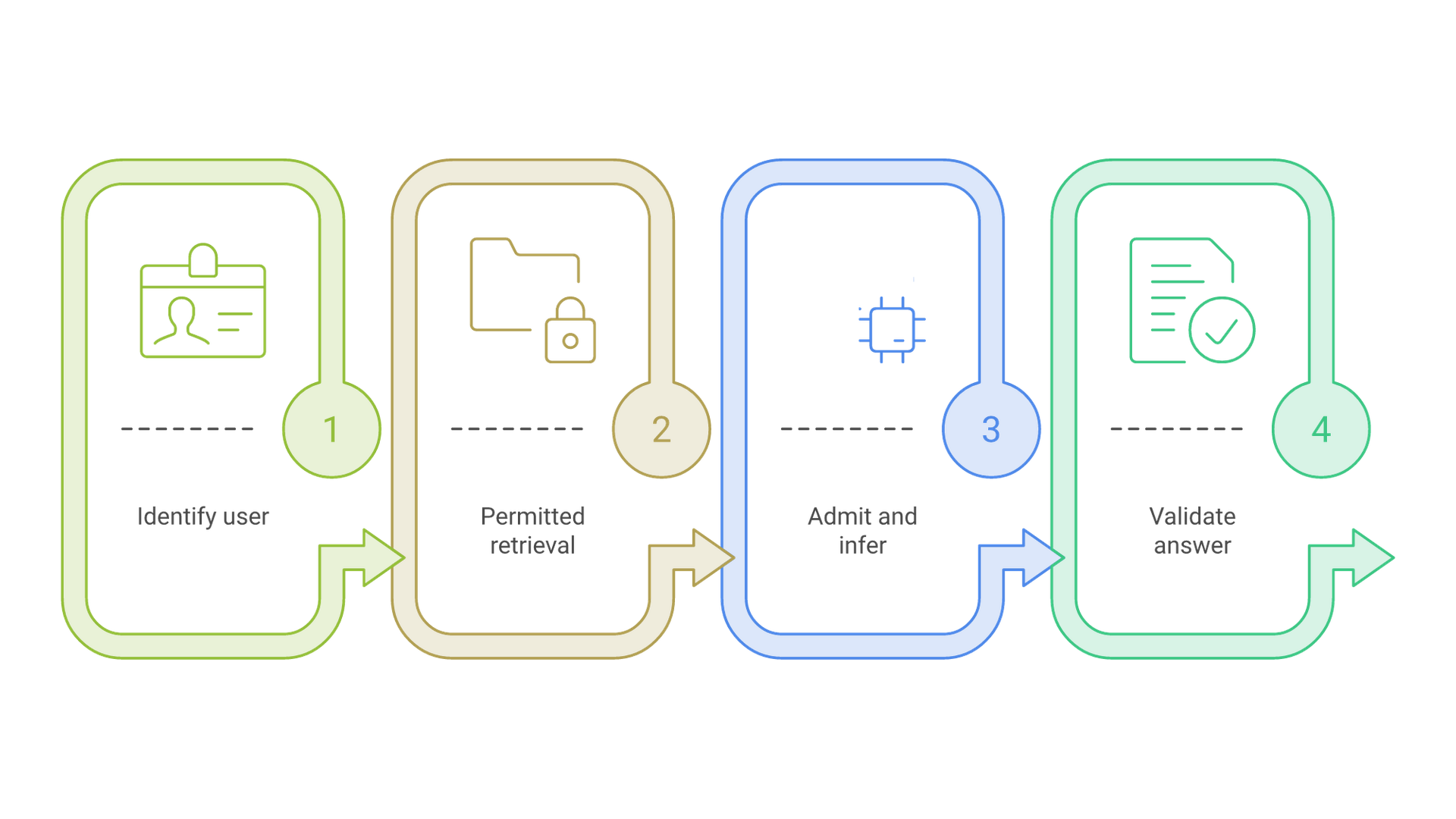
- Identify. The gateway validates the user's sign-on token and rejects anonymous calls before any prompt reaches the engine.
- Retrieve with permissions. The application queries the vector store with a filter for documents this user may read. Filtering after retrieval risks placing restricted text in the prompt or the logs.
- Admit and infer. A bounded queue checks request size and the user's quota, then the engine generates an answer from the question and the permitted excerpts.
- Validate and return. The application checks the output format and source references, then shows the answer with citations so the user can verify it.
Two failure paths deserve explicit design. If no approved document matches, the service should say the procedure is not on file and point to its owner, not fall back to the model's general knowledge. If inference times out, the attempt is marked incomplete and a retry gets a new attempt record tied to the same request, so partial streamed text is never stored as an accepted answer.
Sizing an On-Premise AI Server by Users and Concurrency
Head count is a weak sizing input. What matters is how many requests run at the same moment, how long their prompts are and how much text they generate.
Estimate KV cache per active request
The KV cache grows with context length. A practical estimate is 2 (keys and values) × layers × KV heads × head dimension × bytes per value × tokens. Llama 3.1 8B has 32 layers, 8 KV heads and a head dimension of 128 according to its published configuration. At 16-bit precision that works out to about 128 KiB per token, or roughly 1 GiB for one 8,000-token conversation. Sixteen such conversations at once need about 16 GiB of cache on top of roughly 16 GB of weights. Larger models multiply both figures.
| Input | What to measure | Why it changes the design |
|---|---|---|
| Peak concurrent requests | Simultaneous active generations at the busiest hour | Sets KV cache memory and the engine's batch limit |
| Typical context length | Prompt plus retrieved excerpts plus history, in tokens | Each extra token adds cache for every active request |
| Output length | Median and long-tail generated tokens | Long answers hold GPU memory and slots longer |
| Latency target | Acceptable time to first token and total time | Decides whether to queue, batch harder or add GPUs |
| Model size and precision | Parameters and quantization of the approved model | Fixes the memory floor before any user connects |
How engines behave at the limit
vLLM preempts requests and recomputes them later when KV cache space runs out; lowering its maximum concurrent sequences reduces preemption at the cost of queueing. Ollama allocates context for each parallel slot, so memory scales with the parallel setting multiplied by the context length. Load-test with real prompt lengths, measure cold model loading separately from warm inference, and leave GPU memory headroom for traffic spikes rather than running the cache at its limit. Teams that want help turning measured demand into a hardware and capacity plan can lean on AI infrastructure services for the sizing and deployment work.
Security and Data Boundaries
Keeping data on site removes one class of risk, third-party processing, and leaves the rest. A local log can hold the same sensitive text a cloud provider would.
Never expose the engine directly
Ollama binds to 127.0.0.1 by default, and its FAQ documents the host, parallel and queue settings you will change when sharing it. Changing the bind address to serve a team without a proxy in front opens the engine to anyone on the network. vLLM's security guide warns that its API key protects only certain path prefixes, while endpoints such as metrics, health and some operational controls stay open. Place a reverse proxy that allows only the endpoints you need, and use firewall rules so nothing but the gateway can reach the engine port.
Enforce least privilege in retrieval
The OWASP Top 10 for LLM Applications lists sensitive information disclosure as a leading risk and recommends least-privilege access to data sources. In practice, that means permission filters at query time, separate collections for highly restricted material and no shared "admin" index that every request can search.
Decide what to log and for how long
Log user, model version, timing, outcome and error category by default. Store prompt and document text only when a defined purpose justifies it, with access limited to named operators and a retention period you can explain to an auditor.
Rolling Out a Self-Hosted LLM Server in Phases
A phased rollout limits blast radius and produces the measurements that later sizing decisions need.
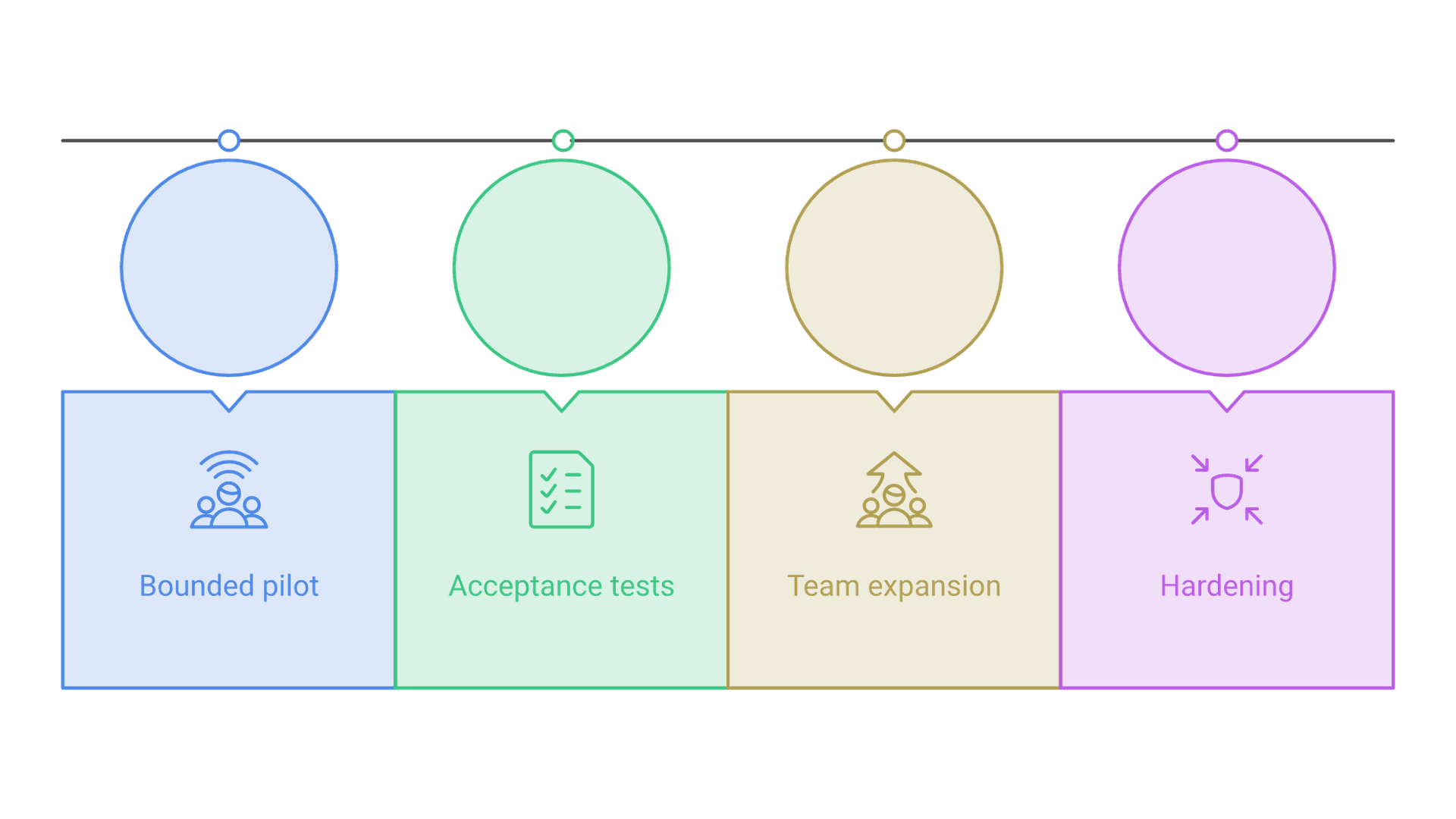
Phase 1: bounded pilot
Five to ten named users, one read-only use case, one pinned model and a business-hours service window with a manual fallback. Capture real prompt lengths and arrival patterns from day one.
Phase 2: acceptance tests
Before widening access, demonstrate that a user cannot retrieve documents outside their rights, that a missing source yields an explicit "not on file," that the queue stays bounded under excess load, and that the operator can stop the service and restore the last known-good configuration.
Phase 3: team expansion
Add departments one at a time, each with its own quota and document collections. Revisit concurrency limits using the metrics gathered so far rather than projections.
Phase 4: hardening
Add a second node or failover plan once the service has become something people depend on, and schedule patch windows for the engine, drivers and gateway.
Operating Costs Beyond the Hardware Invoice
The purchase price is the most visible cost and rarely the largest over three years. Budget for electricity and cooling, rack space, spare parts, software support and, above all, the staff time to patch, monitor and evaluate models.
Estimate electricity from your own measured power draw and utility rate, then add cooling overhead. Add operator hours for monthly patching and quarterly model reviews, and compare the total against the hosted API spend for the same measured token volume. Steady, high-volume workloads tend to favor local hardware; bursty, occasional use often does not.
Mistakes That Break Team Deployments
- Sizing from model weights alone. The model fits, then a few simultaneous long conversations exhaust the cache.
- Using the engine's API key as the security model. It does not identify people, enforce quotas or cover every endpoint.
- Filtering documents after retrieval. Restricted text can already be in the prompt or the logs.
- Silent model upgrades. An unpinned "latest" tag changes answers for a business process without review.
- No owner. Someone must be named to apply updates, watch alerts and switch the service off.
Local AI Server Architecture in 2026
As of late 2026, open-weight models capable of solid document question answering and coding help run comfortably on a single multi-GPU server, and the main inference engines all speak an OpenAI-style API. That has shifted the hard part away from getting a model running and toward the surrounding layers: identity, permission-aware retrieval, quotas and evaluation. Gateways that route between a local engine and a hosted API by policy are also becoming common, letting sensitive work stay on site while occasional heavy jobs go elsewhere.
Frequently Asked Questions
What is a local AI server?
It is a machine on your own network that runs AI model inference, usually a GPU server exposing a chat or completion API, so prompts and documents are processed without sending them to an outside provider.
How many users can one local AI server support?
It depends on concurrent requests, context length and model size rather than head count. Measure peak simultaneous generations and size GPU memory for weights plus the KV cache those requests need.
Is vLLM or Ollama better for a team server?
vLLM is designed for high concurrency and batching on GPUs. Ollama is simpler to operate but processes one request per model by default. Many teams pilot on Ollama and move shared production traffic to vLLM.
Does a self-hosted LLM server need its own authentication?
Yes. Inference engines offer at most a basic API key. Put a gateway in front that validates user identity, enforces quotas and logs each call, and block direct access to the engine port.
Is an on-premise AI server cheaper than a cloud API?
For steady, high-volume workloads it often is, once power, cooling and staff time are included. For light or bursty use, a hosted API usually costs less. Compare both against your measured token volume.
Can a local AI server work with company documents?
Yes, through retrieval: documents are embedded into a vector store and relevant excerpts are added to each prompt. Each excerpt should carry its source permissions so users only see what they are allowed to read.
Conclusion: Build the Boundaries Before the Benchmarks
A dependable local AI server for business is defined less by its GPU than by its boundaries: who can call it, what each request may read, how shared capacity is rationed and how the team recovers when something breaks. Size from measured concurrency and context, keep the engine behind a gateway, filter retrieval by permission, and expand only after acceptance tests pass.
If you are planning an on-premise or self-hosted AI service for your team and want a second view on architecture, sizing or rollout, contact Cognativ to discuss your project.