
Best Local AI Server: Complete Hardware and Setup Guide
For many single-user local inference workloads, a custom server built around a used NVIDIA RTX 3090 remains a strong value option when the card's condition and local price are favorable. Its 24 GB of VRAM can accommodate many 27B to 32B models in four-bit formats, including the approximately 18 GB Ollama package for Qwen3.6-27B at Q4_K_M. The practical limit still depends on context length, concurrent requests, runtime overhead, and whether the model includes additional components such as a vision projector.
This guide covers hardware selection across practical capacity tiers, software setup with widely used local runtimes, model compatibility by VRAM tier, and common deployment problems with concrete fixes. It is written for developers, AI enthusiasts, and businesses planning AI software development on infrastructure they control. Distributed serving for very large models is outside the scope of this single-server guide.
A practical starting configuration is a 24 GB NVIDIA GPU, 64 GB of system RAM, a modern multi-core CPU, and a 2 TB NVMe SSD. A Ryzen 9 7900X is one suitable CPU, but model inference performance will usually depend more on the GPU and memory configuration. Install Ollama, LM Studio, LocalAI, llama.cpp, or another compatible runtime; load a quantized model that leaves operational headroom; and test the complete workload before treating the machine as production infrastructure.
By the end of this article, you will know:
-
How to select the right GPU, CPU, RAM, and storage for your budget
-
Which AI models are practical at each VRAM tier, from 12 GB through 48 GB and beyond
-
How to install and configure Ollama, LM Studio, and LocalAI
-
How to troubleshoot VRAM overflow, thermal throttling, and driver conflicts
-
How to compare local total cost of ownership with hosted inference
Understanding Local AI Server Fundamentals
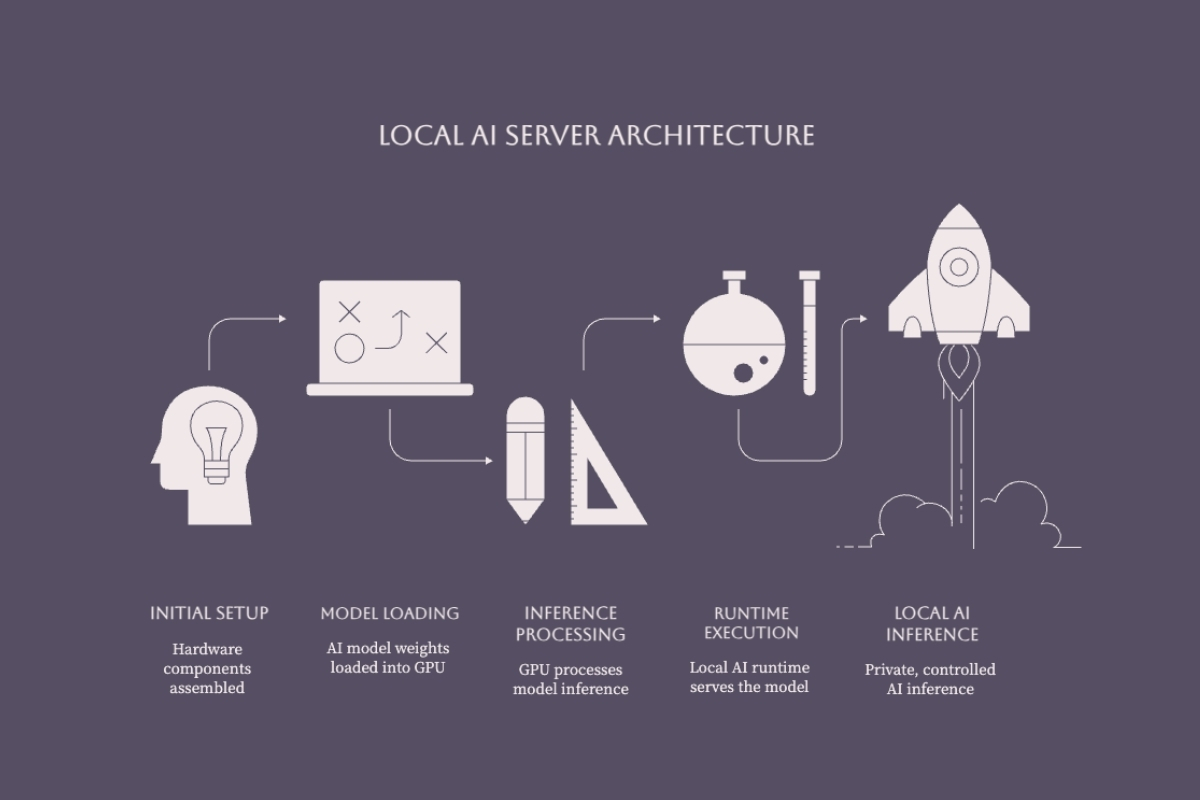
A local AI server is a machine you operate on-premises or at the edge to run model inference on controlled infrastructure. A GPU, multi-core CPU, system RAM, and NVMe storage form the typical hardware stack, although smaller models can also run on CPU-only or unified-memory systems. A correctly configured local deployment can avoid hosted-model token charges and external model API round trips, but it does not automatically eliminate software licensing, electricity, maintenance, network, or security costs.
VRAM is usually the first hard capacity limit for GPU inference. System RAM, memory bandwidth, storage, CPU performance, runtime support, context length, and concurrency still affect whether a model runs well after its weights fit.
VRAM Requirements and Model Compatibility
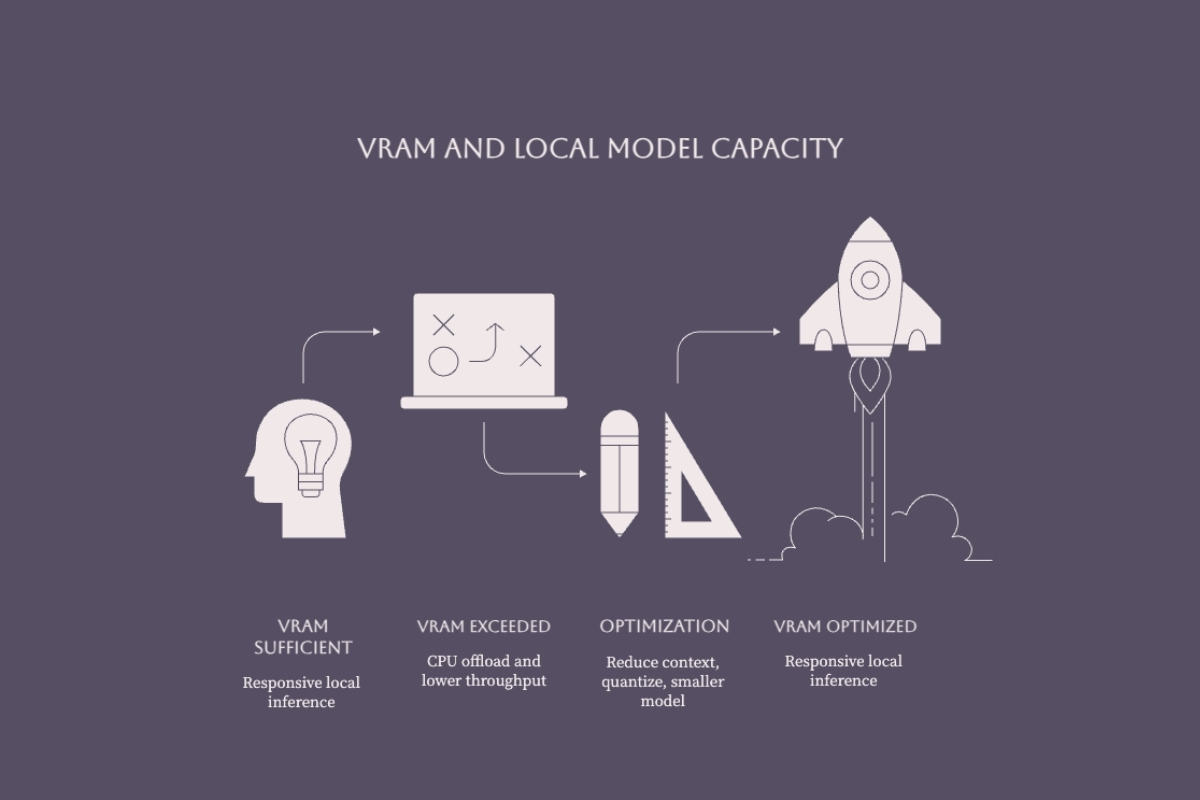
Model weights, runtime allocations, activations, the key-value cache, and any multimodal components all contribute to memory demand. A four-bit weight file often requires roughly 0.5 to 0.7 GB per billion parameters before those additional allocations, but architecture and quantization format matter. For example, Ollama lists its Qwen3.6-27B Q4_K_M package at approximately 18 GB. A 24 GB GPU provides additional capacity, but the usable context and concurrency must still be measured with the selected runtime.
When a model does not fit in VRAM, runtimes such as llama.cpp can offload selected layers to system RAM. That may make the model usable, but the performance penalty varies with the model, runtime, memory bandwidth, and split configuration. A 24 GB GPU can keep more of a 27B Q4 chat model on the GPU than a 16 GB card, while a 16 GB configuration may require a smaller model, shorter context, or partial offload.
Additional VRAM can support larger weight files, longer context, multimodal projectors, or more concurrent requests. A 32 GB card offers useful headroom for many 30B to 35B four-bit models, but it is not a reliable target for 70B Q4 deployment: a typical 70B-class four-bit weight file alone is larger than 32 GB before cache and runtime overhead. Treat every model card, quantized file size, and runtime configuration as part of the capacity calculation.
Local vs Cloud AI Infrastructure
Local AI can keep inference data within an environment you operate, but privacy depends on configuration. Applications may retain prompts, runtimes may write logs, model downloads require external access, and tools connected to the model may call outside services. Regulated organizations should define retention, access, encryption, evidence, and human-accountability controls through an appropriate AI governance program.
Whether local infrastructure costs less than hosted inference depends on actual utilization. Compare the purchase price, electricity, cooling, maintenance, replacement risk, and operator time with the measured cost of the hosted models and service levels you would otherwise use. A lightly used server may never recover its acquisition cost, while a consistently utilized server can become economical if the local model meets the required quality and throughput.
Local AI removes the external model API round trip, which can improve responsiveness and offline availability. It does not remove prompt-processing or token-generation latency, and a local model can be slower than a hosted service backed by larger infrastructure. An AI-first architecture should therefore compare privacy, latency, quality, availability, cost, integration, and operational ownership before selecting local, cloud, or hybrid inference.
The local trade-off is upfront cost, maintenance responsibility, security ownership, and a fixed capacity ceiling. Hosted infrastructure remains useful for bursty demand, rapid experimentation, managed availability, and models that exceed the capacity of a practical on-premises server. Many organizations ultimately use a hybrid design.
Hardware Recommendations by Budget Tier
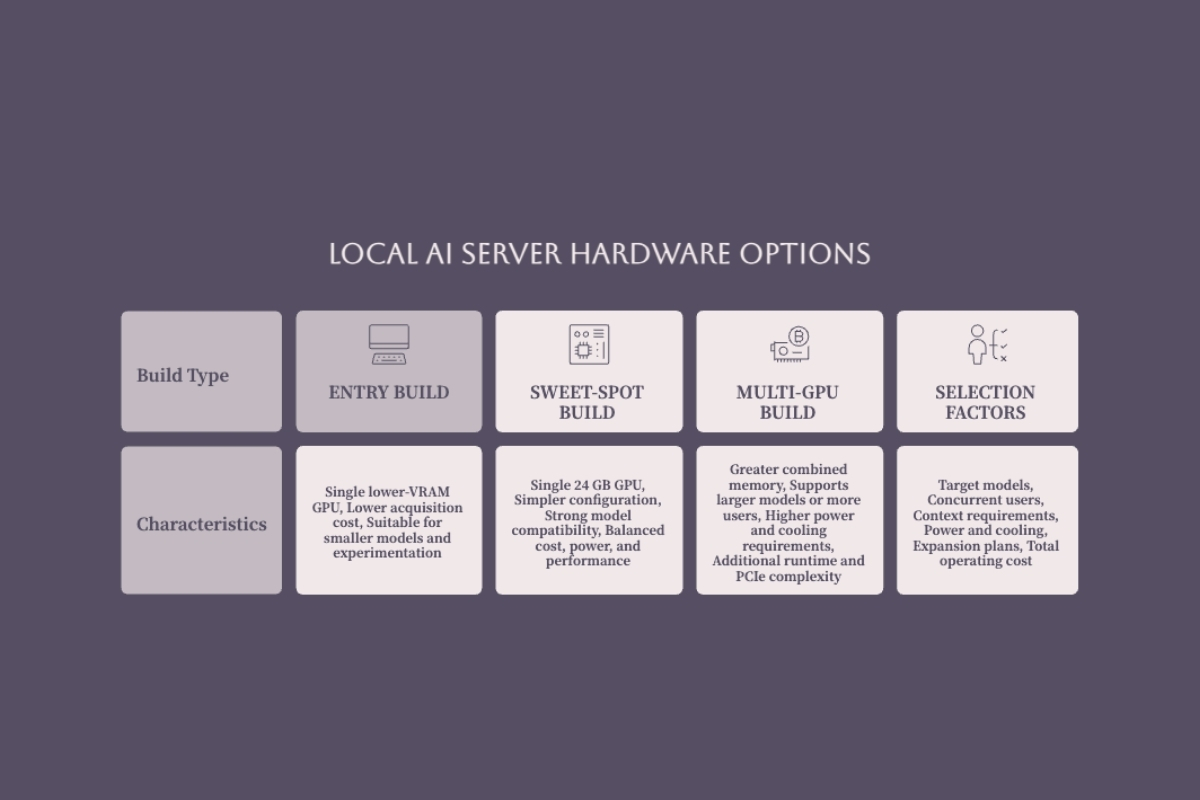
The GPU determines your model ceiling. Everything else (CPU, RAM, storage, power supply, cooling) supports that GPU. The sections below break down two practical build tiers, followed by a comparison table that maps VRAM capacity to model capability.
24 GB Single-GPU Value Build
The centerpiece is a used NVIDIA RTX 3090 with 24 GB of VRAM. NVIDIA lists the Founders Edition at 350 W graphics-card power, so card condition, cooling, physical clearance, power delivery, and the board partner's specifications matter as much as the purchase price. The RTX 5090 is a substantially faster high-end 32 GB option, but its 575 W total graphics power and 1,000 W required system power place it in a different cost and infrastructure tier.
Pair the GPU with a modern multi-core CPU and a motherboard that provides the required PCIe slot, lane allocation, spacing, and case clearance. A Ryzen 9 7900X on an AM5 platform is one suitable option. For a 24 GB GPU build, 64 GB of system RAM provides useful headroom for the operating system, model loading, CPU offload, and supporting applications; increase it when the workload keeps multiple models or large datasets in memory.
A 2 TB NVMe SSD is a practical starting point for model files, container images, datasets, and logs. NVIDIA specifies 750 W required system power for the RTX 3090 Founders Edition, while many builds benefit from additional margin; follow the exact GPU vendor's recommendation and size the power supply for the complete system. Inspect a used card, run a sustained thermal test, clean its cooling path, and arrange qualified servicing only if its temperatures, fan behavior, or stability indicate a problem.
This build can load the approximately 18 GB Qwen3.6-27B Q4_K_M Ollama package, subject to the additional memory required by the runtime, KV cache, and vision components. It can also support many 32B-class text models at Q4 when their complete allocation fits. That makes a 24 GB card a capable local LLM workstation for coding, conversation, retrieval, and controlled application integration.
Multi-GPU Expansion Build
An alternative approach combines multiple smaller GPUs to increase the memory available to a runtime that supports model splitting. Two or more 12 GB or 16 GB cards can be useful when the motherboard, chassis, power supply, and software stack are designed for them. Their nominal VRAM does not become one transparent pool for every application.
Splitting a model across GPUs requires explicit runtime support and introduces communication overhead. PCIe topology, lane width, peer-to-peer support, card spacing, thermals, and power delivery all affect the result. A multi-GPU build should therefore be selected from measured model and concurrency requirements rather than from combined VRAM alone.
This path can make sense when a target model's quantized weights and cache require more than one card or when separate GPUs will serve independent workloads. A 70B-class model at four-bit precision commonly needs roughly 40 GB or more before generous context and runtime overhead, making 48 GB and higher configurations a more realistic starting point. For one user running models around 30B, a single suitable GPU is usually simpler to deploy and operate.
Performance Comparison Table
|
VRAM Tier |
Example GPU Config |
Practical Model Starting Point |
Capacity Notes |
Best For |
|---|---|---|---|---|
|
12 GB |
RTX 3060 (single) |
7B to 8B models |
Some larger models may load with stronger quantization or partial offload |
Learning, experimentation, and bounded single-user tasks |
|
16 GB |
RTX 4060 Ti 16 GB |
8B to 14B models |
Special formats such as gpt-oss-20b MXFP4 are documented for 16 GB memory |
General local use with moderate context and concurrency |
|
24 GB |
RTX 3090 (used) |
Many 27B to 32B Q4 models |
File size is not the complete VRAM allocation; leave room for cache and runtime |
Single-user development and larger local models |
|
32 GB+ |
Multi-GPU or RTX 5090 |
30B to 35B Q4 models with more headroom |
Not a typical target for 70B Q4 weights and cache |
Longer context, multimodal components, or more concurrency |
|
48 GB+ |
Supported multi-GPU or workstation GPU |
70B-class Q4 starting point |
Topology, model splitting, cache, and concurrency remain workload-specific |
Larger models and higher-capacity serving |
These tiers are planning ranges, not compatibility guarantees. Check the exact model file, runtime, context, multimodal components, and concurrency before buying hardware. A developer running one coding assistant has different memory and throughput requirements from a team serving a retrieval-augmented generation pipeline to twenty users.
Software Setup and Management Tools
Local AI runtimes target different operating needs. Ollama emphasizes straightforward local model management and API access. LM Studio combines a desktop interface with server capabilities. LocalAI provides API-compatible local serving across multiple backends. llama.cpp offers broad hardware support and hybrid CPU/GPU inference, while vLLM targets higher-throughput serving. Select the runtime after defining operating system, hardware, model format, concurrency, security, and integration requirements.
Primary Installation Options
Ollama provides command-line model management and a local HTTP API. After installation, pull the exact tag you intend to test, start the service, and call the API before integrating an application. Developers building around local LLM models often start here because the basic workflow is compact.
ollama pull qwen3.6:27b
ollama serve

curl http://localhost:11434/api/generate \
  -d '{"model":"qwen3.6:27b","prompt":"Return only the word READY","stream":false}'
Run the API call from a second terminal after the service starts. Replace the model tag when your hardware requires a smaller package, and record load time, VRAM allocation, prompt-processing speed, generation speed, and output quality for the real workload.
LM Studio provides model discovery, downloading, configuration, chat, and local API serving through a desktop interface. Its llmster daemon supports headless server operation, including background startup and on-demand model loading. This makes it useful when operators want a visual management path during evaluation and a GUI-free service after the configuration is validated.
LocalAI is a local runtime that exposes OpenAI- and Anthropic-compatible APIs through modular inference backends. API compatibility can reduce application changes, but teams must still validate supported endpoints, parameters, model behavior, authentication, and streaming. This is particularly relevant when AI integration services must connect local inference with existing applications and governed workflows.
For a deeper walkthrough of setting up LM Studio, see our dedicated guide.
llama.cpp and vLLM cover two different advanced paths. llama.cpp supports multiple hardware backends, quantized GGUF models, and hybrid CPU/GPU inference. vLLM provides an OpenAI-compatible server for higher-throughput workloads. Neither should be exposed to an untrusted network without separate access-control and network-hardening decisions.
Keep the service bound to the local machine during initial validation. Before allowing LAN or remote access, define authentication, firewall rules, TLS termination, request limits, logging, and an update process. An API key alone may not protect every administrative or health endpoint exposed by a runtime, so verify the complete network surface and place a hardened reverse proxy in front of the service when appropriate.
Model Recommendations by VRAM Tier
12 GB VRAM: Start with a current 7B to 8B instruction model and test the quantization, context, and workload you actually need. Some larger models may load with stronger compression or partial CPU offload, but loading is not the same as delivering acceptable latency and quality.
16 GB VRAM: This tier offers more room for 8B to 14B models and specialized low-memory releases. OpenAI documents gpt-oss-20b as requiring 16 GB in its native MXFP4 distribution; see our guide to its hardware requirements. A package larger than available VRAM may still run through partial offload, but test the resulting throughput before committing to it.
24 GB VRAM: Qwen3.6-27B at Q4_K_M is one current example, with Ollama listing the package at approximately 18 GB. That leaves capacity for runtime allocations and a bounded context, but not unlimited headroom. Four-bit formats reduce model size substantially; evaluate their task-specific quality instead of assuming that the difference from higher precision is always negligible. Our dedicated guide explains the main quantization techniques.
Qwen3.6-35B-A3B is a mixture-of-experts alternative with approximately 35B total parameters and 3B active parameters. Activating fewer parameters can reduce compute per token, but the model's weights still require memory. Ollama lists a Q4_K_M package with multimodal and speculative-decoding components at approximately 23 GB, leaving very little room on a 24 GB card for cache and runtime overhead.
System Configuration Requirements
How much RAM do you need? A smaller GPU-resident model may operate comfortably with 32 GB of system RAM, while a 24 GB GPU server benefits from 64 GB or more when it uses CPU offload, large datasets, containers, or multiple supporting services. Measure peak allocation on the complete workload instead of treating one number as a universal floor.
Use NVMe storage for model files, containers, datasets, and logs. One terabyte can support a focused installation; two terabytes provides more room for multiple quantizations and test datasets. Fast storage improves downloads and model loading, but it does not make operating-system swap a practical replacement for RAM or VRAM during inference.
Cooling for sustained AI workloads is not optional. NVIDIA rates the RTX 3090 Founders Edition at 350 W graphics-card power, while complete-system draw depends on the CPU, board, storage, fans, and workload. At 700 W and an illustrative electricity rate of $0.12 per kWh, energy costs about $0.084 per hour or $2.02 for 24 hours at sustained full draw. Use your measured wall power and local tariff for a real TCO calculation.
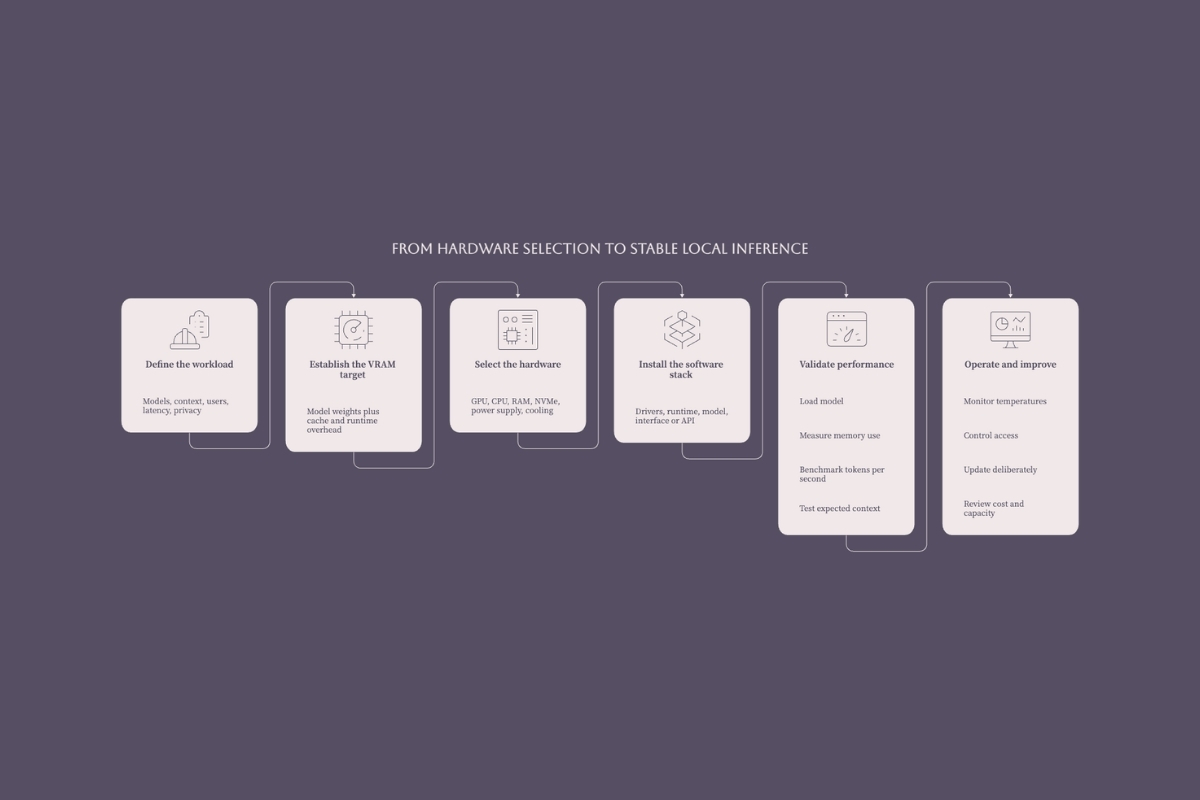
Before treating the server as operational, validate cold startup, model loading, representative context length, expected concurrent requests, time to first token, sustained generation speed, peak VRAM and system RAM, wall power, temperatures, restart behavior, and recovery after a failed request. Record the tested model tag, quantization, runtime version, driver version, and configuration so the result can be reproduced after an update.
Common Challenges and Solutions
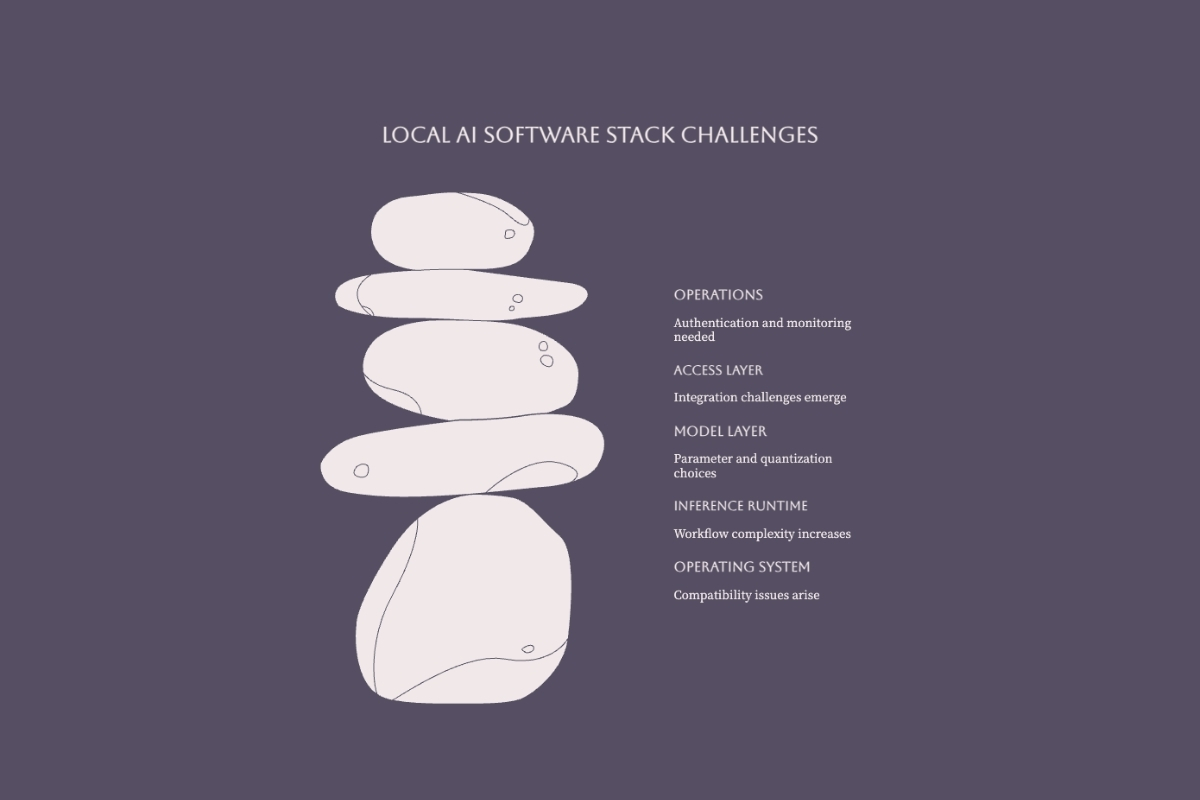
Local AI servers commonly encounter memory, compatibility, thermal, and network-control problems. Treat the runtime and API as production software when applications or other users depend on it; the same secure software development principles apply to authentication, dependency management, logging, testing, and release changes.
VRAM Overflow and Performance Issues
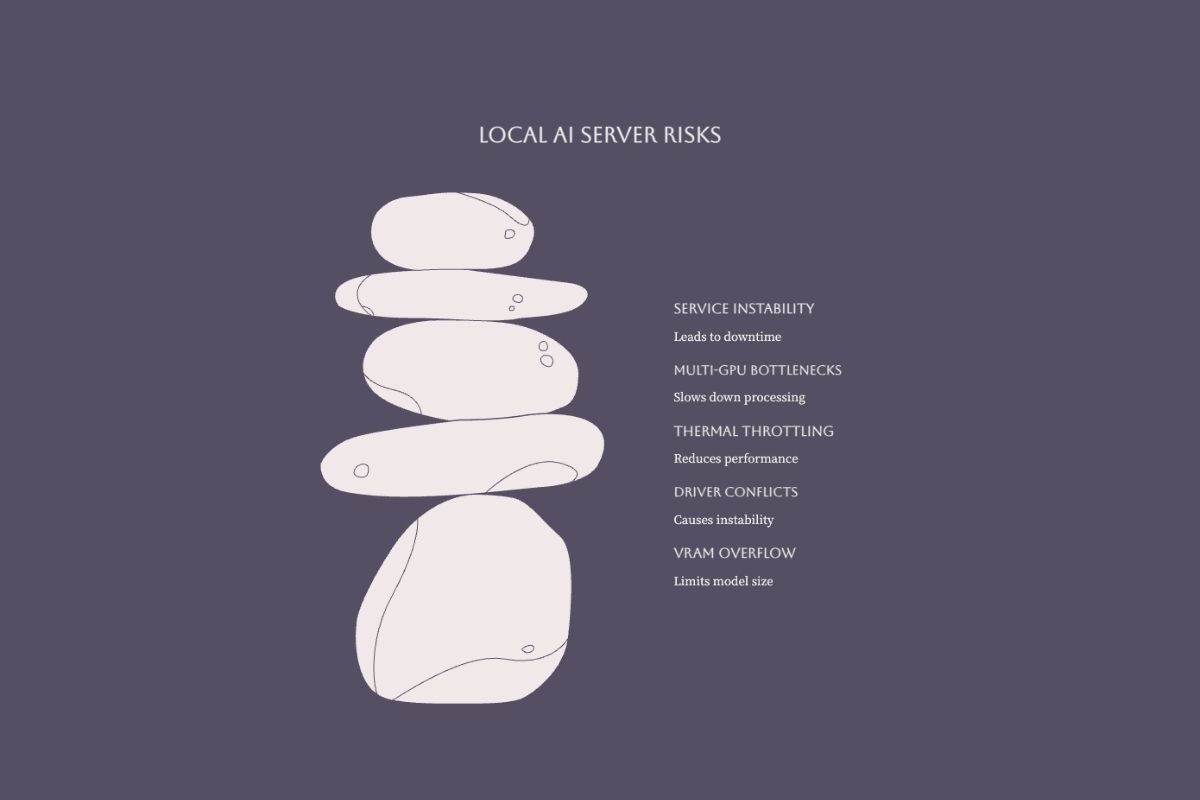
A model that exceeds available memory may fail to load, trigger an out-of-memory error during longer requests, or fall back to a slower CPU/GPU split. Monitor allocation during model load and again with representative context and concurrency, because an idle successful load does not prove the production workload fits.
Start by reducing context and concurrency, then test a smaller quantized file or a smaller model. CPU offload can recover capacity when the runtime supports it, but benchmark the penalty. Record time to first token, generation speed, peak GPU memory, peak system memory, and output quality for the same prompt set after each change.
Hardware Compatibility Problems
Driver, runtime, and acceleration-backend incompatibilities can prevent startup or silently fall back to slower execution. Match the GPU driver and runtime build to a backend supported by the selected tool, such as CUDA, ROCm, Metal, Vulkan, or CPU inference. Pin the validated combination and rerun the benchmark after any driver, runtime, model, or operating-system update.
Multi-GPU setups introduce topology and PCIe constraints. Verify lane allocation, slot spacing, power delivery, and peer-to-peer support in the motherboard and runtime documentation before purchasing. Laptops, Apple Silicon systems, and compact devices can run appropriate smaller or quantized models, but they are not direct substitutes for a server targeting sustained 27B-class NVIDIA GPU inference.
Enterprise-level AI deployments may require custom server setups to manage higher workloads. For organizations scaling beyond a single workstation, our implementation strategic guide covers multi-machine architectures.
Thermal Management and Stability
Sustained GPU load generates heat that accumulates in enclosed cases. Throttling behavior depends on the card, firmware, board-partner design, fan profile, and measured hotspot or memory temperatures. Monitor the relevant sensors during a sustained inference test instead of relying on one universal threshold.
Inspect and clean a used GPU, verify fan operation, and compare temperatures and clocks under sustained load. Improve case airflow or power limits before modifying the card. Thermal-pad or paste replacement should be performed only when measurements justify it and by someone qualified to service that specific board. Size the power supply from the GPU vendor's requirement plus the complete system configuration.
Conclusion and Next Steps
A used RTX 3090-based build remains a practical value candidate for workloads that benefit from 24 GB of VRAM, but the best local AI server is the smallest configuration that meets the required model quality, context, latency, concurrency, security, and reliability targets. Paired with sufficient system RAM, NVMe storage, and a compatible runtime, it can support coding, conversation, retrieval, and bounded custom AI agent development.
Your immediate next steps:
-
Define the models, context, users, latency, privacy, and availability requirements
-
Compare current single-GPU and multi-GPU options using complete-system cost, power, thermals, and expansion constraints
-
Select system RAM and NVMe capacity with headroom for model loading, datasets, logs, and supporting services
-
Choose your software platform (Ollama for CLI workflows, LM Studio for GUI, LocalAI for API compatibility)
-
Load a model that fits with operational headroom and benchmark the representative workload before scaling
For those ready to go deeper, explore building your local AI server with detailed component-by-component guidance.
Once the hardware is stable, review how to fine-tune LLMs for domain-specific tasks.
Additional Resources
-
Hardware sourcing: Compare current listings from marketplaces and established refurbishers. Request clear photos, stress-test results, temperature data, fan-condition details, and a return policy for used GPUs.
-
Performance validation: Use llama.cpp and llama-bench to measure prompt processing and token generation on your hardware before committing to a model configuration.
-
Community support: The r/LocalLLaMA subreddit and Ollama Discord maintain active troubleshooting channels. For step-by-step deployment, our guide on running local LLMs on consumer hardware walks through the full process.
-
Runtime documentation: Follow the current Ollama quickstart for installation and first-run commands.
-
Server operation: Review LM Studio's headless deployment guidance before configuring it as a background service.
-
API compatibility: Use the LocalAI documentation to verify supported endpoints, backends, and configuration.