

Business Process Automation Examples: 15 Real Workflows By Department
Fifteen real BPA workflows across finance, sales, HR and operations, showing what runs automatically, what stays with people and how to choose where to start.
Business process automation examples are the fastest way for operations leaders to move from "we should automate something" to knowing exactly what to automate, how it works, and what results to expect. This guide breaks down 15 concrete, department-level workflows-each with a defined trigger, the steps that run without human intervention, what stays with a person, and realistic time or cost savings.
The scope here is practical: common business process automation use cases across finance, sales & marketing, HR, operations, and customer service. This is not a tool-by-tool comparison or a vendor roundup. It is a working reference for CIOs, department heads, and transformation managers who need to evaluate where automating business processes will deliver measurable impact-and where it won't.
What does a "good" business process automation example look like? It has a clear trigger event, specific automated steps that replace manual tasks, a defined point where humans take over for judgment or exceptions, and a measurable outcome such as hours saved or errors reduced. Organizations that have moved beyond piloting intelligent automation report a 32% average cost reduction, and most organizations report greater operational efficiency from automation-but those numbers only materialize when the right processes are targeted.
Here is what you will take away from this article:
- How to recognize strong candidates for automation in your own department.
- 15 practical process automation examples grouped by function, each with triggers, automated steps, human steps, and realistic savings.
- How to distinguish rule-based automation from AI-driven automation in real workflows.
- A simple, repeatable scoring method to pick the first process to automate.
- Common mistakes to avoid when moving from manual processes to business process automation (BPA).
Understanding Business Process Automation (BPA)
Business process automation-often shortened to BPA-means automating multi-step business workflows end to end, not just single tasks or macros. Where task automation focuses on individual, repetitive tasks, and workflow automation coordinates multi-step processes involving multiple stakeholders, process automation integrates multiple workflows into a unified system. Digital process automation goes further, optimizing complete end-to-end processes across enterprise platforms like ERP, CRM, HRIS, and service desks, while business process management provides the discipline to design, govern, monitor, and improve those processes across their lifecycle so automation supports business goals.
Why do business leaders care? Because BPA directly reduces human error, accelerates cycle times, creates audit trails for compliance, and delivers measurable cost savings. Automation can reduce processing times, and companies using automation report productivity increases. The goal is straight-through processing wherever possible with minimal human intervention-reserving human intervention for exceptions, judgment calls, and strategic tasks.
Core Elements of an Automatable Business Process
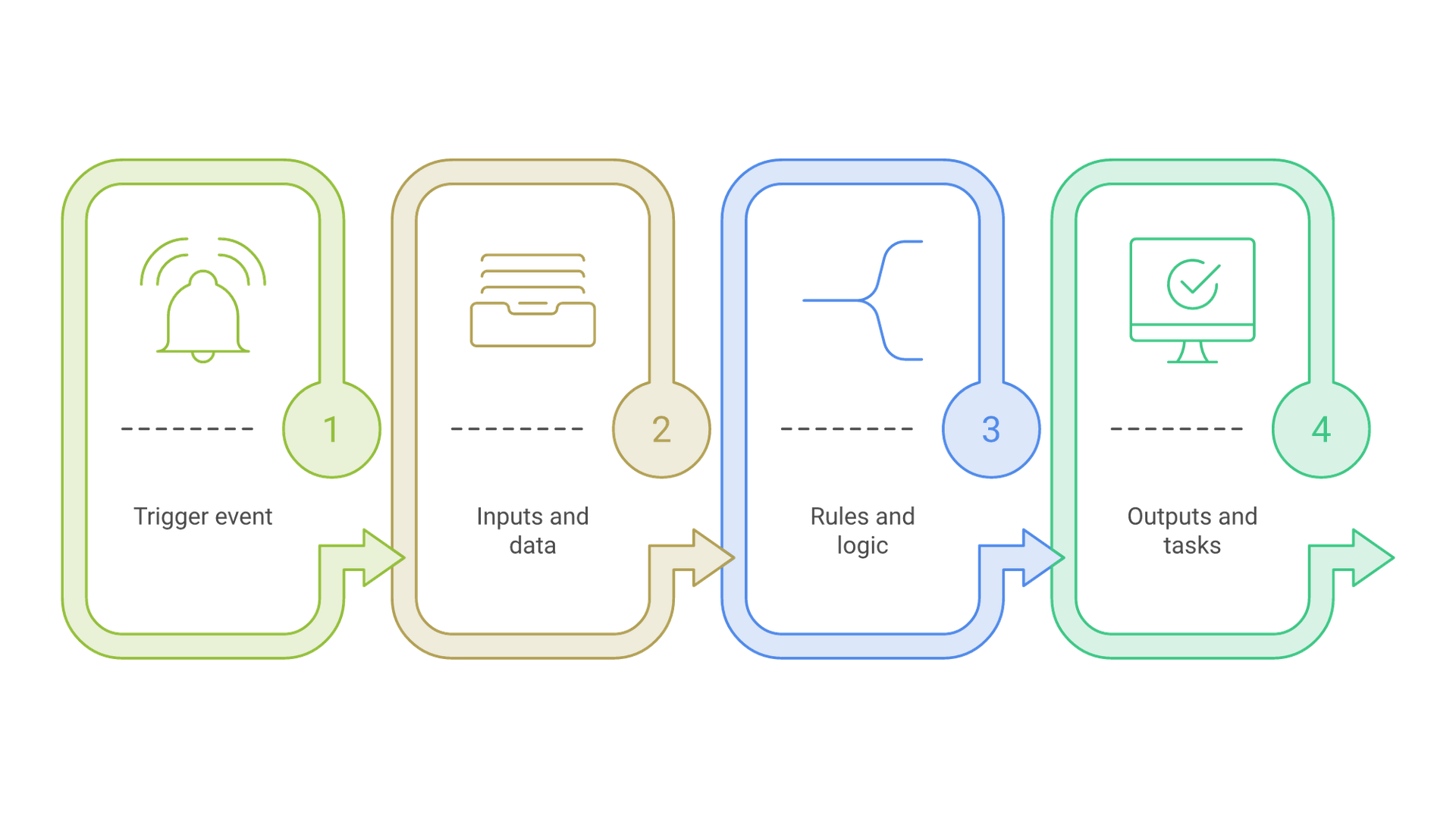
Every automatable business process shares four elements:
- Trigger – the event that starts the process (e.g., an invoice arrives via email, an employee is marked "hired" in the ATS, inventory drops below a threshold).
- Inputs/data – the structured or unstructured information required (a PDF invoice, an expense receipt, a customer message).
- Rules/logic – deterministic rules or probabilistic models that decide routing, matching, validation, and approvals.
- Outputs – the system records updated, notifications sent, documents generated, or human tasks created.
Modern automation tools connect these elements across systems so workflows run consistently from trigger to output.
Mapping these elements is the first step toward designing automation. For example: "invoice received by email" → OCR extraction → 3-way match against PO → ERP update + approval routing. That is automating the entire process from receipt to payment. Compare that with merely generating a PDF-which is automating one step, not a workflow.
Rule-Based Automation vs AI-Driven Automation
Rule-based BPA uses fixed "if X then Y" logic on structured data with deterministic outcomes. A purchase order routed to different approvers based on spend thresholds is rule-based: predictable, fast to implement, and easy to audit.
AI-driven automation uses machine learning, natural language processing, or computer vision to interpret unstructured data or make probabilistic decisions. Classifying incoming support emails by intent or extracting line items from scanned invoices are AI-driven: they handle variability that rigid rules cannot.
When to use each:
- Rule-based: fixed policies, clear approval workflows, high need for predictability-e.g., finance approvals, PTO routing, SLA enforcement.
- AI-driven: variability in inputs, natural language, documents, pattern recognition-e.g., triaging free-text requests, anomaly detection, claims processing.
Intelligent automation combines task automation with AI capabilities, and modern platforms often use visual process modeling that business users can manage with minimal coding knowledge; the examples that follow will flag which style fits each workflow.
Business Process Automation Examples By Department
This section is the core of the article: 15 BPA examples grouped by department-Finance & Accounting, Sales & Marketing, HR & People Operations, Operations & Supply Chain, and Customer Service. Each example consistently describes:
- The trigger that starts the process.
- The steps automated end to end.
- What remains a human responsibility.
- Time savings or error reduction.
These are designed as secure, integrated automated workflows around existing systems-not throwaway bots or siloed scripts, with the goal to streamline operations across departments rather than create isolated automations.
Finance & Accounting Automation Examples
Finance processes are among the strongest candidates for business process automation: they are repetitive, policy-driven, heavily audited, and deal with high volumes of structured data. Accounting automation in this space consistently delivers some of the largest, most measurable ROI.
1. Accounts Payable Invoice Processing
Invoice processing is often the first automation win for finance teams. Companies automating invoice processing can pay vendors faster, and automation can reduce invoice processing time substantially.
- Trigger: Invoice received via email or supplier portal.
- Automated steps: OCR data capture extracts header and line-item details; system performs 3-way match against PO and goods receipt; tolerance checks flag discrepancies; matched invoices post to ERP; approval tasks route based on spend limits.
- Human steps: Exception handling for unmatched invoices, dispute resolution with suppliers, final sign-off on high-value invoices.
- Savings: EY's implementation of Microsoft Power Automate with AI Builder for payment matching across ~1.5 million annual payments raised auto-match rates from 30% to 80%, eliminating thousands of hours of manual data entry and research.
- Type: Hybrid-rule-based for matching and routing; AI for line-item extraction and anomaly detection.
2. Employee Expense Reimbursement
Manual expense processing is one of the most time consuming tasks in mid-size finance teams, riddled with missing receipts, policy violations, and delayed approvals.
- Trigger: Employee submits expenses via mobile app by a fixed monthly deadline.
- Automated steps: Receipt capture and classification via OCR, policy checks (spending limits, missing fields, duplicate submissions), routing to manager for approval, export to payroll or AP for payment.
- Human steps: Manager judgment on borderline expenses, finance spot checks on flagged items.
- Savings: Reimbursement cycle shortens; policy violations decrease measurably. Automated workflows can save organizations thousands of hours annually on this process alone.
- Type: Primarily rule-based; AI adds value in receipt classification and fraud detection.
3. Monthly Close Checklist and Reconciliations
The monthly close is a high-stakes coordination exercise that spans dozens of tasks across multiple teams. Mountain sports retailer Bergfreunde automated its close process with FloQast and reduced close time from 12 days to 5 days or less (roughly 58% faster).
- Trigger: Scheduled close calendar date (e.g., last business day of the month).
- Automated steps: Pull trial balances from ERP, run reconciliation templates, flag variances above defined thresholds, escalate overdue tasks, generate dashboards for leadership review.
- Human steps: Investigating variances, making adjusting entries, final controller sign-off.
- Savings: Shorter close and less reconciliation effort.
- Type: Hybrid-rule-based reconciliation templates with AI-powered variance detection and dashboarding.
4. Customer Collections and Dunning
Collections workflows are a classic case of repetitive business processes that consume FTE time on low-value follow-ups while high-risk accounts get insufficient attention.
- Trigger: Invoice passes a defined aging threshold (e.g., 7, 30, 60 days past due).
- Automated steps: Email/SMS reminders with correct balance and payment links, activity logging to CRM, task creation for collectors at escalation thresholds. Automated reminders for regulatory compliance deadlines improve accountability across the collections cycle.
- Human steps: Phone outreach on high-risk accounts, negotiating payment plans, dispute resolution.
- Savings: Less manual follow-up; improved DSO (days sales outstanding) by measurable days.
- Type: Rule-based.
Sales & Marketing Automation Examples
Process automation in sales and marketing directly connects to revenue: faster lead handling, fewer dropped opportunities, and more consistent follow-up. Marketing automation and sales workflow automation together ensure no qualified lead falls through the cracks.
5. Lead Capture, Enrichment, and Routing
Automated lead management captures leads and assigns them to sales representatives within seconds rather than hours, directly improving conversion odds. Effective automation enhances organizational agility and reduces response times to clients.
- Trigger: New lead submitted via website form, webinar registration, or trade show import.
- Automated steps: Deduplication against CRM, data enrichment (industry, company size, role), lead scoring based on fit and intent signals, assignment to SDRs via round-robin or territory rules, immediate personalized welcome email.
- Human steps: SDR outreach, qualification calls, relationship building.
- Savings: Lead response time drops from hours to seconds; conversion rates improve as speed-to-lead increases.
- Type: Hybrid-rule-based routing and enrichment, with machine learning for scoring based on historical conversion patterns.
6. Quote and Proposal Generation
Document management systems automate contract generation and routing for signatures, and the same principle applies to proposals. This workflow replaces one of the most common administrative tasks in B2B sales.
- Trigger: Opportunity reaches "proposal" stage in CRM.
- Automated steps: Pull pricing and terms from CPQ or ERP, assemble branded proposal document, route for internal approvals, send to client, log in CRM with version tracking.
- Human steps: Tailoring the solution narrative, pricing exceptions, negotiation.
- Savings: Less time per proposal; fewer versioning errors and lost documents.
- Type: Rule-based.
7. Nurture Email Sequences Based on Behavior
Behavior-driven nurture sequences are a core example of automated workflows in operations applied to marketing. They replace manual one-off follow-ups with consistent, persona-based touchpoints.
- Trigger: Prospect downloads a specific asset or attends a live demo.
- Automated steps: Enrollment into drip sequence, content selection based on persona and industry, pause when an opportunity opens in CRM, resume if opportunity stalls.
- Human steps: Personal outreach for high-intent signals (e.g., repeat pricing page visits, demo requests).
- Savings: Replaces manual follow-up; improves conversion through consistent touchpoints without adding headcount.
- Type: Rule-based with optional AI for content personalization.
8. Marketing Performance Reporting
Like customer onboarding in revenue teams, weekly or monthly reporting consumes staff time when information and follow-up are not centralized, despite offering relatively low strategic value.
- Trigger: Scheduled cadence (e.g., every Monday at 8:00 AM).
- Automated steps: Pull data from ad platforms, CRM, and web analytics; normalize metrics across channels; generate dashboards and email summaries to stakeholders.
- Human steps: Interpret trends, adjust budgets and messaging, present data analysis to leadership.
- Savings: Weekly reporting time cut sharply. Automation can save organizations significant administrative costs on reporting alone.
- Type: Rule-based.
HR & People Operations Automation Examples
HR workflows involve compliance requirements, employee experience expectations, and coordination across multiple stakeholders-HR, IT, facilities, and managers. Automating repetitive tasks in HR reduces paperwork, manual coordination, and delays across teams. It can also support improved customer service indirectly by making internal service delivery faster and more consistent.
9. New-Hire Onboarding Across Systems
The employee onboarding process is notoriously fragmented. Automated employee onboarding reduces processing time from weeks to days-IBM's HR organization saved approximately 12,000 hours over 18 months through automation of HR processes.
- Trigger: Candidate marked "hired" in ATS.
- Automated steps: Create employee record in HRIS, request laptop and access badges, provision accounts (email, SSO, key apps) for system access, schedule onboarding sessions, send welcome packet with pre-boarding materials.
- Human steps: Manager introduction, culture conversations, role-specific coaching.
- Savings: Compress onboarding coordination from several days of back-and-forth emails to a few clicks; fewer access issues on day one. Automating onboarding can cut time from weeks to days.
- Type: Rule-based; AI adds value in screening resumes during the pre-hire stage.
10. Time-Off Requests and Approvals
PTO approval is a textbook example of approval workflows that waste hours when handled via email and spreadsheets.
- Trigger: Employee submits PTO request in self-service portal.
- Automated steps: Check for policy conflicts (accrual balance, blackout dates) and overlapping team absences, route to manager, update shared calendars and payroll accruals upon approval.
- Human steps: Manager judgment for edge cases-critical project coverage, overlapping team absences that require negotiation.
- Savings: Response time drops from days to hours; near-zero manual spreadsheet updates. Automated travel requests streamline communications for global organizations following the same logic.
- Type: Rule-based.
11. Performance Review Cycles
Performance reviews involve significant administrative burden on HR teams-sending reminders, tracking completion, compiling data-that distracts from the strategic tasks of talent development and calibration.
- Trigger: Start of mid-year or annual review window.
- Automated steps: Generate review tasks for each manager-report pair, pre-fill goals and metrics from HRIS, send escalating reminders, collate feedback into dashboards for HR and leadership.
- Human steps: Write substantive feedback, calibrate ratings across teams, decide compensation changes.
- Savings: Reduces HR coordination overhead; increases completion rates and consistency. SAP's implementation for Standard Chartered achieved an 87% reduction of HR reports.
- Type: Rule-based; AI emerging for feedback drafting and goal suggestions.
Operations & Supply Chain Automation Examples
Operations workflows often span multiple legacy systems (WMS, TMS, ERP) and benefit from end-to-end, event-driven automation. Supply chain management in particular is ripe for AI-driven workflow control because of its volume, variability, and real-time coordination demands.
12. Purchase Requisition to Purchase Order
This workflow is the backbone of procurement and one of the most impactful automation examples for streamlining operations.
- Trigger: Internal requisition submitted or inventory drops below reorder point in ERP.
- Automated steps: Route for approvals based on spend thresholds, bundle requisitions from the same supplier, generate POs, send to suppliers, update expected delivery dates in ERP.
- Human steps: Negotiate terms for strategic suppliers, approve non-standard items.
- Savings: Cycle time drops from days to hours; better on-contract spend compliance.
- Type: Rule-based.
13. Inventory Replenishment and Alerts
Automated inventory management triggers reorders before stock shortages occur, replacing manual spreadsheets and reactive ordering. Analyzing demand forecasting data helps manage inventory effectively across locations.
- Trigger: Real-time or nightly sync shows stock below safety levels.
- Automated steps: Calculate reorder quantity using historical demand patterns, create suggested purchase orders, alert planners to anomalies (unusual demand spikes, supplier delays).
- Human steps: Review and adjust for promotions, supply disruptions, or seasonal shifts.
- Savings: Lower stockouts and excess inventory; fewer manual spreadsheets. Process automation reduces the lag between identifying a shortage and acting on it from days to minutes.
- Type: Hybrid-rule-based thresholds with machine learning for demand forecasting.
14. Field Service Work Order Management
Field service is where IoT-driven triggers meet complex processes that require coordination across scheduling, parts inventory, and customer communication.
- Trigger: Asset IoT sensor sends fault alert or customer logs incident via portal.
- Automated steps: Create work order, auto-assign technician based on skills and region, send customer ETA notification, sync parts requirements with inventory, schedule follow-up.
- Human steps: On-site diagnosis, repair decisions, customer relationship management.
- Savings: Improved first-time fix rate; reduced dispatch planning time. Bank of NY Mellon reportedly achieved 88% faster processing time and 66% faster turnaround in trade-entry tasks using similar automation principles for back-office operations.
- Type: Hybrid-rule-based assignment with AI for predictive maintenance scheduling.
15. Document and Compliance Workflow in Regulated Operations
In regulated industries, transparent processes with full audit trails are non-negotiable. This workflow eliminates the administrative tasks around document control and compliance tracking.
- Trigger: New SOP, engineering change, or compliance requirement released.
- Automated steps: Route documents for review and approval, manage version control, capture training acknowledgements, prepare audit-ready logs, send automated reminders for compliance deadlines.
- Human steps: Content creation, risk assessment, final approvals.
- Savings: Cuts administrative overhead and audit preparation time sharply; fewer compliance gaps.
- Type: Rule-based.
Customer Service Automation Examples
Customer service absorbs the fallout when order, billing, or service workflows fail upstream, so many support gains come from automating the workflows behind the ticket queue. The two examples below come from Cognativ's published case studies.
Order Exception Handling and Proactive Customer Updates
When order data falls out of sync between checkout and fulfillment, customers see delays and inconsistent updates before support does. Cognativ worked on this with an omnichannel retailer whose business ran on six disconnected systems.
- Trigger: An order fails or stalls between systems, for example after a missed API call or a queue delay.
- Automated steps: Real-time sync of order data across ERP, OMS, WMS, and CX platforms; automated exception handling and retries; live alerts; a shared dashboard showing order status, failure reasons, and retry attempts.
- Human steps: Support agents act on flagged delays and update customers before issues escalate; leaders use the shared view for troubleshooting.
- Savings: Order cancellations fell by 22% and manual triage efforts by 40%; support tickets tied to failed orders or broken discount logic dropped by 40%, contributing to an 18-point lift in Net Promoter Score.
- Type: Event-based triggers with automated retries and alerts.
Incident Alerting and Escalation for Customer-Facing Services
When customer-facing services fail silently, clients notice first and escalations can take hours to reach the right team. Cognativ addressed this for a telecom infrastructure provider under a Virtual CTO model.
- Trigger: The platform flags an anomaly in a customer-impacting service.
- Automated steps: Real-time dashboards and alerts across customer-impacting services, shared incident workflows, and clear escalation paths to the team that owns each incident.
- Human steps: Root-cause analysis, fixes, and ownership of each incident through resolution.
- Savings: Together with architecture changes, incident response improved by 70%, outages dropped by more than 80%, and uptime stabilized above 99.98%.
- Type: Monitoring-driven alerting and escalation workflows.
How to Choose Your First Business Process to Automate
With 15 process automation examples now mapped out, the question shifts from "what can we automate?" to "where should we start?" Many business leaders fall into the trap of automating what is easiest rather than what delivers the most impact. A deliberate approach to identifying your first win matters, and the strongest automation efforts align with broader business goals from the start.
A Simple Scoring Method for Candidate Processes
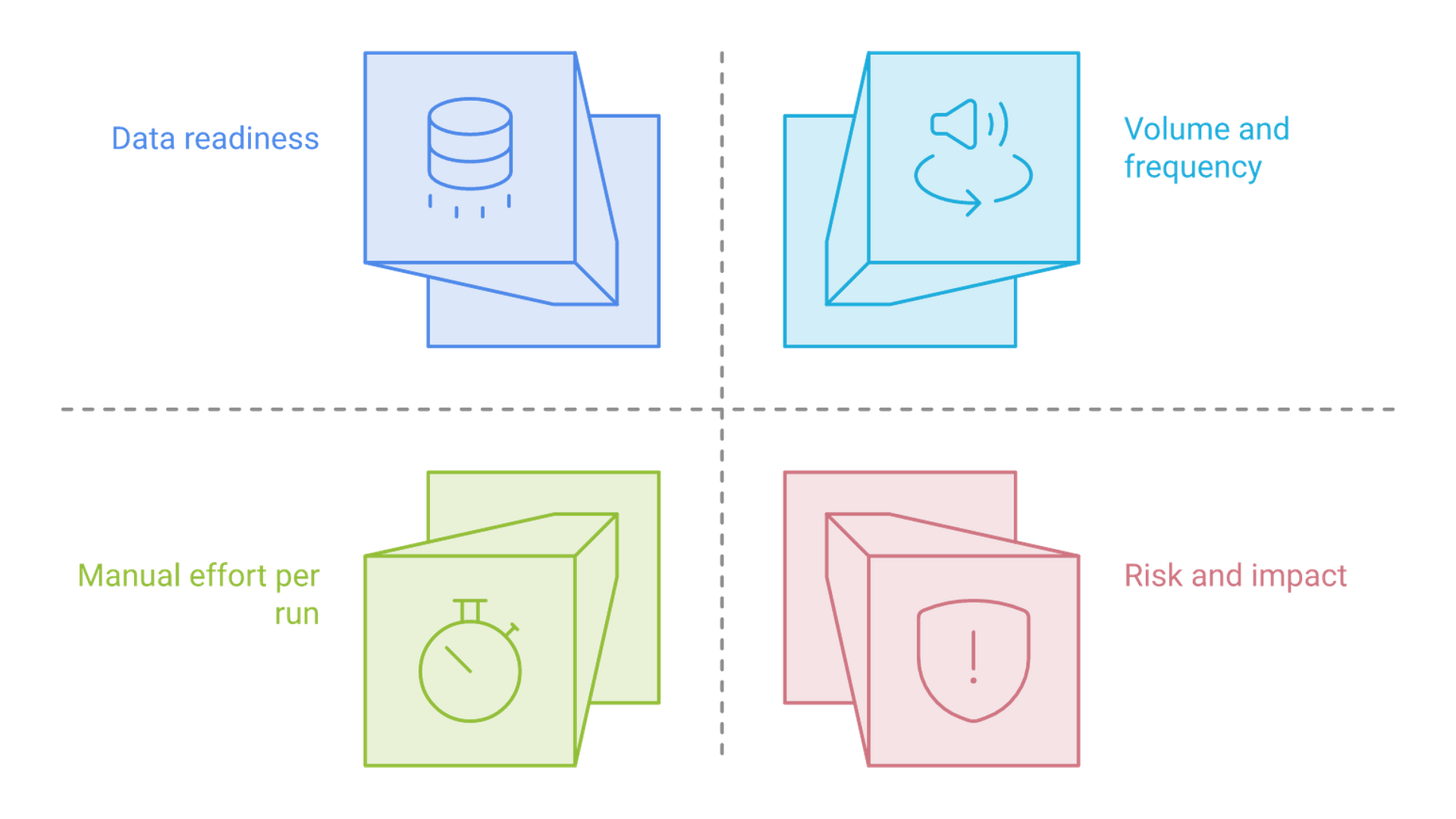
Use this lightweight scoring model to compare candidate processes across departments. Rate each criterion 1–5:
- Volume/frequency – How often does this process run? Daily processes score higher than quarterly ones.
- Manual effort per run – How many minutes or hours of staff time does each instance consume?
- Data readiness – Is the data structured and sitting in existing systems, or scattered across emails, spreadsheets, and paper based processes?
- Risk/impact – What is the cost of errors or delays? How regulated is the process?
Sum the scores across criteria to compare candidates. For example:
Criterion | AP Invoice Processing | Annual Performance Reviews |
|---|---|---|
Volume/frequency | 5 (daily, hundreds/month) | 2 (once or twice/year) |
Manual effort | 4 (10–15 min each) | 3 (hours per review, but seasonal) |
Data readiness | 4 (structured invoices, ERP data) | 2 (free-text feedback, subjective) |
Risk/impact | 4 (cash flow, vendor relationships) | 3 (talent retention, compliance) |
Total | 17 | 10 |
AP invoice processing scores significantly higher and is a stronger starting point. This does not mean performance reviews should never be automated-it means they come later, after the organization has built automation muscle on higher-frequency, more structured workflows. |
Checklist: Is This Process Ready for Automation?
Before committing resources, run your top-scoring candidate through these yes/no questions:
- Are the steps well-understood and documented?
- Is there a clear, consistent trigger event that starts the process?
- Is at least 70% of the data already digital and accessible in existing systems?
- Are the business rules stable for the next 6–12 months?
- Can you measure success (time saved, errors reduced, cost savings, revenue impact)?
- Does the process touch multiple people or teams, so benefits multiply?
- Is there an executive sponsor who owns the outcome?
- Can exceptions be handled through defined escalation paths?
Five or more "yes" answers suggest a strong automation candidate. Fewer than that signals you may need to optimize processes first by documenting steps, standardizing handoffs, and cleaning data before investing in automation software.
Cognativ can start with a focused assessment covering these questions across a few departments, using the RAPID framework to map priority, risk, ROI, and alignment with enterprise architecture.
Rule-Based vs AI Automation in Practice
The earlier conceptual distinction between rule-based and AI-driven automation becomes critical when you move from identifying processes to designing automation solutions. Here is a practical comparison.
Comparing Rule-Based BPA and AI-Driven Automation
Dimension | Rule-Based BPA | AI-Driven Automation |
|---|---|---|
Type of work | Structured data: forms, fields, fixed taxonomies | Unstructured/semi-structured: documents, free text, images |
Implementation speed | Faster; lower complexity for well-defined rules | Longer setup: training data, model selection, evaluation cycles |
Typical tools | Workflow engines, robotic process automation (RPA), process automation platforms | NLP services, ML models, intelligent document processing, custom AI agents |
Governance & explainability | High; deterministic decision paths; easy to audit | More opaque; requires monitoring for drift and bias; needs audit logs |
Cost profile & ROI timeline | Lower upfront cost; ROI shows quickly on high-volume structured processes | Higher initial investment; ROI compounds where unstructured inputs or variability cause friction |
The synthesis: most organizations should start with rule-based BPA to build the process backbone-structured approval workflows, routing, matching, notifications-helping reduce human error before they layer AI onto specific pain points. This is the difference between business process automation software that delivers immediate wins and intelligent automation that compounds value over time. |
Where AI Makes the Biggest Difference in BPA Examples
Referencing the examples above, here is where artificial intelligence enhances rather than replaces the core automated systems:
- Invoice processing (Example 1): AI handles line-item extraction from unstructured PDFs and detects pricing anomalies that rule-based matching would miss. EY's deployment of AI Builder to auto-match payments lifted match rates from 30% to 80%.
- Customer support routing: Natural language processing classifies ticket intent and sentiment, routing issues more accurately than keyword rules. Customer service automation uses chatbots to handle routine customer inquiries, and AI-powered chatbots are useful for automating customer service by answering common questions and gathering context before escalation to human agents.
- Lead scoring (Example 5): Machine learning trained on historical conversion data replaces static, score-once models, adapting as buyer behavior shifts.
- Journal entry automation: IBM's use of AI for anomaly detection in journal entries during financial close is projected to cut cycle time by more than 90%, saving an estimated $600,000 annually.
Governance is non-negotiable. In HR, AI models carry bias risk that must be monitored. In finance and regulated industries, explainability and audit readiness are required. Security automation must enforce least-privilege access on any AI-driven workflow touching sensitive data.
Cognativ's approach to AI integration focuses on workflow-specific automation-building AI into the exact friction points where it measurably improves outcomes rather than applying it generically across every process. Our US-based team delivers this through business process automation services that add rule-based and AI steps to the systems you already run.
Common Mistakes in Business Process Automation (and How to Avoid Them)
Many failed BPA projects stem from non-technical issues: unclear processes, lack of ownership, or ignoring change management. These are the most frequent patterns, drawn from enterprise case studies.
Automating a Broken or Undefined Process
The most expensive mistake is "paving the cow path"-automating inefficient processes and preserving every unnecessary handoff, redundant approval, and workaround in code. Using automation can significantly cut down on processing errors, but only if the underlying process is sound.
Solution: Map the current state, remove unnecessary steps, standardize handoffs, and define clear ownership and SLAs before building automation. Identify processes that need redesign, not just digitization.
Ignoring Exceptions and Edge Cases
Real-world business processes-AP, onboarding, claims processing-have meaningful exception rates. If exception paths are not modeled, staff create workarounds outside the system, and automation generates more work than it saves.
Solution: Design for the 80% straight-through flow plus clear, human-handled exception paths with tracking and escalation. Every automated workflow should include a defined fallback where human intervention is expected, not a surprise.
Over-Reliance on a Single Tool or Siloed Bots
Many organizations accumulate dozens of uncoordinated scripts and RPA bots-each solving one narrow problem, each connected to legacy systems differently, each maintained by a different person. This tool sprawl creates fragility.
Solution: Use a cohesive architecture and governance model. Integrate bots into broader automated workflows rather than running them independently. Maintain documentation, version control, and centralized orchestration. Process automation platforms exist specifically to solve this problem at scale.
Underestimating Security, Compliance, and Access Controls
Sensitive data-payroll records, health information, financials-flows through automations that IT and security teams often use for automating routine tasks across sensitive systems. This can reduce downtime while strengthening security when access controls and monitoring are built into the workflow, but poorly governed automations still create risk.
Solution: Involve security and compliance teams early. Enforce least-privilege access for every bot and integration. Ensure immutable audit logs for critical automations. In regulated industries, this is a prerequisite, not an afterthought. Cognativ's AI automation consulting approach bakes governance into the architecture from day one.
Additional Resources
These resources help teams move from reading automation examples to planning and governing their own automation program:
- BPA candidate evaluation checklist: Use the scoring model and readiness checklist from this article as a repeatable template across departments. Adapt criteria weights based on your industry's regulatory requirements.
- Cognativ's RAPID framework: A structured approach to digital transformation that maps modernization and automation initiatives to business value, risk, and enterprise architecture alignment.
- Workflow automation for operations teams: A practical guide to building custom workflow automation that scales beyond ad hoc scripts.
- AI logistics and supply chain optimization: For operations leaders focused on supply chain management, our guide to AI logistics solutions covers demand forecasting, route optimization, and inventory intelligence in detail.
The pattern across successful automation programs is consistent: start with well-defined, high-frequency workflows; measure results; expand methodically. Organizations that scaled intelligent automation reported an average cost reduction of 32%-but that outcome requires discipline in process selection, governance, and continuous improvement, not just technology adoption.
Conclusion and Next Steps
The path from manual processes to measurable operational efficiency runs through concrete, well-chosen automation examples-not vague digital transformation ambitions. Use the 15 business process automation examples in this article to identify where your organization has high-volume, rule-driven workflows consuming disproportionate staff hours. Build secure, rule-based foundations first. Then incrementally add AI where it clearly improves outcomes-document understanding, classification, anomaly detection-rather than automating tasks for automation's sake.
Hyperautomation aims to automate as many processes as possible, but the most successful programs start narrow and expand deliberately. Here are your next steps:
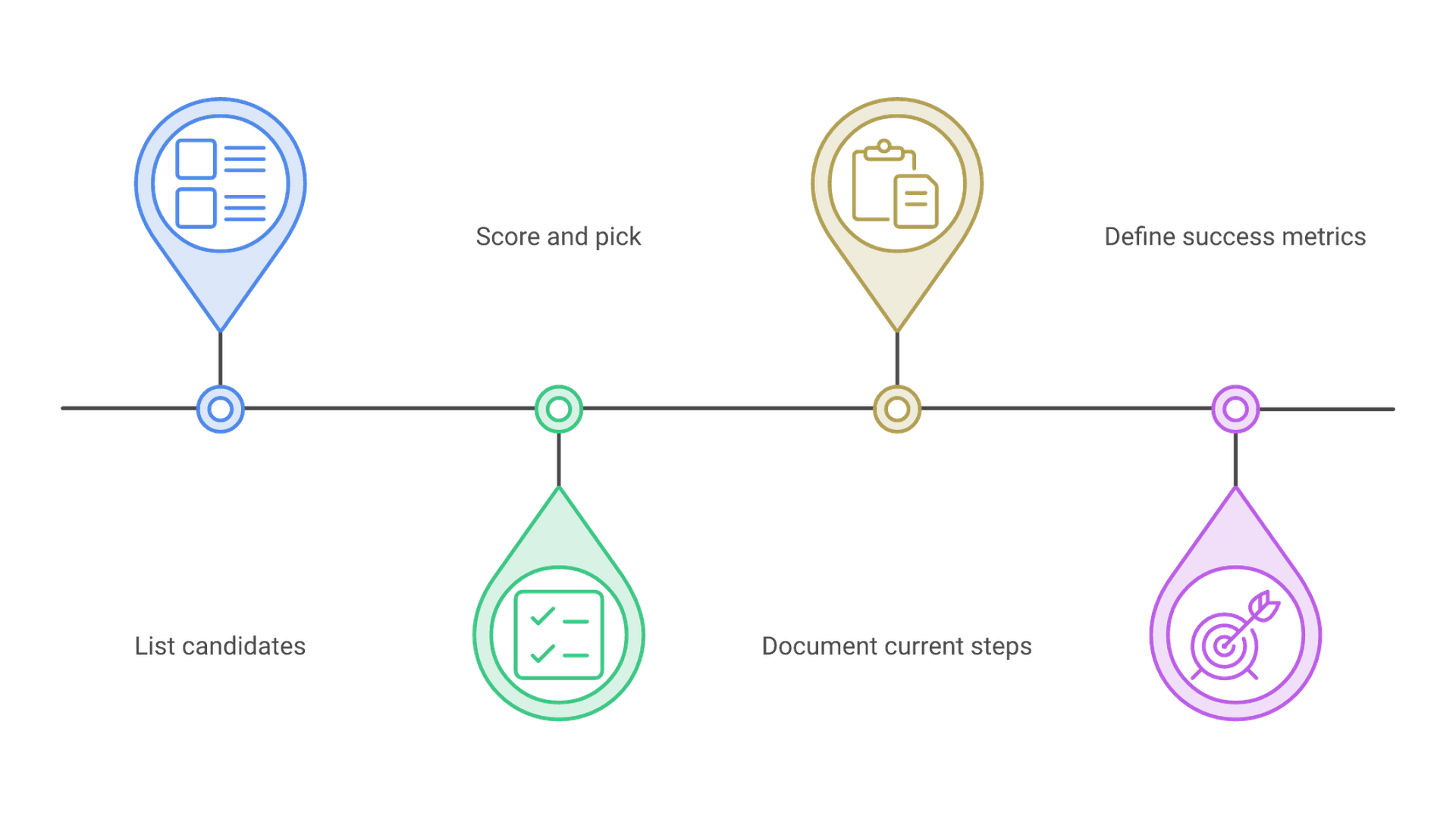
- List 10–15 candidate processes across finance, sales, HR, operations, and support using the examples above as a starting checklist.
- Score each candidate using the volume, effort, data readiness, and risk model-and pick the top 1–2 to optimize business processes first.
- Document current steps, rules, and data sources for your top candidates before engaging any implementation partner.
- Define success metrics-cycle time, error rates, cost savings, customer satisfaction-so you can measure ROI post-launch.
If you are ready to move from examples to execution, Cognativ helps organizations design AI-first, secure automation architectures using the RAPID framework. Explore our business process automation services for a deeper look at capabilities, or get in touch to discuss a focused assessment across your priority departments.