Copilotforce: What Salesforce Customers Need Before Turning On Salesforce in Microsoft Copilot
Salesforce in Microsoft Copilot is in beta for Enterprise-tier Sales Cloud and paid Copilot seats. How it overlaps older connectors and why permissions matter.
Salesforce's newest AI front end belongs to a longtime rival. Copilotforce, unveiled with Microsoft at Ignite on November 17, 2026, lets sellers read and update Salesforce records from inside Microsoft 365 Copilot, and its first piece entered public preview the same day.
The fine print lives in the setup guides rather than the keynote. The beta runs only on certain Sales Cloud editions, every user needs a paid Copilot seat, and the connector underneath can reach far more of Salesforce than a list of sales skills implies.
Copilotforce Arrives in Pieces: Two Previews, One Pilot, One GA Feature
Copilotforce is a bundle of integrations with different release states, so the date a company can actually use each piece ranges from this week to a general availability neither vendor has dated.
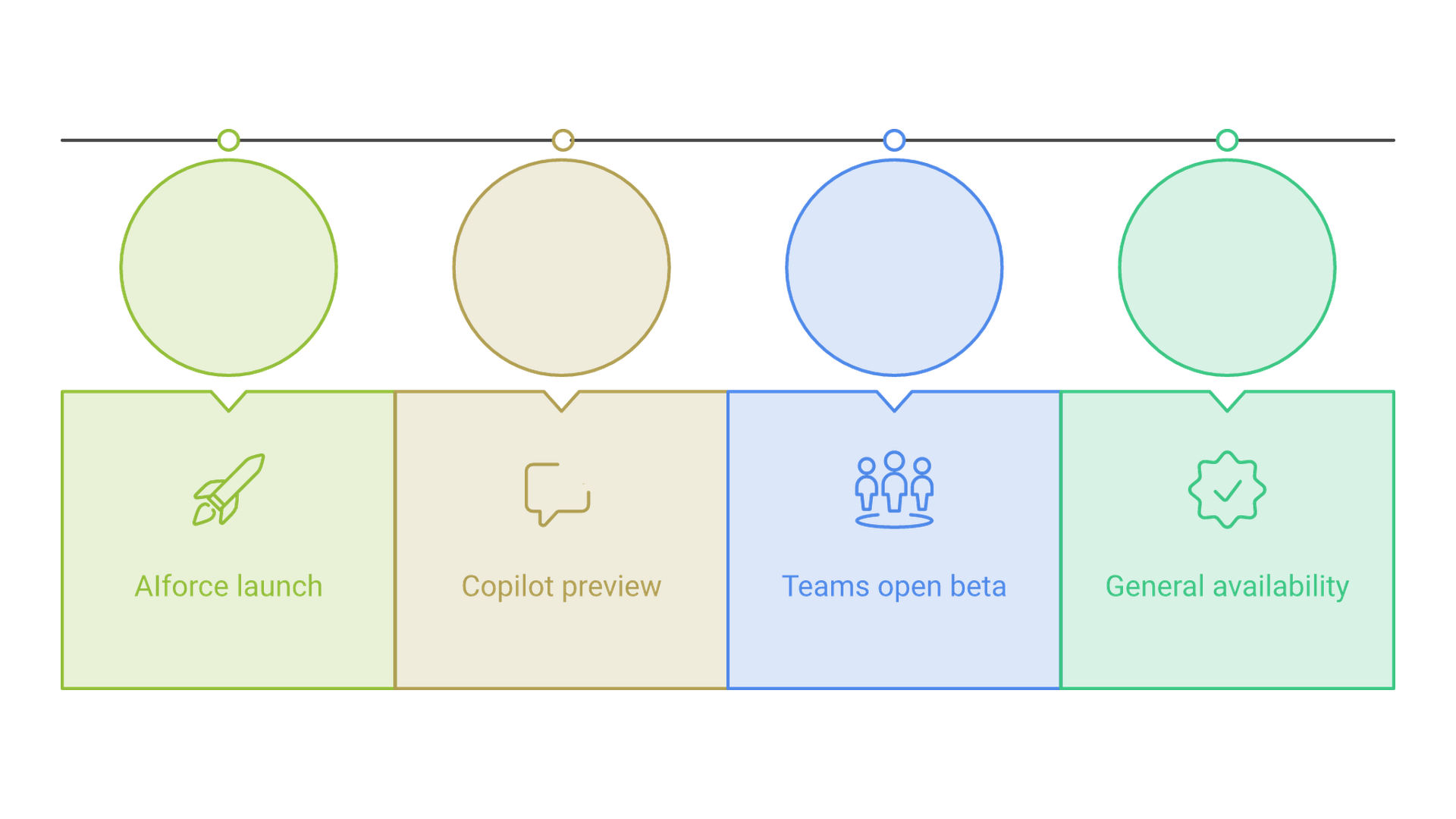
The Salesforce announcement lists four parts. Salesforce in Microsoft Copilot, the plugin that lets sellers query accounts, prepare for meetings, review deal health and take CRM actions, is in public preview (beta); Microsoft counts 38-plus prebuilt sales skills in it, drawing extra context from Teams meetings, Outlook email and SharePoint or OneDrive files through its Work IQ layer. Sales Cloud in Teams, first shown at Dreamforce 2026, is a pilot with enterprise customers, and Microsoft plans an open beta later this year. On the data side, Data 360 querying Microsoft Fabric's OneLake in place is generally available, while sharing Data 360 data into OneLake is in preview. Informatica, now part of Salesforce, adds a plugin for Copilot.
The structure is familiar. Salesforce introduced AIforce at Dreamforce on September 15, 2026, and its Claudeforce launch put Salesforce in Claude, a hosted MCP server with 37 prebuilt sales skills, in beta for all customers. Copilotforce repeats that template inside Microsoft's assistant. Salesforce president and COO Miguel Milano said "we're bringing Salesforce to the largest surface in enterprise software today." For buyers, the choice of AI assistant is coming apart from the choice of CRM.
Salesforce's official X account introduced Copilotforce the same day, framing it around the reach of Copilot and Teams.
Introducing Copilotforce Salesforce customer context and sales workflows are coming to @MSFTCopilot and @MicrosoftTeams—where more than 400M people already collaborate Our expanded partnership with @Microsoft spans Copilot, Teams & Fabric: → Salesforce in Microsoft Copilot… pic.twitter.com/BAoTh2YR4e
Who Can Turn On Salesforce in Microsoft Copilot During the Beta
Salesforce's beta setup guide sets the entry bar, and it is higher than the launch copy suggests: specific Sales Cloud editions, a paid Copilot seat per user and a commercial Microsoft tenant.
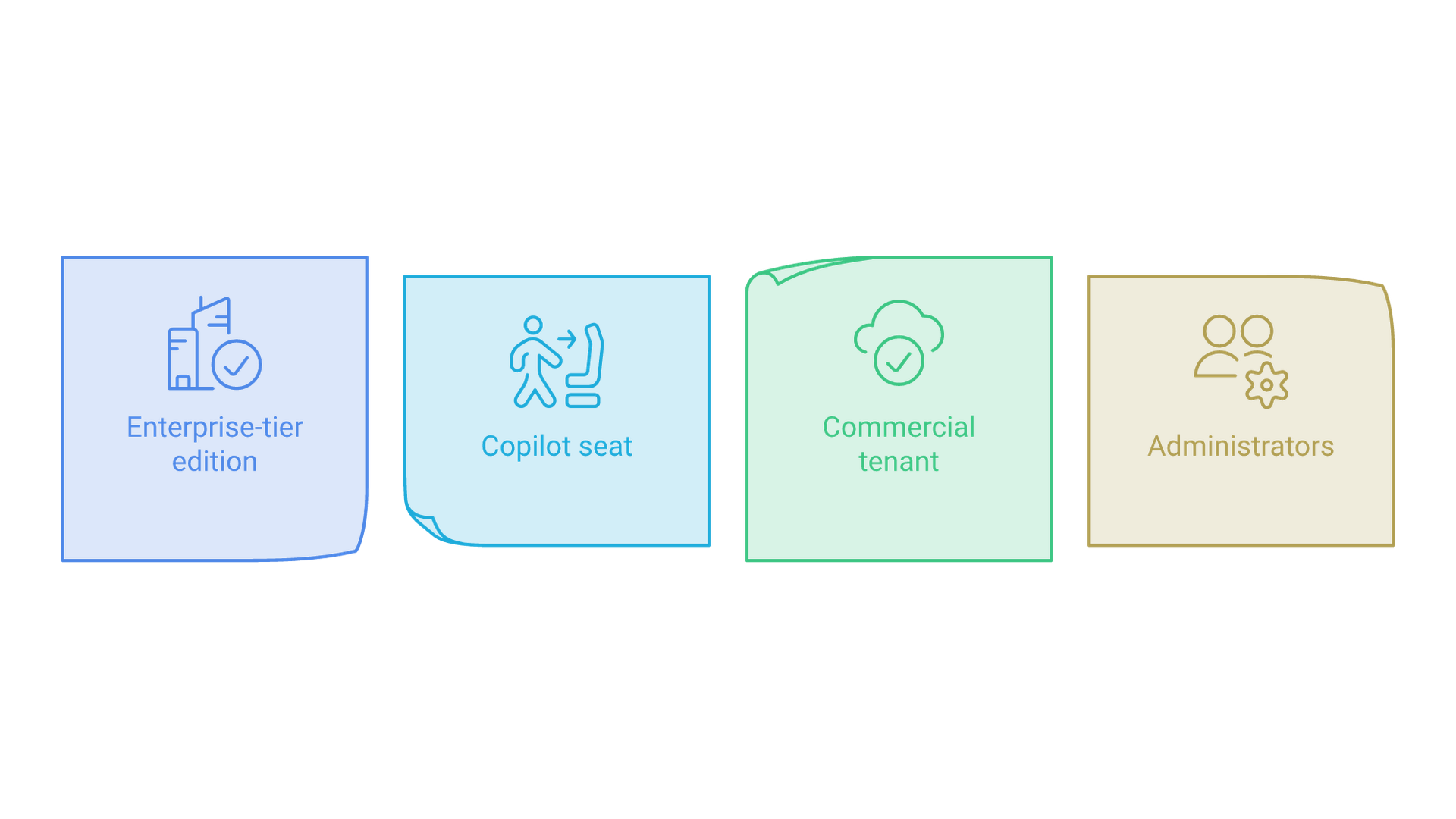
According to Salesforce's help article for the beta, an organization needs:
- Sales Cloud in Enterprise, Performance or Unlimited edition. Lower editions are not on the list.
- A Microsoft 365 Copilot license for each user. Copilot Studio is not required.
- A commercial Microsoft 365 tenant. Government clouds (GCC, GCC High and DoD) are not supported during the beta.
- Two administrators: a Salesforce admin, plus a Microsoft 365 tenant admin or a user holding the Copilot administrator role.
Two groups of US companies are therefore outside the preview from the start: Salesforce customers on editions below Enterprise, and government agencies and contractors whose Microsoft 365 runs in GCC, GCC High or DoD. Everyone else faces a seat question, because each seller who uses the plugin carries a Salesforce license and a Microsoft 365 Copilot license.
Setup is split across both consoles. On the Salesforce side, the admin activates the Salesforce MCP Server, can create a dedicated permission set, and registers an External Client App for Copilot with OAuth and PKCE. In the Microsoft 365 admin center, the admin adds the "Salesforce (Beta)" connector under Copilot, then installs the plugin for chosen users or groups; each seller then signs in with their own Salesforce login. Microsoft says the connector is usually ready to test within 30 minutes and advises starting with a pilot group.
Three Ways Salesforce Data Already Reaches Copilot
Copilotforce is not the first route from Salesforce into Microsoft 365, and the older routes keep working, so admins can end up with overlapping connectors that keep CRM data in different places.
Microsoft still documents its Sales agent for Salesforce CRM customers. That product connects through the Power Platform connector, also requires a Microsoft 365 Copilot license per user, and provisions a Dataverse environment called msdyn_viva to store the data generated while sellers use it. Microsoft also offers a synced Salesforce connector that indexes content for search. The new federated connector behind Copilotforce works differently: Microsoft says it retrieves Salesforce data at query time and does not index or store it permanently.
| Route into Copilot | How it connects | Where Salesforce data sits | Status |
|---|---|---|---|
| Sales agent | Power Platform connector | Agent data in a Dataverse environment | Existing product |
| Synced Salesforce connector | Indexing for search | Microsoft 365 search index | Existing connector |
| Salesforce in Copilot (Copilotforce) | Salesforce hosted MCP server | Fetched live, not stored | Public preview |
Microsoft's own troubleshooting notes already anticipate the overlap: two Salesforce entries can appear for users if an older Salesforce MCP listing is still enabled. A company running Salesforce and Microsoft 365 side by side should list which of these routes is switched on, which teams use each, and where any copies of CRM records end up before adding another path. That inventory is the starting point of any data integration plan, and it also shows whether the Fabric link is worth turning on, since that piece assumes Data 360 is already in use.
The Salesforce Permission Set Is the Real Guardrail
Both companies stress that Copilot acts only within each seller's Salesforce permissions. That is accurate, and it means those permissions, not the plugin, now decide what an assistant can change.
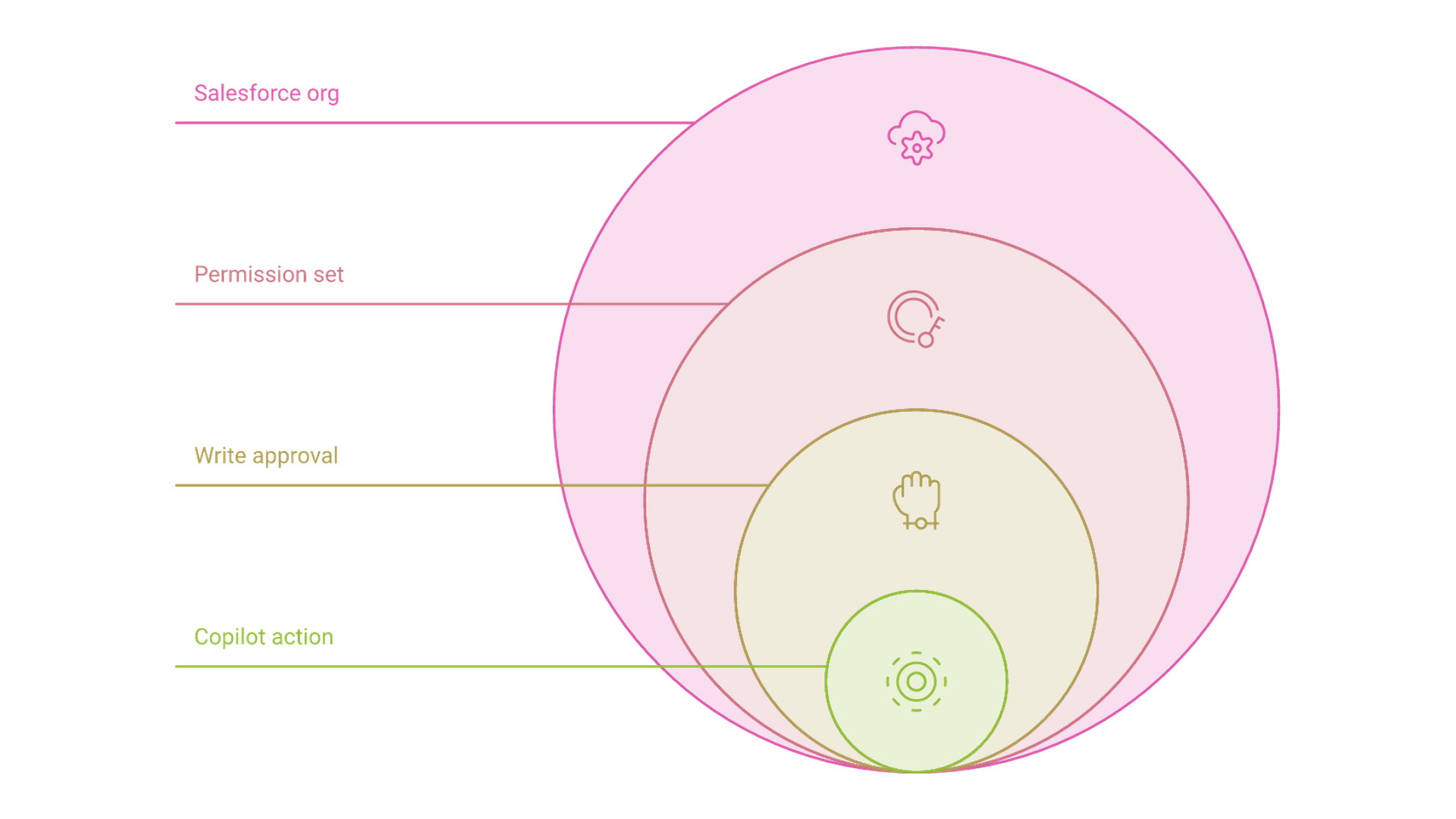
Microsoft's connector documentation shows how wide the underlying server is. The Headless 360 MCP server exposes capabilities across Salesforce, not only sales: depending on the user's rights, that includes creating, updating and deleting records, creating or deactivating users, assigning permission sets and deploying Apex triggers. Copilot finds operations at runtime through four tools, Discover, Describe, Dispatch and a read-only Dispatch, and Microsoft notes that the operation library grows as Salesforce adds capabilities.
Salesforce's beta guide describes a narrower plugin. It says Salesforce in Microsoft Copilot cannot delete records, its skills are prebuilt and cannot be customized, and Copilot may change fields that Salesforce automation normally controls. The announcements add that supported write-backs need the seller's explicit confirmation, and each user can require approval for write tools. The two documents describe different layers, which is exactly why the account a seller signs in with matters.
Microsoft's Judson Althoff put the partnership's premise this way: "AI is only as powerful as the data and context that grounds it." The same goes for the permissions that bound it. Before a rollout, create the optional dedicated permission set, keep admin-level users out of the first pilot group, check which validation rules and flows protect stage changes and close dates, and test configuration changes in a sandbox, as Microsoft advises. Deciding which objects an assistant may touch, which actions need approval and how its changes are audited is the heart of AI integration work, and it does not come prebuilt with either vendor's skills.
FAQs About Copilotforce
Common Copilotforce questions beyond setup and permissions cover the price, the sales skills included, Accenture's part in the launch and Microsoft's own sales agent.
How much does Copilotforce cost?
Neither company has published a price. Salesforce's beta guide says packaging and pricing will be confirmed ahead of general availability, and the announcement says pricing and packaging are subject to change.
What sales skills come with Salesforce in Copilot?
Microsoft names Pipeline Review, Close Planning, Deal Review, Customer Health, Renewal Radar and Call Follow-Up among the 38-plus skills. Its documentation also lists lead triage, forecast narratives and a hygiene check that flags opportunities with no logged activity for at least 14 days.
What is Accenture's role in Copilotforce?
Accenture is the design and implementation partner and "customer zero," deploying the integrations across its own global sales organization. It says it has scaled Copilot to more than 740,000 people and has 55,000 Salesforce users.
Does Copilotforce replace Microsoft's Sales agent for Salesforce?
Neither company has said so. Microsoft continues to publish a deployment guide for its Sales agent with Salesforce CRM, which uses a separate connector and its own data environment.
Before Copilotforce Gets a Price
The preview is the cheapest moment to learn how Salesforce behaves inside Copilot: a pilot group of chosen users, no published fee, and time to fix permissions before general availability.
Copilotforce makes Microsoft 365 Copilot a working front end for Salesforce, on Enterprise-tier editions, commercial tenants and paid Copilot seats, with the Teams app and Data 360 sharing still behind it. If your sellers already live in Outlook and Teams, confirm your edition and tenant, decide which Salesforce route each team should use, and scope a Copilot pilot around a dedicated Salesforce permission set before the plugin reaches your whole sales floor.