

Build Your Local AI Server: Tips and Specs for Success
A component-by-component spec sheet for a local AI server, showing the arithmetic behind GPU memory sizing and why the model you plan to run should come first.
Organizations are moving part of their AI work from cloud APIs to locally hosted infrastructure, driven by data sovereignty requirements, cost predictability and the need for consistent latency. A local AI server build is more than a hardware purchase: it decides which AI models you can run, how many people can use them at once and how much headroom you have when the next generation of open-weight models arrives.
This guide is a spec sheet rather than an installation walkthrough. It explains how to size each component, from GPU VRAM and system RAM to storage, power supply, cooling and networking, for the model sizes you actually plan to run. Hardware figures come from vendor specification pages as of October 30, 2026, and the sizing rules are shown as arithmetic you can repeat. The principle throughout: choose the model first, then size the machine.
Introduction to Local AI: Why the Spec Sheet Comes First
Local AI is the practice of running artificial intelligence models directly on your own hardware rather than sending prompts to an external cloud service. Sensitive data stays on premises, you control model versions and updates, and you can fine-tune models for specific needs without sharing training data with a third party. Thanks to advances in GPUs and unified-memory systems, it is now feasible for both enterprises and enthusiasts to run capable language models, image generation models and multimodal models on their own systems.
The trade-off is that hardware limits are hard limits: a local AI server either fits a model in fast memory or it does not. Lacking an NPU is not a problem, because engines such as llama.cpp and vLLM are optimized for GPU compute. If you are still deciding whether a local deployment makes sense at all, our guide on local AI server architecture, hardware and setup covers the architectural choices; this article focuses on the component numbers.
Planning and Preparation: Size the Model Before the Box
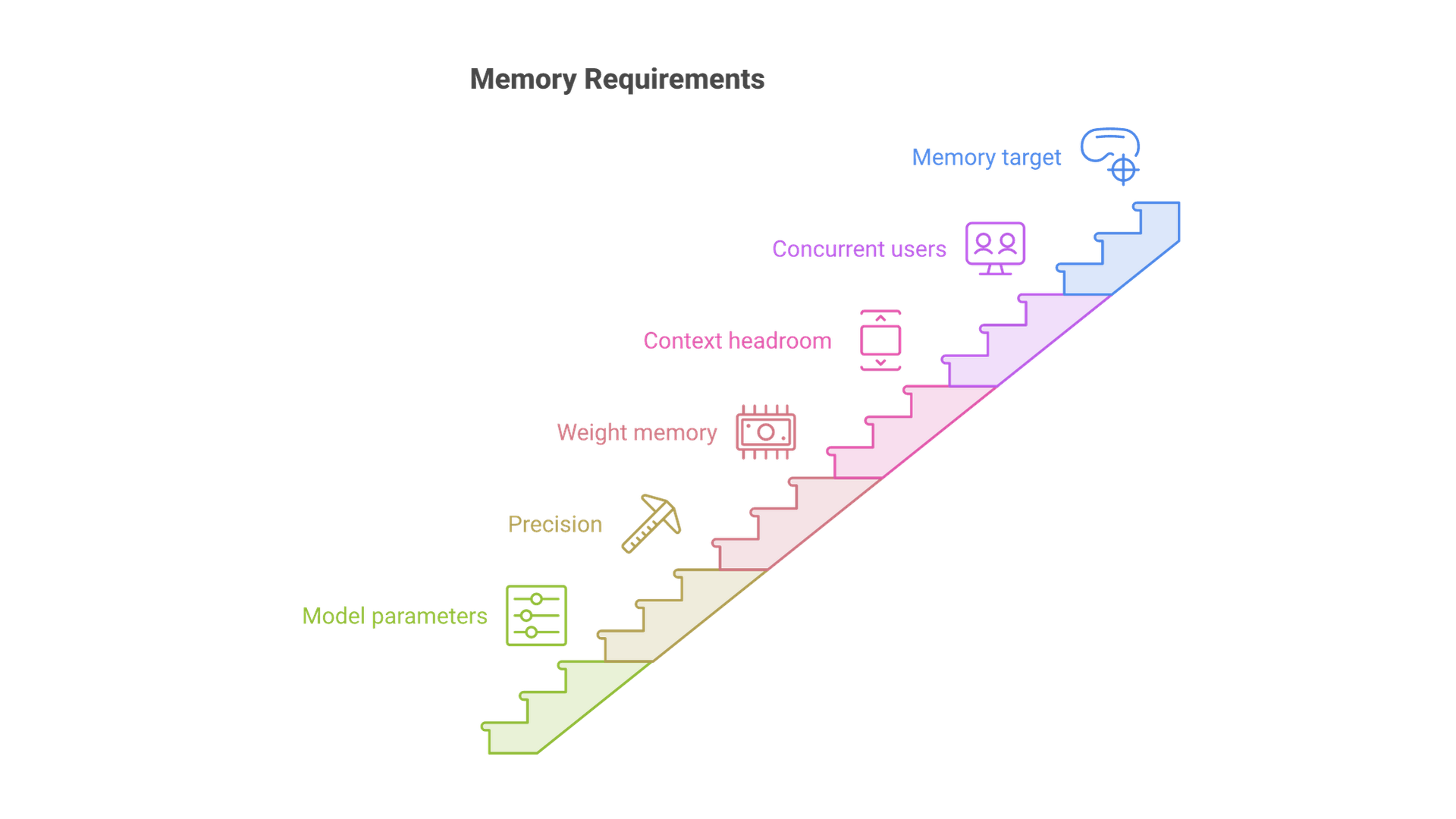
Before you price a single component, write down three numbers: the largest model you need to run, the precision you will run it at, and how many concurrent users or requests the server must handle. Those three numbers determine almost every other line on the spec sheet.
Step 1: Estimate weight memory from parameters and precision
Model weights dominate memory use. A practical estimate is parameters multiplied by bytes per parameter. Puget Systems' local LLM hardware primer describes the same method: at FP16 or BF16, multiply the parameter count in billions by two to get gigabytes; 8-bit quantization uses roughly half that, and 4-bit roughly a quarter. The total size of the model's weight files is another quick check, because it is close to the memory the weights will need.
Applied to common model classes, the arithmetic looks like this (weights only, before context):
| Model size | BF16 (2 bytes) | 8-bit (1 byte) | 4-bit (0.5 bytes) |
|---|---|---|---|
| 8B | about 16 GB | about 8 GB | about 4 GB |
| 14B | about 28 GB | about 14 GB | about 7 GB |
| 32B | about 64 GB | about 32 GB | about 16 GB |
| 70B | about 140 GB | about 70 GB | about 35 GB |
Some model vendors publish their own memory targets, and those beat any rule of thumb. OpenAI's gpt-oss model card states that gpt-oss-120b (117 billion total parameters, 5.1 billion active) fits on a single 80 GB GPU thanks to MXFP4 quantization of its mixture-of-experts weights, and that gpt-oss-20b runs within 16 GB of memory.
Step 2: Add headroom for context and runtime overhead
Weights are not the whole story. The inference engine needs working memory, and every active conversation stores a key-value (KV) cache that grows with context length. Hugging Face's Accelerate memory estimator documentation notes that inference can add up to about 20% on top of the memory needed to load a model, and Puget suggests planning roughly 15% extra for usable context.
Step 3: Multiply for concurrency and long context
A shared server is different from a personal workstation. Ten users with long documents each hold their own KV cache, so memory for context can rival the weights themselves. vLLM's parallelism and scaling guide recommends reading the engine's reported GPU KV cache size and maximum concurrency at startup, and adding GPUs or nodes until there is enough memory for the model and the traffic. For a team server, size VRAM for the weights plus a generous context budget, not for the weights alone.
GPU and VRAM: The Spec That Decides Everything
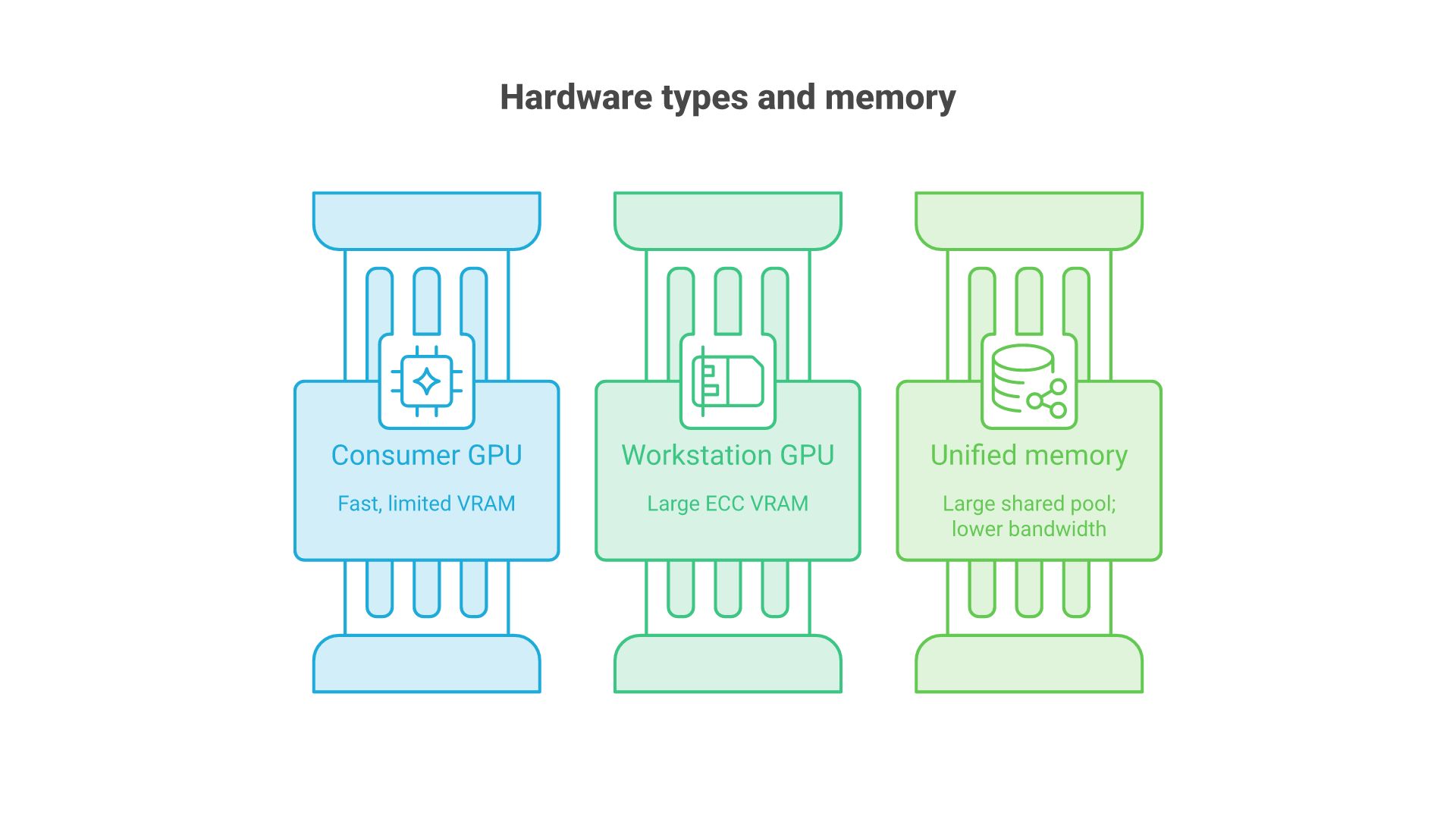
Once you know the memory target, the GPU choice narrows quickly. Three kinds of hardware dominate local AI builds in late 2026: consumer graphics cards, workstation cards with large ECC memory, and compact systems with large pools of unified memory. They trade capacity, bandwidth and expandability differently.
Discrete GPUs (current vendor specifications)
| GPU | Memory | Bandwidth | Board power | Vendor PSU guidance |
|---|---|---|---|---|
| NVIDIA GeForce RTX 5060 Ti | 16 GB or 8 GB GDDR7 | 448 GB/s | 180 W | 600 W system |
| NVIDIA GeForce RTX 5070 Ti | 16 GB GDDR7 | 896 GB/s | 300 W | 750 W system |
| NVIDIA GeForce RTX 5080 | 16 GB GDDR7 | 960 GB/s | 360 W | 850 W system |
| NVIDIA GeForce RTX 5090 | 32 GB GDDR7 | 1,792 GB/s | 575 W | 1,000 W system |
| Intel Arc Pro B70 | 32 GB GDDR6 | 608 GB/s | 230 W | Not listed |
| AMD Radeon AI PRO R9700 | 32 GB GDDR6 | 640 GB/s | 300 W | 750 W minimum |
| NVIDIA RTX PRO 6000 Blackwell Max-Q | 96 GB GDDR7 ECC | 1,792 GB/s | 300 W | Not listed |
| NVIDIA RTX PRO 6000 Blackwell Workstation | 96 GB GDDR7 ECC | 1,792 GB/s | 600 W | Not listed |
Sources: NVIDIA's GeForce RTX 50 Series comparison, NVIDIA's RTX PRO 6000 Blackwell Workstation Edition and Max-Q Workstation Edition pages, AMD's Radeon AI PRO R9700 specifications and Intel's Arc Pro B70 specifications. The NVIDIA RTX 4090 with 24 GB, once the default recommendation for this kind of build, has been superseded by the 32 GB RTX 5090 in NVIDIA's current GeForce lineup.
Unified-memory systems
Unified-memory machines let the GPU address a large share of system memory, which trades bandwidth for capacity:
- NVIDIA DGX Spark: 128 GB of coherent unified LPDDR5x at 273 GB/s, up to 4 TB of NVMe storage, a ConnectX-7 network interface at 200 Gbps and a 240 W power supply. NVIDIA rates one unit for models up to 200 billion parameters and two linked units for up to 400 billion.
- AMD Ryzen AI Max+ 395 systems: up to 128 GB of unified memory, of which up to 96 GB can be assigned as dedicated graphics memory through AMD Variable Graphics Memory.
- Apple Mac Studio (2026): M5 Max with up to 128 GB at up to 614 GB/s, or M5 Ultra with up to 512 GB at 1.2 TB/s and 10Gb Ethernet plus Thunderbolt 5.
Details come from NVIDIA's DGX Spark page, AMD's Variable Graphics Memory FAQ and Apple's Mac Studio technical specifications. Apple's August 2026 announcement said the 512 GB configuration would follow in late October, so confirm availability before you plan around it.
In short, discrete GPUs give the most bandwidth per gigabyte and expand one card at a time, while unified-memory systems hold larger models in one box at lower bandwidth.
Hardware Requirements: Component Tiers by Model Size
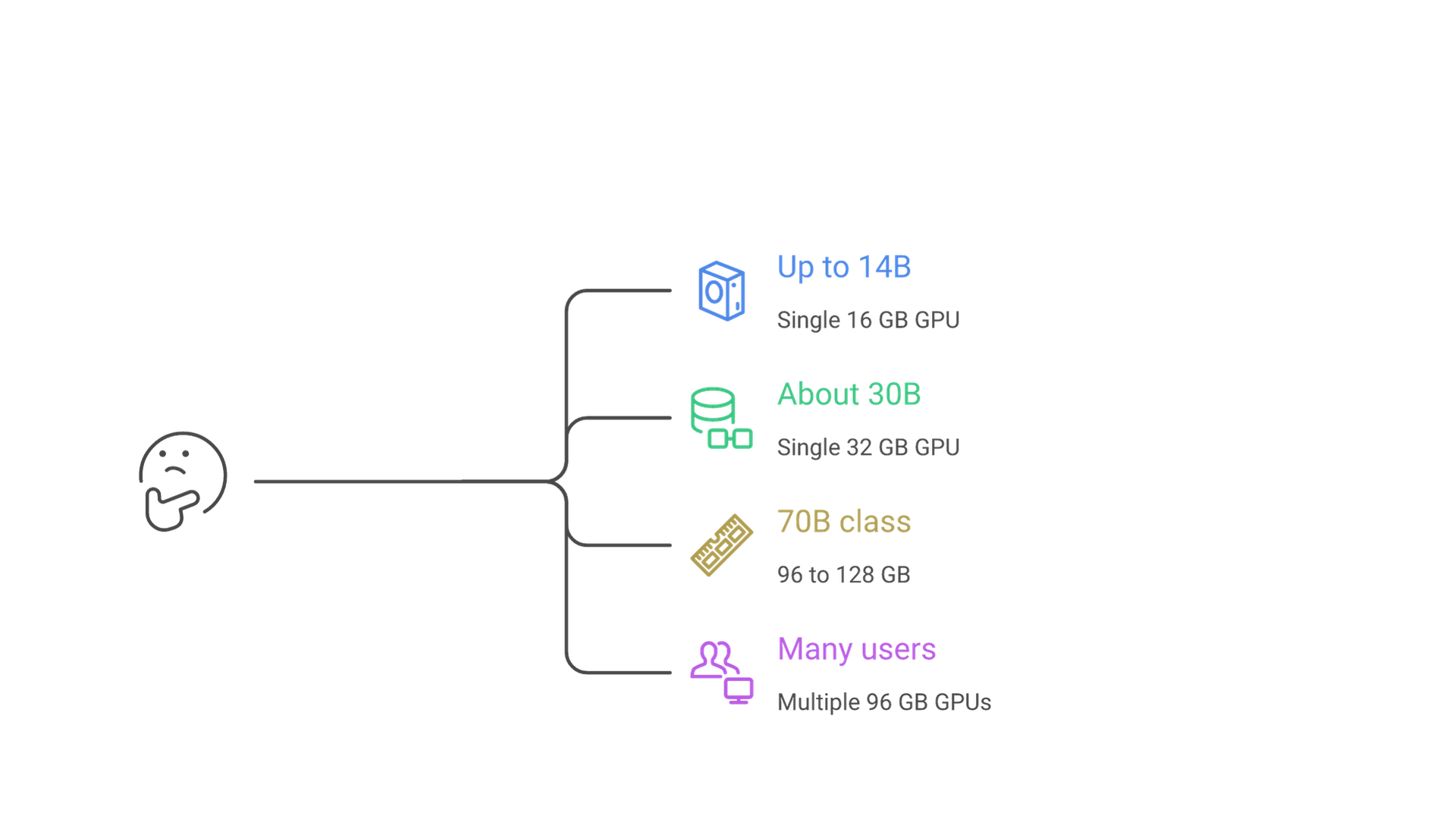
The foundation of any local AI server build is balance: processing power, memory capacity, memory bandwidth and storage speed sized for the same workload. The tiers below translate the arithmetic above into complete component lists. They are planning starting points, not tested configurations, and each assumes 4-bit or similar quantization unless stated.
| Tier | Target models | GPU memory | System RAM | Storage | Power and cooling |
|---|---|---|---|---|---|
| Entry | Up to about 14B, gpt-oss-20b | One 16 GB card | 32 to 64 GB | 1 TB NVMe | Vendor PSU guidance (600 to 850 W), standard tower airflow |
| Prosumer | About 30B dense, larger MoE at low precision | One 32 GB card | 64 GB | 2 TB NVMe | 750 to 1,000 W depending on card, high-airflow case |
| Team server | 70B class, gpt-oss-120b | 96 GB card, two 32 GB or larger cards, or 128 GB unified memory | 128 to 192 GB | 2 to 4 TB NVMe | 1,200 W or more for multi-GPU, front-to-back airflow |
| Department server | 70B at higher precision, 200B+ class, many users | Two to four 96 GB cards | At least 2x total VRAM | 4 to 8 TB NVMe | Workstation or rack chassis, dedicated circuit, 300 W cards for density |
Entry tier: a single 16 GB GPU
A 16 GB card covers 7B to 14B models at 4-bit with comfortable context, and it meets the 16 GB target OpenAI publishes for gpt-oss-20b. It suits a personal assistant or proof of concept, not many simultaneous users.
Prosumer tier: a single 32 GB GPU
Doubling VRAM to 32 GB opens up roughly 30-billion-parameter dense models at 4-bit with room for longer context. The RTX 5090, Radeon AI PRO R9700 and Arc Pro B70 all sit here with very different bandwidth and power figures. Note that a 70B dense model at 4-bit needs about 35 GB for weights alone by the arithmetic above, so it does not fit entirely on one 32 GB card.
Team server tier: 96 to 128 GB of fast memory
This is where 70B-class dense models and gpt-oss-120b become practical for a small team. Options include a single 96 GB RTX PRO 6000, two or more 32 GB cards split with tensor parallelism, or a 128 GB unified-memory system. For a walkthrough of what gpt-oss-120b specifically needs, see our guide to gpt-oss-120b hardware requirements.
Department server tier: multiple 96 GB GPUs
Running a 70B model at native precision is a different scale of project. Puget Systems' LLM server recommendations put that at nearly 200 GB of VRAM and suggest two 96 GB RTX PRO 6000 Blackwell cards as one way to reach it. NVIDIA's Max-Q page notes that up to four of those 300 W cards fit in one workstation for 384 GB of combined GPU memory. At this tier, infrastructure design (power, cooling, rack space and monitoring) matters as much as the GPU. Our AI infrastructure team plans deployments of this size.
System RAM, CPU and PCIe Lanes
System RAM is the most commonly under-specified part of a local AI server. Even when a model runs entirely on the GPU, it is loaded through system memory first, and Puget notes that loading can fail if RAM plus the page file is too small even when the model would fit in VRAM. Its desktop guidance is at least as much RAM as VRAM, preferably 1.5 to 2 times more; its server guidance, which it attributes to NVIDIA as well, is at least twice the total GPU VRAM so that memory can be fully pinned for buffering.
In practice that means 64 GB of RAM for a single 32 GB card, and 192 GB or more for a pair of 96 GB cards. Choose ECC memory for a shared server.
CPU and platform
The CPU matters less for GPU inference than its platform does. Puget's testing found Intel and AMD platforms with the same GPU perform nearly identically for LLM inference, but workstation and server platforms (AMD Threadripper PRO, AMD EPYC, Intel Xeon) provide more PCIe lanes and memory channels. Its server page recommends at least two to four CPU cores per GPU. CPU-only inference is a fallback, not a plan: Puget estimates it at roughly 10 to 100 times slower than capable GPU inference.
PCIe lanes and slots
Every current card in the table above uses a PCIe 5.0 x16 interface. A consumer desktop board usually runs one card at full width; adding a second card often splits lanes or drops the second slot to fewer lanes. If you plan for two or more GPUs, choose a workstation or server platform with enough lanes and physical slot spacing for dual-slot cards from the start.
Storage: NVMe Capacity and Model Files
Storage does not affect generation speed once a model is loaded, but it determines how quickly you can load or switch models and how many you can keep on hand. Use NVMe SSDs for the model store. Puget's server guidance recommends 2 to 8 TB of local NVMe for systems hosting LLMs and advises keeping model weights on the server itself, with network-attached storage reserved for backup and sharing.
Capacity planning is simple: add up the weight files you want available, keep at least two versions of each production model for rollback, and leave room for fine-tuned adapters, embedding indexes and logs. A single 70B model at BF16 is about 140 GB on disk by the arithmetic above, so a library of large models fills a 1 TB drive quickly.
Power Supply and Cooling
Power is where many builds fail quietly, through unexpected shutdowns under load. Start from the vendor's figures rather than guesses. NVIDIA lists the RTX 5090 at 575 W total graphics power with a 1,000 W required system power. AMD lists the Radeon AI PRO R9700 at 300 W with a 750 W minimum PSU and a 12V-2x6 connector. The RTX PRO 6000 Workstation Edition draws up to 600 W and the Max-Q edition 300 W.
A simple PSU sizing method
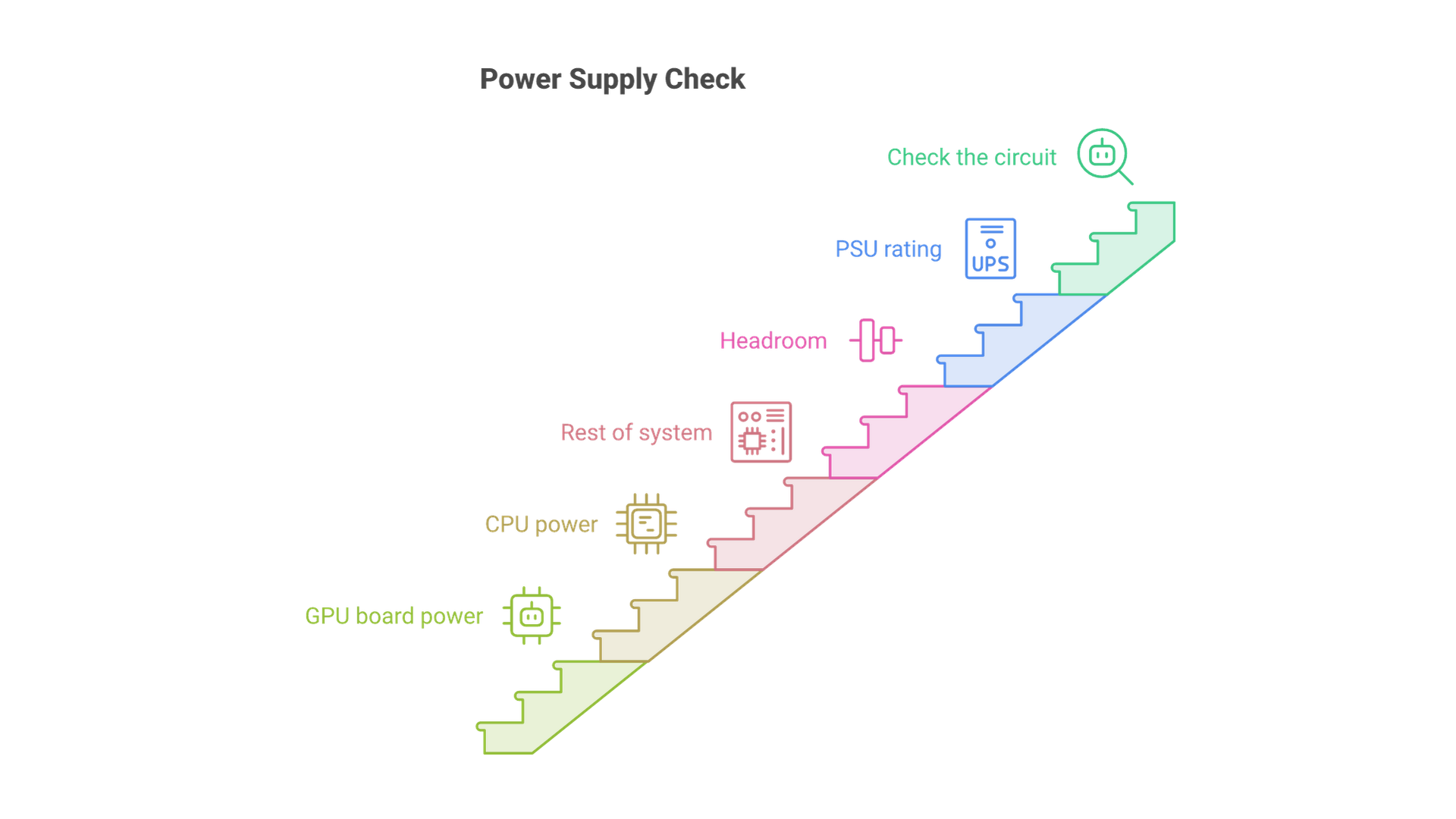
Add the maximum board power of every GPU, the CPU's rated power, and an allowance for memory, drives, fans and the motherboard. Then leave headroom so the supply is not running at its limit for hours at a time. Two RTX 5090 cards alone account for 1,150 W of rated graphics power, which is why multi-GPU consumer builds quickly outgrow a standard 1,000 W supply, while four 300 W Max-Q cards total 1,200 W of graphics power in a workstation chassis. Prefer native 12V-2x6 or 16-pin connectors over adapter chains, and confirm the circuit can carry the load.
Cooling and form factor
Local AI workloads keep GPUs near full load for long periods, which is harsher than gaming. Plan for sustained, not peak, thermals. Open-air consumer cards exhaust heat into the case and need generous front-to-back airflow and slot spacing. Cards designed for multi-GPU density, such as the 300 W, dual-slot RTX PRO 6000 Max-Q, are built to sit side by side. AMD also offers a passively cooled Radeon AI PRO R9700S variant for chassis that supply their own airflow. Thermal throttling shows up as falling tokens per second, not as an error.
Networking for a Shared AI Server
For chat and API traffic, the payloads are small text streams, so ordinary gigabit Ethernet is adequate for a handful of users; 10 GbE becomes useful when you move model files between machines, sync datasets or serve many clients.
Multi-node inference is where networking becomes a hard requirement. vLLM's documentation says tensor parallelism across nodes needs fast inter-node communication, ideally InfiniBand, and warns that falling back to plain TCP sockets is inefficient. Compact systems now ship with high-speed links for exactly this reason: the DGX Spark includes ConnectX-7 at 200 Gbps with two QSFP ports so two units can connect with a single cable, and the 2026 Mac Studio offers 10Gb Ethernet and Thunderbolt 5 ports.
Memory Bandwidth and Performance Optimization
Memory bandwidth often limits AI inference more than raw compute. When a dense model generates each new token, it reads essentially all of its active weights from memory. A useful mental model is that the theoretical ceiling on single-stream generation speed is roughly memory bandwidth divided by the bytes read per token. For example, 35 GB of 4-bit weights on a card with 1,792 GB/s of bandwidth gives a ceiling of about 51 tokens per second; real results land below that because of overhead. The same arithmetic explains why mixture-of-experts models such as gpt-oss, which read only their active parameters per token, suit high-capacity, lower-bandwidth unified memory.
Optimization levers
- Quantization: INT8, INT4 and formats such as MXFP4 cut both memory footprint and bytes read per token. Validate quality on your own tasks before standardizing on a lower precision.
- Batching: serving engines such as vLLM batch requests from many users so each pass over the weights produces more tokens in total, which raises throughput even if single-user speed stays the same.
- Context management: Puget notes that Flash Attention and KV cache quantization reduce the memory cost of long context; cap maximum context length to what your users need.
- Keep the model in fast memory: offloading layers to system RAM lets a model run that would not otherwise fit, but performance drops sharply. Size VRAM so offloading is the exception.
AI Software: Building the Stack
The common software layers are GPU drivers and compute toolkits (CUDA for NVIDIA, ROCm for AMD), an inference engine (llama.cpp for single-user and mixed CPU and GPU setups, vLLM for high-concurrency serving), containerization with Docker and the NVIDIA Container Toolkit, and a user interface such as Open WebUI or LM Studio. Check that your chosen engine supports your GPU vendor and quantization format before you buy; support for each GPU vendor and format differs between engines and releases.
This article deliberately skips installation commands. For operating system choice, driver installation and first deployment, follow our step-by-step local AI server setup guide. If you also plan to fine-tune with techniques such as LoRA or QLoRA, budget extra VRAM: the gpt-oss model card notes that the 120b model can be fine-tuned on a single H100 node, while the 20b model can be fine-tuned on consumer hardware.
Ensuring Security and Best Practices
Keeping data local is only half of data privacy. The server itself needs the same controls as any other system that holds sensitive information. Implement access controls on the inference API, encrypt data at rest and in transit, and apply driver, engine and model updates on a schedule. Prefer hardware that supports it: the DGX Spark ships with self-encrypting NVMe storage, and ECC GPU memory on workstation cards protects long-running jobs from silent memory errors.
Monitor resources continuously, including GPU memory, temperature, power draw and request latency, so you notice thermal throttling or a full KV cache before users do. Use secure protocols for remote administration, expose only the inference API, and log who accessed which model. Teams that need help turning a local model into a governed production service can work with our LLM solutions team.
Large Language Models: Scaling and Future Outlook
As models grow, scaling a local AI server means distributing work across GPUs and nodes. vLLM's guidance is direct: if a model fits on one GPU, use one GPU; if it needs several GPUs in one machine, use tensor parallelism across them; if it spans machines, combine tensor parallelism within each node with pipeline parallelism across nodes. For GPUs without a high-speed direct link between them, vLLM suggests pipeline parallelism can deliver higher throughput than tensor parallelism.
Hardware is moving toward larger memory pools rather than only faster compute. Current vendor lineups include 96 GB workstation cards, 128 GB desktop AI systems and a desktop announced with up to 512 GB of unified memory. That trend favors buying for memory capacity and bandwidth first. Component pricing has also been volatile, so treat any build list as a snapshot and recheck current vendor specifications before you order.
Frequently Asked Questions
How much VRAM do I need for a local AI server?
Estimate weights as parameters times bytes per parameter (about 0.5 bytes at 4-bit, 1 byte at 8-bit, 2 bytes at BF16), then add roughly 15 to 20 percent for runtime and context. Add more for many concurrent users or long documents.
Can a 32 GB GPU run a 70B model?
Not entirely in VRAM. At 4-bit, a 70B dense model needs about 35 GB for weights alone. You can offload some layers to system RAM, but speed drops sharply; two GPUs or a 96 GB card is the cleaner option.
How much system RAM should a local AI server have?
Puget Systems recommends at least as much RAM as VRAM for a desktop, preferably 1.5 to 2 times more, and at least twice the total VRAM for a multi-user LLM server.
What power supply do I need for an AI server?
Add the rated board power of every GPU, the CPU and the rest of the system, then leave headroom. NVIDIA lists 1,000 W required system power for a single RTX 5090; multi-GPU builds need more and may need a dedicated circuit.
Is a unified-memory system better than a discrete GPU?
It depends on the model. Unified memory holds larger models in one box, but lower bandwidth means slower generation on dense models. Discrete GPUs are faster per gigabyte and easier to expand.
Does storage speed affect inference speed?
Not once the model is loaded. Fast NVMe storage shortens model load and switching times, and capacity determines how many models and versions you can keep locally.
Conclusion: Build Your Local AI Server Around the Model
A successful local AI server build starts with the model, not the GPU. Estimate weight memory from parameters and precision, add headroom for context and concurrency, then size the GPU, system RAM, storage, power, cooling and networking around that target. Vendor specification pages, not forum folklore, should supply the numbers.
Use the tiers as a starting point, recheck current specifications before you buy, and validate performance on your own prompts and data.
If you want help sizing hardware for your models, users and data rules, talk to Cognativ about your local AI server.